
This page is not an official page of the app or its developer, but an independent editorial publication created for informational and commentary purposes. Unless expressly stated otherwise, neither the app nor its developer is affiliated with, endorsed by, sponsored by, authorized by, or otherwise officially connected with MWM, Apple, Google Play, the app publisher, or the app's developer, and nothing on this page implies that the app was developed using MWM's services. Any trademarks, logos, screenshots, and other content remain the property of their respective owners.


VIP Access for iPhone
Unleash digital invincibility. It gives users bulletproof authentication, turning every login into a fortress.
Downloads
7.5M+User Rating
Total Ratings
4.6KPublisher
Category
BusinessLocales
11Latest Version
5.2.0Size
25.8 MBFirst Released
Mar 31, 2009An evaluation of core functionalities enhancing digital security and user experience.
Key Features Analysis: VIP Access for iPhone
Multi-Factor Authentication with One-Time Security Codes
The app provides robust, time-based one-time passwords, significantly enhancing security for sensitive accounts by requiring a unique code in addition to standard login credentials.
Push Notification Approvals with Biometric Support
It allows users to conveniently approve login requests via push notifications, optionally leveraging Touch ID, Face ID, or passcodes for an extra layer of biometric security.
Offline Security Code Generation
This tool ensures uninterrupted access to secured accounts by enabling the generation of security codes even without an active internet or mobile network connection.
QR Code Scanning for Third-Party Services
The app features the ability to scan QR codes from popular services like Google, Facebook, and Amazon, generating site-specific security codes for broader two-factor authentication.
Secure Credential Migration
It provides a secure method for transferring VIP Access credentials to a new mobile device using QR code generation, simplifying device upgrades without compromising security.
Challenge-Response Authentication
It supports a challenge-response mechanism, requiring users to enter a specific number on their device to confirm physical presence during authentication, adding an advanced security layer.
Frequently Asked Questions
Everything you need to know about VIP Access for iPhone
What is VIP Access for iPhone?
VIP Access for iPhone is an application that provides strong, two-factor authentication to protect your online accounts and transactions at VIP-enabled organizations. It generates one-time security codes or uses push notifications for secure logins.
How does VIP Access for iPhone provide strong authentication?
VIP Access for iPhone provides strong authentication through dynamically generated one-time security codes, push notifications requiring approval, challenge number entry, or local device authentication like Touch ID or Face ID.
Can VIP Access for iPhone generate security codes offline?
Yes, VIP Access for iPhone can generate security codes even if your mobile device does not have a network or mobile connection. This ensures continuous access to your authenticated accounts.
How do I migrate VIP Access credentials to a new iPhone?
To migrate credentials, generate a migration code on your current device using VIP Access, download the app on your new iPhone, then scan the migration code with the new device. This process resets the app on the old device.
What organizations are supported by VIP Access for iPhone?
VIP Access for iPhone supports various participating organizations, including E*TRADE, Facebook, Google, and Amazon. It works with hundreds of sites within the VIP Network for enhanced security.
How does QR code authentication work in VIP Access for iPhone?
VIP Access for iPhone allows you to scan a QR Code at participating organizations. This generates a site-specific security code every 30 seconds, which you enter along with your password for secure two-factor authentication.
Can I use Touch ID or Face ID with VIP Access for iPhone?
Yes, VIP Access for iPhone supports Touch ID and Face ID for authenticating push notifications. Your mobile device must be capable of these features, and you must have a fingerprint or facial recognition registered on the device.
Can I remove an account from VIP Access for iPhone?
Yes, VIP Access for iPhone allows you to remove account credentials. You can access the 'Manage Credentials' screen where options to edit and remove accounts are presented, as shown by the red minus icons.
What is the purpose of a transaction verification request in VIP Access for iPhone?
A transaction verification request in VIP Access for iPhone provides an additional layer of security by prompting you to confirm specific transaction details, often including location, before approving the action. You enter a number displayed on your screen to verify.
How long is a security code valid in VIP Access for iPhone?
A security code generated by VIP Access for iPhone is typically valid for a short duration, such as 30 seconds. The app displays a countdown timer, indicating the remaining time before the code expires and a new one is generated.
The following screenshots and description are sourced directly from the app's official store listing and are the property of the app developer.
App Store
Screenshots
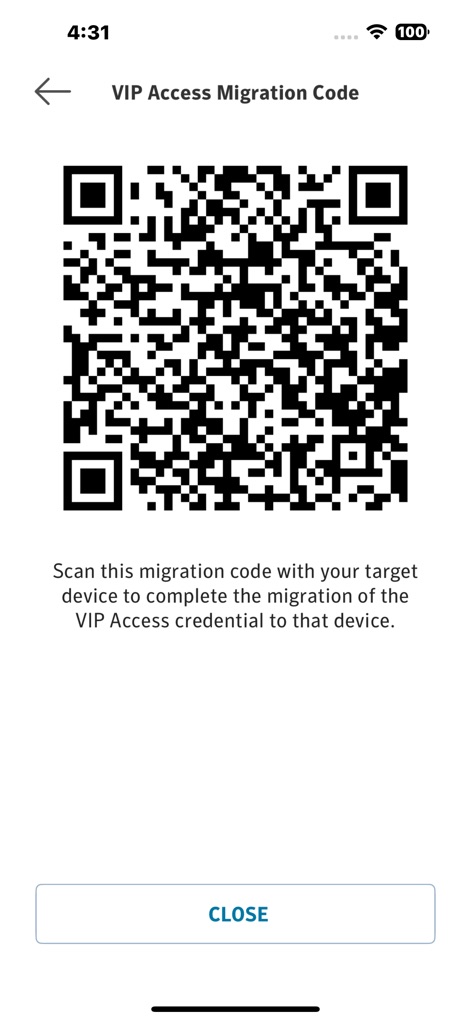
This screen showcases the QR code generation feature and the instructional text guiding users through credential migration to a new device.
Seamless Device Transfer
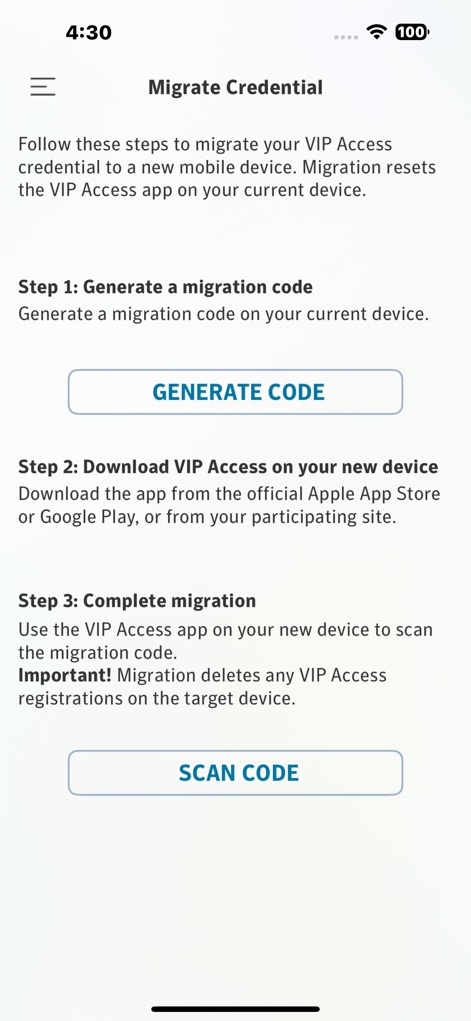
The app presents clear, numbered steps for credential migration, detailing actions like 'Generate a migration code' and 'Scan code' for new devices.
Effortless Migration Process
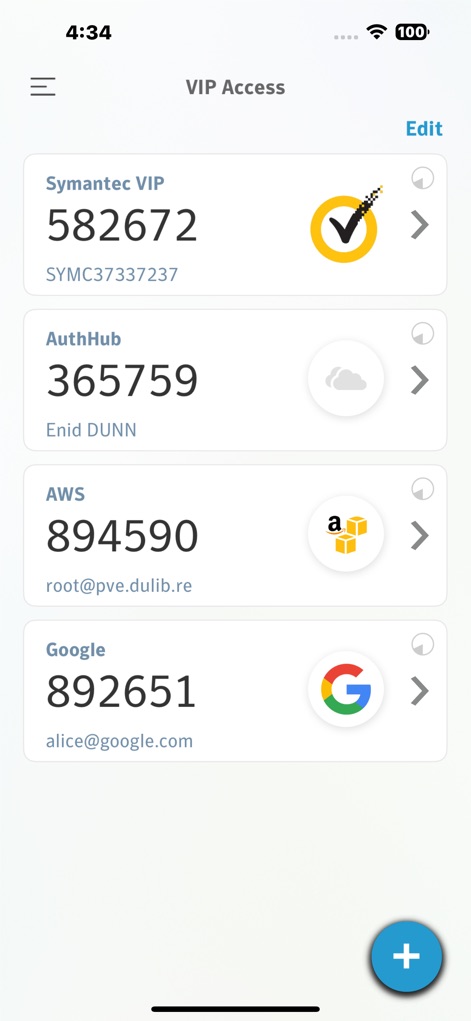
Users can view a comprehensive list of their registered VIP-enabled accounts, displaying each account's current security code and a prominent 'Edit' button for management.
Centralized Credential Hub
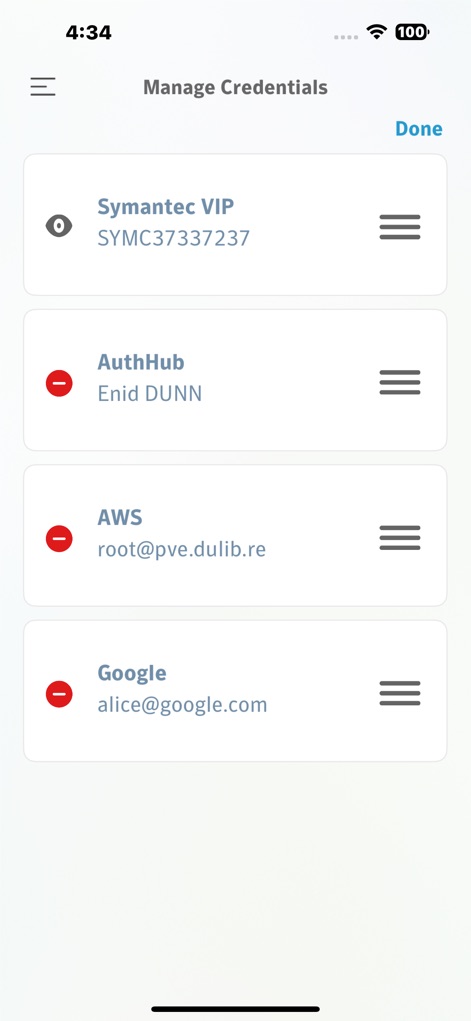
This view demonstrates the intuitive interface for managing credentials, featuring red removal icons for deletion and reorder handles for easy organization.
Streamlined Credential Management
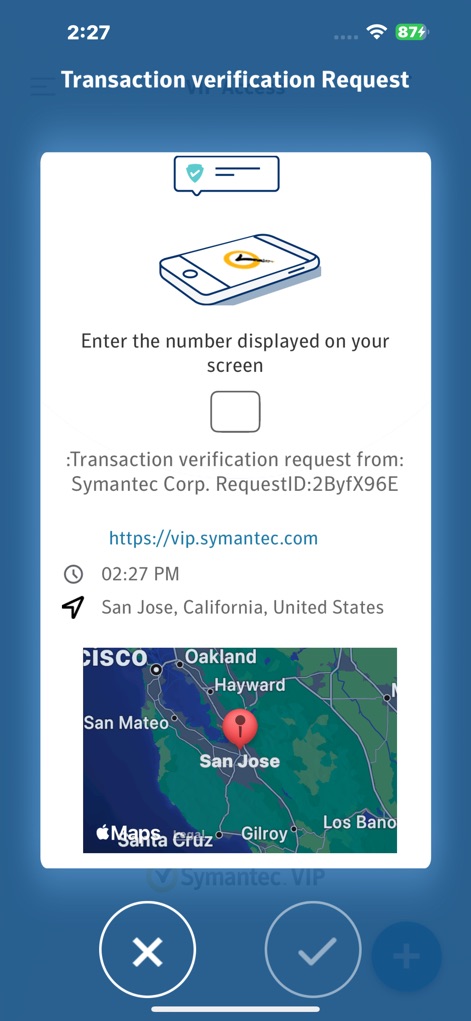
The app provides a detailed transaction verification request, including a geographic map of the request origin and clear 'X' and checkmark buttons for approval or denial.
Secure Transaction Approval
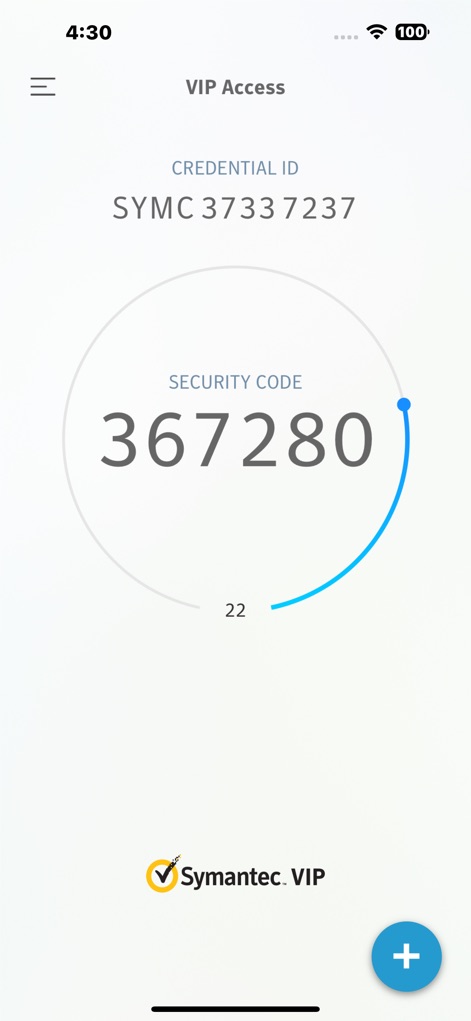
This screen prominently displays a dynamically generated security code for Symantec VIP, complete with a rotating timer indicator showing its validity period.
Dynamic Security Codes
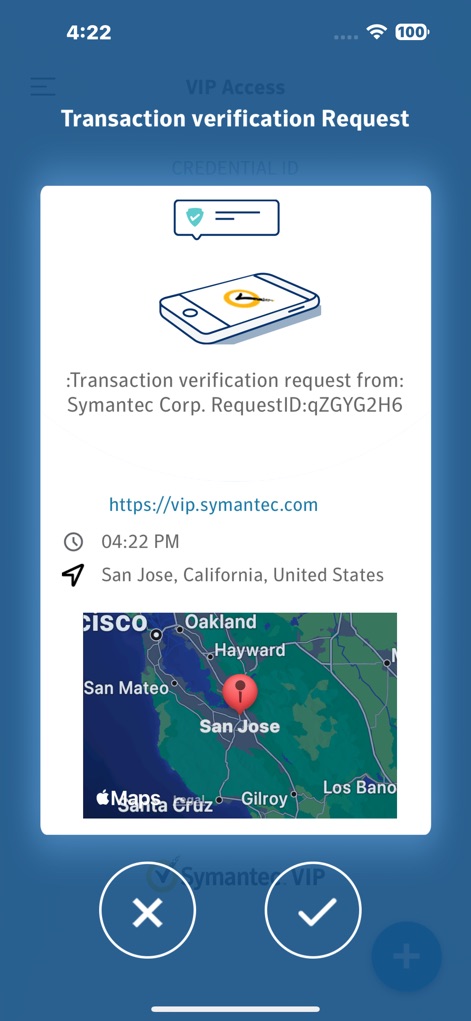
The tool enhances security with location-aware transaction verification, presenting the request origin on a map and providing clear options to accept or reject the transaction.
Location-Based Security
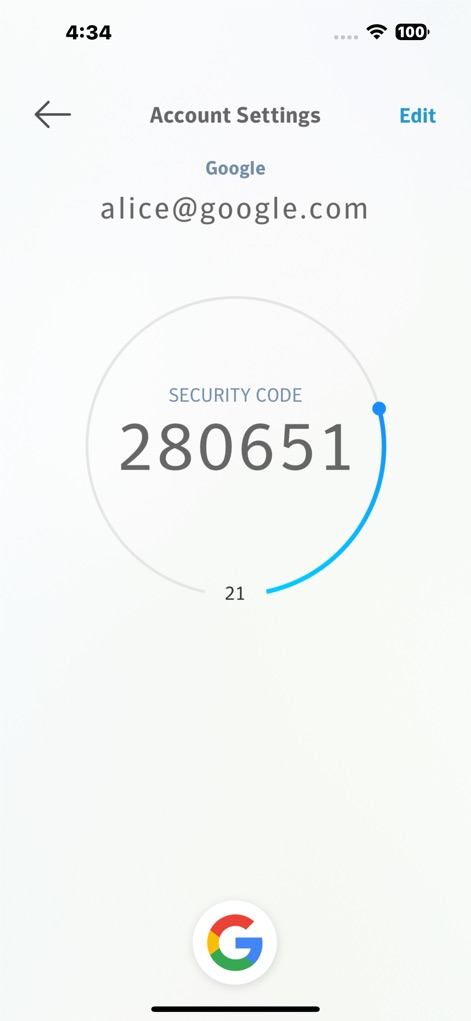
Users can generate account-specific security codes, as shown with the Google account, featuring a large, rotating code and a progress indicator for timely authentication.
Account-Specific Security
Description
Download
More Like This
Apps with similar features and user experience

Google Authenticator
Google LLC

Duo Mobile
Duo Security LLC

Authenticator App - 2FA &. MFA
APPLY DIJITAL HIZMETLER TICARET LIMITED SIRKETI

authenticator . app
Mustafa Uz

SafeNet MobilePASS+
Thales DIS (Singapore) Pte Ltd

Čítačka
Tatra banka, a.s.

Authenticator App - SafeAuth
Brilliant App Limited

Authenticator App - 2FA Auth
UNIVERSE DIJITAL HIZMETLER LIMITED SIRKETI

Authenticator App : Scan & 2FA
XSOFT GLOBAL LIMITED
This page is not an official page of the app or its developer, but an independent editorial publication created for informational and commentary purposes. Unless expressly stated otherwise, neither the app nor its developer is affiliated with, endorsed by, sponsored by, authorized by, or otherwise officially connected with MWM, Apple, Google Play, the app publisher, or the app's developer, and nothing on this page implies that the app was developed using MWM's services. Any trademarks, logos, screenshots, and other content remain the property of their respective owners.