Vocal Remover: Remove Voice AI

Vocal Remover: Remove Voice AI


Download on App Store
Logo of Vocal Remover: Remove Voice AI

Vocal Remover: Remove Voice AI – Professional Audio Separation for Creators

Instantly isolate vocals or extract instrumentals with studio-grade AI precision. The essential tool for DJs, musicians, and social media creators to craft perfect remixes, karaoke tracks, and viral content in seconds.

Download on App Store

Publisher

Ganjina Zakirova

Category

Utilities

Downloads

0

User Rating

1.0/5

Total Ratings

0

Locales

1

Precision at Your Fingertips

Discover the interface used by 0 users.

Promotional screen for Vocal Remover app featuring a vintage microphone and neon audio waveforms

Promotional screen for Vocal Remover app featuring a vintage microphone and neon audio waveforms

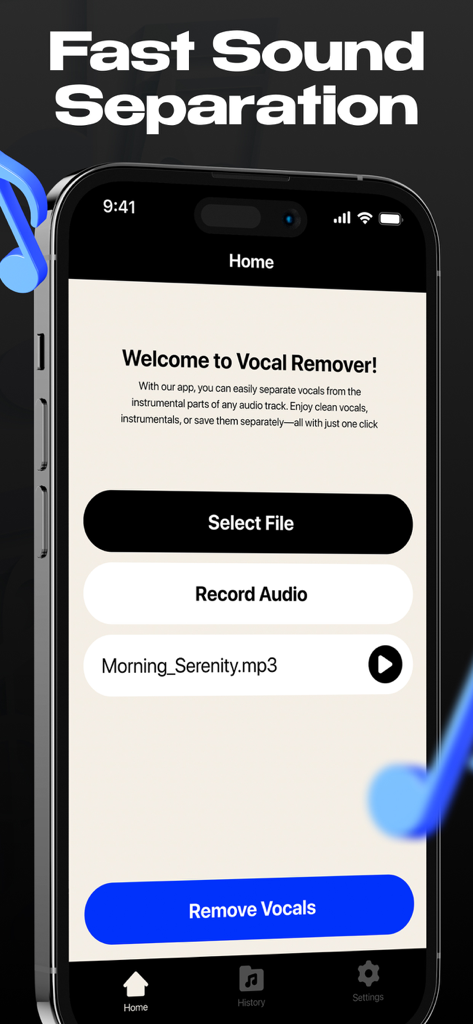
Home screen of the Vocal Remover AI app showing options to select or record audio for sound separation.

Home screen of the Vocal Remover AI app showing options to select or record audio for sound separation.

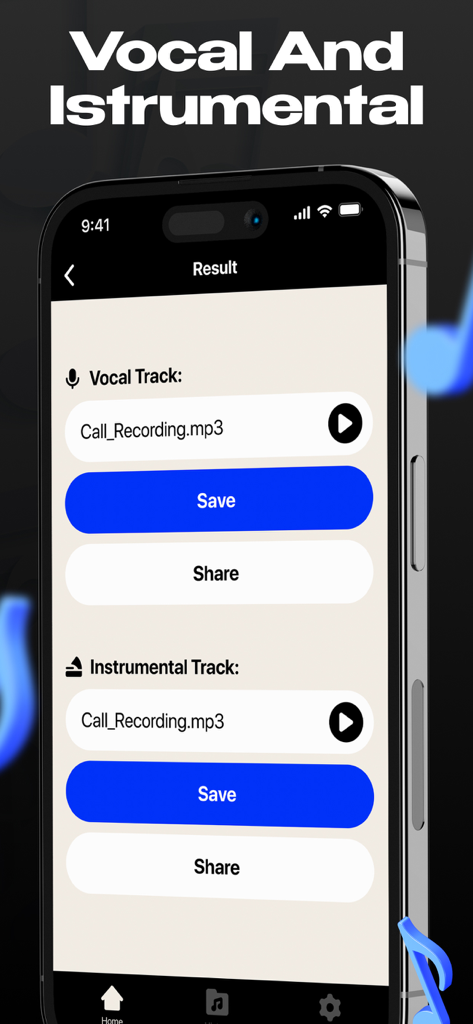
A mobile app screen showing separated vocal and instrumental tracks with save and share buttons.

A mobile app screen showing separated vocal and instrumental tracks with save and share buttons.

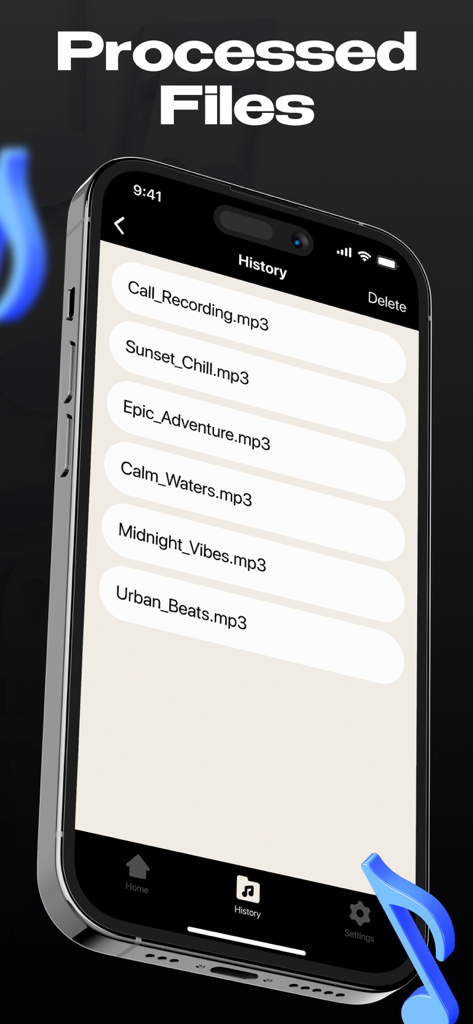
A list of processed mp3 files shown in the history screen of the Vocal Remover AI app

A list of processed mp3 files shown in the history screen of the Vocal Remover AI app

Elevate Your Content with Pro-Level Audio

The tools that make this app stand out, trusted by 0 users.

🎤

Studio-Grade Isolation

Experience crystal-clear vocal removal and acapella extraction powered by the latest neural network technology for professional results.

Instant Remix Power

Craft viral-ready mashups and karaoke tracks in seconds. Just upload your audio and let our AI do the heavy lifting for you.

📲

Mobile-First Production

Process and share high-quality stems directly to TikTok, Reels, or CapCut. Your production studio is now right in your pocket.

About the app

Everything you need to know about Vocal Remover: Remove Voice AI.

Description

Vocal Remover: Remove Voice AI is the perfect tool for musicians, DJs, and content creators looking to separate vocals and instrumentals from any audio file. Whether you need a clean instrumental for karaoke, a vocal track for remixes, or a high-quality acapella for sampling, this app delivers fast and accurate results. Key Features: AI-Powered Sound Separation – Upload or record audio and let the app quickly extract vocals and instrumentals with high precision. High-Quality Output – Get crystal-clear vocal and instrumental tracks, perfect for karaoke, remixes, and audio production. Works with Any Audio File – Process songs, recordings, or custom audio with ease, delivering fast and accurate separation. Easy Saving & Sharing – Save your processed files in high quality and share them instantly for collaboration or personal use. User-Friendly Interface – Simple and intuitive design makes the app accessible for both beginners and professionals. Unleash your creativity and take control of your audio projects with Vocal Remover: Remove Voice AI. Create custom tracks, isolate vocals, and transform your favorite songs with ease. Subscribe to get full access: $4.99 per week, cancel anytime Terms of Use: https://www.apple.com/legal/internet-services/itunes/dev/stdeula/ Privacy Policy: https://sites.google.com/view/tunacankurt805-policy/?v=4

Latest Version

1.1

Size

4.2 MB

First Released

Feb 7, 2025

Ready to Transform Your Favorite Tracks?

Join the creator revolution today. Use our AI-powered technology to get crystal-clear vocals and instrumentals for your next remix, karaoke night, or viral social media post in seconds.

Download on App Store

App information, icons, screenshots, and descriptions displayed on this page are sourced from the Apple App Store and are the property of their respective developers. Download estimates and rankings are based on MWM's proprietary models and may not reflect actual figures. This page is provided for informational and analytical purposes only.

Believe this page infringes your intellectual property? File a dispute