Voice Recorder, Voice Memos ™
Download on App Store

This page is not an official page of the app or its developer, but an independent editorial publication created for informational and commentary purposes. Unless expressly stated otherwise, neither the app nor its developer is affiliated with, endorsed by, sponsored by, authorized by, or otherwise officially connected with MWM, Apple, Google Play, the app publisher, or the app's developer, and nothing on this page implies that the app was developed using MWM's services. Any trademarks, logos, screenshots, and other content remain the property of their respective owners.


Logo of Voice Recorder, Voice Memos ™
Download on App Store

Voice Recorder, Voice Memos ™

Capture, transcribe, and edit your recordings with ease. From AI voice-to-text to secure FaceID protection, streamline your workflow across iPhone, iPad, and Apple Watch.

Key Figures

Downloads

927K+

User Rating

4.4/5

Total Ratings

12K+

Publisher

Milad Fakhr

Category

Productivity

Locales

33

Latest Version

5.7

Size

18.9 MB

First Released

Mar 7, 2013
Features

A Professional Powerhouse for Your Audio Workflow

Go beyond basic recording with a comprehensive suite of tools designed to help students, professionals, and creators capture, transcribe, and protect their ideas with ease.

Smart AI Transcription

Turn your lectures, interviews, and meetings into searchable text instantly. Save hours of manual typing with our high-accuracy voice-to-text engine.

Seamless Apple Integration

Experience true mobility. Record directly from your Apple Watch and have your memos sync instantly across your iPhone, iPad, and iCloud account.

The following screenshots and description are sourced directly from the app's official store listing and are the property of the app developer.

App Store

Screenshots
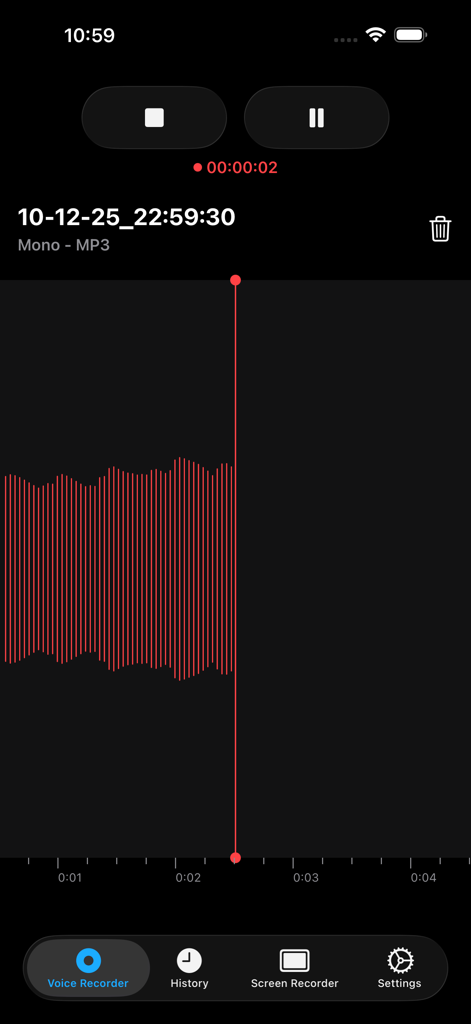
Voice Recorder, Voice Memos ™ - Interface of the Voice Recorder app showing an active audio recording with a red waveform and playback controls
Interface of the Voice Recorder app showing an active audio recording with a red waveform and playback controls

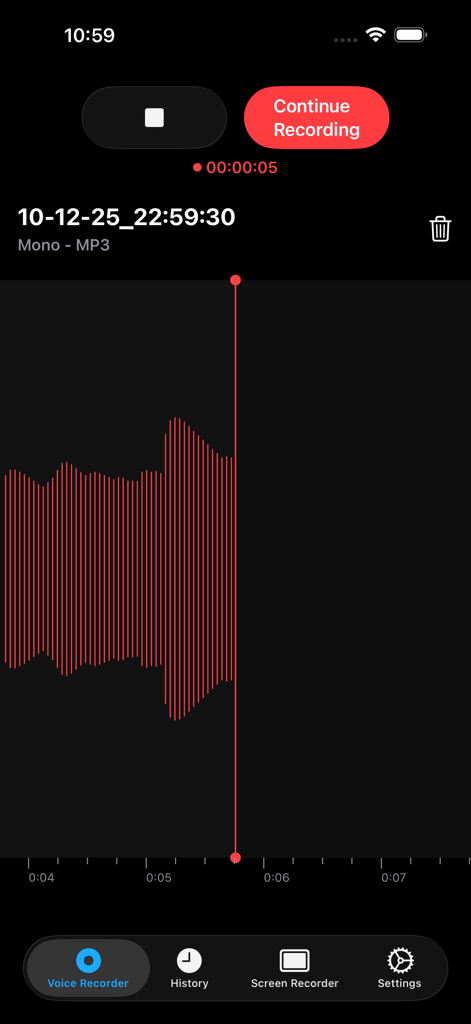
Voice Recorder, Voice Memos ™ - Voice recorder app screen showing a red audio waveform and recording controls
Voice recorder app screen showing a red audio waveform and recording controls

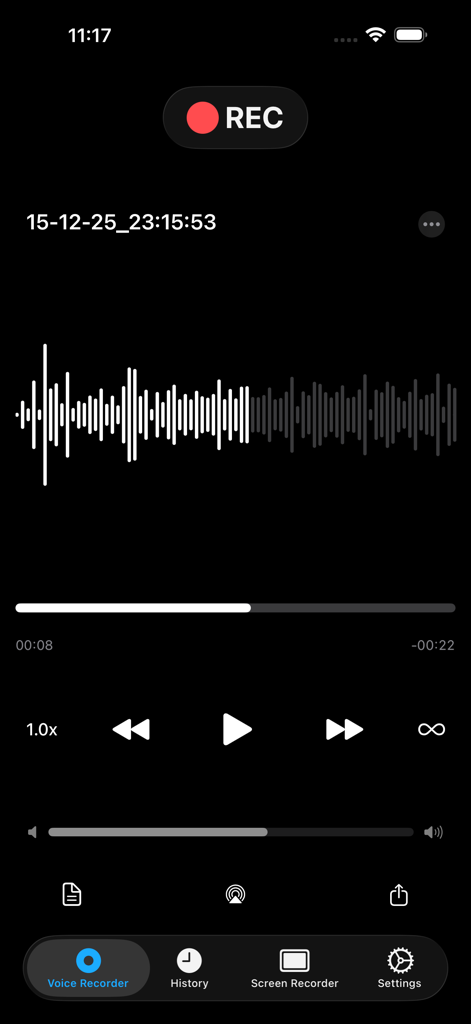
Voice Recorder, Voice Memos ™ - Voice recording interface showing audio waveform and playback controls
Voice recording interface showing audio waveform and playback controls

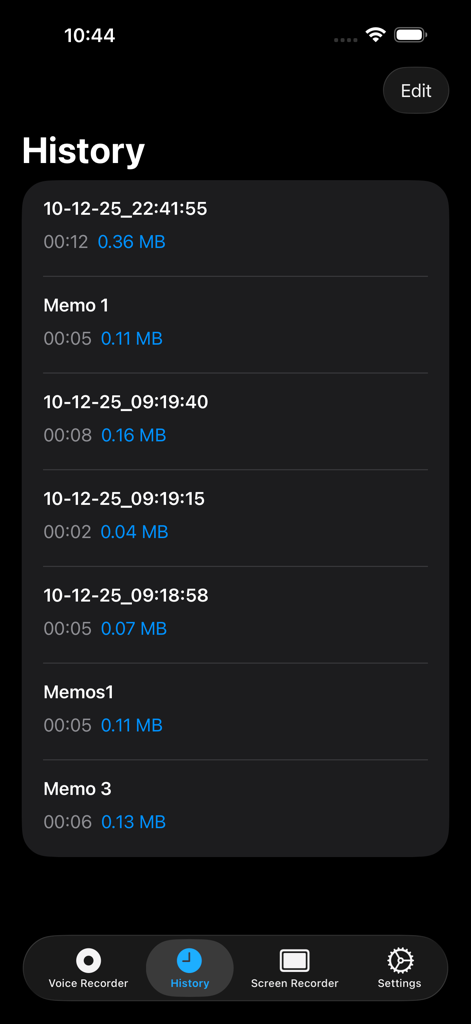
Voice Recorder, Voice Memos ™ - The history screen of the Voice Recorder app displaying a list of recorded voice memos with file details.
The history screen of the Voice Recorder app displaying a list of recorded voice memos with file details.

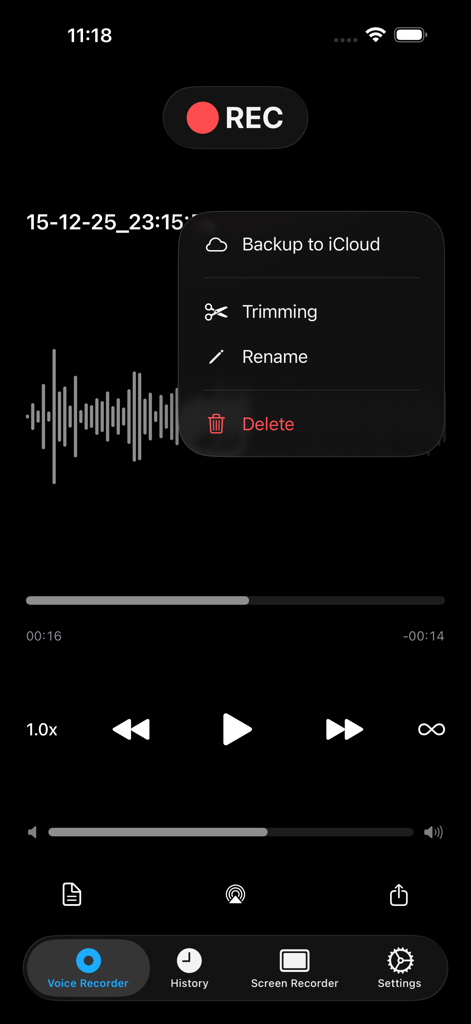
Voice Recorder, Voice Memos ™ - Voice Recorder app interface showing an audio waveform and a menu with options for iCloud backup trimming and renaming
Voice Recorder app interface showing an audio waveform and a menu with options for iCloud backup trimming and renaming

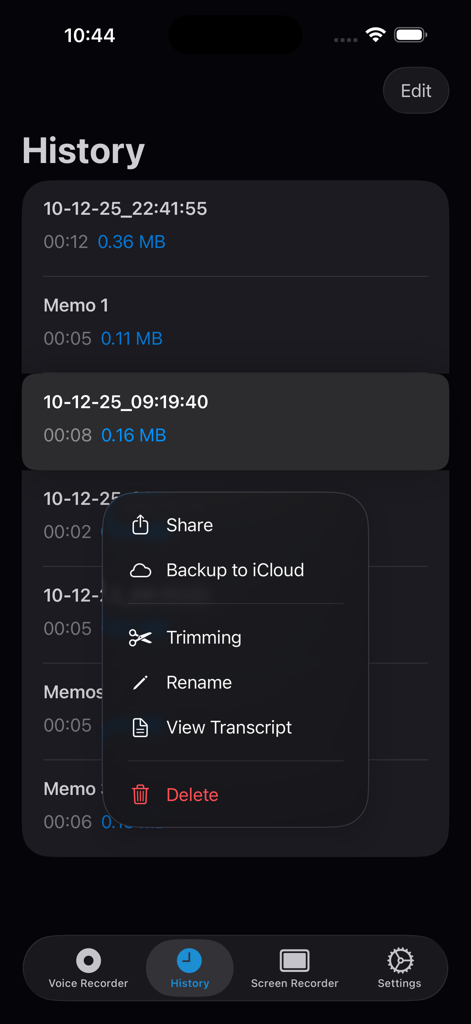
Voice Recorder, Voice Memos ™ - Voice recorder app history screen showing a recording options menu with tools for transcription, trimming, and iCloud backup.
Voice recorder app history screen showing a recording options menu with tools for transcription, trimming, and iCloud backup.

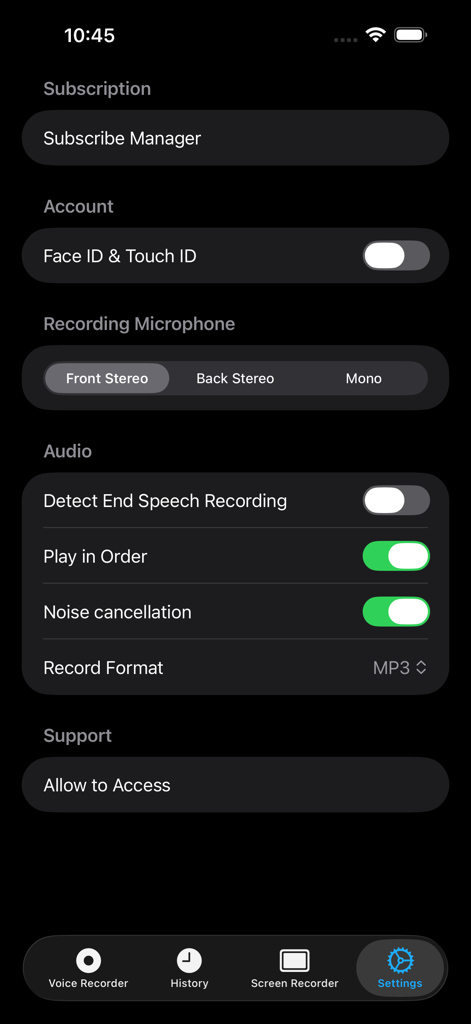
Voice Recorder, Voice Memos ™ - Settings screen of the Voice Recorder app showing security options audio recording configuration and noise cancellation toggle
Settings screen of the Voice Recorder app showing security options audio recording configuration and noise cancellation toggle

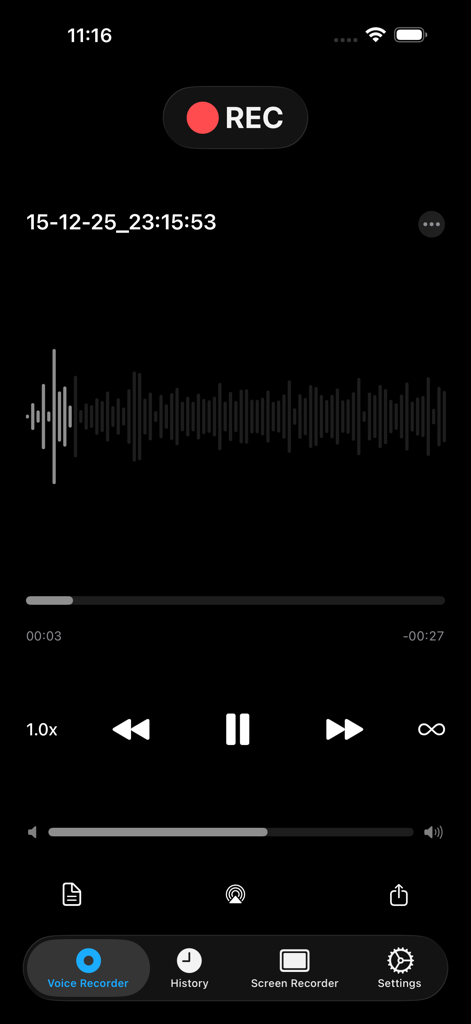
Voice Recorder, Voice Memos ™ - Voice recorder app screen showing audio recording with waveform and playback controls
Voice recorder app screen showing audio recording with waveform and playback controls

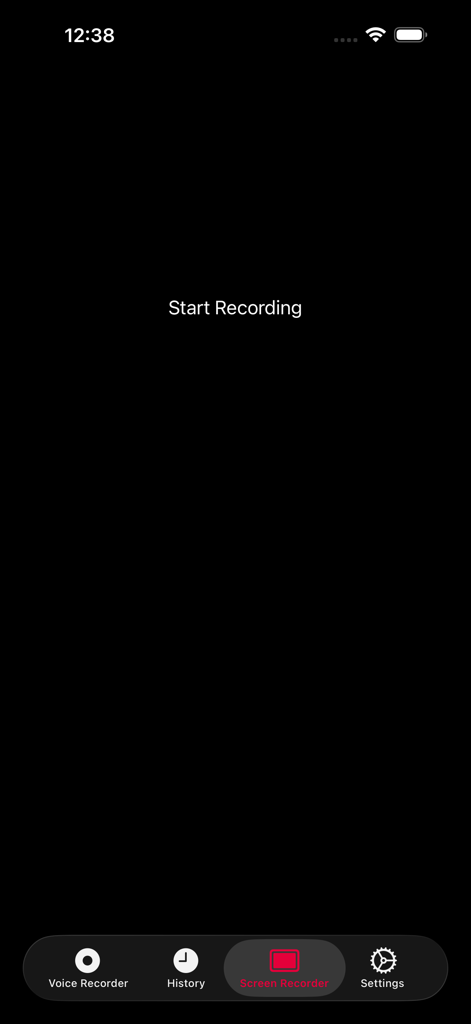
Voice Recorder, Voice Memos ™ - Screen recorder interface of the Voice Recorder app with a start recording button.
Screen recorder interface of the Voice Recorder app with a start recording button.

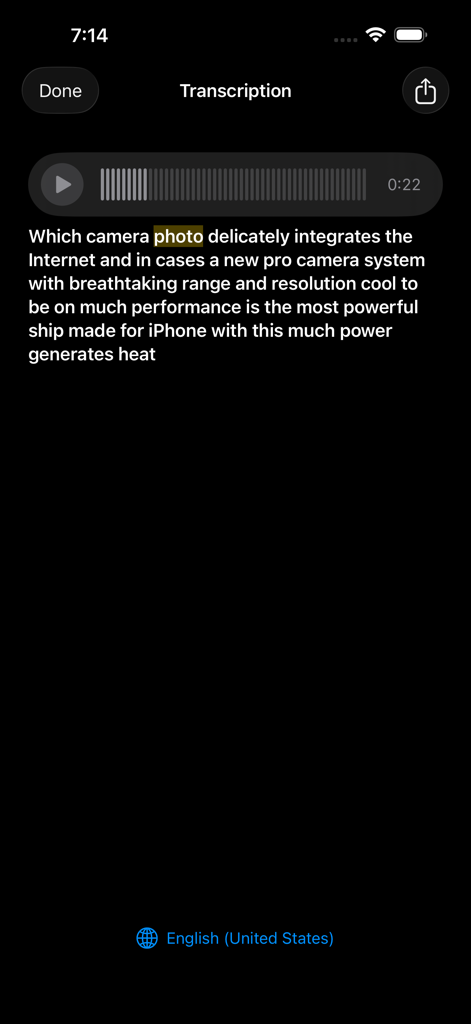
Voice Recorder, Voice Memos ™ - Interface showing the transcription of a voice memo into text on an iPhone

Interface showing the transcription of a voice memo into text on an iPhone

Description

.Voice Recorder, .Voice Memos, .Screen Recorder .One Touch Recording, .One Touch Stop & Save, .Storing recording both in raw and mp3 format , .Voice memos, .Voice email, .Easy to use, .Voice iCloud, .Voice Recorder , Voice Memos is Simple and user-friendly from your internal/external microphone .Recording Unlimited (not included in the price) .Voice Email Up to 5MB , .Share memos easily by one tap with ( DropBox , WhatsApp , Google Drive , .Facebook Messenger , Files and Other favorite Apps ), .Record Timer & Playback Counter , .Auto File Naming , .Rename Record Files, .Displays Audio File Sizes and Time Stamps, .Supported recording in background, .Memos you record can also be transferred to your Mac or PC Via USB (itunes file sharing) .Share mp3 files itunes or social media platforms (export & import) .Scan fingerprint & Fan ID for more security files (touch ID & Face ID), .Sticker Color For Searching easy your files. .3D Touch Support .You have access to all files with Apple Watch .Help Section in different languages .Add Title To Record .Move your voice memo .Trimming ( cut ) edit your Record (Audio) .Audio Editor .Screen recorder .Music Player (Audio Player) .Airplay Mode .Podcast Recorder .Voice Changer .Unlimited screen recorder (not included in the price) .Voice recorder for iPhone .Voice recorder for iPad .Voice recorder Free Apple Watch .Voice recorder Free iMessage .Transcribe (Voice To Text) .Convert voice recorder (Audio) to text .Speech to text Add Media player --------------- You Can reward & forward the audio memos even in lock screen Mode. A Professional slider comes to help for easy navigation in memo .Record with Apple Watch microphone .Free Recorder App for Apple Watch --------------- .Voice Recorder Free For AppleWatch and Playing History .Free iMessage Recorder App --------------- .Record audio Free then share it by iMessage App with your friends in iMessage Subscription pricing and terms: ALL ACCESS Monthly (Billed monthly) ---- ALL ACCESS Yearly (Billed yearly) Your subscription automatically renews unless auto-renew is turned off at least 24-hours before the end of the current period. Your credit card will be charged through your iTunes account. You can turn off auto-renew at any time from your iTunes Account Settings but refunds will not be provided for any unused portion of the term. Alternatively, there is a "Manage Subscription" menu option in the App Settings menu. Payment will be charged to iTunes Account at confirmation of purchase. Any unused portion of a free trial period will be forfeited when you purchase a subscription. - Terms of use : https://www.voicerecorderfree.com/terms - Privacy policy: https://www.voicerecorderfree.com/privacy

Download

Download on App Store

This page is not an official page of the app or its developer, but an independent editorial publication created for informational and commentary purposes. Unless expressly stated otherwise, neither the app nor its developer is affiliated with, endorsed by, sponsored by, authorized by, or otherwise officially connected with MWM, Apple, Google Play, the app publisher, or the app's developer, and nothing on this page implies that the app was developed using MWM's services. Any trademarks, logos, screenshots, and other content remain the property of their respective owners.








