
This page is not an official page of the app or its developer, but an independent editorial publication created for informational and commentary purposes. Unless expressly stated otherwise, neither the app nor its developer is affiliated with, endorsed by, sponsored by, authorized by, or otherwise officially connected with MWM, Apple, Google Play, the app publisher, or the app's developer, and nothing on this page implies that the app was developed using MWM's services. Any trademarks, logos, screenshots, and other content remain the property of their respective owners.


VR Player : 3D VR 360 VR Video
Take full control of your virtual world with adjustable FOV, pupillary distance, and anti-distortion algorithms. Whether it is VR180, 360, or 3D Side-by-Side, experience total immersion tailored specifically to your comfort and headset.
Downloads
26K+User Rating
Total Ratings
0Publisher
Category
Photo & VideoLocales
22Latest Version
1.5.41Size
32.5 MBFirst Released
Aug 17, 2021Master Your Virtual Reality Experience
Unlock professional-grade playback with total control over every angle, format, and lens adjustment for the ultimate mobile immersion.
Universal Format Support
Seamlessly play VR180, VR360, and 3D Side-by-Side (SBS) videos with advanced decoding for crystal-clear 4K playback.
Precision Eye Tuning
Eliminate motion sickness and blur with custom pupillary distance (IPD) and field-of-view adjustments tailored to your headset.
The following screenshots and description are sourced directly from the app's official store listing and are the property of the app developer.
App Store
Screenshots
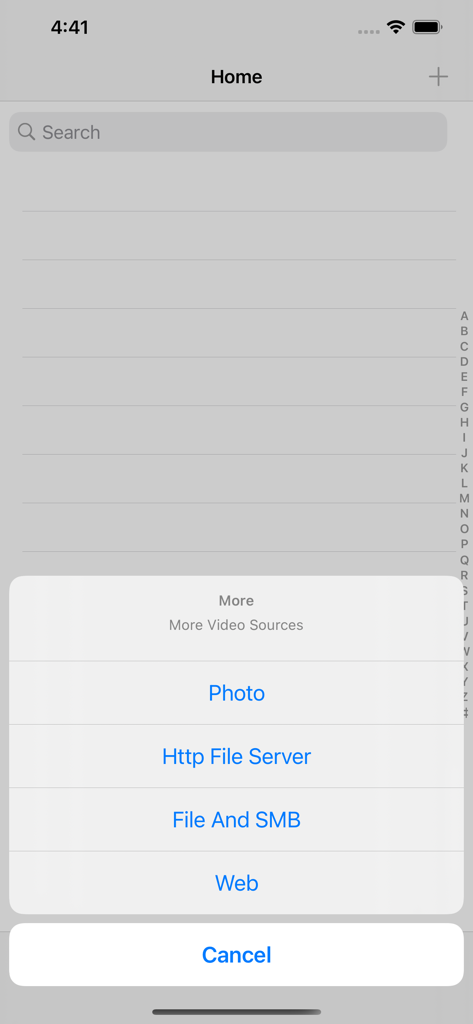
VR Player app menu showing options to import video from Photo, Http File Server, File And SMB, and Web
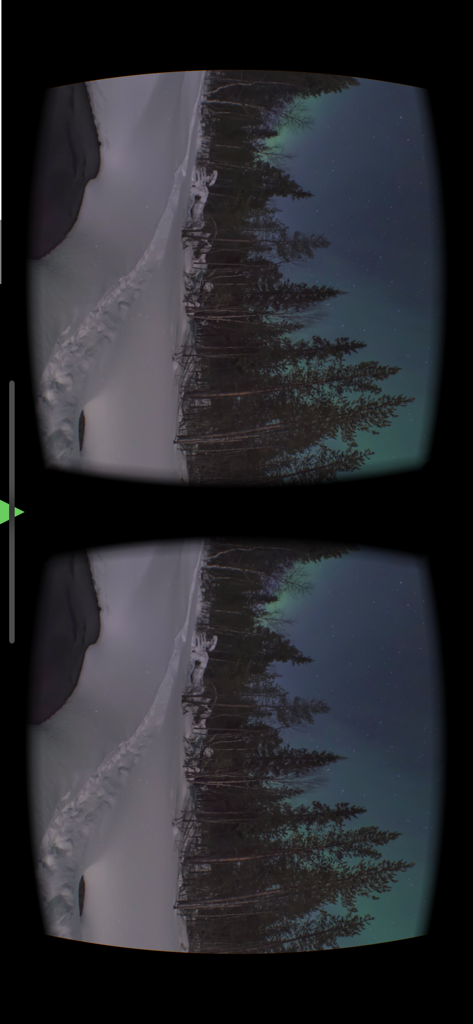
Split screen side by side VR view of a winter landscape with northern lights
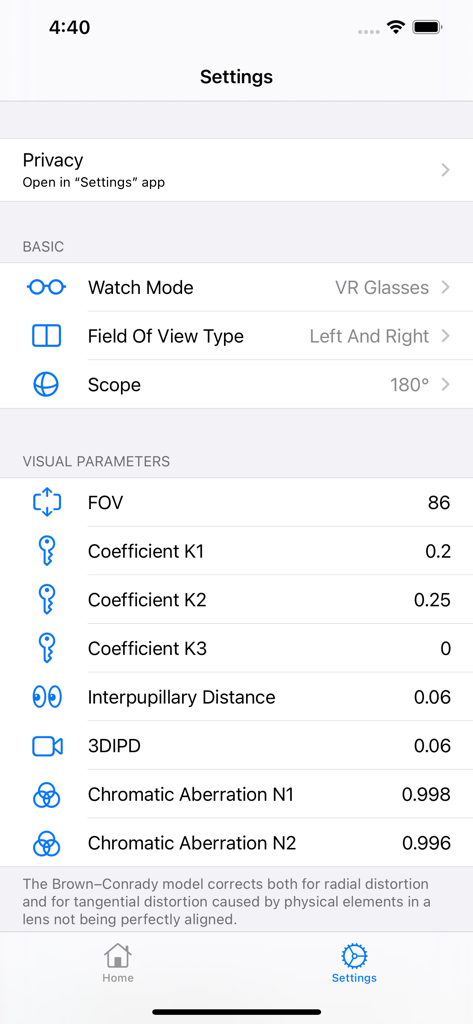
Detailed visual parameter settings menu within the VR Player app for field of view and interpupillary distance adjustment.
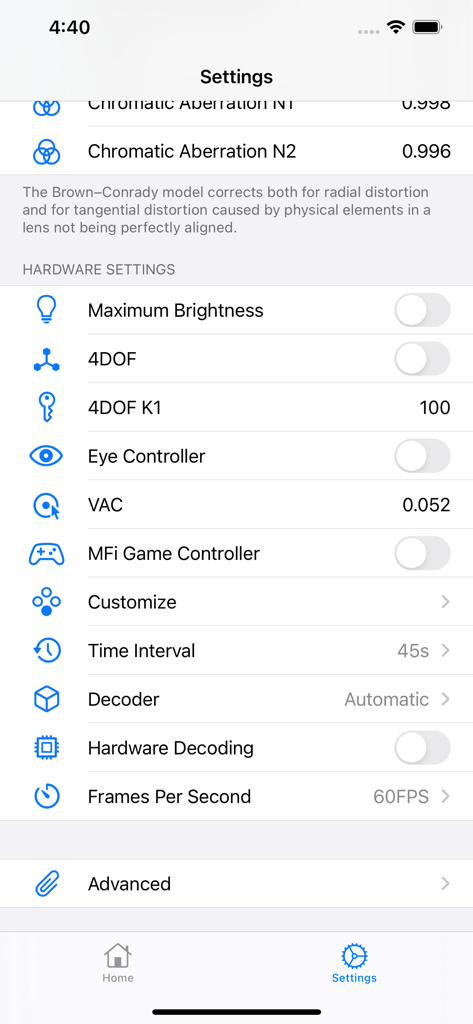
The technical settings screen of the VR Player app showing hardware and video adjustment options
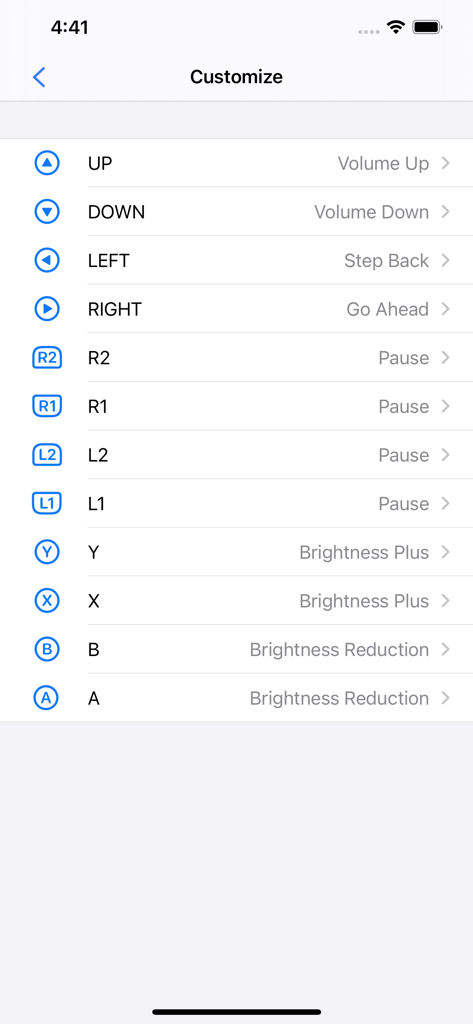
Customization screen for mapping gamepad buttons to video controls like volume and brightness in the VR Player app
Description
Download
More Like This
Top-ranked apps in the same category

CapCut: Photo & Video Editor
BYTEDANCE PTE. LTD.

Instagram, Inc.

YouTube
Google LLC

Canva: AI Photo & Video Editor
Canva Pty Ltd

Snapchat
Snap, Inc.

快手
Beijing Kwai Technology Co., Ltd.

Edits: Video Editor
Instagram, Inc.

Meitu- AI Photo & Video Editor
Xiamen Meitu Technology Co., Ltd.

Google Photos: Backup & Edit
Google LLC
This page is not an official page of the app or its developer, but an independent editorial publication created for informational and commentary purposes. Unless expressly stated otherwise, neither the app nor its developer is affiliated with, endorsed by, sponsored by, authorized by, or otherwise officially connected with MWM, Apple, Google Play, the app publisher, or the app's developer, and nothing on this page implies that the app was developed using MWM's services. Any trademarks, logos, screenshots, and other content remain the property of their respective owners.