
This page is not an official page of the app or its developer, but an independent editorial publication created for informational and commentary purposes. Unless expressly stated otherwise, neither the app nor its developer is affiliated with, endorsed by, sponsored by, authorized by, or otherwise officially connected with MWM, Apple, Google Play, the app publisher, or the app's developer, and nothing on this page implies that the app was developed using MWM's services. Any trademarks, logos, screenshots, and other content remain the property of their respective owners.


Vrew
Stop wasting hours on manual transcription. Create viral TikToks, Reels, and Shorts in minutes with AI-powered subtitling and effortless text-based editing.
Downloads
679K+User Rating
Total Ratings
7K+Publisher
Category
Photo & VideoLocales
5Latest Version
0.9.9Size
36.8 MBFirst Released
Oct 6, 2019Edit Smarter, Post Faster
Stop wasting hours on manual edits. Let our AI handle the grunt work so you can focus on creating content that trends.
Instant AI Subtitling
Reach the 80% of viewers who watch on mute with high-accuracy captions generated automatically in seconds.
Text-Based Cut Editing
Forget complex timelines. Edit your video like a Word document by simply deleting clips based on the transcribed text.
Frequently Asked Questions
Everything you need to know about Vrew
When will Vrew Mobile Service end?
The Vrew Mobile Service will officially end on July 1, 2026, at 00:00 (KST). Users can find more details in the provided ending notice link.
What is the Vrew app used for?
Vrew is an AI video editing and subtitling app. It enables users to edit videos on mobile, automatically subtitle content, and perform easy cut editing with a simple touch.
Does Vrew app offer automatic subtitling?
Yes, the Vrew app provides automatic subtitling powered by AI. It analyzes speech in the video and creates a draft of the entire subtitle for users to revise.
How does Vrew simplify video cut editing?
Vrew simplifies video cut editing by automatically chopping the video into suitable clips. Users only need to delete the clips they do not wish to use.
Can users customize captions in Vrew?
Yes, Vrew allows users to customize captions. It provides various options for font size, color, and background color to create captions that fit the video's atmosphere.
Does Vrew support subtitle translation?
Yes, Vrew supports subtitle translation. Users can translate subtitles with just one click, with available language options including Chinese, Korean, Japanese, and Spanish.
How do you edit video content in the Vrew app?
Vrew allows users to edit video content by rearranging words from the transcribed text. This includes actions like copy, paste, delete, and divide clips directly from the text interface.
The following screenshots and description are sourced directly from the app's official store listing and are the property of the app developer.
App Store
Screenshots
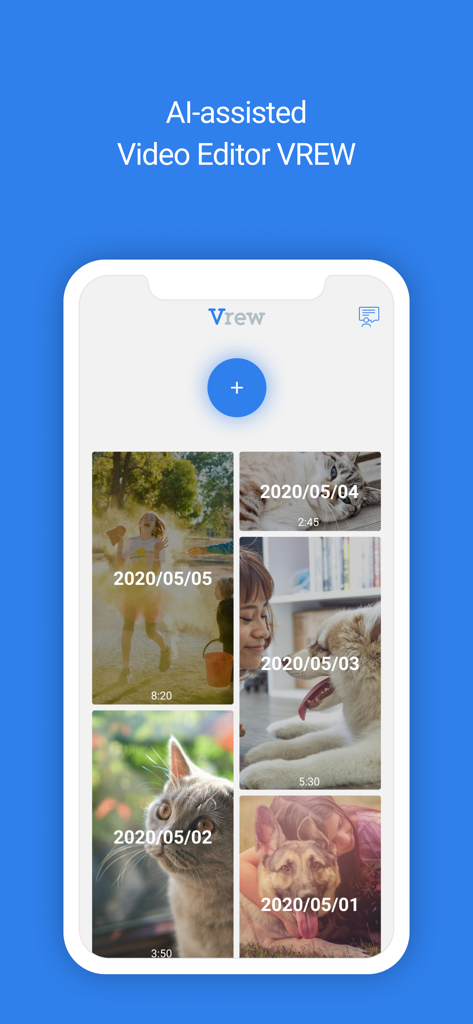
Vrew mobile app interface showing a library of AI assisted video projects with thumbnail previews
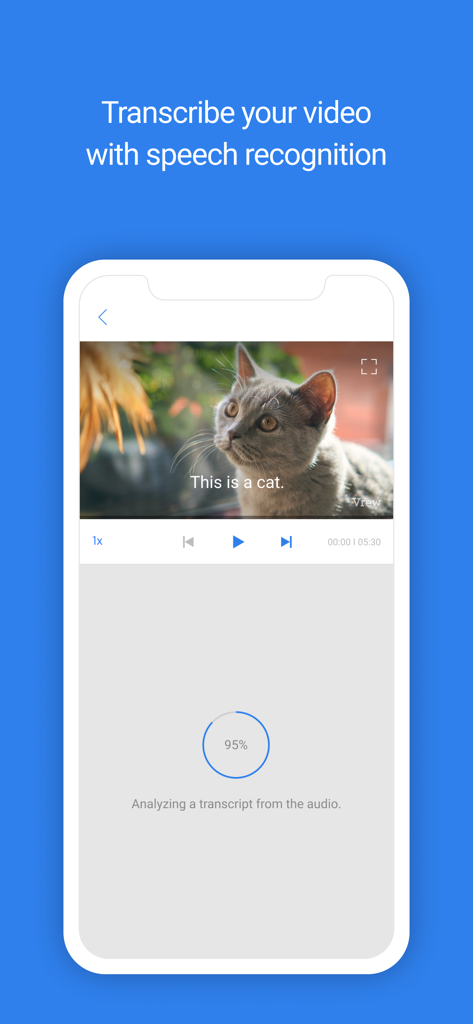
Vrew mobile app interface showing AI video transcription and speech recognition with a progress bar and video preview
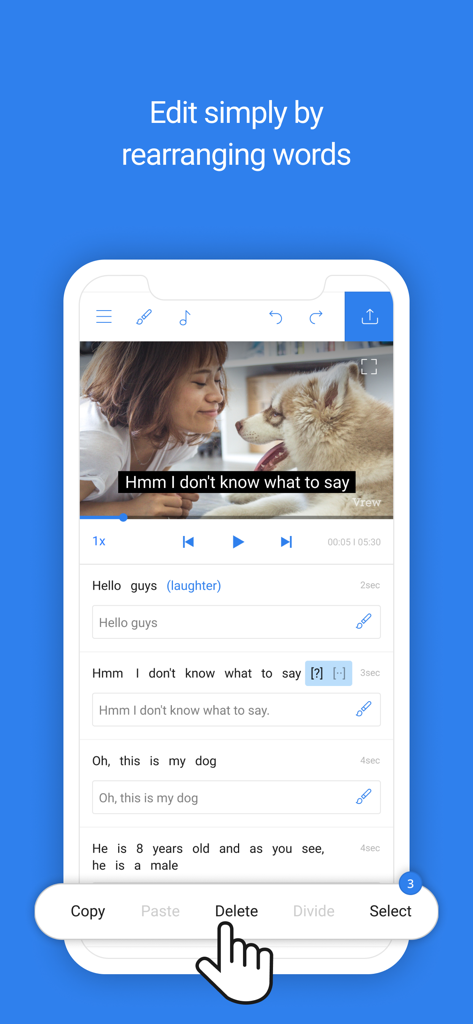
Vrew mobile app interface showing how to edit video clips by deleting and rearranging text
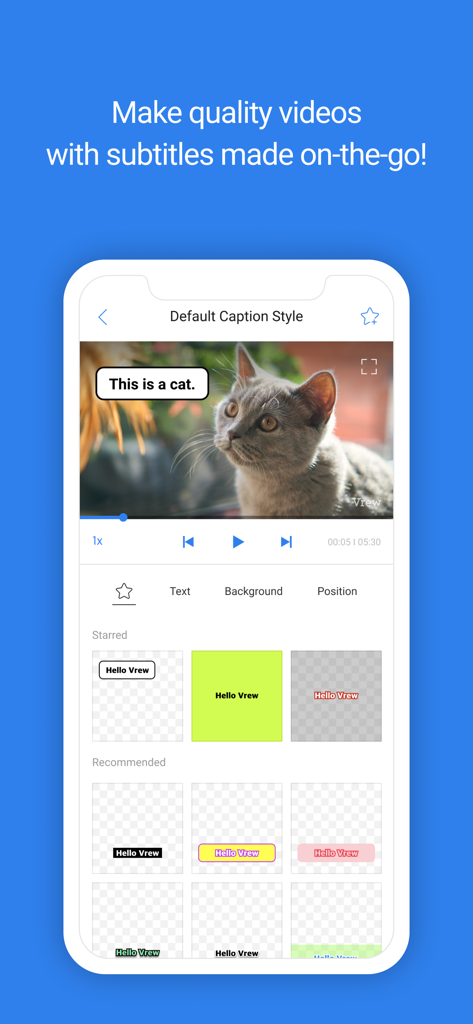
Vrew app interface for customizing video caption styles on mobile
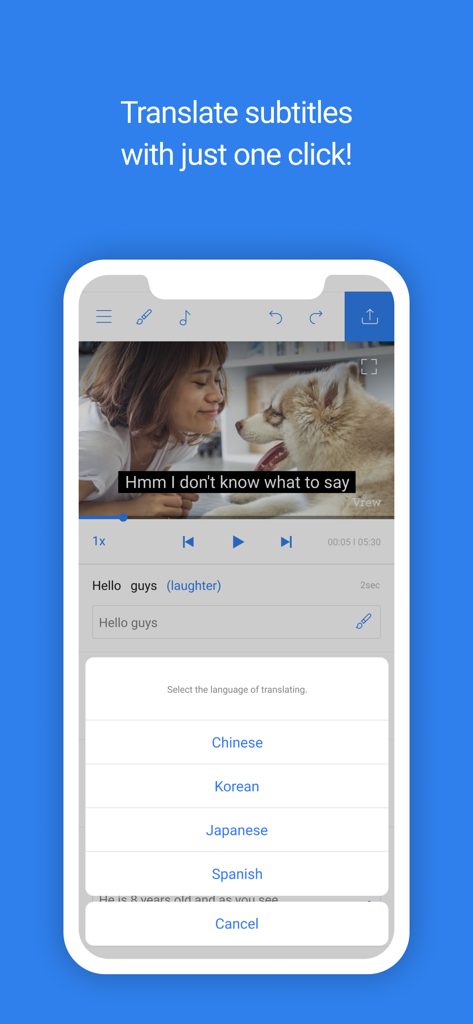
Vrew app interface showing one-click subtitle translation with language options like Chinese Korean and Japanese.
Description
Download
More Like This
Apps with similar features and user experience

Captions for Videos - SubMe AI
Polina Kravchenko

Capzy: AI Caption
unitedreams inc.

Auto Caption Video Subtitles
Take Agency, LLC

AI Captions for Videos: VidCap
Fadel.io OU

Subcap: Captions AI, Subtitles
RATEL BILISIM HIZMETLERI LTD STI

Captions & Filters – GARMASH
Top G Team FZ-LLC

Capti AI. Captions for videos.
Capti AI FZ-LLC
MixCaptions: Video Captions
Mixcord Inc.

Subtitles: Captions For Video
Mariia Abolnik
This page is not an official page of the app or its developer, but an independent editorial publication created for informational and commentary purposes. Unless expressly stated otherwise, neither the app nor its developer is affiliated with, endorsed by, sponsored by, authorized by, or otherwise officially connected with MWM, Apple, Google Play, the app publisher, or the app's developer, and nothing on this page implies that the app was developed using MWM's services. Any trademarks, logos, screenshots, and other content remain the property of their respective owners.