Waterlogue: Photo to Painting

Waterlogue: Photo to Painting


Download on App Store
Logo of Waterlogue: Photo to Painting

Waterlogue: Transform Your Photos into Luminous Watercolor Art

Experience the award-winning app that turns your cherished memories into frameable masterpieces. Capture the essence of your world with brilliant, liquid color and a thoughtful, painterly touch.

Publisher

Tinrocket, LLC

Category

Photo & Video

Downloads

585K+

User Rating

4.5/5

Total Ratings

6K+

Locales

8

Artistry in Every Stroke

Discover the interface used by 585K+ users.
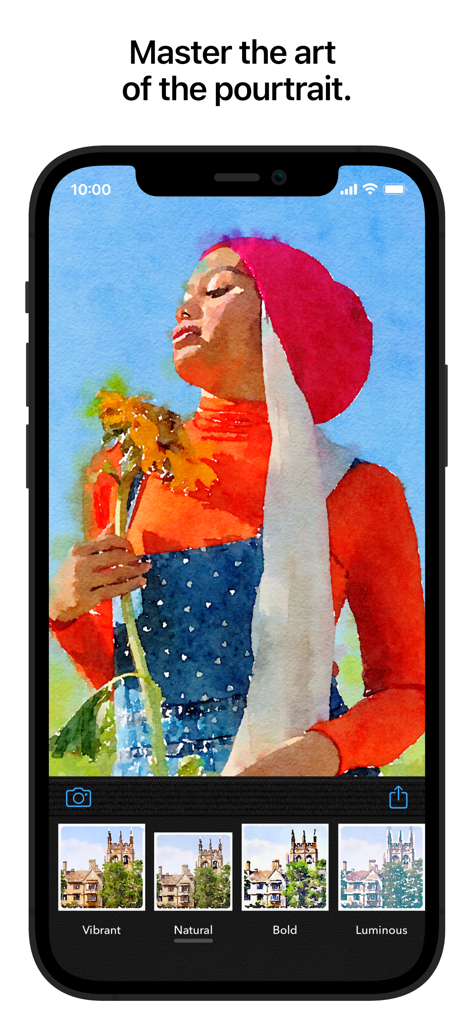
Mobile screen of the Waterlogue app showing a photo of a person holding a sunflower transformed into a watercolor painting with various artistic presets

Mobile screen of the Waterlogue app showing a photo of a person holding a sunflower transformed into a watercolor painting with various artistic presets

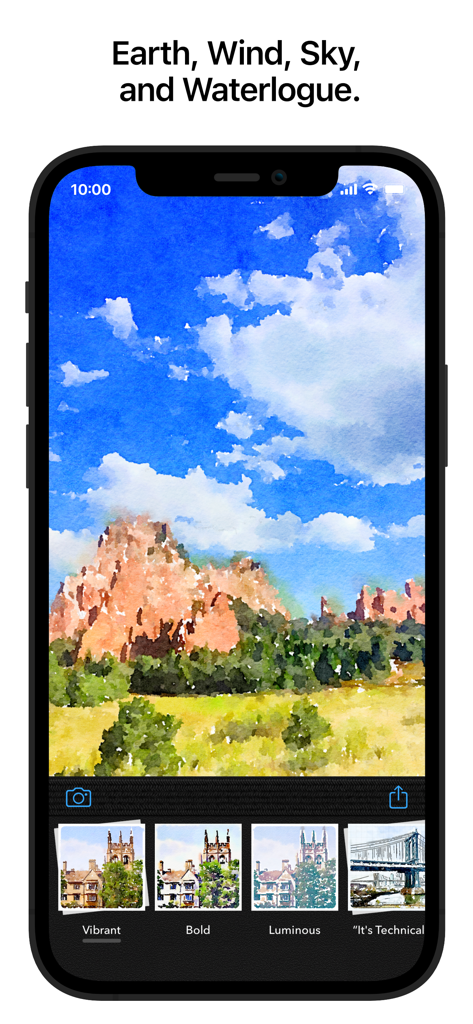
Waterlogue app interface on an iPhone displaying a watercolor painting of a mountain landscape with various artistic filter presets like Vibrant and Bold.

Waterlogue app interface on an iPhone displaying a watercolor painting of a mountain landscape with various artistic filter presets like Vibrant and Bold.

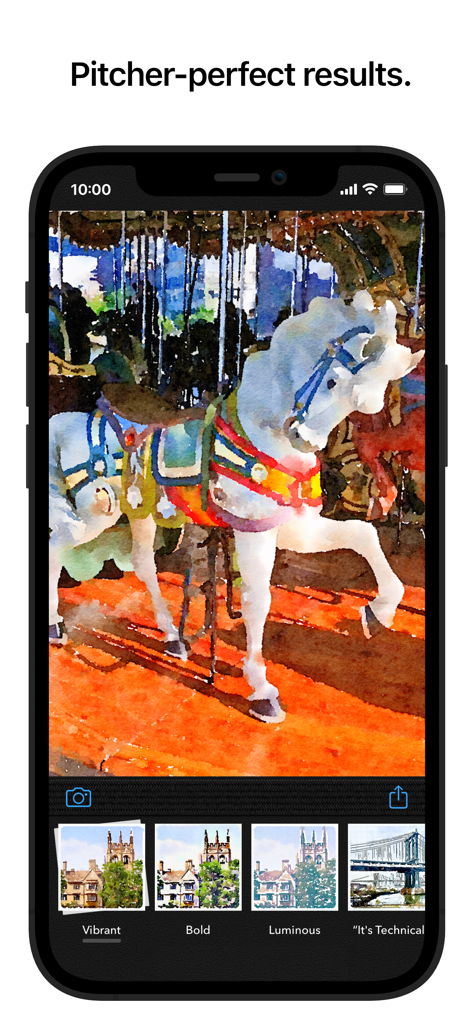
The Waterlogue app interface showing a photo of a carousel horse transformed into a watercolor painting with artistic presets

The Waterlogue app interface showing a photo of a carousel horse transformed into a watercolor painting with artistic presets

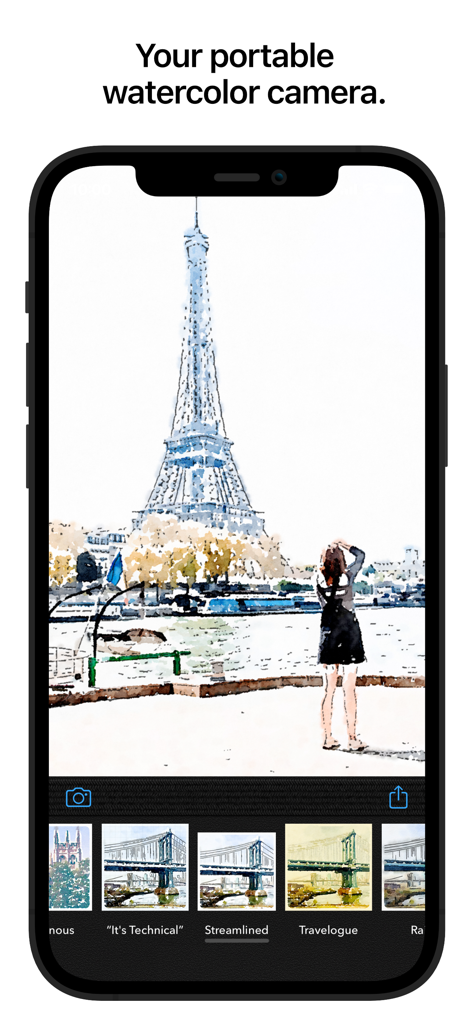
Waterlogue app interface on an iPhone displaying a watercolor painting of the Eiffel Tower

Waterlogue app interface on an iPhone displaying a watercolor painting of the Eiffel Tower

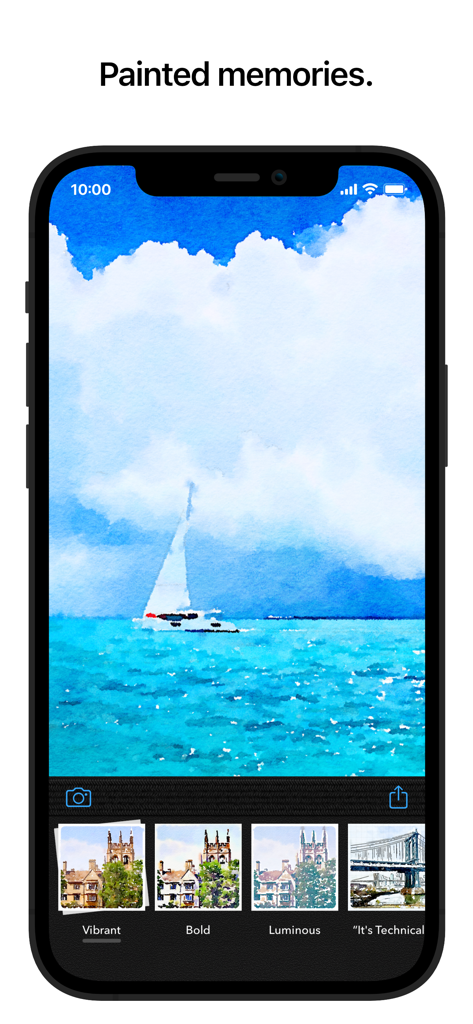
A smartphone screen displaying a watercolor painting of a sailboat created with Waterlogue.

A smartphone screen displaying a watercolor painting of a sailboat created with Waterlogue.

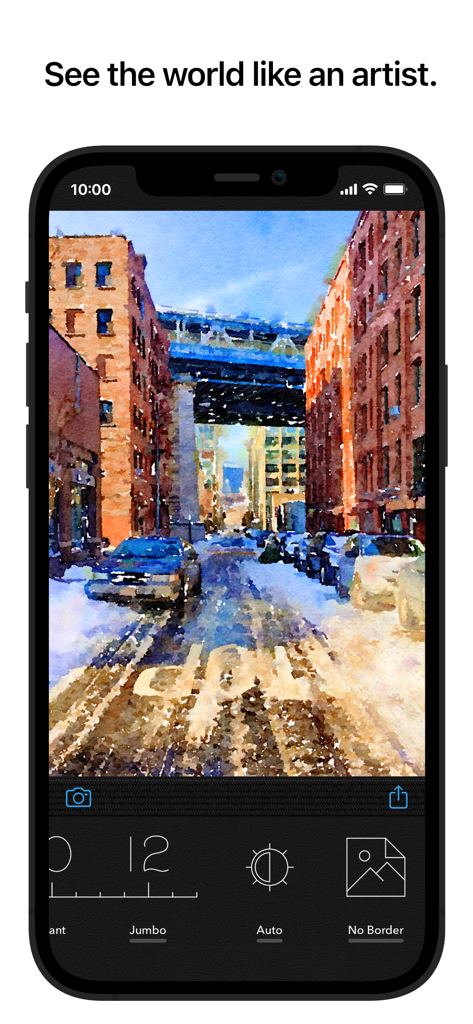
iPhone screen showing the Waterlogue app transforming a city street photo into a watercolor painting

iPhone screen showing the Waterlogue app transforming a city street photo into a watercolor painting

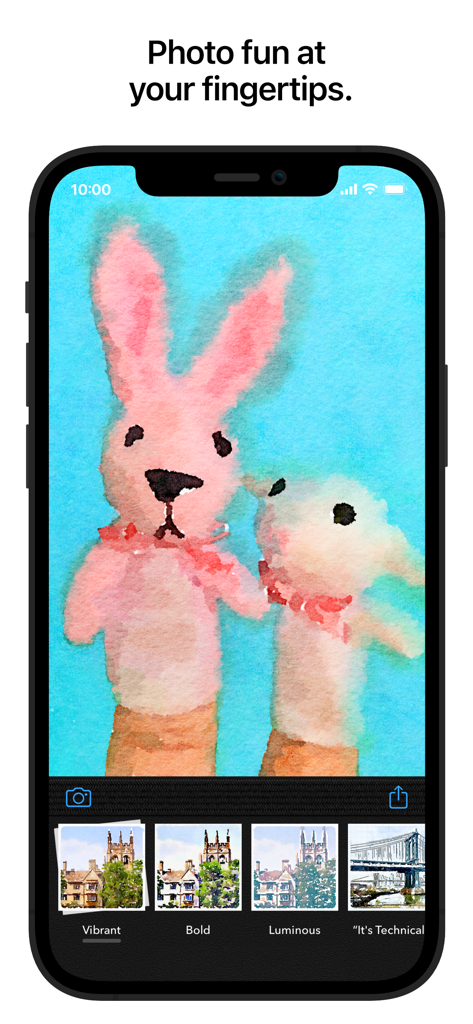
An iPhone screen displaying the Waterlogue app with a watercolor painting of two toy rabbits and artistic filter presets.

An iPhone screen displaying the Waterlogue app with a watercolor painting of two toy rabbits and artistic filter presets.

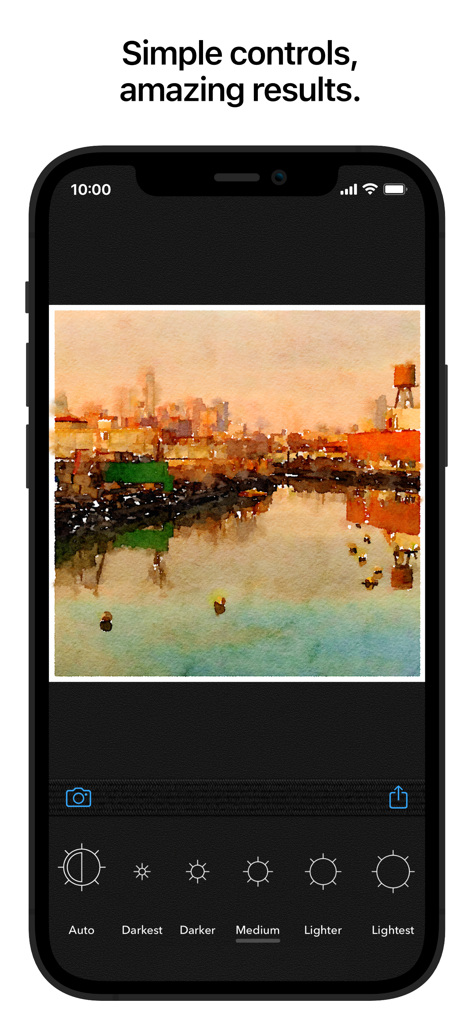
Watercolor painting of a cityscape in the Waterlogue app with brightness adjustment settings

Watercolor painting of a cityscape in the Waterlogue app with brightness adjustment settings

Experience the Art of Watercolor

The tools that make this app stand out, trusted by 585K+ users.

🎨

Authentic Painterly Logic

Experience the magic of liquid color as our technology mimics real watercolor physics for a result that looks truly handmade, not filtered.

🖼️

Print-Perfect Resolution

Create high-quality, frameable art for your home. Export in high resolution to turn your travel photos into stunning physical wall decor or DIY gifts.

Tailored Artistic Control

Select from 14 unique styles and customize every detail, from pen outlines to paper wetness, ensuring every painting matches your creative vision.

About the app

Everything you need to know about Waterlogue: Photo to Painting.

Description

You don’t need to paint to create beautiful watercolor images—Waterlogue captures the essence of your photos in brilliant, liquid color. See the world like an artist. FEATURES: • Waterlogue transforms your photos into luminous watercolors • Watch Waterlogue paint as it transforms your images • Use your watercolors to create an artist’s journal or notebook • Save your watercolors and share via Instagram, Facebook, Bluesky, Mastodon, Message, Email, and more • Create beautiful, high-res, frameable art for your home • 14 pre-set styles to customize your watercolors by controlling wetness, pen outlines, and color • Image export at high resolution • Control of borders, lightness, and detail • Includes example images • Awarded "App Store Best of 2014" by Apple • From Tinrocket, creator of This by Tinrocket (App Store Best of 2016), Olli (App Store Best of 2017), Percolator, and Popsicolor WHAT PEOPLE ARE SAYING ABOUT WATERLOGUE: • Oprah's holiday pick! "Made with Love: DIY Gifts"—O, The Oprah Magazine • “…with Waterlogue, it’s clear that there’s a very thoughtful human touch behind the app’s painterly algorithms.” —WIRED, Mar. 2014 • “…Waterlogue is going to utterly amaze you, as it’s the first app I’ve seen that gives results that really look like a watercolor painting.” —Cult of Mac, Dec. 2013 • “Watercolor apps may not be a new idea, but Waterlogue does it in a gorgeous, intuitive way, and it’s quite a pleasure to use.” —AppAdvice.com, Dec. 2013 • “Waterlogue App (from Tinrocket) looks awesome!” —Jack Hollingsworth, Photographer, Dec. 12, 2013 • “It goes beyond typical Photoshop watercolor filters because it has more visual intelligence, and more of the feel of the real paint.” —James Gurney, Artist and Author of Dinotopia, gurneyjourney.blogspot.com, Dec. 2013 • “Ever since digital imagery came into its own over 20 years ago, there have been attempts to mimic traditional media. Where others have failed, Waterlogue nails it.” —PatrickSaunders.com, Dec. 2013 KEEP UP WITH TINROCKET: • Follow @Tinrocket on Instagram for the latest! • We’re here to help: If you have a question or need assistance, you can always email us at support@tinrocket.com • If you like Waterlogue, please consider leaving an App Store review or rating. Every review counts and helps indie developers like ourselves. Waterlogue® and See the world like an artist® are registered trademarks of Tinrocket, LLC

Latest Version

1.5.301

Size

124.1 MB

First Released

Dec 11, 2013

Ready to See Your World Like an Artist?

Download Waterlogue today and transform your digital memories into luminous, professional-grade watercolor paintings.

Download on App Store
FAQ

Frequently Asked Questions

Everything you need to know about Waterlogue: Photo to Painting

What is the Waterlogue app?

Waterlogue is an app that transforms your photos into beautiful, luminous watercolor images, capturing the essence of your pictures with expressive styles. It creates art that looks hand-painted.

How does Waterlogue convert photos into watercolor paintings?

Waterlogue uses painterly algorithms to convert photos into watercolor images. It simulates watercolor effects and does not use artificial intelligence (AI) for this transformation.

Can users customize the watercolor images in Waterlogue?

Yes, Waterlogue allows users to customize various aspects of their watercolor images. You can adjust borders, lightness, and detail to achieve your desired artistic effect.

Is Waterlogue safe for my photos and personal privacy?

Yes, Waterlogue prioritizes user privacy. It is private by design, ensuring that your photos never leave your device during the transformation process.

What types of images can Waterlogue create?

Waterlogue creates hand-painted-looking art suitable for various subjects. It offers expressive styles for portraits, landscapes, and produces beautiful results for both people and pets.

Does Waterlogue use AI to convert photos?

No, Waterlogue does not use AI for photo conversion. It employs simulated watercolor techniques and painterly algorithms to create its artistic effects.

Can I export high-quality images from Waterlogue for printing?

Yes, Waterlogue supports print-quality export. This feature allows you to save your transformed photos at a resolution suitable for creating frameable art.

Who is the developer of the Waterlogue app?

Waterlogue was developed by Tinrocket, a creator also known for other award-winning apps like This by Tinrocket and Olli.

Where can I find support for the Waterlogue app?

You can contact the Waterlogue support team by emailing them at support@tinrocket.com for any questions or assistance you may need.

Has the Waterlogue app received any awards or recognition?

Yes, Waterlogue has received significant acclaim, including being awarded 'App Store Best of 2014' by Apple and being featured as an App Store App of the Day. Oprah also selected it as a holiday pick.

App information, icons, screenshots, and descriptions displayed on this page are sourced from the Apple App Store and are the property of their respective developers. Download estimates and rankings are based on MWM's proprietary models and may not reflect actual figures. This page is provided for informational and analytical purposes only.

Believe this page infringes your intellectual property? File a dispute