
This page is not an official page of the app or its developer, but an independent editorial publication created for informational and commentary purposes. Unless expressly stated otherwise, neither the app nor its developer is affiliated with, endorsed by, sponsored by, authorized by, or otherwise officially connected with MWM, Apple, Google Play, the app publisher, or the app's developer, and nothing on this page implies that the app was developed using MWM's services. Any trademarks, logos, screenshots, and other content remain the property of their respective owners.

MagicBrew: AI Photo Editor
Turn your photos into stunning cinematic posters, 3D characters, and aesthetic OOTDs with one tap. Skip the boring stuff and let the magic brew in the background while you stay social.
Downloads
36K+User Rating
Total Ratings
1K+Publisher
Category
Graphics & DesignLocales
10Latest Version
1.12.0Size
64.7 MBFirst Released
Jun 24, 2025Brew Viral Visuals in Seconds
Skip the complex prompts and technical jargon. MagicBrew turns your photos into high-quality, social-ready art with a single tap.
No Prompts, No Nonsense
Pick a trending template and go. We handle the heavy lifting so you can transform your photos without writing a single line of text.
Brew While You Create
Stay in your flow. Our background processing lets you keep browsing new styles and effects while your masterpieces finish brewing.
Frequently Asked Questions
Everything you need to know about MagicBrew: AI Photo Editor
What is MagicBrew: AI Photo Editor?
MagicBrew is an AI photo editor that transforms pictures into high-quality, viral-ready visuals using template-first AI editing. It offers diverse effects and customization without complex prompts.
How does MagicBrew create AI art without prompts?
MagicBrew uses a template-first AI editing approach, eliminating the need for users to write complex prompts. Users select from a collection of trending templates to transform their images.
Can MagicBrew convert images into videos?
Yes, MagicBrew can turn images into videos. The app features an "Image to Video" function that animates users' art, giving it motion and soul.
What types of effects are available in MagicBrew?
MagicBrew offers a wide range of effects, including retro cassette covers, 3D animal characters, iconic movie posters, fashion OOTD templates, and scrapbook effects. New content is uploaded daily.
Is it possible to customize effects in MagicBrew?
Yes, MagicBrew allows users to customize results. Users can fine-tune their style with flexible controls to make each creation uniquely their own.
Does MagicBrew support background image processing?
Yes, MagicBrew enables background image generation. Unlike other AI apps, MagicBrew allows users to continue exploring templates while images are processed in the background.
Can MagicBrew remove objects or people from photos?
Yes, MagicBrew offers "Magic Text Suggestions" for editing images. This includes the ability to "Remove Passersby" from photos.
Does MagicBrew show before and after photo comparisons?
Yes, MagicBrew provides instant side-by-side "Before & After previews" of original and "brewed" images. These previews are available in both portrait and landscape layouts.
How often does MagicBrew update its effects library?
MagicBrew adds new styles and effects regularly. The app description states new content is uploaded daily, and trending effects are updated weekly.
Where can I find MagicBrew's privacy policy?
The Privacy Policy for MagicBrew is available at https://cardinalblue.com/privacy.
The following screenshots and description are sourced directly from the app's official store listing and are the property of the app developer.
App Store
Screenshots
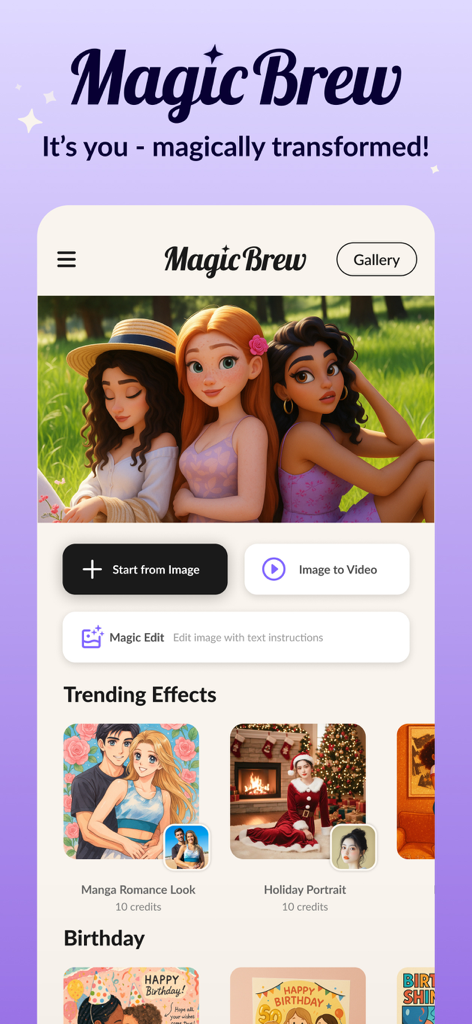
MagicBrew app interface showing AI photo effects like manga romance and holiday portraits
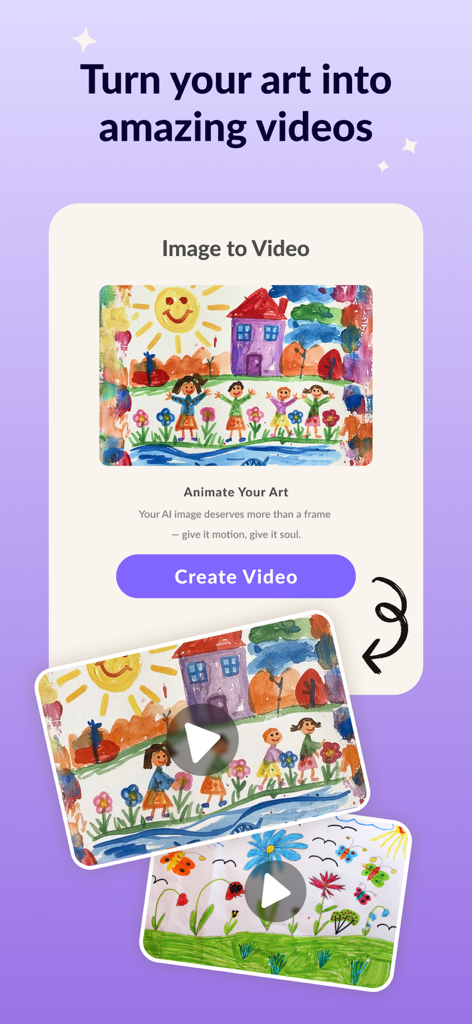
MagicBrew app interface showing the feature to turn art drawings into animated videos
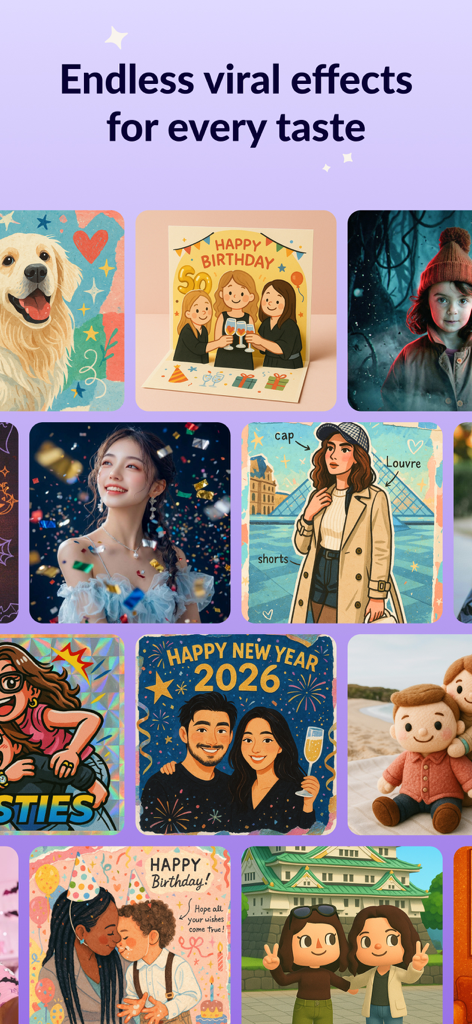
A gallery showing diverse AI photo effects including cartoon cinematic and 3D styles in the MagicBrew app

MagicBrew app screen showcasing viral AI photo effects including 3D characters, toy packaging, and movie posters.
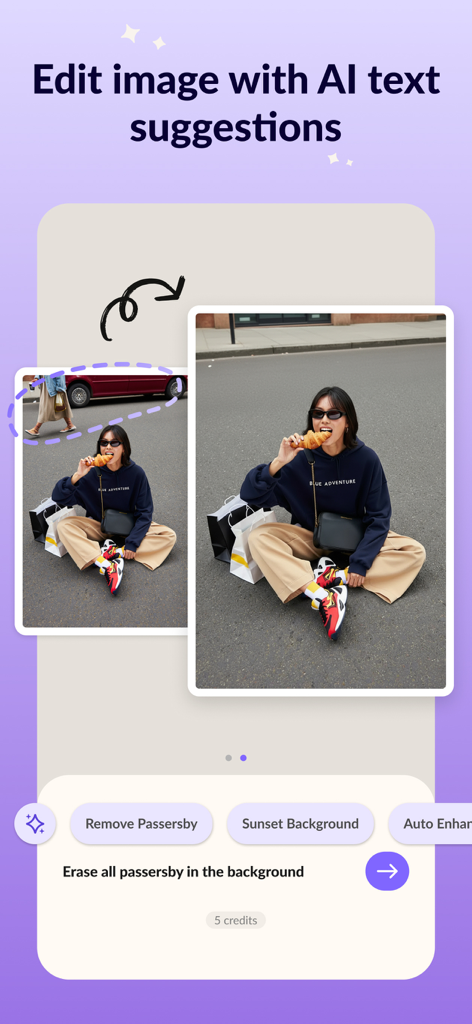
Interface of the MagicBrew app showing the AI feature to remove people from the background of a photo
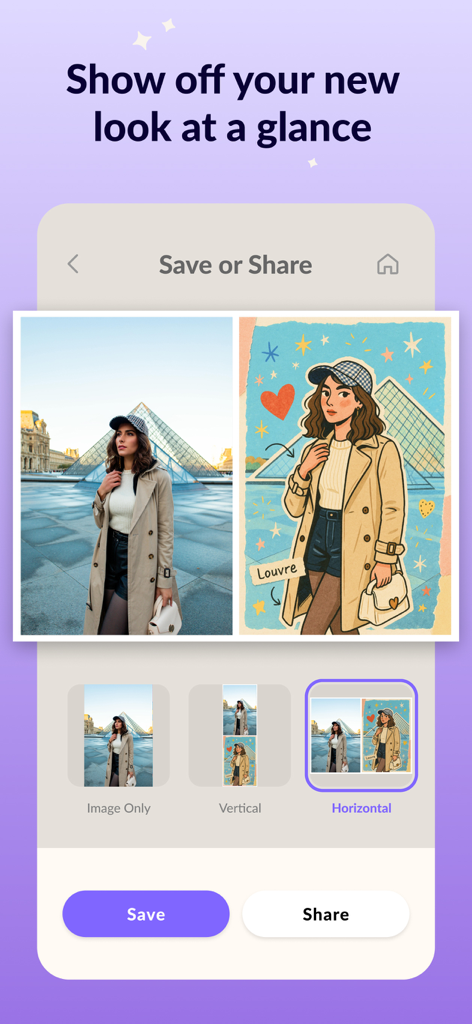
A side-by-side comparison of an original travel photo and its AI artistic illustration in the MagicBrew app
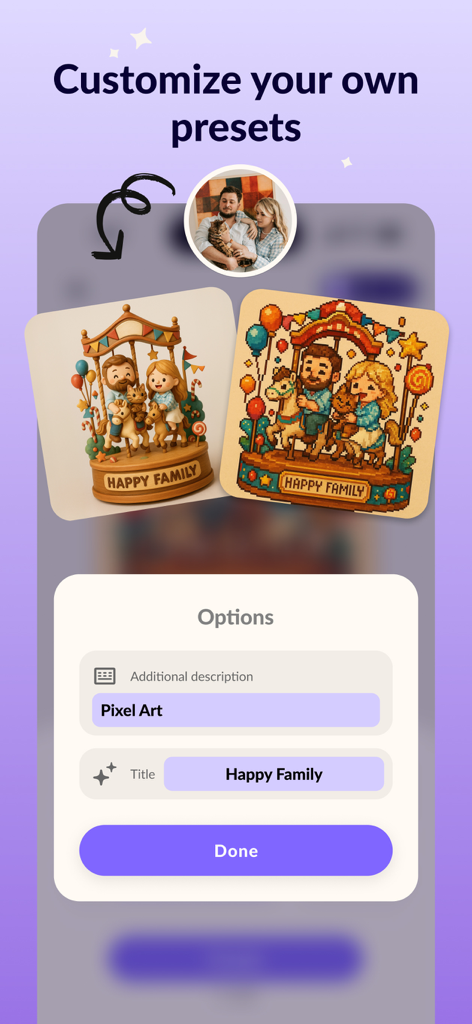
Interface of MagicBrew app showing how to customize AI presets with a pixel art example of a family photo
Description
Download
More Like This
Apps with similar features and user experience

WataameCamera
kenji hara

InFrame - Photo editor collage
INFRAME CO., LIMITED

Graphite: Turn Photo to Sketch
Digital Masterpieces GmbH
BeCasso: Photo to Painting App
Digital Masterpieces GmbH

YingLow
立肯 郑
Colorify: Coloring Book Maker
YOYA MOBILE TEKNOLOJI ANONIM SIRKETI

Banana Studio: AI Photo Editor
Ozan Kilic

Artifex AI - AI photo Editor
Walrus Holdings(Hong Kong)Limited
Coloring Pop – Photo Art Maker
Pal Patel
This page is not an official page of the app or its developer, but an independent editorial publication created for informational and commentary purposes. Unless expressly stated otherwise, neither the app nor its developer is affiliated with, endorsed by, sponsored by, authorized by, or otherwise officially connected with MWM, Apple, Google Play, the app publisher, or the app's developer, and nothing on this page implies that the app was developed using MWM's services. Any trademarks, logos, screenshots, and other content remain the property of their respective owners.