
This page is not an official page of the app or its developer, but an independent editorial publication created for informational and commentary purposes. Unless expressly stated otherwise, neither the app nor its developer is affiliated with, endorsed by, sponsored by, authorized by, or otherwise officially connected with MWM, Apple, Google Play, the app publisher, or the app's developer, and nothing on this page implies that the app was developed using MWM's services. Any trademarks, logos, screenshots, and other content remain the property of their respective owners.

Colorify: Coloring Book Maker
Transform personal memories into printable sketches, pixel art, and color-by-number pages. The ultimate ad-free creative tool for parents, hobbyists, and artists to bring photos to life.
Downloads
333K+User Rating
Total Ratings
7K+Publisher
Category
EntertainmentLocales
1Latest Version
1.10.14Size
50.8 MBFirst Released
Jul 29, 2025Turn Your World Into a Canvas
Colorify uses advanced AI to transform your personal photos into unique, printable coloring books and artistic sketches for the whole family.
AI-Powered Personalization
Convert your favorite memories—from family portraits to pet snapshots—into beautiful, custom line art in seconds.
Print & Play Offline
Bridge the gap between digital and physical. Print your custom creations for a creative, screen-free activity at home or in the classroom.
Frequently Asked Questions
Everything you need to know about Colorify: Coloring Book Maker
What is Colorify?
Colorify is an AI-powered photo editor that transforms any picture into a printable coloring page, line drawing, pixel art, or sketch. It serves as a coloring book maker and drawing editor.
How does Colorify convert photos into sketches?
Colorify uses AI-powered technology for photo to sketch conversion, enabling users to transform images into line drawings, pixel art, or sketches quickly.
Can Colorify create custom Color by Number pages?
Yes, Colorify allows users to create their own custom Color by Number pages from any photo. This feature is listed as a key capability of the app.
What artistic styles are available in Colorify?
Colorify offers various artistic styles including Simple, Detailed, Pixel Art, Coloring Book, Minimalist, and Pencil Sketch to transform photos.
Is the Colorify app suitable and safe for children?
Yes, Colorify is designed to be fun for kids and adults. It is explicitly stated as "Safe and ad-free," making it suitable for children.
What are the subscription options for Colorify?
To use the Colorify app, users must subscribe to weekly, monthly, or yearly packages. Subscription prices vary by location, and all subscriptions automatically renew.
Can I print the art created with Colorify?
Yes, Colorify allows users to print their transformed photos and creations. The app converts pictures into printable coloring pages and offers digital coloring options.
Does Colorify offer premium features?
Yes, Colorify offers premium features that unlock HD output, advanced styles, and more. Access to these enhancements is typically provided through a subscription.
Where can I find Colorify's privacy policy?
The Colorify app's privacy policy is available at https://www.yoyamobile.co/privacy-policy. This direct link is provided within the app's official description.
What does Colorify use AI for?
Colorify uses AI to power its photo-to-sketch conversion feature, transforming users' existing pictures into various artistic forms like line drawings, pixel art, or coloring pages.
The following screenshots and description are sourced directly from the app's official store listing and are the property of the app developer.
App Store
Screenshots
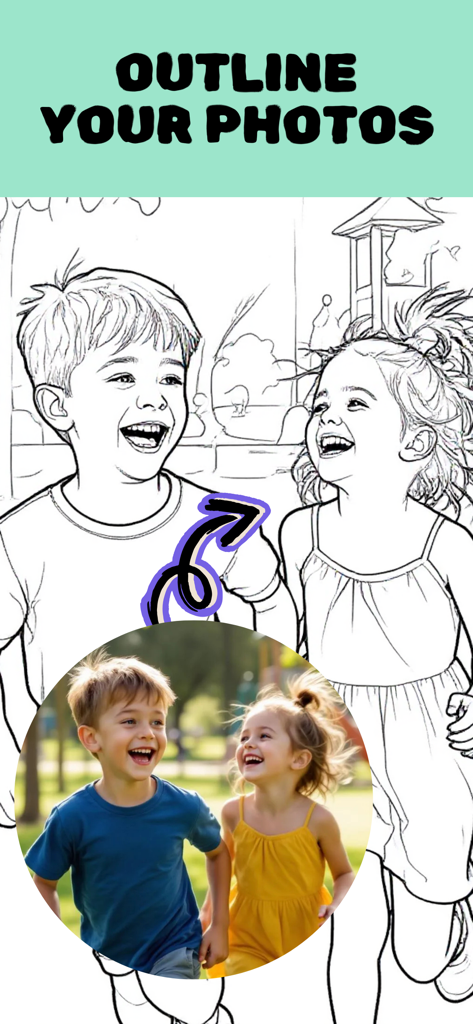
A photograph of two children laughing next to a black and white line drawing version of the same image
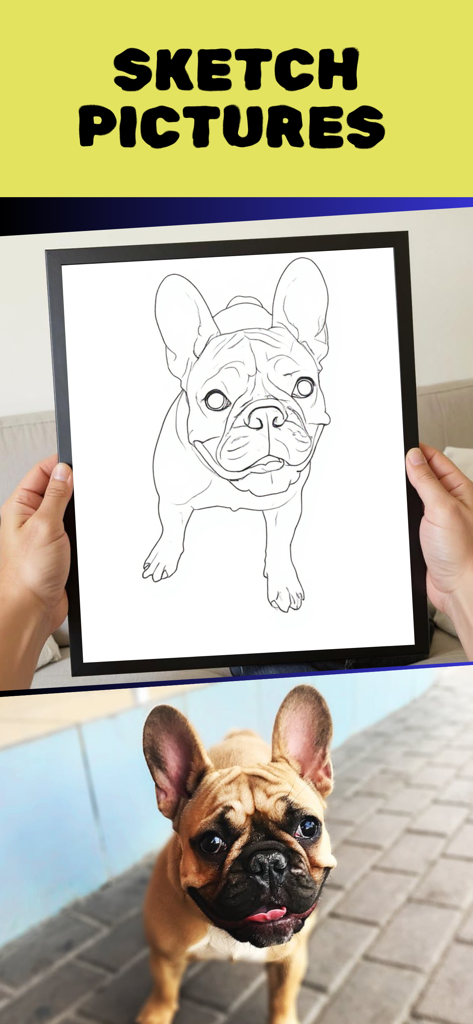
A dog photo transformed into a black and white line drawing sketch
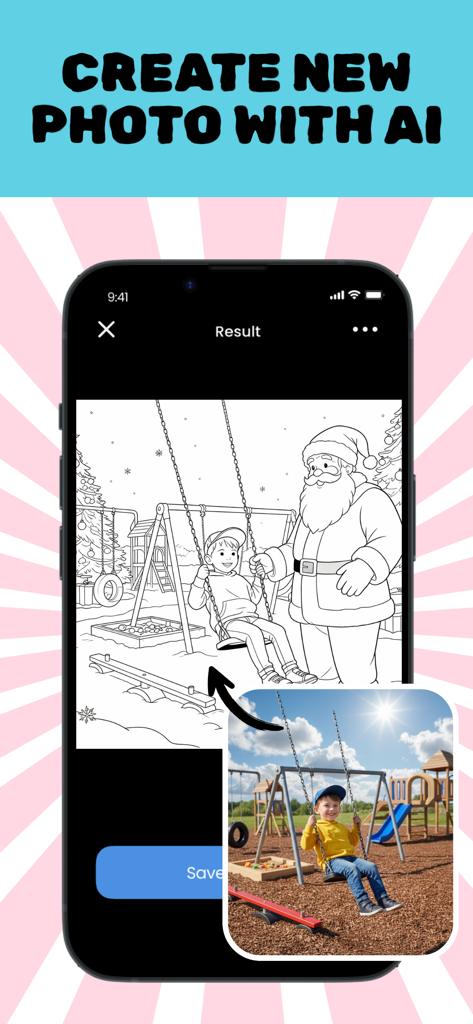
Mobile app interface showing a photo of a child on a swing being converted by AI into a printable line art coloring page featuring Santa Claus
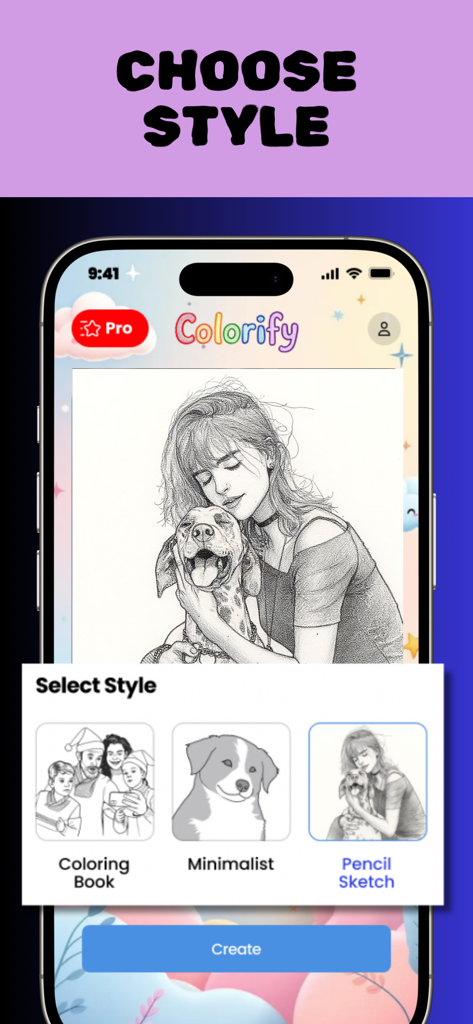
Colorify app screen showing options to convert photos into coloring book, minimalist, or pencil sketch styles.
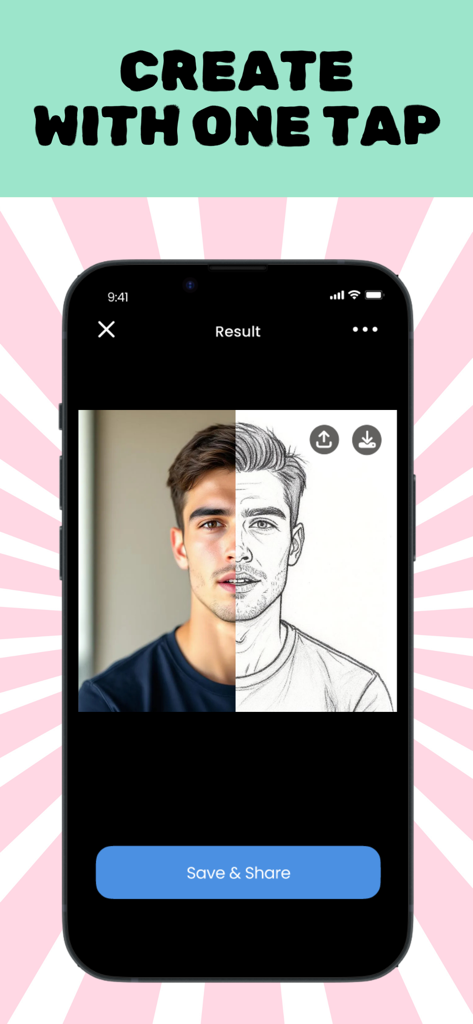
A side-by-side comparison showing a real portrait of a man and its AI-generated pencil sketch version within the Colorify app.
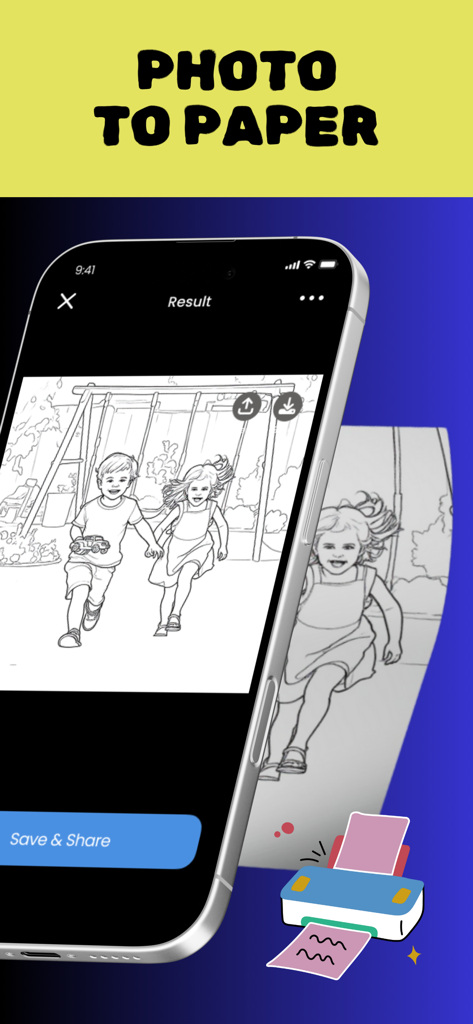
Smartphone screen showing a photo of children converted into a line drawing sketch ready for printing
Description
Download
More Like This
Apps with similar features and user experience

WataameCamera
kenji hara

InFrame - Photo editor collage
INFRAME CO., LIMITED

MagicBrew: AI Photo Editor
Cardinal Blue Software, Inc

Graphite: Turn Photo to Sketch
Digital Masterpieces GmbH
BeCasso: Photo to Painting App
Digital Masterpieces GmbH

YingLow
立肯 郑

Banana Studio: AI Photo Editor
Ozan Kilic

Artifex AI - AI photo Editor
Walrus Holdings(Hong Kong)Limited

Coloring Pop – Photo Art Maker
Pal Patel
This page is not an official page of the app or its developer, but an independent editorial publication created for informational and commentary purposes. Unless expressly stated otherwise, neither the app nor its developer is affiliated with, endorsed by, sponsored by, authorized by, or otherwise officially connected with MWM, Apple, Google Play, the app publisher, or the app's developer, and nothing on this page implies that the app was developed using MWM's services. Any trademarks, logos, screenshots, and other content remain the property of their respective owners.