Web Blocker - block web pages

Web Blocker - block web pages

Download on App Store
Logo of Web Blocker - block web pages

Web Blocker - block web pages: Secure Your Focus and Privacy with a PIN

The most private way to eliminate distractions on Safari. Set custom schedules, lock specific websites behind a secure 4-digit code, and stay productive. No subscriptions, no data tracking, just total control.

Download on App Store

Publisher

Mai Tuan Viet

Category

Utilities

Downloads

1K+

User Rating

1.0/5

Total Ratings

0

Locales

1

Privacy in Action

Discover the interface used by 1K+ users.
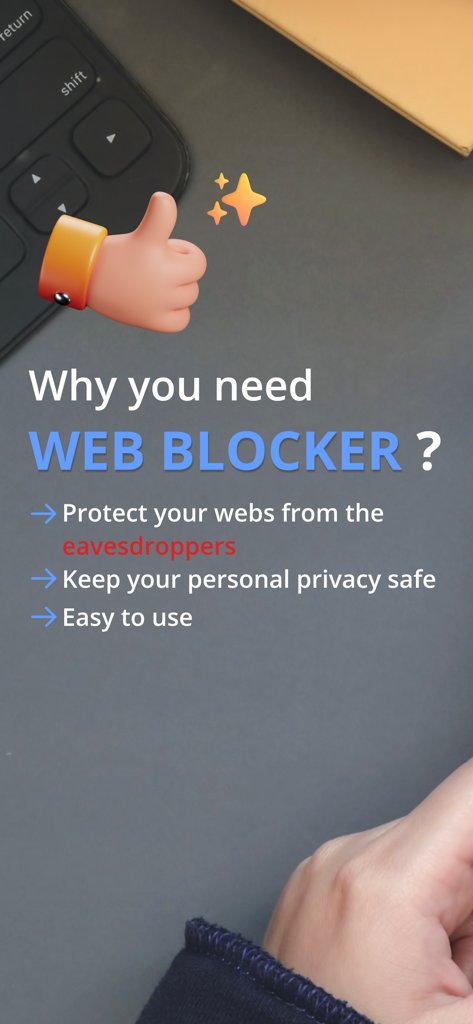
Screenshot highlighting the benefits of the Web Blocker app such as privacy protection and ease of use

Screenshot highlighting the benefits of the Web Blocker app such as privacy protection and ease of use

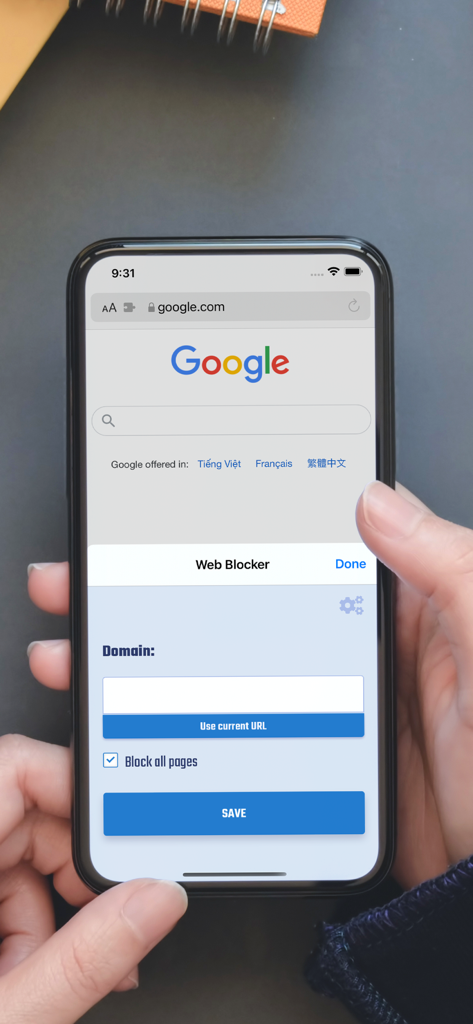
Web Blocker app interface on iPhone Safari browser to block specific website domains

Web Blocker app interface on iPhone Safari browser to block specific website domains

A minimalist overhead view of a coffee cup on a dark desk next to a person's arm in a sweater, symbolizing a focused work environment

A minimalist overhead view of a coffee cup on a dark desk next to a person's arm in a sweater, symbolizing a focused work environment

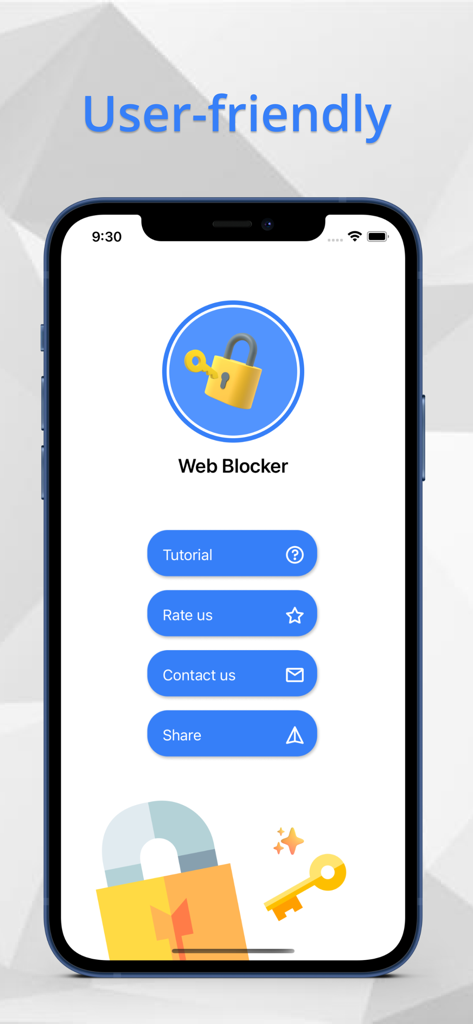
Web Blocker app home screen showing a user-friendly interface with options for tutorials and settings.

Web Blocker app home screen showing a user-friendly interface with options for tutorials and settings.

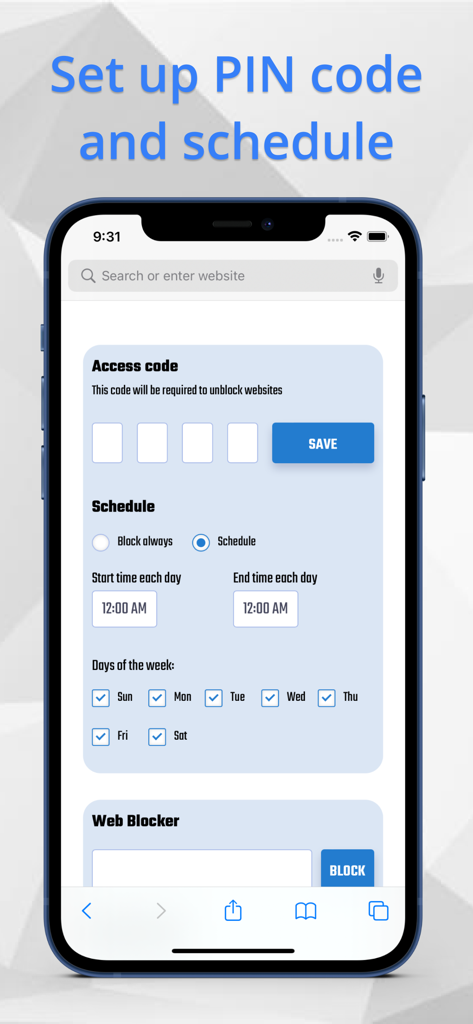
Interface of the Web Blocker app showing settings for a 4-digit access code and a customizable weekly schedule to block websites.

Interface of the Web Blocker app showing settings for a 4-digit access code and a customizable weekly schedule to block websites.

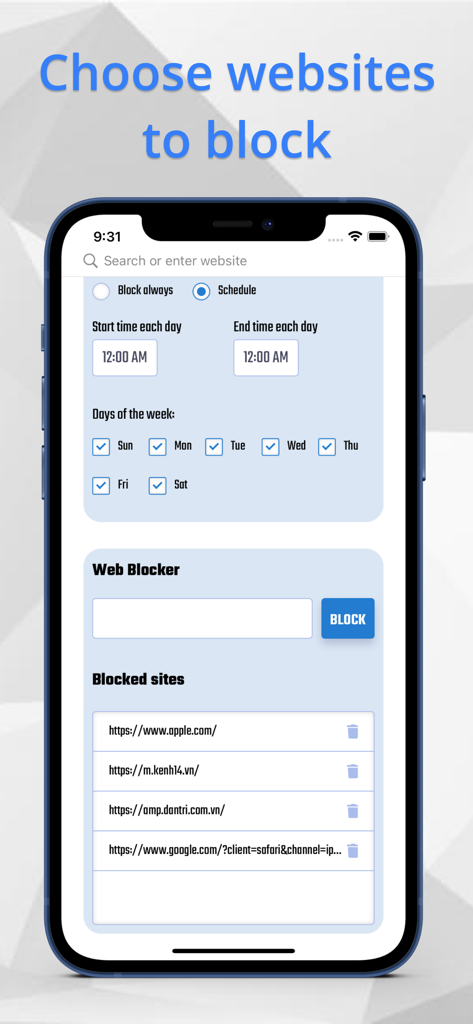
Interface of Web Blocker app showing website scheduling options and a list of blocked URLs on an iPhone

Interface of Web Blocker app showing website scheduling options and a list of blocked URLs on an iPhone

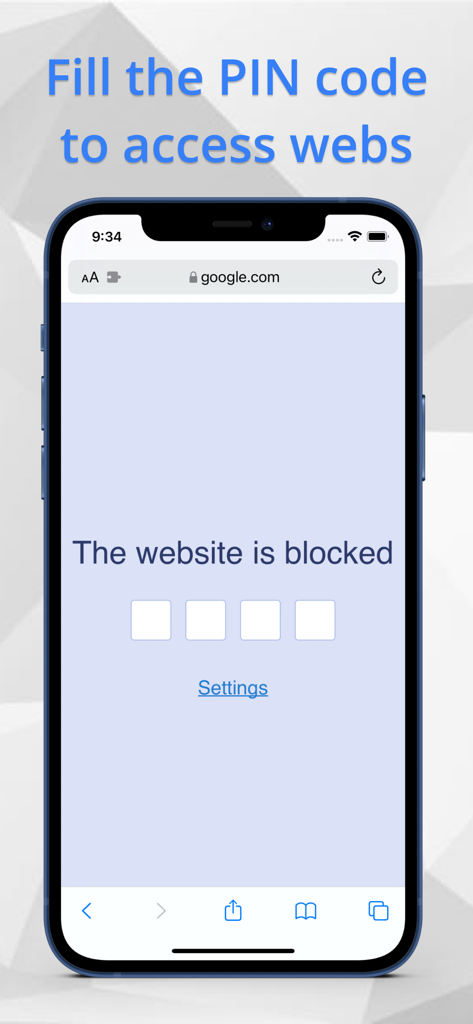
A blocked website on an iPhone requiring a four digit PIN code for access through the Web Blocker Safari extension

A blocked website on an iPhone requiring a four digit PIN code for access through the Web Blocker Safari extension

Take Back Control of Your Digital Time

The tools that make this app stand out, trusted by 1K+ users.

🔒

Secure PIN Protection

Add a 4-digit barrier to specific websites. Break the habit of mindless scrolling and regain focus with a conscious pause.

📅

Smart Time Scheduling

Automate your productivity. Set specific hours or days to block distracting sites, ensuring you stay in the zone when it matters most.

🛡️

Privacy-First Design

Your data remains yours. We never store your PIN or blocked URLs on external servers, providing total privacy and peace of mind.

About the app

Everything you need to know about Web Blocker - block web pages.

Description

Web Blocker is an amazing tool that helps you to block your web pages access with PIN code through Safari browser. ( base on new Safari Extensions ) Using Web Blocker, you can protect your personal privacy from the eavesdroppers. All the chosen websites will be blocked with PIN code. You can also arrange the specific time to active your block. Follow 4 easy steps to use Web Blocker: 1. Open Safari Extensions -> Web Blocker 2. Open Settings to establish your PIN code and time schedule. 3. Fill the URL of the website you want to block 4. The chosen webs will be blocked immediately Featues - PIN code included 4 numbers - Time schedule of days and specific time period. - Webpages which protected by PIN code BE MINDFUL that : We do not save your PIN code or webpages that you use in Web Blocker in any other system to protect your personal privacy, so make sure to remember your PIN code or write it down in case you forget. After you access your PIN code, the webpage will remain unblocked for a moment of time. PURCHASE RIGHT AWAY with ONLY 1.99$ to use this fantastic tool to keep your web pages safe from the eavesdroppers.

Latest Version

1.0

Size

3.4 MB

First Released

Oct 26, 2021

Ready to Reclaim Your Focus and Privacy?

Stop mindless scrolling and protect your browsing habits with a simple 4-digit PIN. Get the privacy-first Safari extension for a one-time payment of $1.99—no subscriptions, no data tracking, just pure discipline.

Download on App Store

App information, icons, screenshots, and descriptions displayed on this page are sourced from the Apple App Store and are the property of their respective developers. Download estimates and rankings are based on MWM's proprietary models and may not reflect actual figures. This page is provided for informational and analytical purposes only.

Believe this page infringes your intellectual property? File a dispute