Week Calendar: The Smart Planner to Master Your Busy Life
Experience the ultimate command center for your schedule. Sync iCloud, Google, and Outlook with powerful drag-and-drop tools, customizable views, and smart automations designed for the modern professional.
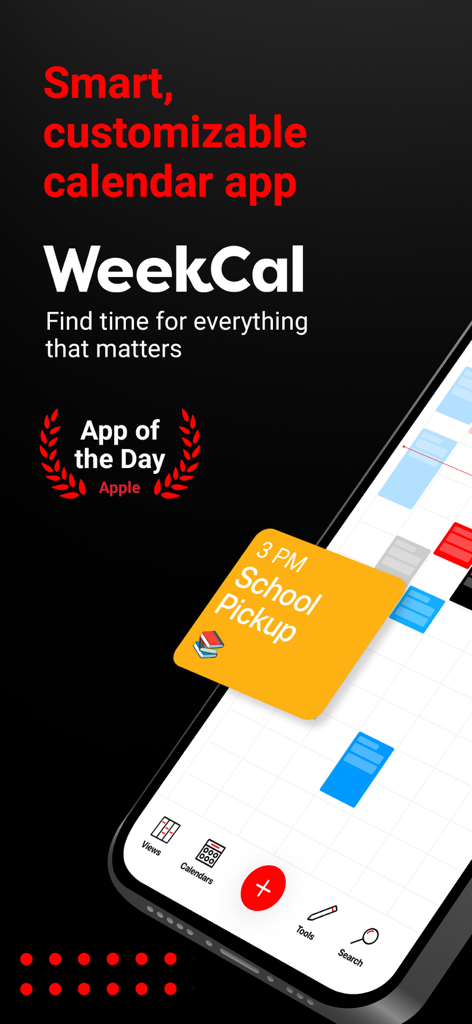
WeekCal smart and customizable calendar app interface showing a school pickup reminder
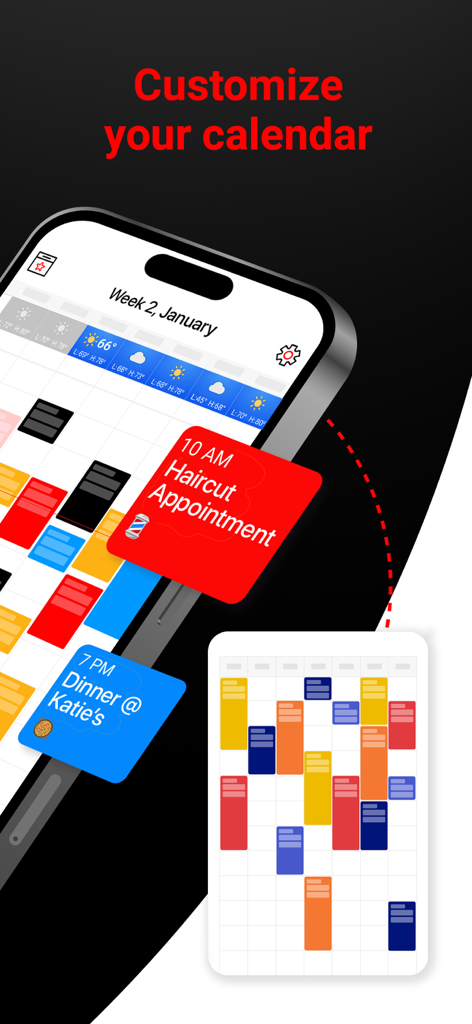
Customizable calendar interface with color coded event blocks and scheduled appointments in Week Calendar app
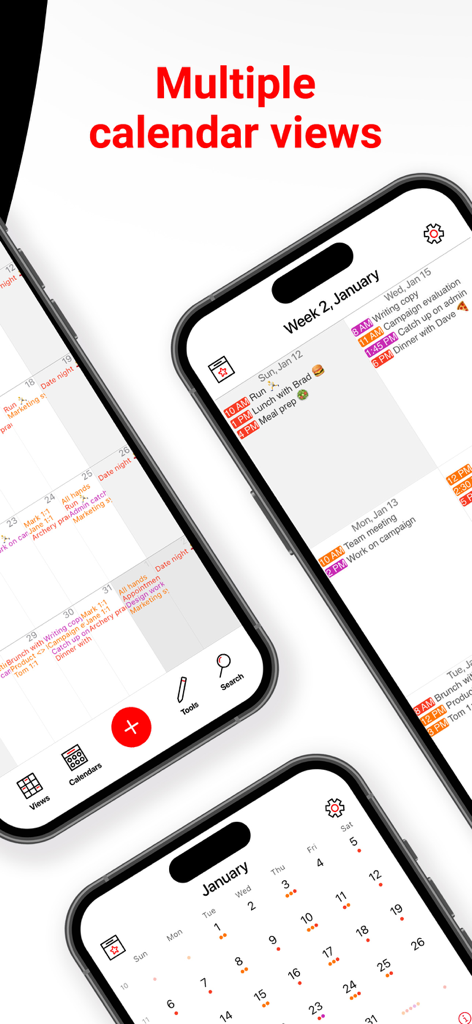
Three iPhones showing different calendar view layouts including agenda and monthly views
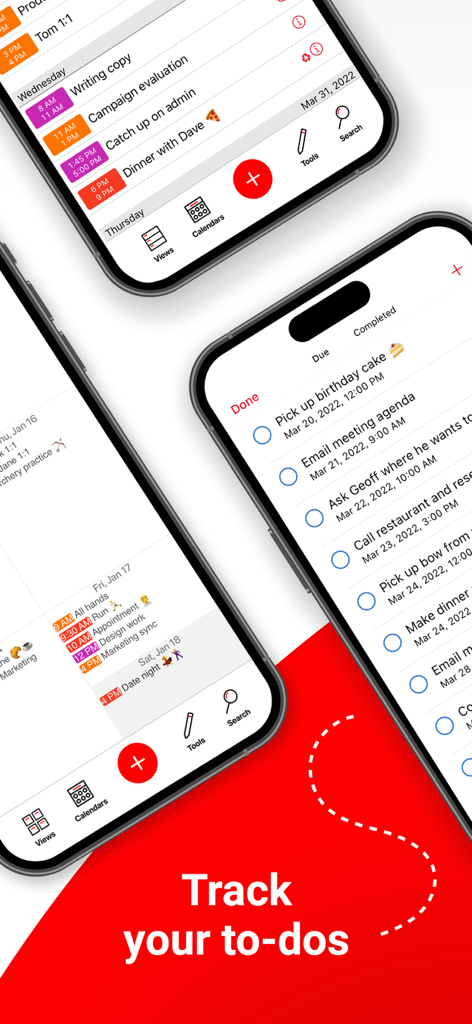
Week Calendar app interface showing a to-do list and task tracker on iPhone screens.
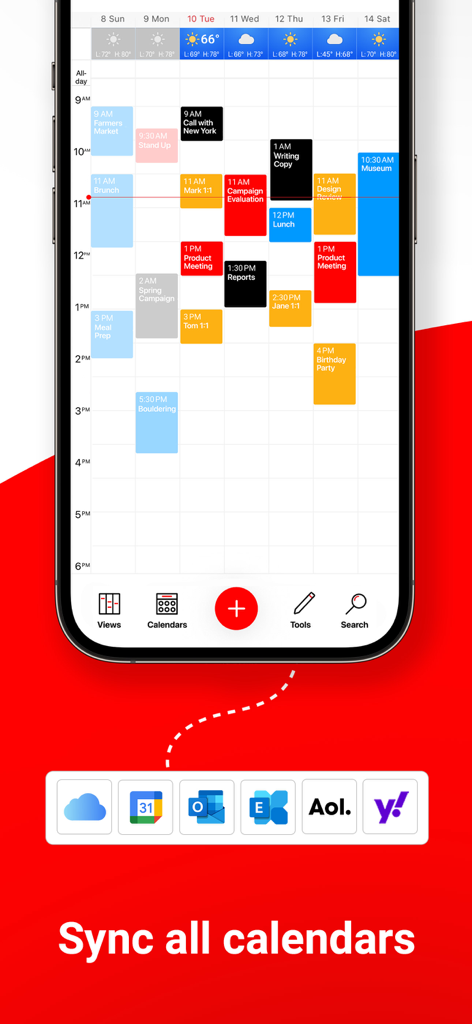
Week Calendar app showing a weekly schedule and calendar sync options for iCloud, Google, and Outlook.
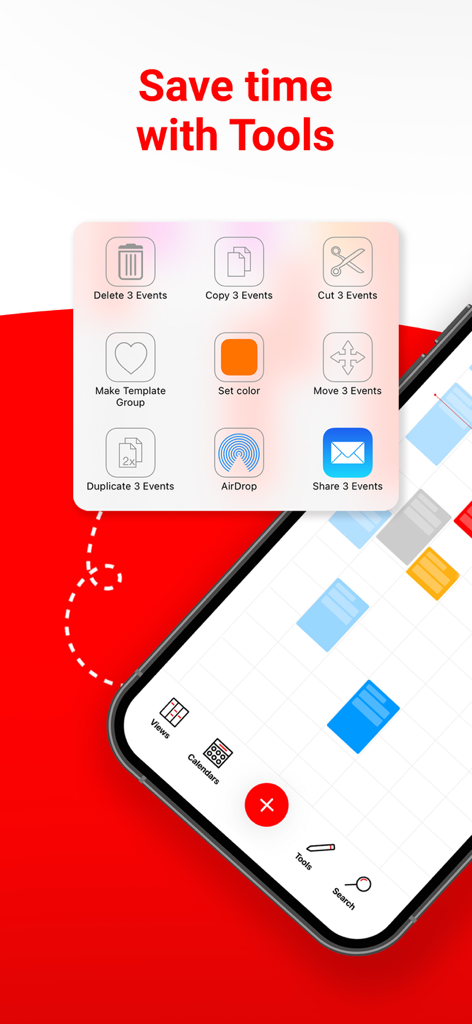
Week Calendar app screenshot showing the tools menu for batch editing calendar events like copy move and delete.
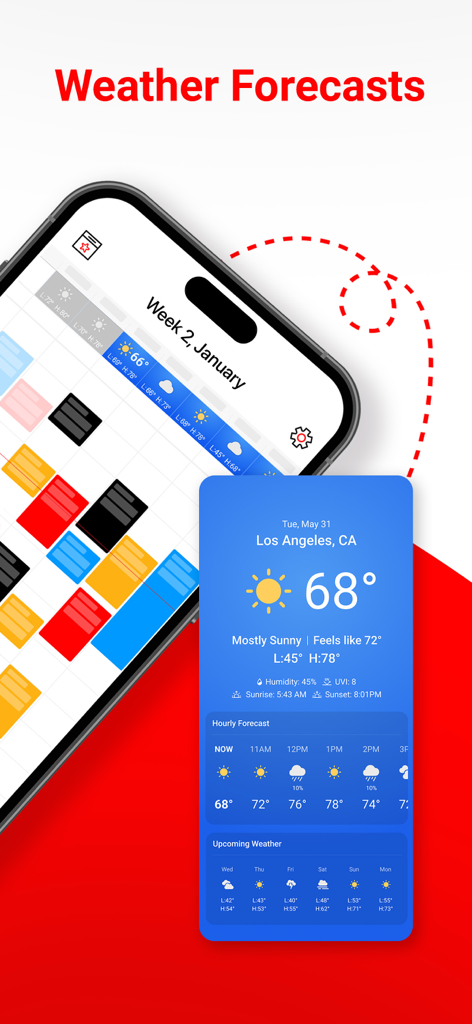
Week Calendar app interface showing integrated local weather forecasts and hourly temperature updates
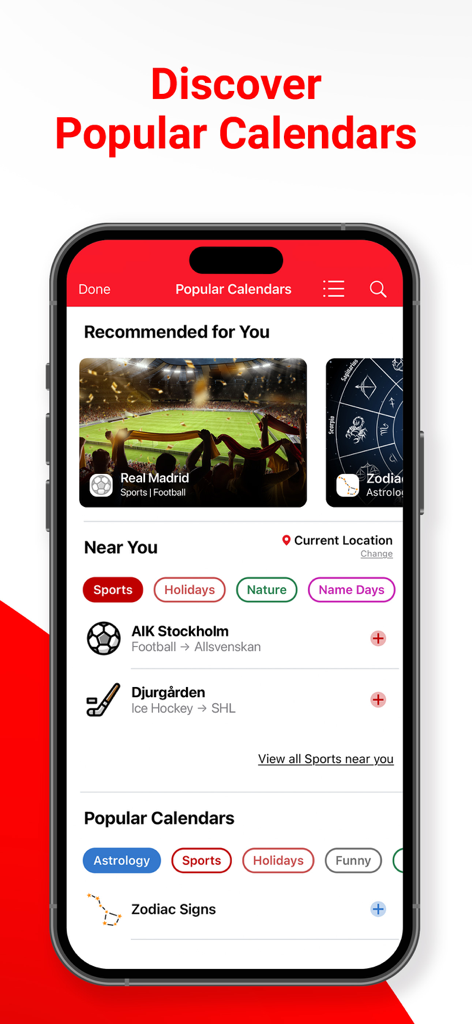
Smartphone screen showing the Discover Popular Calendars feature in Week Calendar app with sports and zodiac recommendations.
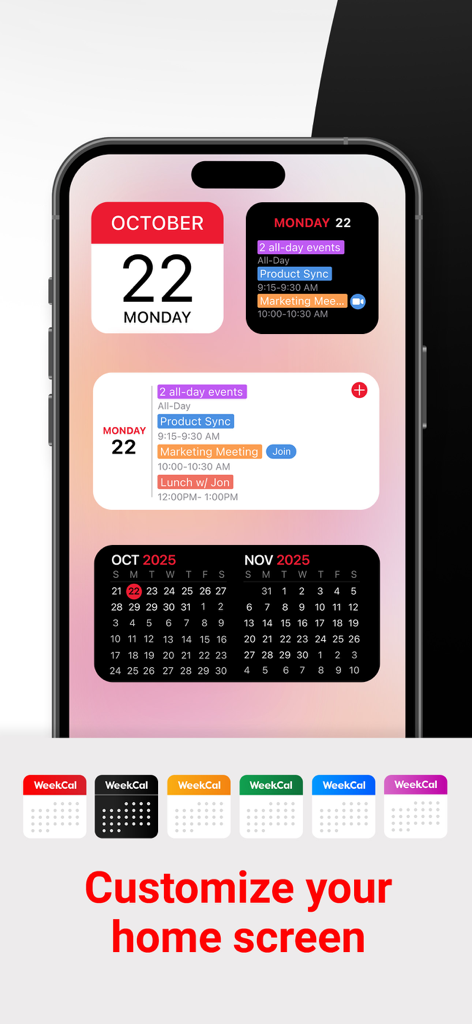
iPhone display showing customizable Week Calendar home screen widgets and icons
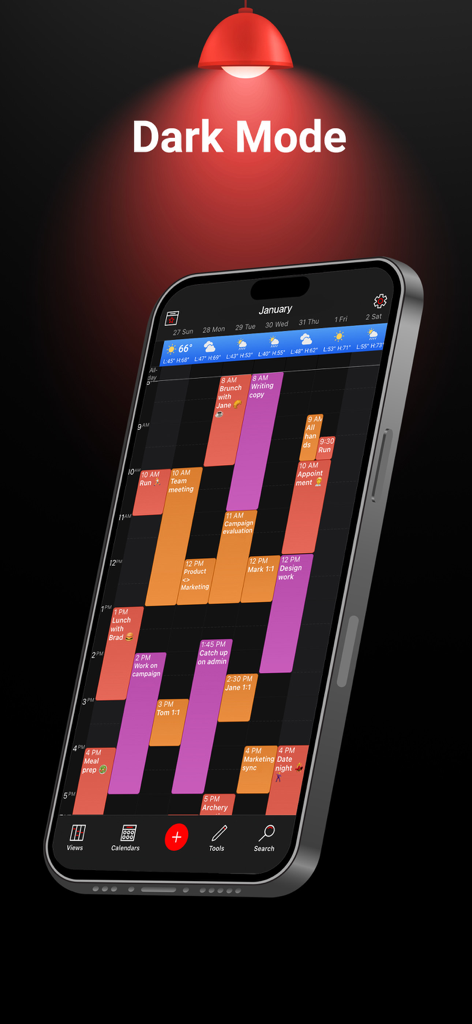
Week Calendar app interface in dark mode showing a color-coded weekly planner on an iPhone
Master Your Time Like a Pro
The tools that make this app stand out, trusted by 1M+ users.
🗓️
Visual Clarity at a Glance
Switch between Day, Agenda, and the fan-favorite Mini Month view to see all your event details without the constant clicking.
🔄
One Unified Command Center
Seamlessly sync iCloud, Google, and Outlook into one beautiful view, complete with integrated weather and one-tap meeting links.
⚡
Lightning-Fast Scheduling
Reschedule events instantly with drag-and-drop or use custom templates to automate your most frequent appointments in seconds.
About the app
Everything you need to know about Week Calendar - Smart Planner.
Description
*****RATED ONE OF THE BEST CALENDAR APPS*****
Whether you use iCloud, Exchange/Outlook, Yahoo or Google Calendar, WeekCal is one of the most adaptable, customizable, and user-friendly calendar apps, loved by people around the world.
PEOPLE LOVE WEEKCAL:
"The mini month is SO useful to me. It's just about like the month view in google calendar I can see all my events in one view.”
“This is the only calendar app I use for both work and personal scheduling.”
CUSTOM CALENDAR VIEWS
WeekCal provides clear & detailed views of your events, displayed the way you want! Choose from Day, Agenda, Mini Month, Month & Year views. WeekCal exceeds limitations of basic calendar apps by bringing simplicity & functionality to streamline your busy life.
AUTOMATE YOUR CALENDAR
Easy-to-use automations & templates allow you to create a calendar that works for you.
● Move events by simply dragging, copying & pasting
● Assign colors to categorize different kinds of events
● Customize repeating event options
SAVE TIME
Adding, repeating, and moving events is easy with WeekCal. Plus the intuitive interface, powerful functionality, and personalization options make WeekCal fun to use for everyone.
GET MORE WITH WEEKCAL PRO
Enjoy the full range of WeekCal features, including:
● Add Lock & Home Screen widgets to view upcoming events at-a-glance on your device
● Access to all Views, including Day, Agenda, Mini Month, Month & Year
● Full access to Popular Calendars
● Create & manage Reminders in a dedicated view
● One-tap access to virtual meetings with ‘Join Meeting’ button
INTRODUCING WEATHER FORECASTS
See upcoming Weather Forecasts on your calendar, right where you need them. Unlike other weather services, Weather Forecasts for WeekCal is built right into your calendar to give you accurate & convenient weather information.
SUBSCRIBE TO POPULAR CALENDARS
Discover personalized Popular Calendar recommendations to add curated & auto-updating calendars focused on current events. Top categories include Sports, Holidays, Nature & more.
MOST-LOVED FEATURES
● Customize the look of your calendar, including Dark Mode & other custom color schemes
● Create event templates & rules for recurring events
● Select a custom WeekCal app icon, available in over 10 colors
● Use WeekCal on Apple Watch
● Sync to major calendar services including iCloud, iCal, Google, Exchange, Outlook, CalDAV, Birthdays & Subscriptions
● Easily reschedule events by dragging & dropping
● Add events easily at the right time using tap-and-hold
● Customize your Tools menu to quickly change events
● Invite participants and/or share events via email, Messages & WhatsApp
● Navigate with multiple services including Apple Maps, Google Maps, Citymapper, Garmin, Here, iGo, Maps.me, Moovit, MotionX, Sygic, TransitApp, Waze, Yandex, 高德地图
● Choose alternate Calendars including Chinese, Hebrew, Indian, Islamic & Persian
● Get support in your own time zone
Please Note: Recurring subscriptions are billed annually. Account will be charged for renewal 24 hours prior to the end of the current subscription period at the regular non-discounted price of the current subscription, unless canceled earlier. The subscription fee is charged to your iCloud account at confirmation of purchase. You may manage your subscription and turn off auto-renewal by going to your Account Settings after purchase. Payment will be charged to your iTunes account at confirmation of purchase.
Terms of Use: https://maplemedia.io/terms-of-service/
Questions or feedback? Email us at support@weekcal.com, or find FAQs at www.weekcal.com/
Latest Version
16.0.42
Size
243.0 MB
First Released
Jul 29, 2010
Master Your Time, Not Just Your Schedule
Join over 1 million professionals and busy parents who have turned their calendar into a command center. Sync your work and personal life effortlessly and take back control of your day with WeekCal.
FAQ
Frequently Asked Questions
Everything you need to know about Week Calendar - Smart Planner
What is WeekCal?
WeekCal is a highly adaptable and customizable calendar app. It provides clear event views, automation features, and synchronization with major calendar services like iCloud, Google, and Outlook.
Does WeekCal sync with other calendar services?
Yes, WeekCal syncs with major calendar services. These include iCloud, Exchange, Outlook, Yahoo, Google Calendar, iCal, CalDAV, Birthdays, and Subscriptions.
Can users customize the appearance of the WeekCal app?
Yes, users can customize the WeekCal app's appearance. Options include Dark Mode, custom color schemes, and selecting a custom app icon from over 10 colors.
What calendar views does WeekCal offer?
WeekCal offers various calendar views including Day, Agenda, Mini Month, Month, and Year. These views are available to help users organize their events.
How can users manage events in WeekCal?
WeekCal allows users to manage events by dragging, copying, and pasting them. Users can assign colors to categorize events and customize repeating event options easily.
What additional features are available with WeekCal PRO?
WeekCal PRO offers Lock & Home Screen widgets, access to all views, Popular Calendars, Reminders, and a 'Join Meeting' button. These enhance calendar functionality.
Does WeekCal provide weather forecasts?
Yes, WeekCal provides built-in weather forecasts. Users can see upcoming weather information directly on their calendar for convenience and accuracy.
Can WeekCal users subscribe to popular calendars?
Yes, WeekCal users can subscribe to Popular Calendars. The app offers recommendations for curated and auto-updating calendars in categories like Sports, Holidays, and Nature.
Does WeekCal include a reminder or to-do feature?
Yes, WeekCal PRO includes a dedicated view for creating and managing Reminders. This allows users to track their to-do items alongside their calendar events.
How does the WeekCal subscription work?
WeekCal subscriptions are billed annually and renew automatically. The account is charged 24 hours before renewal at the regular price, unless canceled earlier.
App information, icons, screenshots, and descriptions displayed on this page are sourced from the Apple App Store and are the property of their respective developers. Download estimates and rankings are based on MWM's proprietary models and may not reflect actual figures. This page is provided for informational and analytical purposes only.
Believe this page infringes your intellectual property? File a dispute