
This page is not an official page of the app or its developer, but an independent editorial publication created for informational and commentary purposes. Unless expressly stated otherwise, neither the app nor its developer is affiliated with, endorsed by, sponsored by, authorized by, or otherwise officially connected with MWM, Apple, Google Play, the app publisher, or the app's developer, and nothing on this page implies that the app was developed using MWM's services. Any trademarks, logos, screenshots, and other content remain the property of their respective owners.


Wellnote: Notes, Free Taking
Forget paper. This app transforms your iPad into a dynamic digital notebook, empowering users to capture thoughts and manage documents with precision.
Downloads
500k+User Rating
Total Ratings
1.8KPublisher
Category
ProductivityLocales
10Latest Version
1.6.2Size
372.4 MBFirst Released
Jun 21, 2023An evaluation of core functionalities designed for enhanced productivity and learning.
Key Features Analysis: Wellnote: Notes, Free Taking
Efficient Split-Screen Multitasking
The app supports a split-screen feature, enabling users to view different documents or applications concurrently for efficient real-time note-taking during lectures or study sessions.
Natural Handwriting Experience
The app provides a natural and smooth writing experience, accurately capturing handwriting for a paper-like feel on the iPad when using a stylus.
Interactive Document Annotation
This tool features the ability to import documents (PDF, PPT, Word) and directly annotate, mark, and highlight content, enhancing interactive learning and review.
Advanced Note Organization and Search
It allows users to categorize notes by project, course, or topic, complemented by a search function for efficient retrieval and organization.
Personalized Note Templates
This tool provides customizable templates, allowing users to create note formats tailored to their personal learning and working styles for improved efficiency and organization.
Interactive Study Masking
It offers a masking tape feature to cover and reveal content, facilitating efficient self-testing and memorization for enhanced study outcomes.
Frequently Asked Questions
Everything you need to know about Wellnote: Notes, Free Taking
Does Wellnote support stylus use for a natural writing experience?
Yes, Wellnote supports stylus pens on the iPad to achieve a natural, smooth, and accurate writing sensation, capturing handwriting effectively.
How can users organize notes in Wellnote?
Wellnote allows users to organize notes by project, course, or topic using its categorization feature. A search function also helps in easily finding specific notes.
Can Wellnote import documents for annotation?
Yes, Wellnote allows importing PPT, Word, and PDF files from Baidu Cloud. Users can annotate, mark, and highlight directly on these documents after importing them as PDFs.
Does Wellnote offer a split-screen feature for studying?
Yes, Wellnote provides a split-screen feature. Users can view different books, materials, or apps simultaneously while efficiently taking notes or recording key points during classes.
Can users customize note templates in Wellnote?
Yes, Wellnote allows users to create custom templates to meet personal learning and working styles. Preset templates are also available to improve note organization and review efficiency.
Does Wellnote integrate with cloud storage for document access?
Yes, Wellnote integrates with Baidu Cloud. Users can log in to Baidu Cloud to download and import files like PPT, Word, and PDF for annotation at any time.
How accurate is handwriting capture in Wellnote?
Wellnote provides a smooth writing experience that accurately captures handwriting. This applies whether jotting down quick notes or making detailed records.
The following screenshots and description are sourced directly from the app's official store listing and are the property of the app developer.
App Store
Screenshots
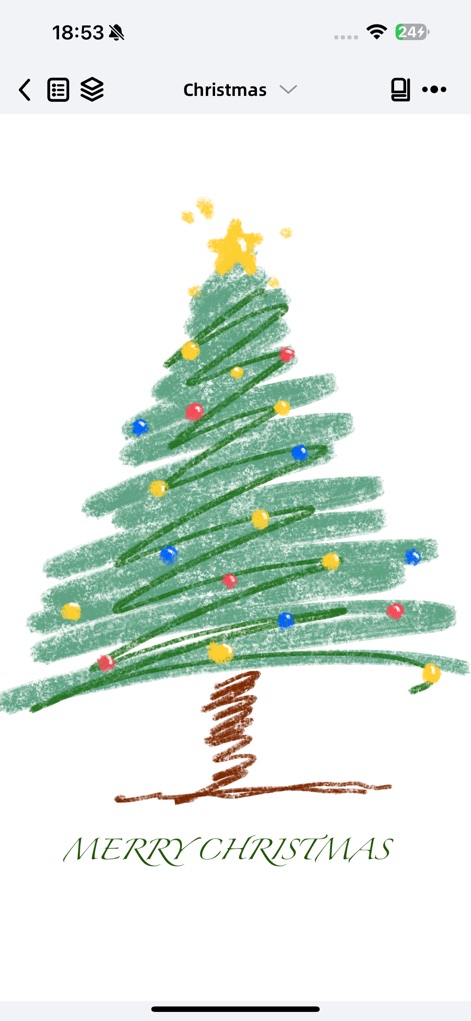
Witness the app's smooth writing experience capturing detailed freehand drawings and the intuitive top navigation bar for note management.
Expressive Digital Ink
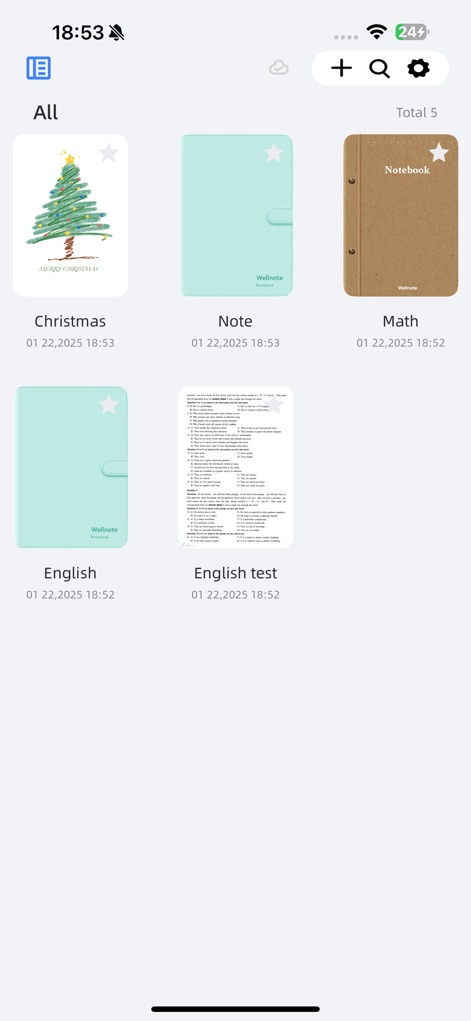
Explore the app's intuitive grid view for instantly accessing categorized notes and discover the convenient search and add new note functionalities.
Organized Notebooks
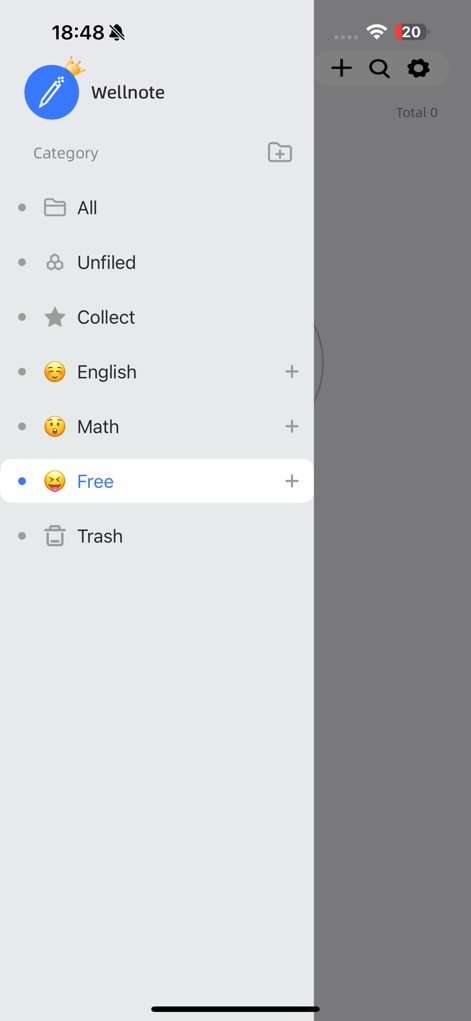
Observe the robust sidebar navigation for precise note categorization and the engaging use of emojis to personalize organization.
Categorize & Conquer
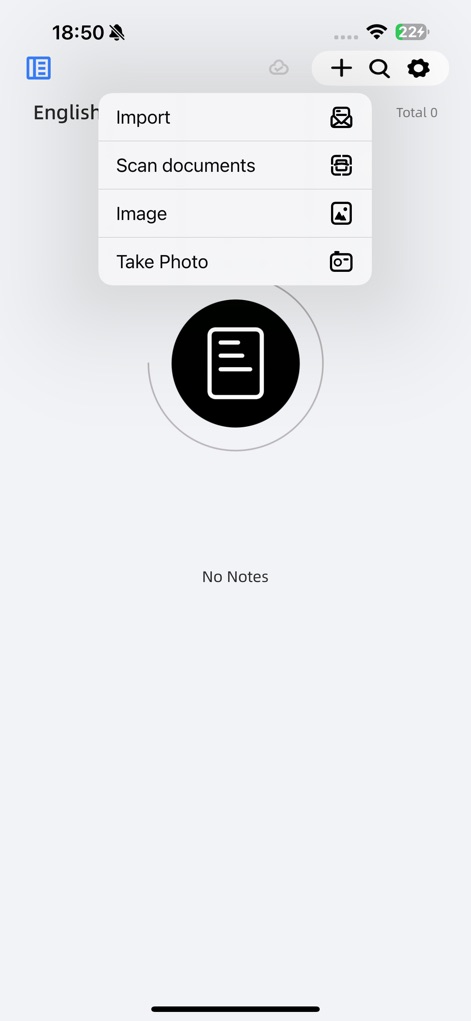
Uncover the flexible options for content intake, including direct document import and scanning, alongside integrated image and photo capture capabilities.
Seamless Content Input
Description
Download
More Like This
Apps with similar features and user experience

Notepad: Easy Notes & Memos
1381802 Ontario Inc.

EasyNote: Note, Handwrite, PDF
Hangzhou Tensorart Technology Co., Ltd

AJournal - Planner & Journal
WonderApps AB

Element Note
Soysauce Lab

Penbook
User Camp Inc.

Notes Writer - Note Taking
Kairoos Solutions S.L.

Notewise - AI Notes, PDF, Docs
ZIIKR Pte. Ltd.

Notes Writer Pro 2026
Kairoos Solutions S.L.

Paintwork - Infinite Notebook
伟典 苏
This page is not an official page of the app or its developer, but an independent editorial publication created for informational and commentary purposes. Unless expressly stated otherwise, neither the app nor its developer is affiliated with, endorsed by, sponsored by, authorized by, or otherwise officially connected with MWM, Apple, Google Play, the app publisher, or the app's developer, and nothing on this page implies that the app was developed using MWM's services. Any trademarks, logos, screenshots, and other content remain the property of their respective owners.