
This page is not an official page of the app or its developer, but an independent editorial publication created for informational and commentary purposes. Unless expressly stated otherwise, neither the app nor its developer is affiliated with, endorsed by, sponsored by, authorized by, or otherwise officially connected with MWM, Apple, Google Play, the app publisher, or the app's developer, and nothing on this page implies that the app was developed using MWM's services. Any trademarks, logos, screenshots, and other content remain the property of their respective owners.

文档手机版-手机办公软件
Edit documents, generate professional AI content, and convert PDFs in seconds. Your all-in-one workspace designed for creators, entrepreneurs, and students on the go.
Downloads
392K+User Rating
Total Ratings
600Publisher
Category
ProductivityLocales
2Latest Version
3.1.0Size
29.3 MBFirst Released
Jul 5, 2022Your Entire Office, Reimagined for Mobile
Stop switching between apps. Edit documents, generate AI content, and manage professional workflows directly from your phone.
AI-Powered Content Creation
Instantly generate social media scripts, business reports, and polished professional copy using our integrated AI assistant.
Pro Templates for Every Hustle
Access a massive library of resumes, contracts, and planners designed to help you look professional in seconds.
Frequently Asked Questions
Everything you need to know about 文档手机版-手机办公软件
What is 文档手机版 and what are its core functionalities?
文档手机版 is a mobile office app designed for editing documents, spreadsheets, and presentations on a smartphone. It aims to improve office efficiency through simple editing operations and smart features.
Does 文档手机版 include AI features for office tasks?
Yes, 文档手机版 incorporates an intelligent AI module. This AI assistant provides features such as generating holiday greetings, marketing copy, PEST analysis reports, official documents, and text refinement to boost work efficiency.
Does 文档手机版 provide pre-designed templates for users?
Yes, 文档手机版 offers a vast collection of template resources. These include various types of templates such as resumes, contracts, attendance records, payroll sheets, and event planning documents for efficient editing and analysis.
Can 文档手机版 convert documents to PDF format?
Yes, 文档手机版 supports format conversion. Users can quickly convert their online documents, spreadsheets, and presentations to PDF format. This feature facilitates convenient export and sharing with colleagues and friends.
Does 文档手机版 offer optical character recognition (OCR) functionality?
Yes, 文档手机版 includes a text recognition feature. It allows users to use their camera to instantly identify and extract text from images, providing convenient access to written content.
What are the benefits of a 文档手机版 subscription?
Subscribing to 文档手机版 provides an ad-free experience and unlocks all document and spreadsheet editing functionalities. It also grants access to the amazing AI features that enhance work efficiency.
Is the 文档手机版 subscription automatically renewing?
Yes, the 文档手机版 subscription is set to auto-renew. It renews automatically unless the auto-renewal feature is turned off at least 24 hours before the current subscription period concludes.
The following screenshots and description are sourced directly from the app's official store listing and are the property of the app developer.
App Store
Screenshots
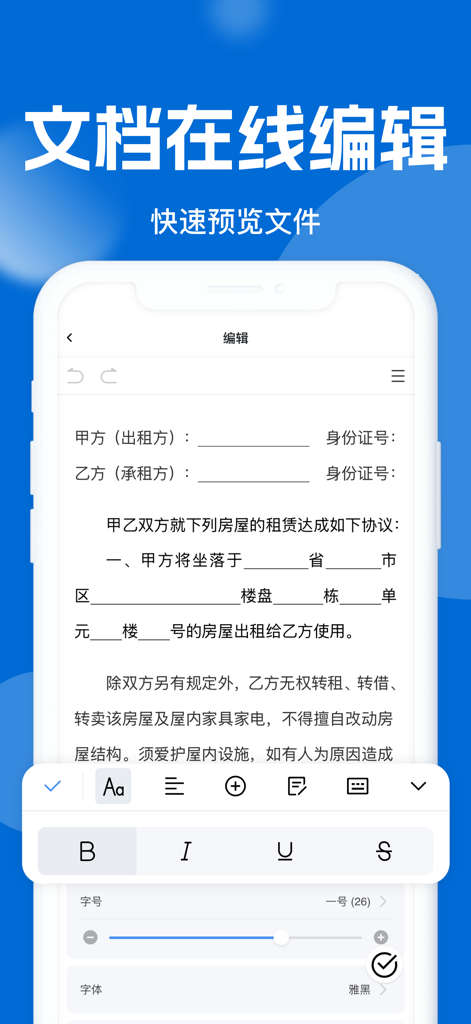
Smartphone screen showing a document editing interface with formatting tools and a rental agreement template.
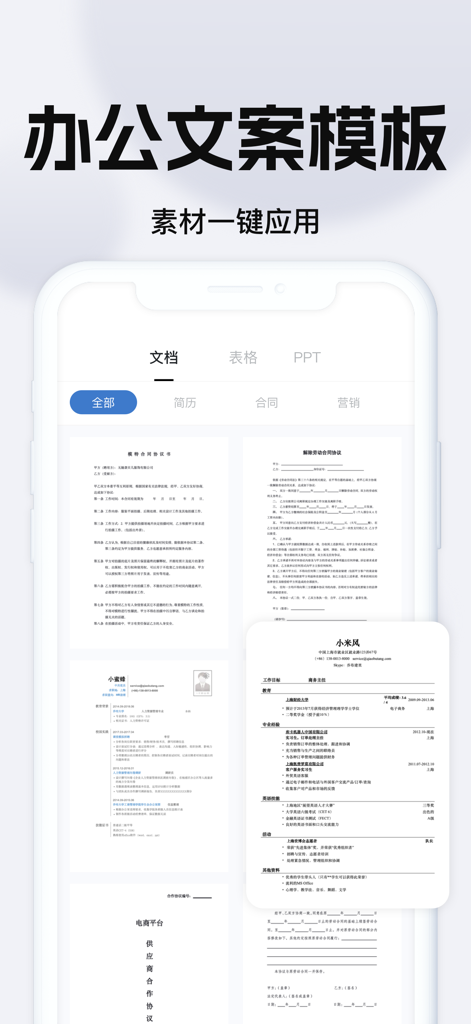
A mobile app interface displaying a library of office document templates including resumes and business contracts.
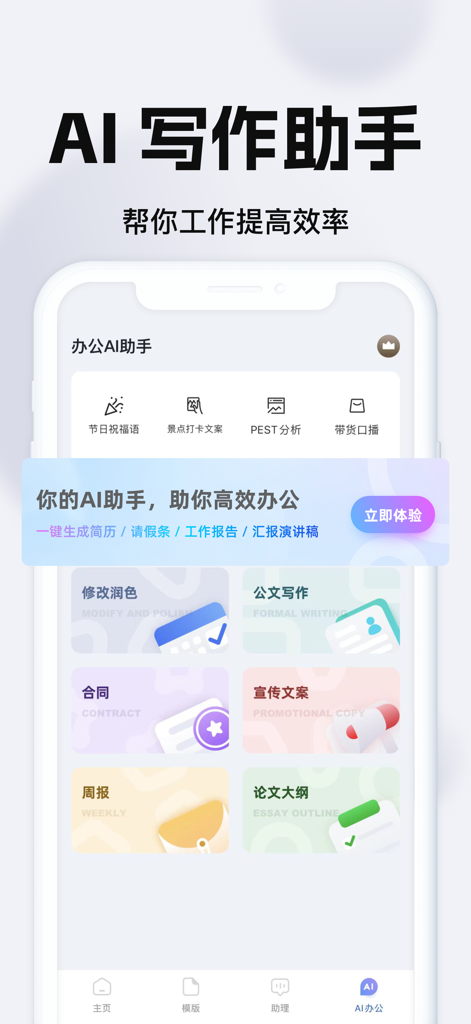
AI writing assistant mobile app interface showing templates for contracts, reports, and promotional copy
Description
Download
More Like This
Apps with similar features and user experience

石墨文档 - 在线文档协作编辑和表格制作
ChuXin Tec Co., Ltd.

Documents - Create & Edit
Normal Vector Limited

全能办公文档-在线word文档手机版、在线文档编辑
亚敏 陈

表格手机版 -手机编辑表格文档
晶晶 姜

word文档手机版-在线文档编辑办公软件
根根 黄

OpenDocument Reader - view ODT
Stefl und Taschauer OG

xlsx表格手机版 -移动端表格编辑
华 杨

AO Office
Akikazu Yoshikawa

手机表格- xlsx表格编辑,表格手机版
孟达 李
This page is not an official page of the app or its developer, but an independent editorial publication created for informational and commentary purposes. Unless expressly stated otherwise, neither the app nor its developer is affiliated with, endorsed by, sponsored by, authorized by, or otherwise officially connected with MWM, Apple, Google Play, the app publisher, or the app's developer, and nothing on this page implies that the app was developed using MWM's services. Any trademarks, logos, screenshots, and other content remain the property of their respective owners.