WeNote: The Fast, Private, and Colorful Way to Organize Your Life
Ditch the mental load with a simple digital notepad that works offline. Secure your lists with biometric locks, organize via color-coded tabs, and manage your calendar—all without ever needing to log in.
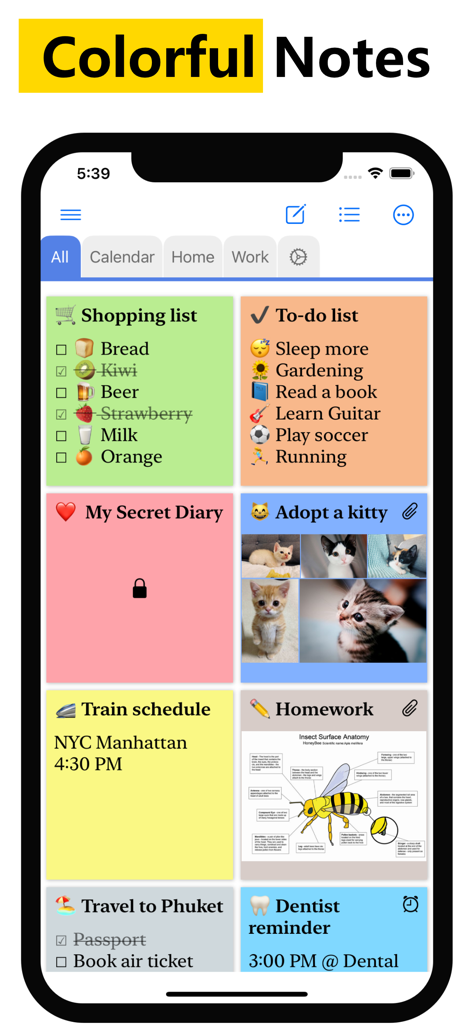
WeNote app interface showing a variety of color coded notes and to do lists
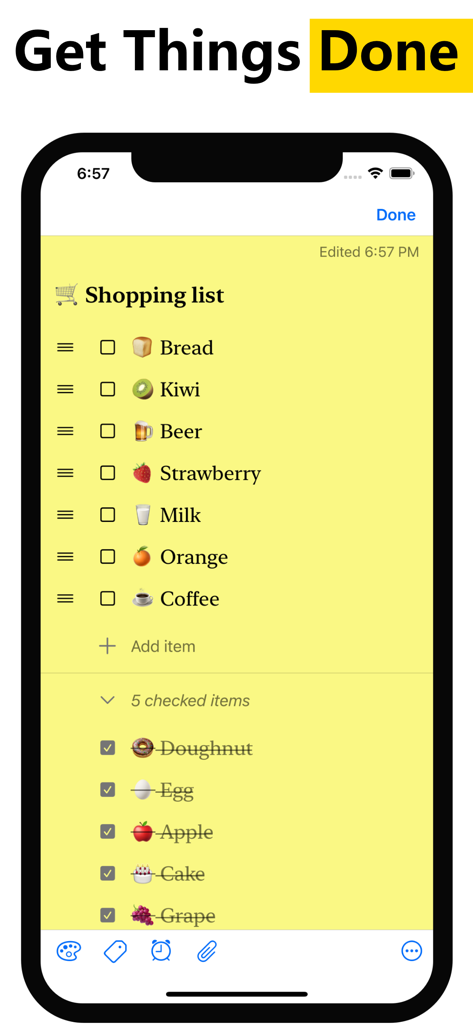
A yellow color coded shopping list in the WeNote notepad app with grocery items and checklists
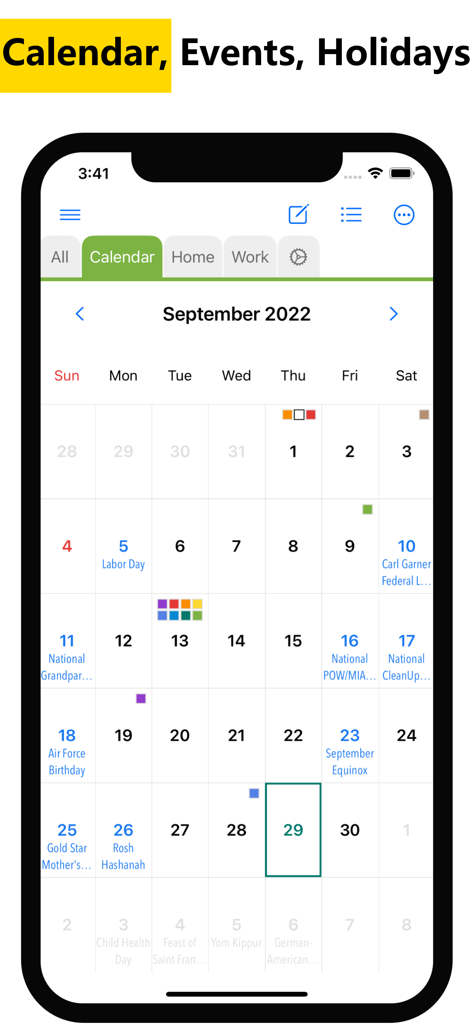
WeNote app calendar interface showing a monthly view with color coded events and public holidays.
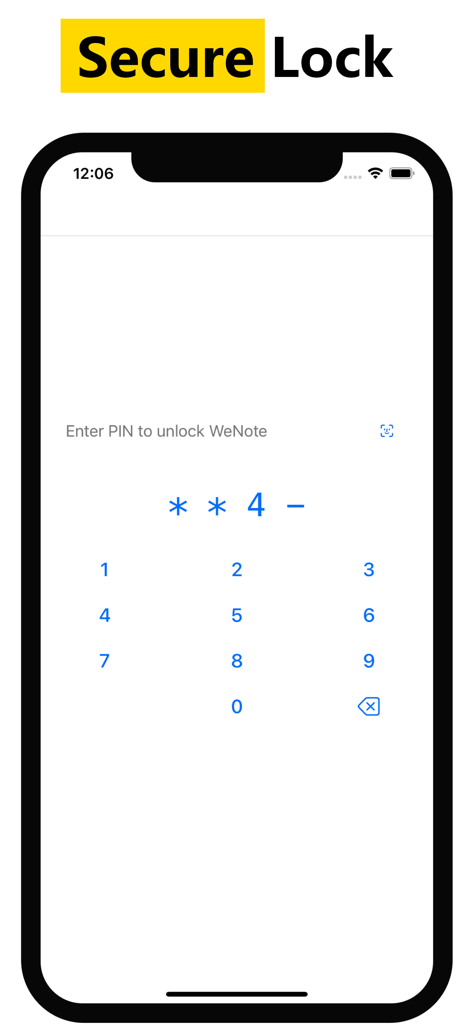
Secure PIN lock screen for privacy in the WeNote app
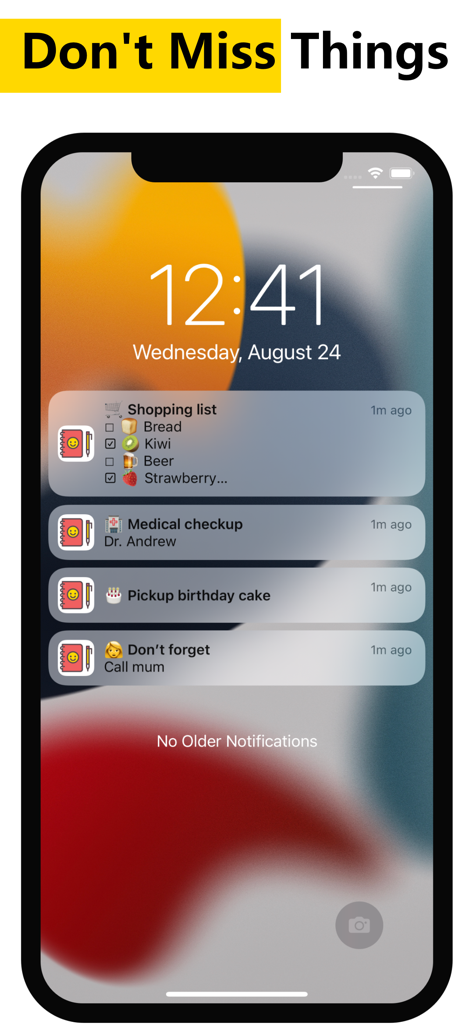
Smartphone lock screen displaying WeNote notifications for shopping lists and medical reminders.
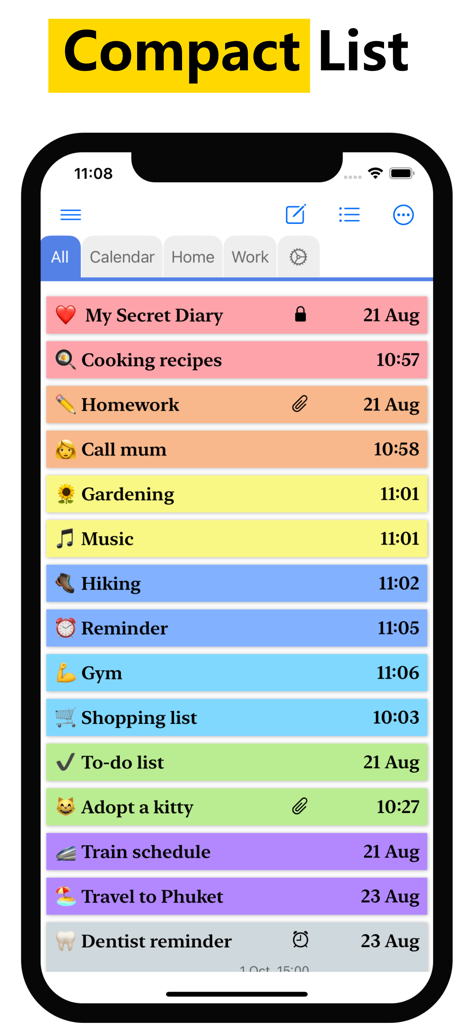
A screenshot of the WeNote app displaying a compact list of color-coded notes and reminders on an iPhone.
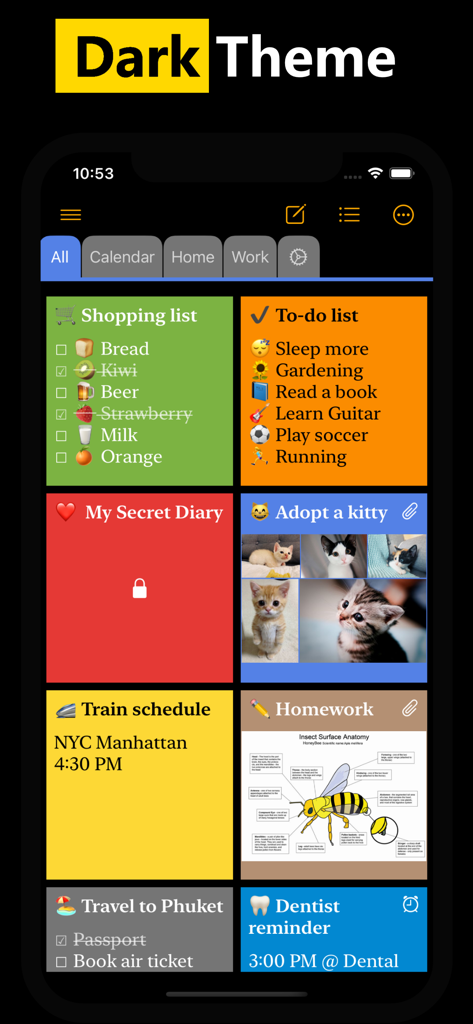
WeNote app dashboard displaying a variety of color-coded sticky notes and checklists in a dark theme interface.
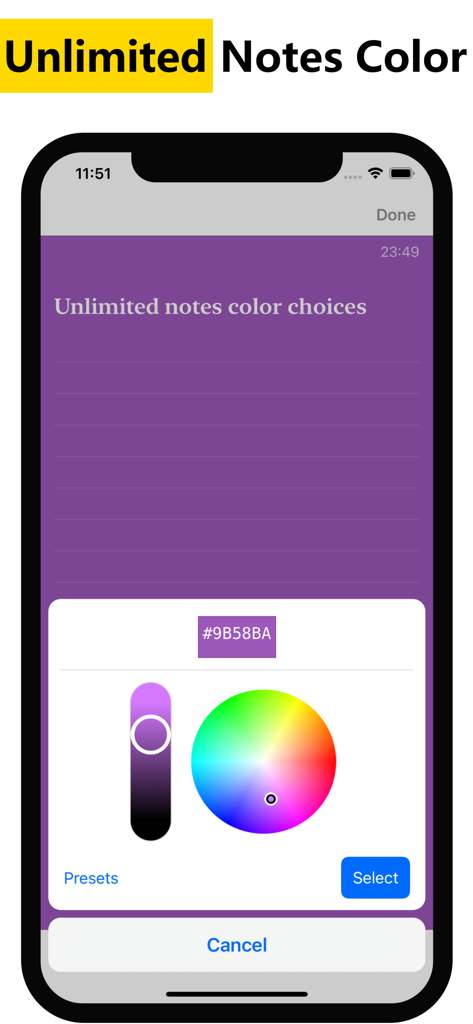
WeNote app color picker interface for choosing unlimited custom note colors
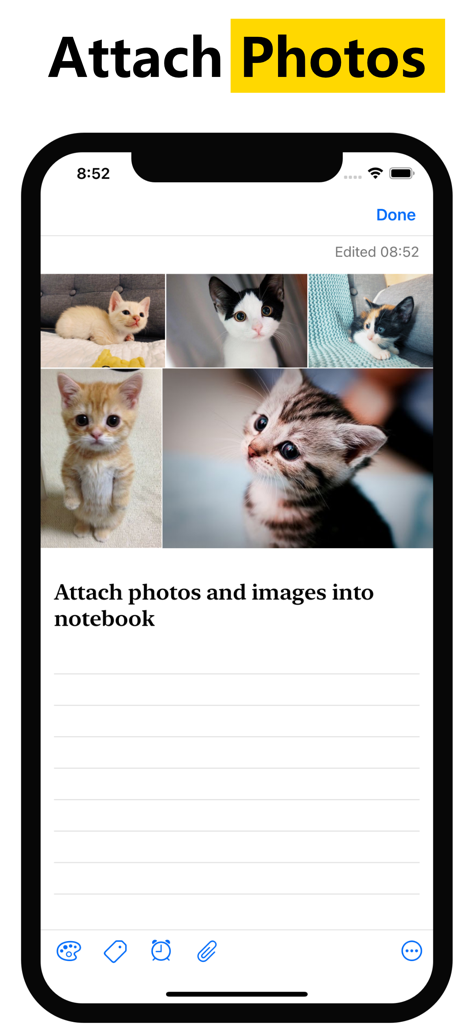
A smartphone screen showing a note in the WeNote app with several kitten photos attached at the top.
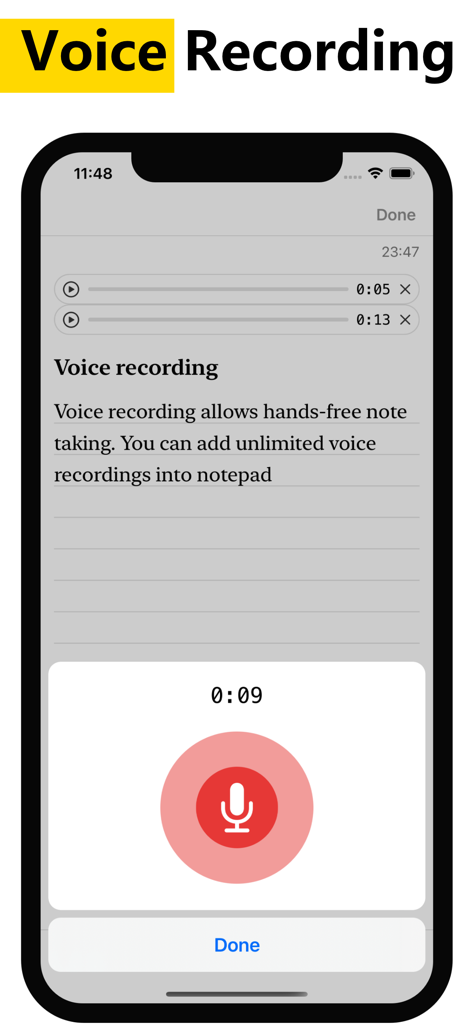
A smartphone interface showing the voice recording feature in the WeNote app for hands-free note taking
Master Your Mental Load Effortlessly
The tools that make this app stand out, trusted by 256K+ users.
📑
Blazing Fast Tab Navigation
Switch between your shopping lists, work memos, and personal projects with a simple swipe using our unique color-coded tab system.
🔒
Privacy You Can Trust
Keep sensitive information safe with biometric locks. WeNote works entirely offline and requires no login, ensuring your data never leaves your device.
📅
Integrated Life Planner
Combine your to-do lists with a powerful calendar featuring holidays for 250 countries, helping you manage family events and deadlines in one view.
About the app
Everything you need to know about WeNote - Notes, Notepad, To do.
Description
# Simple notepad & memo. Take notes, shopping list, to-do list, calendar, reminder
WeNote - Notes,To-do,Calendar is a simple and awesome note taking app. You can create color notes, to do lists, shopping lists, reminders, and calendars quickly.
Users love WeNote® as their life organizer, work planner, or study note app. Note taking with WeNote® is easier than any other notepad, memo app.
When you write down memos, emails, phone numbers, messages, cooking recipes, diary, journal, shopping lists, and to do list, you will realize this is a good notes taking app.
WeNote® is a privacy-focused notepad. WeNote® can work offline perfectly, even without an Internet connection. No login is required.
Lock notes and to do list via PIN, pattern, password, or fingerprint, to protect confidential information.
# How to Take a Note?
WeNote® can act as a simple word processing app. You can type unlimited characters. After saving the note, you can pin it to the top screen, check off, password lock, share or delete through the menu.
# How to Make Todo List or Shopping List?
In to-do list mode, you can add an unlimited checklist. Arrange their order with a simple tap and move. When finishing with an item, you can perform a simple tap to strikethrough it.
# Features
• Create color notes and todo list
• Organize memo using label & color
• Labels designed as tabs, to let you swipe between notes at blazing fast speed
• Attach photos and images into notebook
• Voice recording allows hands-free note taking. You can add unlimited voice recordings into notepad
• Pin important notes to the top. You will not miss out on any important thing
• Place a sticky note widget on your Home Screen. View and access your note directly from Home Screen
• Secure lock notes and keep them private
• The completed to-do list will move to the bottom of the checklist
• Customize notes via various fonts, viewing modes, sorting modes
• 13 different app color themes to make notebook looks great
• Unlimited notes color choices
• Reminders memo and calendar
• Powerful notes reminder. Notepad able to repeat daily, weekly, monthly, yearly, and highly customizable. Never miss anything from the notebook
• Show holidays on the calendar notes, which supports up to 250 countries, 3,680 states & provinces
• Secure sync to iCloud. Never lose any notes
• Local backup and restore to keep notes safe
• Share notes to email, SMS, social networking & messaging apps
• Undo/ redo enables mistake correction during note typing
• Convert URL and phone number to clickable links
• Export notes to PDF
• Search notes and todo list, instantly
# Color Notes
This notebook can categorize notes into different colors. Manage notes with 12 pre-defined beautiful colors. WeNote® also provides an unlimited favorite color.
# Notes Category
WeNote® allows you to categorize notes by creating labels. Labels can display as Tabs.
# Calendar Memo
This notepad has a calendar. You can write a memo and create a reminder in the calendar.
Due to its remarkable easy-to-use built-in calendar, you can use WeNote® as agenda planner and family organizer. Either plan next trip itinerary or schedule business meetings.
# Secure Lock to Keep Notebook Private
This notepad can secure lock and keep notes private. Either lock a note or lock the entire app to keep the notebook safe.
Terms of Use: https://www.apple.com/legal/internet-services/itunes/dev/stdeula/
Latest Version
1.70
Size
34.0 MB
First Released
Aug 24, 2022
Ready to Master Your Daily Chaos?
Join 250,000+ users who organize their life with the fast, private, and color-coded notepad. No accounts, no tracking—just pure productivity.
FAQ
Frequently Asked Questions
Everything you need to know about WeNote - Notes, Notepad, To do
What is WeNote - Notes, Notepad, To do?
WeNote is a simple note-taking app that allows users to create color notes, to-do lists, shopping lists, reminders, and manage calendars. It functions as a life organizer and work planner.
Does WeNote - Notes, Notepad, To do require an internet connection or login?
No, WeNote is a privacy-focused notepad that works perfectly offline without an internet connection. It does not require any user login.
How can users protect their notes in WeNote - Notes, Notepad, To do?
Users can secure lock notes and to-do lists in WeNote using a PIN, pattern, password, or fingerprint. This protects confidential information within the app.
How do you take a note in WeNote - Notes, Notepad, To do?
To take a note in WeNote, users type unlimited characters in its word processing interface. After saving, notes can be pinned, checked off, password locked, shared, or deleted.
Can WeNote - Notes, Notepad, To do create to-do lists and shopping lists?
Yes, WeNote functions in to-do list mode, enabling the creation of unlimited checklists. Users can arrange items by tapping and moving them, and mark items as complete with a simple tap.
Does WeNote - Notes, Notepad, To do support color coding and labels for organization?
Yes, WeNote allows users to create color notes and organize memos using labels and colors. Labels are designed as tabs, enabling quick swiping between notes.
Can users add photos and voice recordings to notes in WeNote - Notes, Notepad, To do?
Yes, WeNote allows users to attach photos and images into their notebooks. The app also supports unlimited voice recordings for hands-free note-taking.
Does WeNote - Notes, Notepad, To do include a calendar and reminder features?
Yes, WeNote includes a calendar for memos and reminders. Its powerful reminder system is highly customizable, repeating daily, weekly, monthly, or yearly, and shows holidays for many countries.
How many color themes does WeNote - Notes, Notepad, To do offer?
WeNote offers 13 different app color themes to customize the notebook's appearance. It also provides unlimited notes color choices for individual notes.
Does WeNote - Notes, Notepad, To do offer data backup and restore options?
Yes, WeNote provides secure sync to iCloud to prevent data loss. It also features local backup and restore options to keep notes safe.
Can I export notes from WeNote - Notes, Notepad, To do?
Yes, WeNote allows users to export notes to PDF format. This feature enables sharing or saving notes outside the application.
Does WeNote - Notes, Notepad, To do have a Home Screen widget?
Yes, WeNote enables users to place a sticky note widget directly on their Home Screen. This allows viewing and accessing notes from the Home Screen.
App information, icons, screenshots, and descriptions displayed on this page are sourced from the Apple App Store and are the property of their respective developers. Download estimates and rankings are based on MWM's proprietary models and may not reflect actual figures. This page is provided for informational and analytical purposes only.
Believe this page infringes your intellectual property? File a dispute