WMDPlayer
WMDPlayer
Download on App Store

This page is not an official page of the app or its developer, but an independent editorial publication created for informational and commentary purposes. Unless expressly stated otherwise, neither the app nor its developer is affiliated with, endorsed by, sponsored by, authorized by, or otherwise officially connected with MWM, Apple, Google Play, the app publisher, or the app's developer, and nothing on this page implies that the app was developed using MWM's services. Any trademarks, logos, screenshots, and other content remain the property of their respective owners.


Logo of WMDPlayer
Download on App Store

WMDPlayer

Break free from format restrictions. Play MKV, FLAC, and 360° videos with advanced tools like A-B repeat, background play, and passcode-protected folders.

Key Figures

Downloads

14K+

User Rating

4.2/5

Total Ratings

300

Publisher

Last,Inc.

Category

Photo & Video

Locales

3

Latest Version

1.9.76

Size

65.9 MB

First Released

Sep 15, 2020
Features

Take Total Control of Your Media Library

Stop worrying about file formats or storage limits. WMDPlayer is the high-performance powerhouse designed for power users who demand more from their mobile media experience.

Play Anything, No Conversion Needed

Support for MKV, AVI, FLAC, and 50+ other formats. If you have the file, we can play it in stunning quality without the hassle of transcoding.

Secure Private Folders

Keep your personal media truly private. Protect sensitive content away from your main camera roll with individual passcode locks for every folder.

The following screenshots and description are sourced directly from the app's official store listing and are the property of the app developer.

App Store

Screenshots
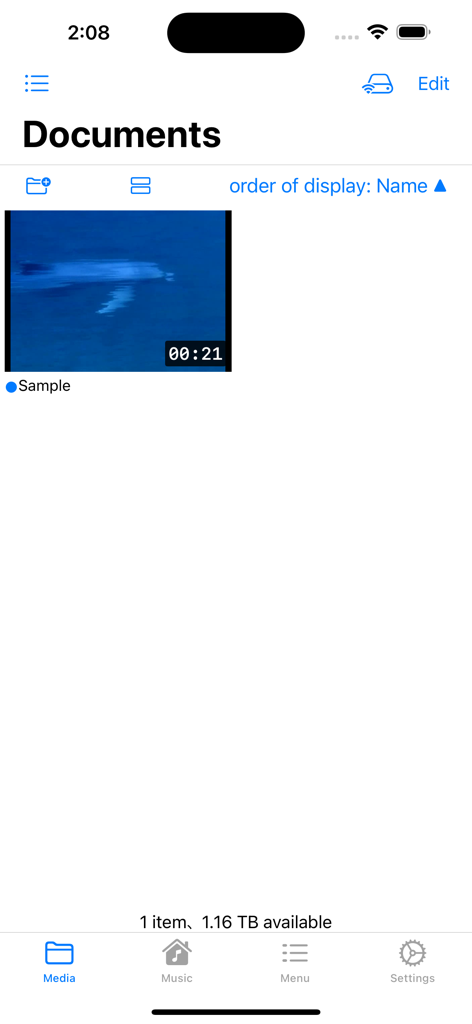
WMDPlayer - WMDPlayer app showing the documents media library with a sample video
WMDPlayer app showing the documents media library with a sample video

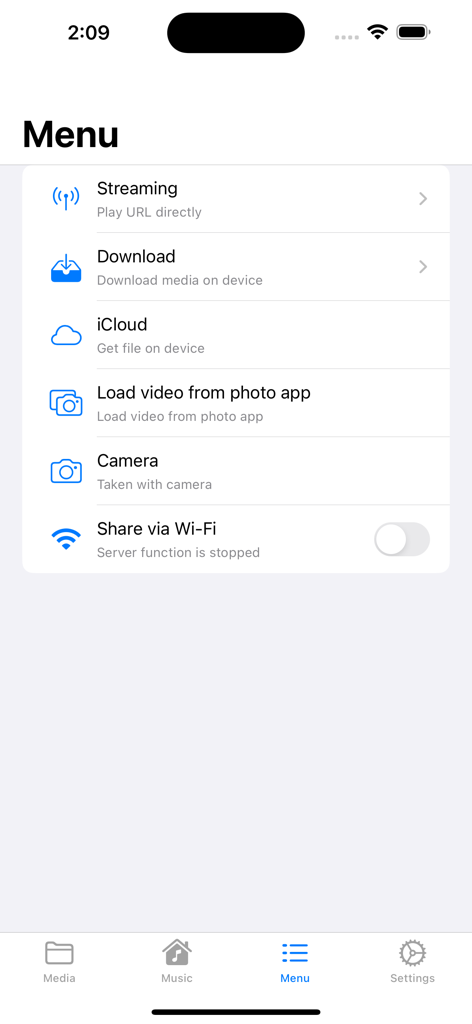
WMDPlayer - WMDPlayer app menu showing options for streaming downloading and importing files from iCloud or the photo library
WMDPlayer app menu showing options for streaming downloading and importing files from iCloud or the photo library

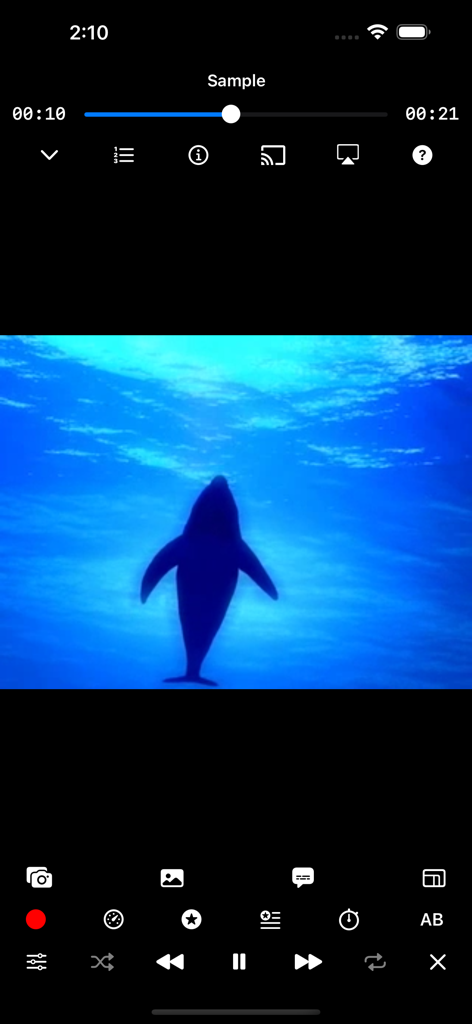
WMDPlayer - WMDPlayer video playback screen featuring a dolphin silhouette and advanced media controls
WMDPlayer video playback screen featuring a dolphin silhouette and advanced media controls

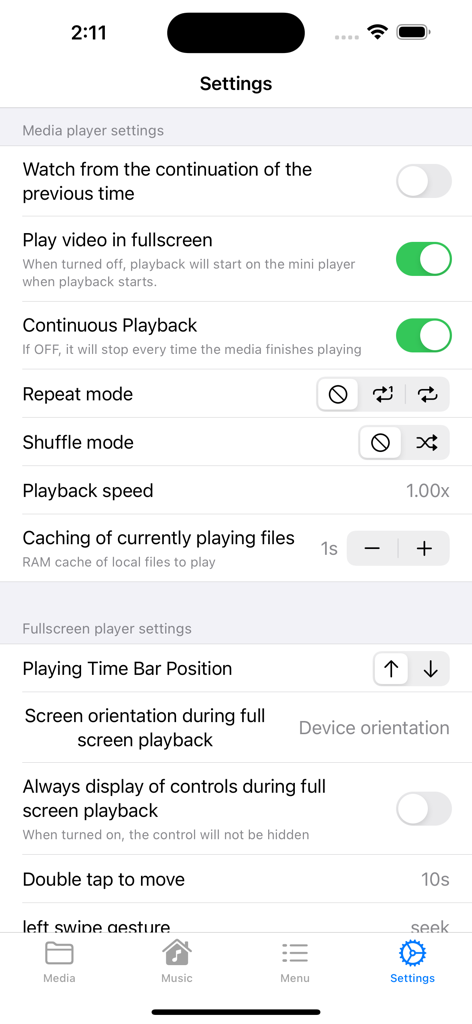
WMDPlayer - WMDPlayer application settings interface showing media player configurations and playback control options.
WMDPlayer application settings interface showing media player configurations and playback control options.

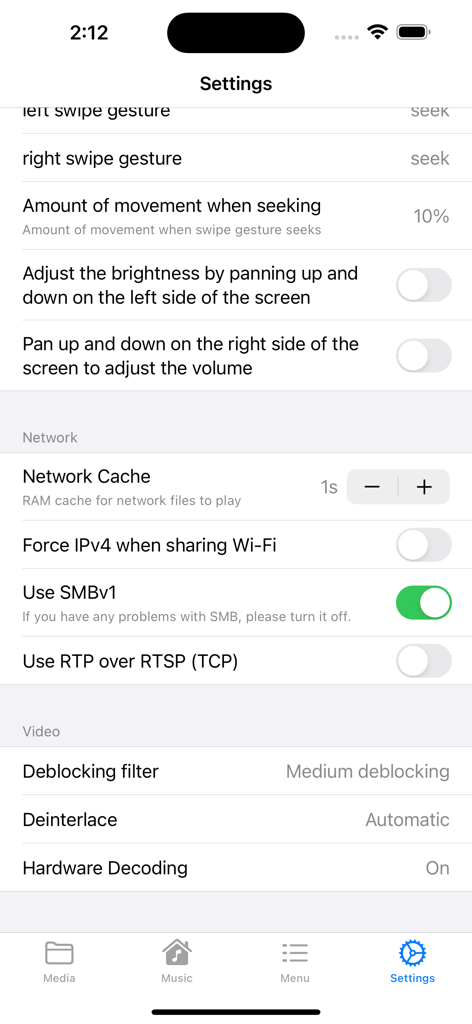
WMDPlayer - The settings screen of WMDPlayer showcasing advanced video and network playback controls.
The settings screen of WMDPlayer showcasing advanced video and network playback controls.

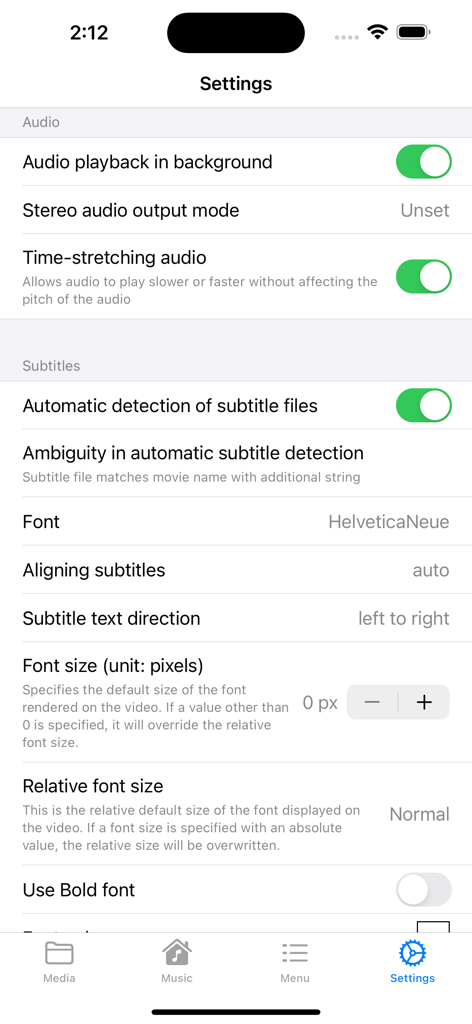
WMDPlayer - WMDPlayer app settings screen for audio playback and subtitle customization.
WMDPlayer app settings screen for audio playback and subtitle customization.

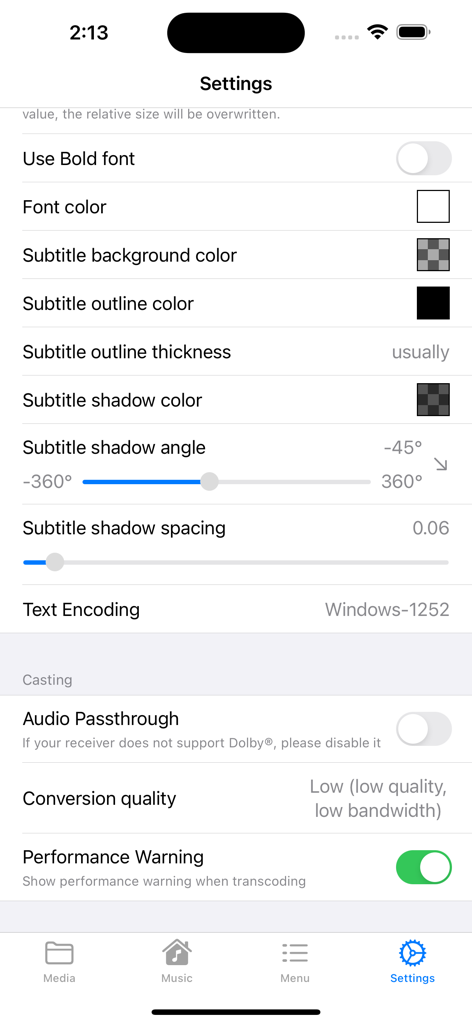
WMDPlayer - WMDPlayer settings screen showing subtitle style customization and media casting options

WMDPlayer settings screen showing subtitle style customization and media casting options

Description

WMDPlayer is a multimedia player packed with various functions. ・High-performance player - Compatible with almost all media formats, see below - background play - Section repeat (A-B) - shuffle, repeat - sleep timer - Change playback speed - Bookmark video times - Subtitle support - Equalizer - Video filter function - External display support - mini player - Control music on lock screen - 360° video support - Manage play queue - Save video screenshots - Chromecast casting - external keyboard ・Media library - Manage files in easy-to-use folders - Move files with drag and drop - Long press on file to display menu - Search for files - Passcode lock for each folder - Playlist function ・File sharing - Browser transfer via Wi-Fi - Finder transfer via USB - Video transfer from camera roll - Video transfer from iCloud - Video transfer from SMB and UPnP ·others - Create MP3 - Dark mode compatible - CarPlay ・Supported media formats - Video: 3g2, 3gp, 3gp2, 3gpp, amv, asf, avi, bik, bin, crf, divx, drc, dv, evo, f4v, flv, gvi, gxf, hevc, iso, m1v, m2v, m2t, m2ts , m4v, mkv, mov, mp2, mp2v, mp4, mp4v, mpe, mpeg, mpeg1, mpeg2, mpeg4, mpg, mpv2, mts, mtv, mxf, mxg, nsv, nuv, ogg, ogm, ogv, ogx, ps , rec, rm, rmvb, rpl, thp, tod, ts, tts, txd, vob, vro, webm, wm, wmv, wtv, xesc - Audio: 3ga, 669, a52, aac, ac3, adt, adts, aif, aifc, aiff, amb, amr, aob, ape, au, awb, caf, dts, flac, it, kar, m4a, m4b, m4p , m5p, mid, mka, mlp, mod, mpa, mp1, mp2, mp3, mpc, mpga, mus, oga, ogg, oma, opus, qcp, ra, rmi, s3m, sid, spx, tak, thd, tta , voc, vqf, w64, wav, wma, wv, xa, xm - Subtitle files: cdg, idx, srt, sub, utf, ass, ssa, aqt, jss, psb, rt, smi, txt, smil, stl, usf, dks, pjs, mpl2, mks, vtt, ttml, dfxp ■■■ About the paid version ■■■ Ads are displayed in the free version. Please use the free version first, and if you like it, consider the paid version. ● Restoration when changing models When changing models, you can restore the previously purchased paid version for free. (From Settings -> Paid version) Log in to iTunes on your iPhone/iPad device with the same AppleID as when you purchased. ●Confirmation and Cancellation Select “Recommended” at the bottom of the AppStore app —> Select your Apple ID —> Select “View Apple ID” —> Select WMDPlayer from “Manage” in your subscription. From this screen, you can check the next automatic update timing and cancel/set automatic update. ● About automatic recurring billing If the automatic renewal is not canceled at least 24 hours before the end of the period, the contract period will be automatically renewed. Automatic renewal charges will be made within 24 hours after the end of the contract period. ●Notes ・ Those who have been charged within the app cannot cancel by any method other than the above. ・We do not accept cancellations for the current month. ・You will be charged through your iTunes account. ●Terms of use https://superzeus.xsrv.jp/test/info/privacypolicy.html [note] This app uses the YouTube Data API and only the videos published on YouTube are posted. If you find music that has been uploaded illegally, please report the violation from YouTube. In addition, we have set and operated so that such music will not be posted in this application, but if you find it, please understand and cooperate so that it will not be played. YouTube trademarks and logos are registered trademarks of Google, Inc.

Download

Download on App Store

This page is not an official page of the app or its developer, but an independent editorial publication created for informational and commentary purposes. Unless expressly stated otherwise, neither the app nor its developer is affiliated with, endorsed by, sponsored by, authorized by, or otherwise officially connected with MWM, Apple, Google Play, the app publisher, or the app's developer, and nothing on this page implies that the app was developed using MWM's services. Any trademarks, logos, screenshots, and other content remain the property of their respective owners.