
This page is not an official page of the app or its developer, but an independent editorial publication created for informational and commentary purposes. Unless expressly stated otherwise, neither the app nor its developer is affiliated with, endorsed by, sponsored by, authorized by, or otherwise officially connected with MWM, Apple, Google Play, the app publisher, or the app's developer, and nothing on this page implies that the app was developed using MWM's services. Any trademarks, logos, screenshots, and other content remain the property of their respective owners.


Workcloud Shift
Scheduling chaos ends now. The app gives control back to the retail frontline, making your work-life balance a priority, not a fantasy.
Downloads
100k+User Rating
Total Ratings
129Publisher
Category
ProductivityLocales
1Latest Version
45.20.6Size
80.9 MBFirst Released
Apr 21, 2025Evaluating key functionalities for retail frontline and hourly employees.
Workcloud Shift: Core Feature Analysis
Manager-Free Shift Swapping
It allows users to seamlessly trade shifts with colleagues directly, enhancing flexibility without requiring management intervention, which is critical for work-life balance.
Personalized Schedule Access
The app provides instant access to individual shift details in one central location, ensuring employees are always aware of their work commitments.
Customizable Availability Settings
It allows users to proactively define and communicate their preferred working hours, helping to ensure scheduled shifts better fit their personal life and commitments.
Streamlined Time-Off Requests
The app provides a straightforward method for submitting and tracking time-off requests, simplifying personal planning and improving communication with management.
Flexible Shift Bidding
This tool features the ability for employees to bid on open shifts that align with their availability and preferences, offering greater control over their working hours.
Universal Mobile Accessibility
This tool features the capability to manage one's schedule, requests, and availability from any device, anytime, anywhere, providing ultimate convenience for frontline staff.
The following screenshots and description are sourced directly from the app's official store listing and are the property of the app developer.
App Store
Screenshots
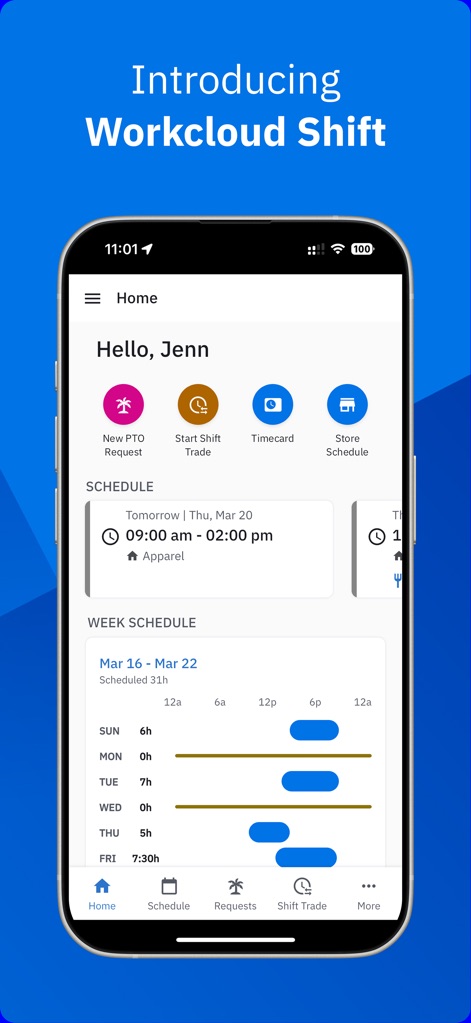
The app presents a personalized "Hello, Jenn" greeting and a clear "Week Schedule" for an immediate overview.
Home Screen Overview
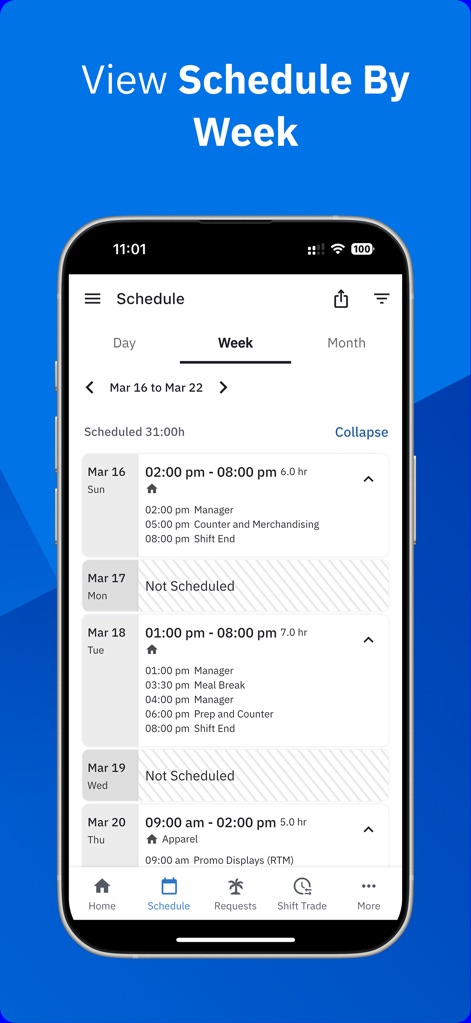
Users can easily view their shifts for the "Mar 16 - Mar 22" week, including specific shift times and tasks.
Weekly Schedule Details
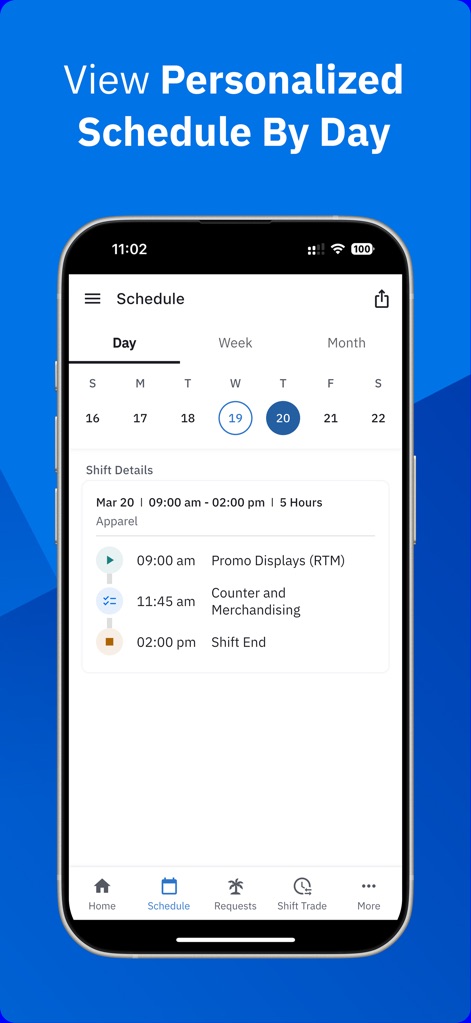
This tool offers a detailed "Shift Details" section for a selected day, outlining specific tasks like "Promo Displays" and "Shift End".
Daily Shift Breakdown
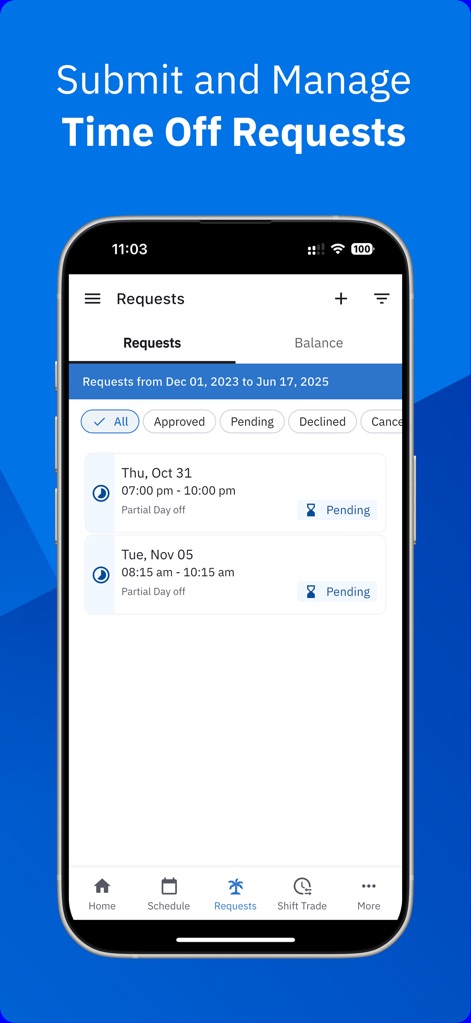
Users can manage their "Requests" with filters for "Approved" and "Pending" statuses, ensuring clear oversight of time-off submissions.
Time Off Management
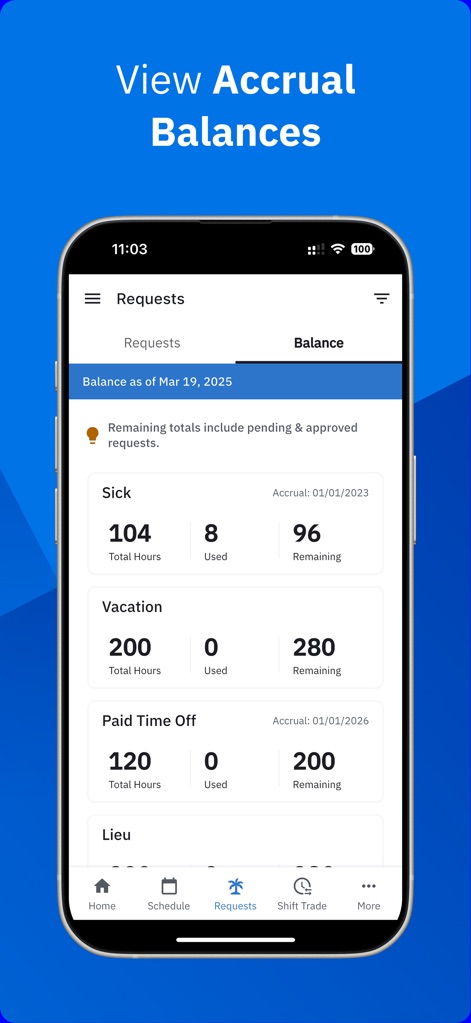
The app provides a comprehensive overview of "Sick" and "Vacation" accrual balances, including total, used, and remaining hours.
Accrual Balance Summary

This tool allows users to update "Alt. Work Location" requests and view their "Requests from Dec 19, 2024 - Jun 19, 2025" for flexible scheduling.
Work Preference Settings

The app showcases a detailed "Store Schedule" for the week, listing multiple employees like "Perez, Rayann" and "Banks, Henry" with their respective shifts.
Store Weekly Roster

Users can review the "Store Schedule" for a specific day, utilizing filters such as "Scheduled" and "Not Scheduled" to quickly assess team availability.
Daily Team Schedule
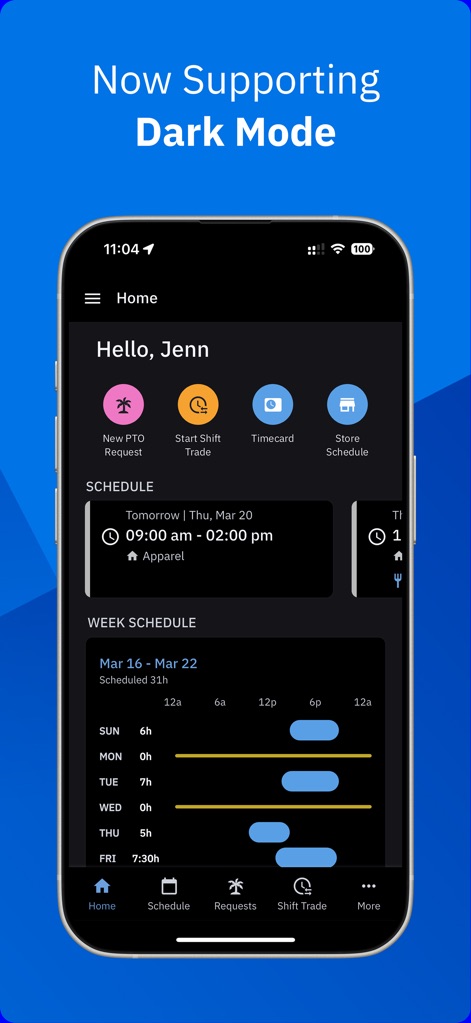
The app supports a sleek "Dark Mode" theme, enhancing readability and offering a distinct visual style for the "Home" screen and weekly schedule.
Dark Mode Interface
Description
Download
More Like This
Apps with similar features and user experience

排班日历-值班倒班排班轮班助手
Shanghai Anjiaxin Network Technology Co., Ltd

NurseGrid Nurse Shift Calendar
HCT2 CO

Simple Working Calendar
Нико Беллик

Easy Time Tracker ◴
NR Mobile App Solutions

My Calendar - Shift schedule
Mikhail Eremkin

JW Service
Bartlomiej Semanczyk
Shift Work Calendar & Schedule
4TH FLOOR APPS SIA

MYDUTY - Nurse Calendar
Fourwheels Inc.
Today's Shift
Hodosoft Co.,Ltd.
This page is not an official page of the app or its developer, but an independent editorial publication created for informational and commentary purposes. Unless expressly stated otherwise, neither the app nor its developer is affiliated with, endorsed by, sponsored by, authorized by, or otherwise officially connected with MWM, Apple, Google Play, the app publisher, or the app's developer, and nothing on this page implies that the app was developed using MWM's services. Any trademarks, logos, screenshots, and other content remain the property of their respective owners.