
This page is not an official page of the app or its developer, but an independent editorial publication created for informational and commentary purposes. Unless expressly stated otherwise, neither the app nor its developer is affiliated with, endorsed by, sponsored by, authorized by, or otherwise officially connected with MWM, Apple, Google Play, the app publisher, or the app's developer, and nothing on this page implies that the app was developed using MWM's services. Any trademarks, logos, screenshots, and other content remain the property of their respective owners.

Shift Work Calendar & Schedule
The ultimate planner for nurses, first responders, and essential workers. Effortlessly visualize complex rotations, track your earnings, and sync your personal life in one tap.
Downloads
865K+User Rating
Total Ratings
11K+Publisher
Category
ProductivityLocales
13Latest Version
1.5.0Size
50.7 MBFirst Released
Nov 22, 2021Master Your Rotating Schedule
The utility-first toolkit built specifically for frontline professionals to automate complex rosters, track earnings, and reclaim their personal time.
One-Tap Schedule Setup
Instantly apply complex patterns like 4-on/2-off or Pitman cycles. Populate your entire year of shifts in seconds without manual entry.
Sync with Coworkers & Family
Overlay multiple calendars to coordinate shift trades or plan family events. Finally align your life with those who don't work your hours.
Frequently Asked Questions
Everything you need to know about Shift Work Calendar & Schedule
Is the Shift Work Calendar & Schedule app free to use?
Yes, Shift Work Calendar & Schedule is a free calendar application designed for shift workers. It helps organize work, off days, and personal life with a simple, concise interface.
Who is the Shift Work Calendar & Schedule app designed for?
Shift Work Calendar & Schedule benefits professionals like firefighters, nurses, linemen, and deputy sheriffs. It helps anyone with a constantly changing work schedule organize their shifts and personal events.
Can I customize my shifts in the Shift Work Calendar & Schedule app?
Yes, Shift Work Calendar & Schedule allows full customization of shifts. Users can set working times, input hourly rates, choose colors, assign icons, and add specific notes or descriptions for each shift.
Does Shift Work Calendar & Schedule support custom shift patterns?
Yes, the Shift Work Calendar & Schedule app provides preset work shift patterns. Users can also create custom patterns, or adjust and edit existing preconfigured ones to fit their specific work requirements.
Can I manage multiple job schedules or compare calendars in Shift Work Calendar & Schedule?
Yes, Shift Work Calendar & Schedule enables users to create multiple calendars. These can be used for different jobs, or to track and compare the schedules of multiple coworkers on a single page, date by date.
What kind of analytics does Shift Work Calendar & Schedule provide?
Yes, Shift Work Calendar & Schedule includes an analytics feature. It tracks working hours, shifts, personal events, and money earned. Users can select a period to view income per week, month, or year.
Can I add personal events and holidays to the Shift Work Calendar & Schedule app?
Yes, Shift Work Calendar & Schedule allows users to input vacations, personal events, gym sessions, and holidays. This helps integrate all life aspects into one comprehensive schedule alongside work shifts.
Does the Shift Work Calendar & Schedule app track my earnings?
Yes, Shift Work Calendar & Schedule tracks income. Users can enter their hourly rate and working time per shift. The analytics feature then calculates and displays money earned over selected periods.
Can I backup my schedules in the Shift Work Calendar & Schedule app?
Yes, the Shift Work Calendar & Schedule app includes features to backup and restore your calendars. This ensures your schedule data is safe and can be recovered if needed.
The following screenshots and description are sourced directly from the app's official store listing and are the property of the app developer.
App Store
Screenshots
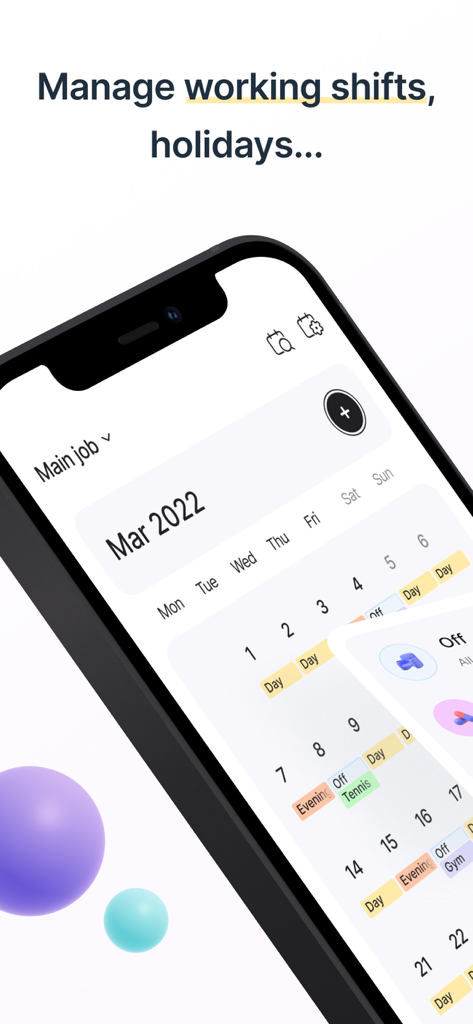
A smartphone showing a shift work calendar with color-coded day and evening shifts and personal activities
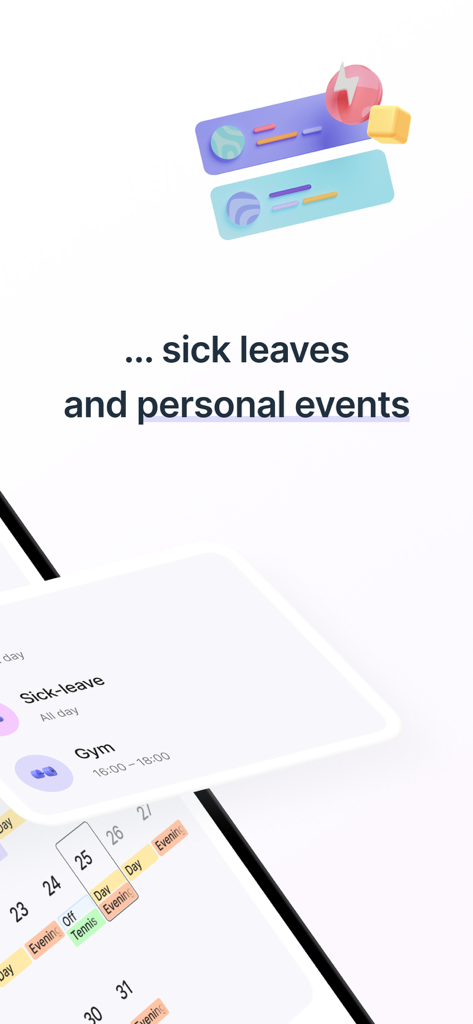
Mobile app interface for tracking sick leaves and personal events on a shift schedule.
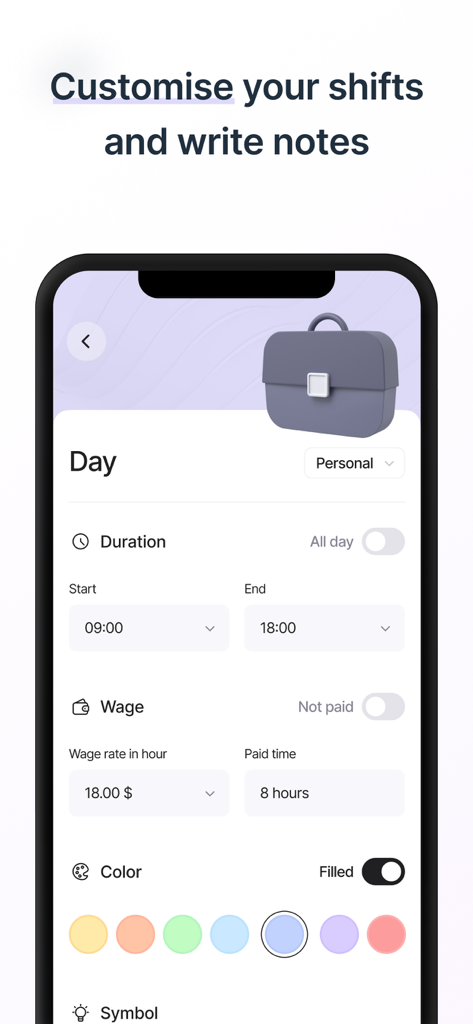
A mobile app screen for customizing shift details including duration, hourly wage, and color coding.
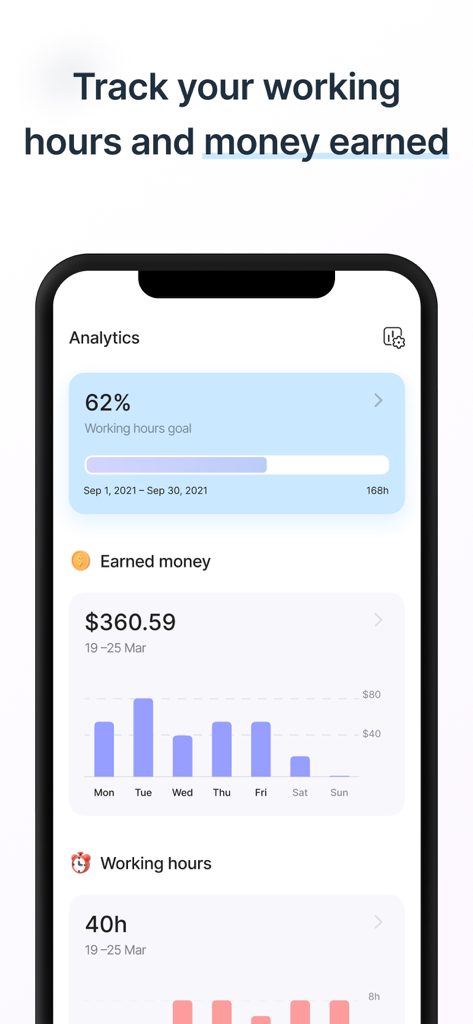
Shift Work Calendar app analytics screen showing earned money and working hours tracking
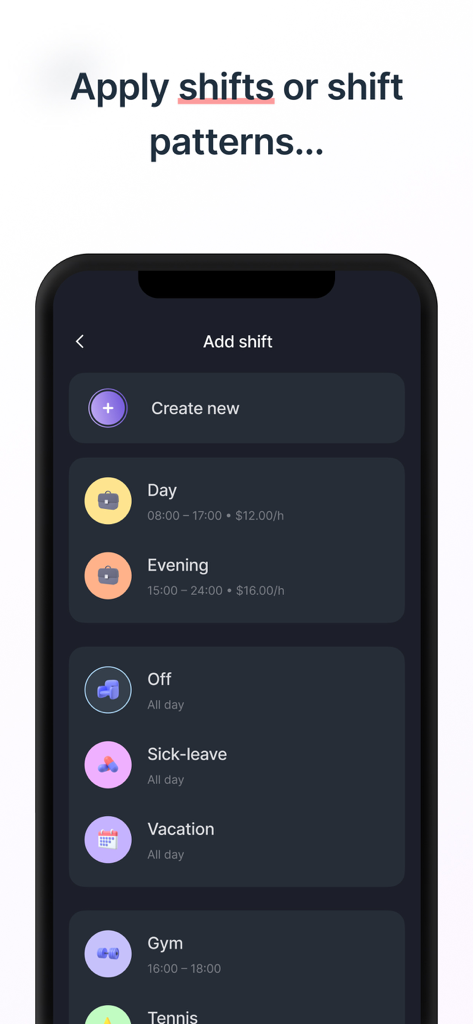
Mobile app interface showing options to add work shifts and schedule patterns like day evening and vacation
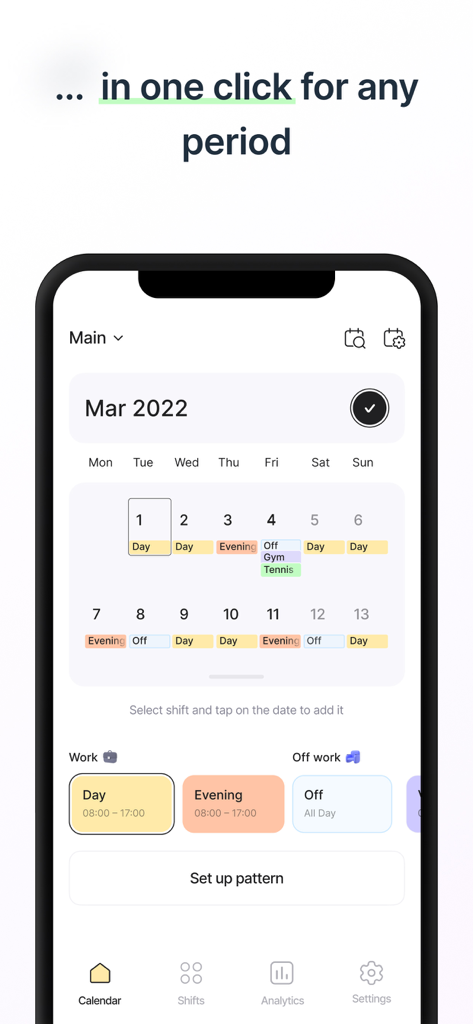
A mobile app screen showing a monthly shift work calendar with color coded work patterns and personal events
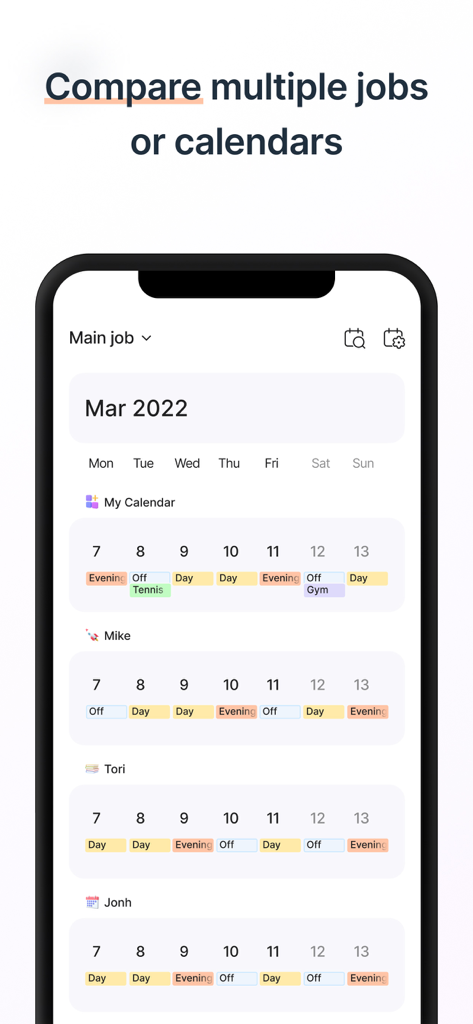
Comparing multiple work schedules and personal calendars side by side in the app
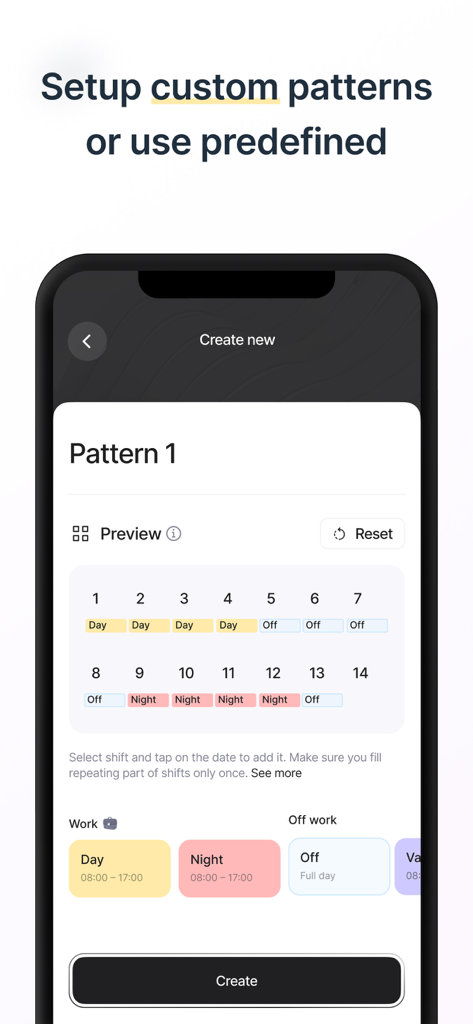
Interface for creating and previewing custom shift work patterns with color-coded day and night rotations
Description
Download
More Like This
Apps with similar features and user experience

排班日历-值班倒班排班轮班助手
Shanghai Anjiaxin Network Technology Co., Ltd

NurseGrid Nurse Shift Calendar
HCT2 CO

Simple Working Calendar
Нико Беллик
Easy Time Tracker ◴
NR Mobile App Solutions

My Calendar - Shift schedule
Mikhail Eremkin

JW Service
Bartlomiej Semanczyk

MYDUTY - Nurse Calendar
Fourwheels Inc.

Shift Work Calendar Planner
Ebisu Soft Inc.
Today's Shift
Hodosoft Co.,Ltd.
This page is not an official page of the app or its developer, but an independent editorial publication created for informational and commentary purposes. Unless expressly stated otherwise, neither the app nor its developer is affiliated with, endorsed by, sponsored by, authorized by, or otherwise officially connected with MWM, Apple, Google Play, the app publisher, or the app's developer, and nothing on this page implies that the app was developed using MWM's services. Any trademarks, logos, screenshots, and other content remain the property of their respective owners.