
This page is not an official page of the app or its developer, but an independent editorial publication created for informational and commentary purposes. Unless expressly stated otherwise, neither the app nor its developer is affiliated with, endorsed by, sponsored by, authorized by, or otherwise officially connected with MWM, Apple, Google Play, the app publisher, or the app's developer, and nothing on this page implies that the app was developed using MWM's services. Any trademarks, logos, screenshots, and other content remain the property of their respective owners.


Shift Work Calendar Planner
Built for healthcare, retail, and frontline professionals. Effortlessly track rotations, sync with your iOS calendar, and stay on top of your busy life with custom widgets and wallpapers.
Downloads
1M+User Rating
Total Ratings
98K+Publisher
Category
ProductivityLocales
12Latest Version
2025.3.0Size
49.2 MBFirst Released
Jul 26, 2010Master Your Shift Life
Join over 1 million professionals who use our planner to simplify their irregular schedules and reclaim their free time.
Instant Shift Input
Stop manual typing. Create custom shift templates and paint your whole month's schedule with just a few taps.
Glance-and-Go Access
View your next shift without even unlocking your phone. Set your calendar as your wallpaper or use our high-visibility widgets.
Frequently Asked Questions
Everything you need to know about Shift Work Calendar Planner
What is the Shift Work Calendar Planner app?
Shift Work Calendar Planner is a useful calendar application designed for individuals who work shifts, allowing them to easily confirm and register their work schedules on an iPhone.
How do I input shifts in Shift Work Calendar Planner?
Yes, Shift Work Calendar Planner allows users to input shifts easily by tapping on a date and selecting the shift type from available options. This feature simplifies schedule management.
Can I customize my shift types in Shift Work Calendar Planner?
Yes, Shift Work Calendar Planner allows users to freely customize shift patterns. Users can define shift names, colors, start/end times, break times, work times, and set day off statuses.
Does Shift Work Calendar Planner allow me to check colleagues' shifts?
Yes, Shift Work Calendar Planner offers a Premium Plan feature called 'Shift Table' that allows users to input and view other people's shifts, which is useful for checking colleagues' schedules.
What premium features are included in Shift Work Calendar Planner?
Shift Work Calendar Planner offers premium features including no ads, iOS Calendar Sync for importing shifts, and a 'Shift Table' to input and view other people's shifts.
Can I add notes to dates in Shift Work Calendar Planner?
Yes, users can add notes for any date on the calendar in Shift Work Calendar Planner, and these notes can also include emoji icons for better organization and visual cues.
How can I share my shift schedule from Shift Work Calendar Planner?
Yes, Shift Work Calendar Planner allows users to save their calendar as an image, set it as an iPhone wallpaper, and send their shifts to others via email.
How do subscriptions work for Shift Work Calendar Planner?
Shift Work Calendar Planner uses auto-renewable subscriptions with options for 1 month, 6 months, or 1 year. Subscriptions automatically continue but users can manage and turn off auto-renewal in their Account Settings.
Does Shift Work Calendar Planner offer a widget for quick schedule access?
Yes, Shift Work Calendar Planner includes a widget. This widget provides a quick way to check your schedule and shifts directly from your device's home screen or Today View.
The following screenshots and description are sourced directly from the app's official store listing and are the property of the app developer.
App Store
Screenshots
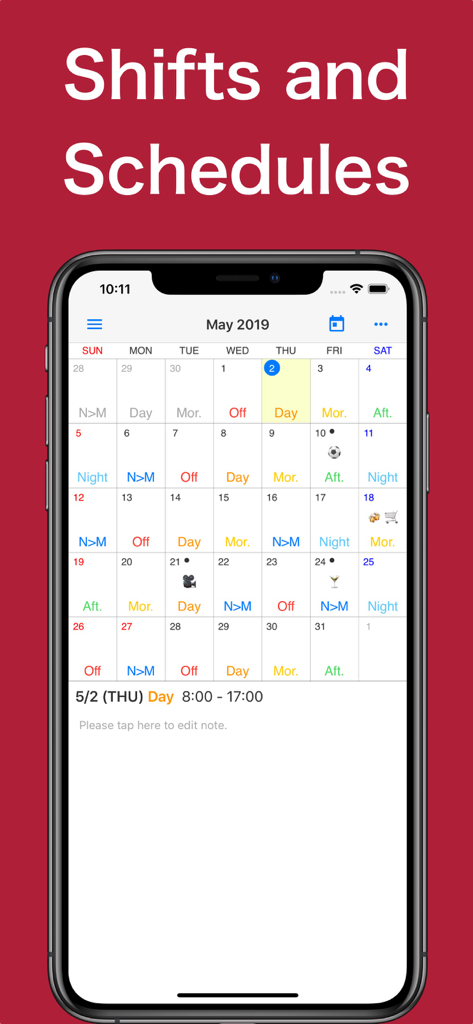
iPhone displaying the Shift Work Calendar Planner app with a monthly view of color-coded work shifts and emojis.
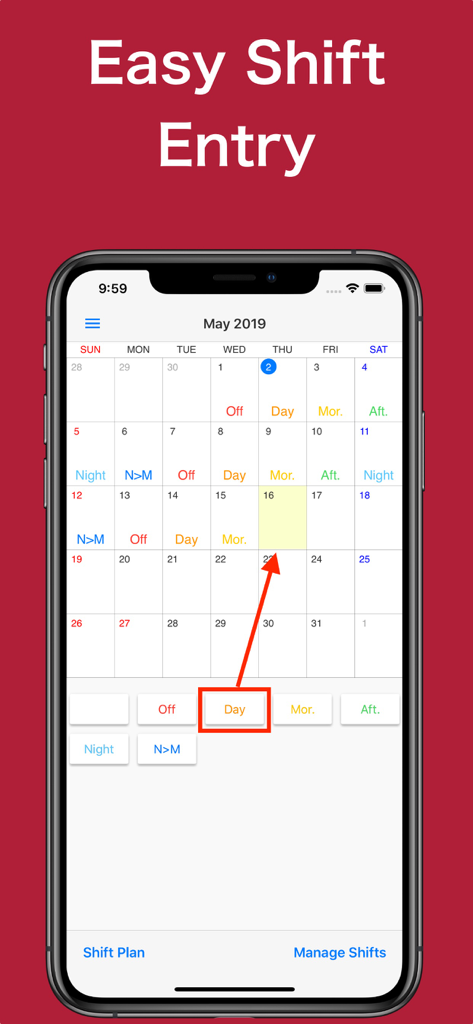
Smartphone display showing easy shift entry on a monthly calendar in the Shift Work Calendar Planner app
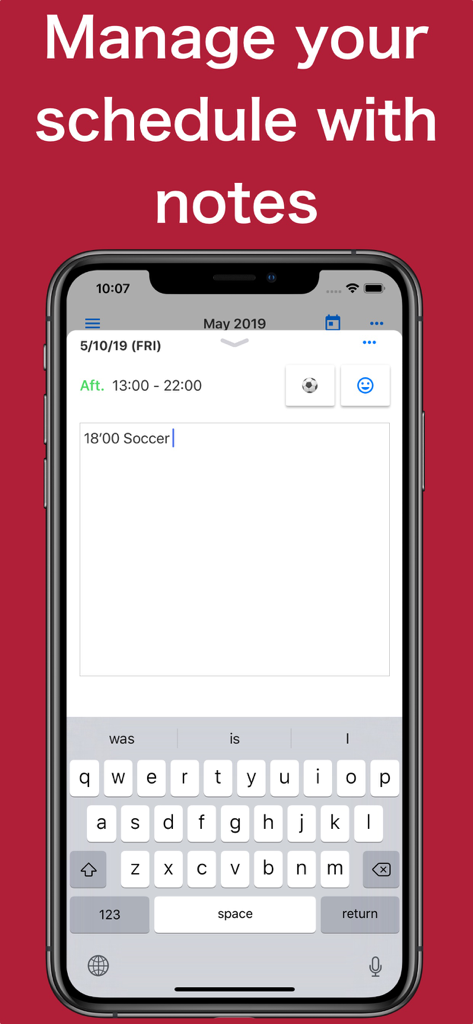
Shift Work Calendar app interface showing how to add personal notes and emojis to a daily work schedule
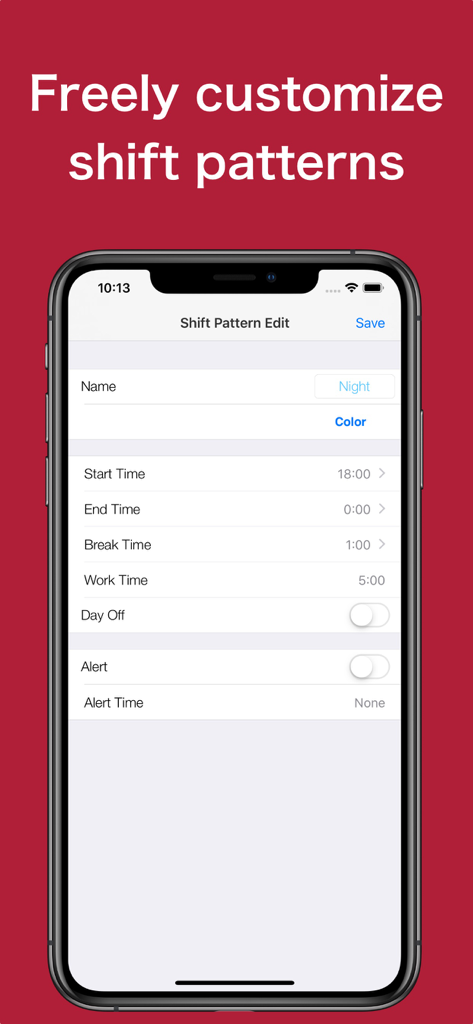
Interface for customizing shift patterns including settings for start time end time and break duration
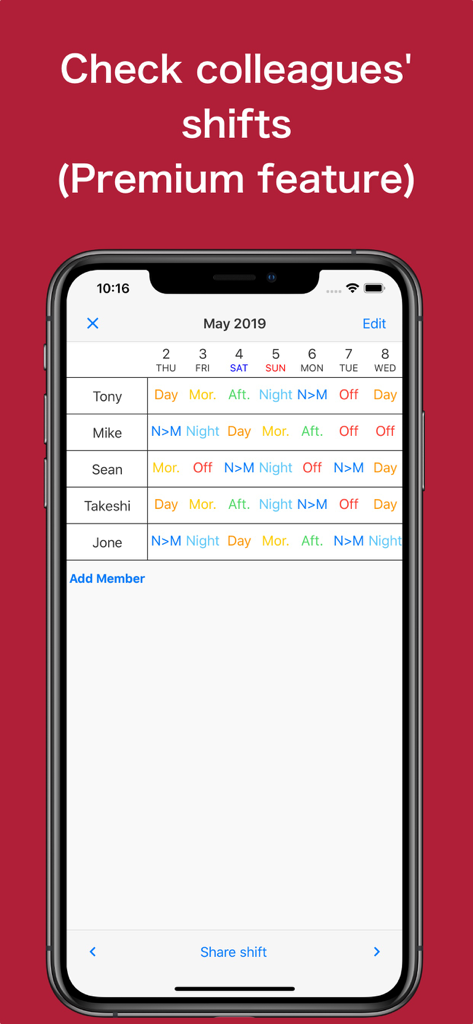
Shift table in the Shift Work Calendar Planner app showing schedules for multiple colleagues across a weekly view
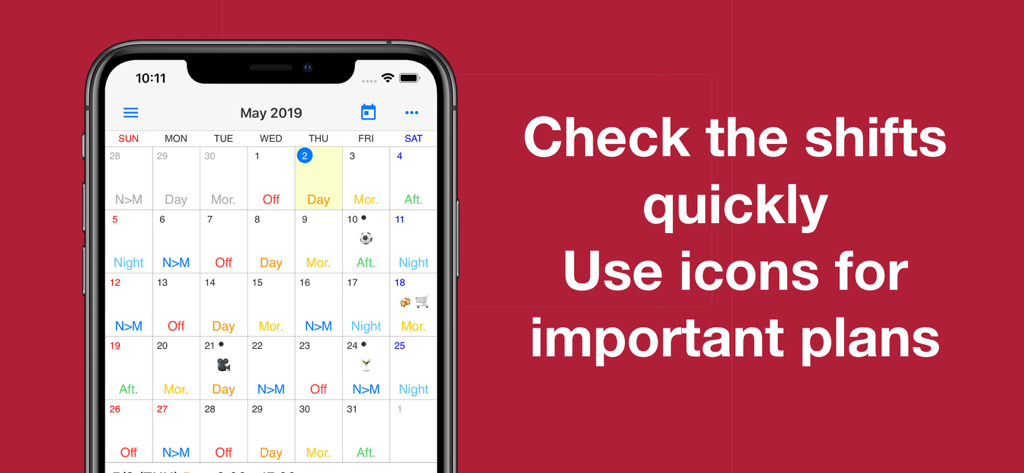
Smartphone screen displaying a monthly calendar with color coded work shifts and emoji icons for personal plans
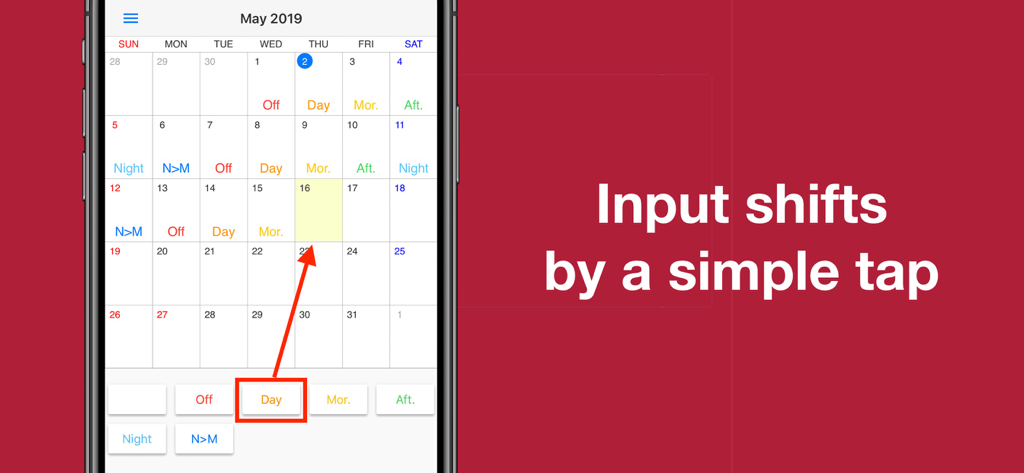
Interface of the Shift Work Calendar Planner app showing how to input work shifts with a simple tap on the calendar
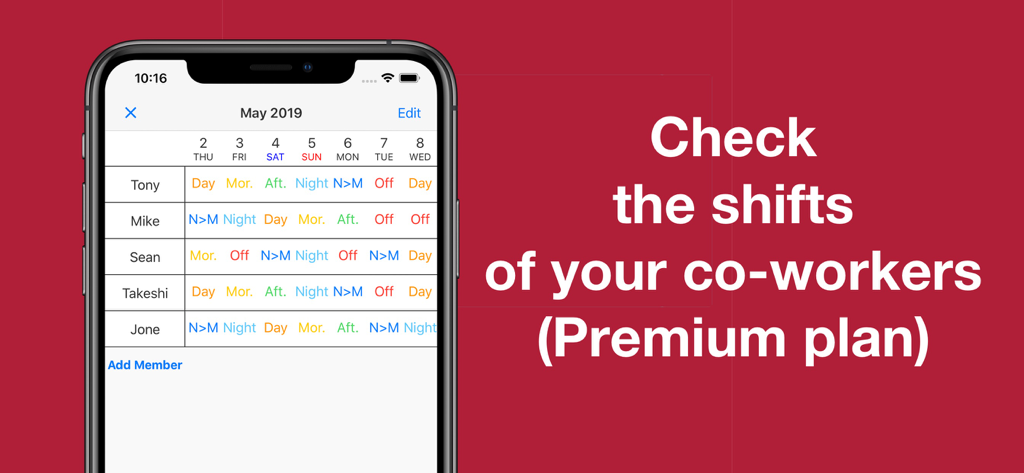
A shared shift table showing the weekly work schedules of multiple co-workers in the app.
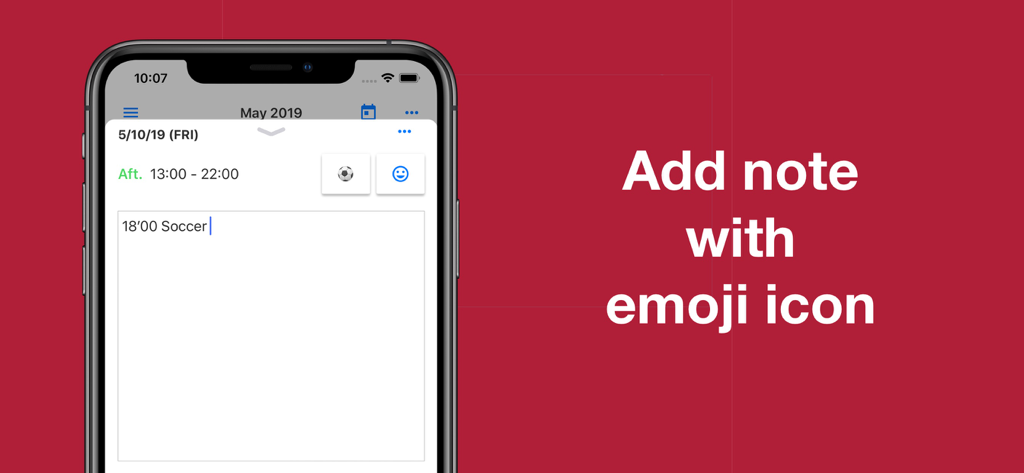
Shift work calendar app interface showing a note with a soccer ball emoji icon
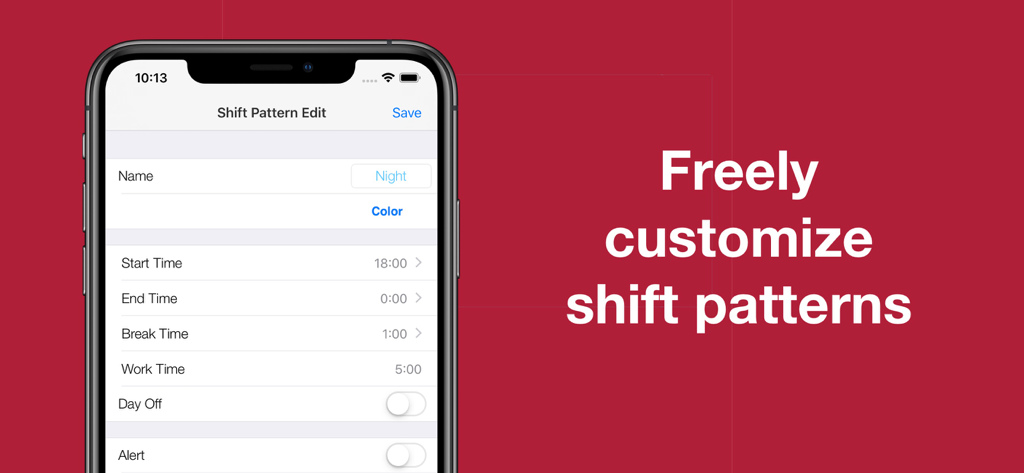
Interface of the Shift Work Calendar Planner app showing options to edit shift patterns including start and end times
Description
Download
More Like This
Apps with similar features and user experience

排班日历-值班倒班排班轮班助手
Shanghai Anjiaxin Network Technology Co., Ltd

NurseGrid Nurse Shift Calendar
HCT2 CO
Simple Working Calendar
Нико Беллик
Easy Time Tracker ◴
NR Mobile App Solutions

My Calendar - Shift schedule
Mikhail Eremkin

JW Service
Bartlomiej Semanczyk
Shift Work Calendar & Schedule
4TH FLOOR APPS SIA

MYDUTY - Nurse Calendar
Fourwheels Inc.
Today's Shift
Hodosoft Co.,Ltd.
This page is not an official page of the app or its developer, but an independent editorial publication created for informational and commentary purposes. Unless expressly stated otherwise, neither the app nor its developer is affiliated with, endorsed by, sponsored by, authorized by, or otherwise officially connected with MWM, Apple, Google Play, the app publisher, or the app's developer, and nothing on this page implies that the app was developed using MWM's services. Any trademarks, logos, screenshots, and other content remain the property of their respective owners.