WorkTime: Shift Work Calendar
Download on App Store

This page is not an official page of the app or its developer, but an independent editorial publication created for informational and commentary purposes. Unless expressly stated otherwise, neither the app nor its developer is affiliated with, endorsed by, sponsored by, authorized by, or otherwise officially connected with MWM, Apple, Google Play, the app publisher, or the app's developer, and nothing on this page implies that the app was developed using MWM's services. Any trademarks, logos, screenshots, and other content remain the property of their respective owners.


Logo of WorkTime: Shift Work Calendar
Download on App Store

WorkTime: Shift Work Calendar

Ditch the messy napkins and blurred photos. Track your shifts in two taps, calculate your earnings, and sync your social life—designed for baristas, nurses, and the modern hourly hero.

Key Figures

Downloads

414K+

User Rating

4.3/5

Total Ratings

5K+

Publisher

Toto Ventures Inc.

Category

Productivity

Locales

33

Latest Version

5.2

Size

55.3 MB

First Released

Jul 14, 2015
Features

Master Your Hustle, Simplify Your Schedule

The #1 shift calendar for people who don't work 9-to-5. Track your hours, calculate your pay, and never miss a 'clopen' shift again.

Lightning-Fast Scheduling

Input shifts in seconds with our unique keypad entry. No more hunting for scraps of paper or photos of the breakroom corkboard.

Know Your Worth

The built-in hours and wage calculator tracks your earnings in real-time. No more paycheck surprises at the end of the week.

The following screenshots and description are sourced directly from the app's official store listing and are the property of the app developer.

App Store

Screenshots
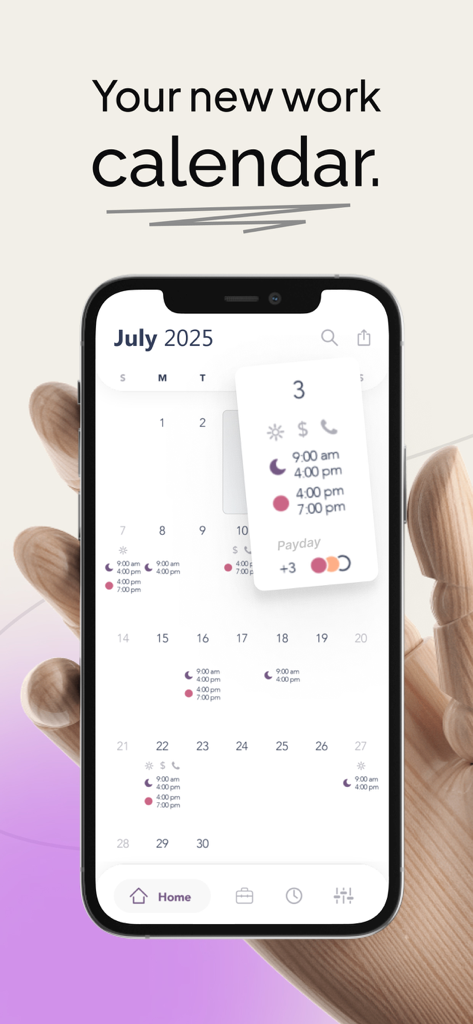
WorkTime: Shift Work Calendar - WorkTime app interface on an iPhone showing a monthly shift calendar with work hours and paydays

WorkTime app interface on an iPhone showing a monthly shift calendar with work hours and paydays
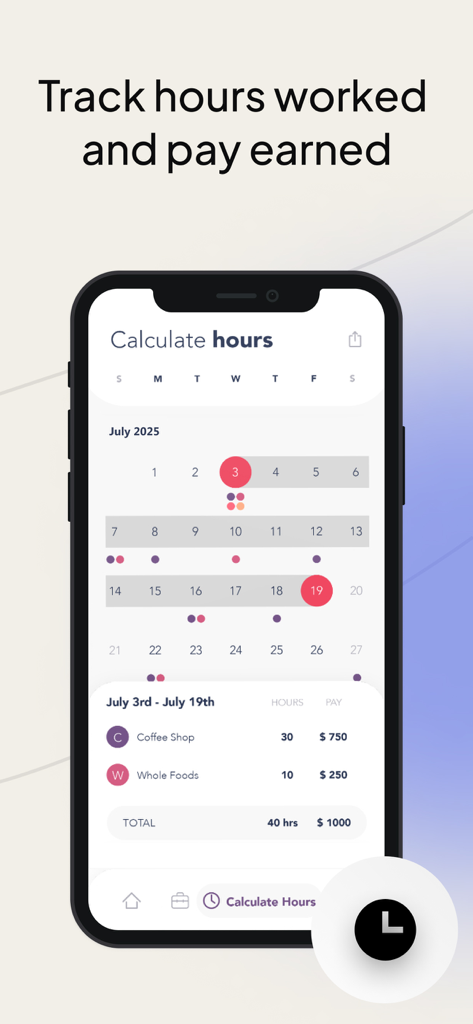
WorkTime: Shift Work Calendar - A smartphone screen displaying the WorkTime app's hours and wage calculator with a calendar showing shifts and a breakdown of earnings from multiple jobs.
A smartphone screen displaying the WorkTime app's hours and wage calculator with a calendar showing shifts and a breakdown of earnings from multiple jobs.

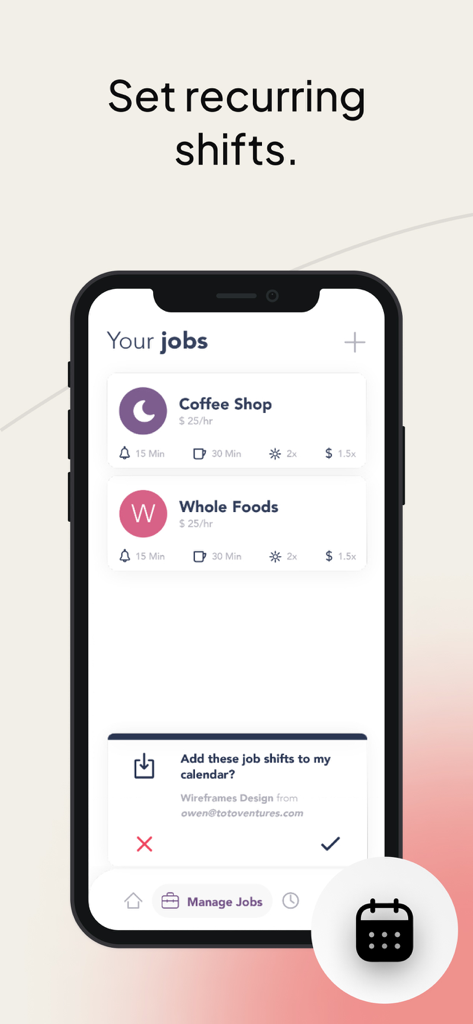
WorkTime: Shift Work Calendar - Smartphone screen of WorkTime app showing a list of hourly jobs and shift settings
Smartphone screen of WorkTime app showing a list of hourly jobs and shift settings

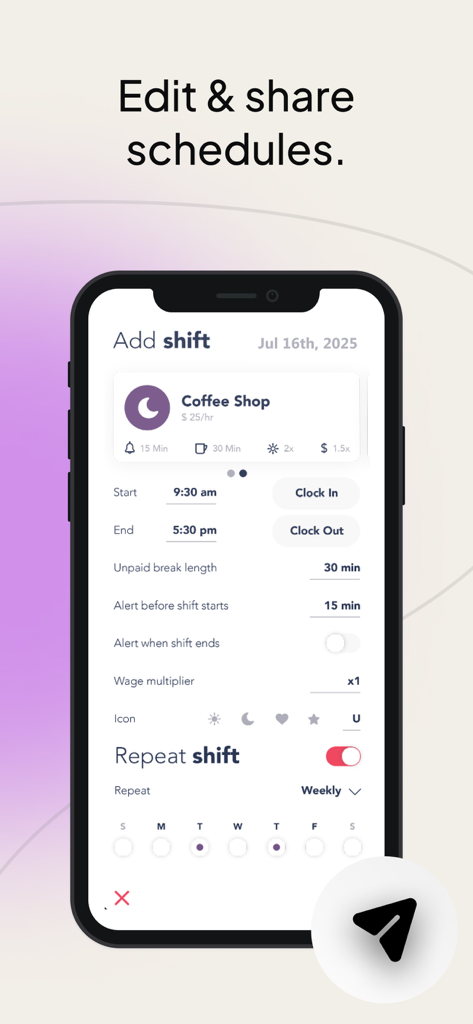
WorkTime: Shift Work Calendar - Smartphone screen showing the WorkTime app interface for editing and sharing work shifts.
Smartphone screen showing the WorkTime app interface for editing and sharing work shifts.

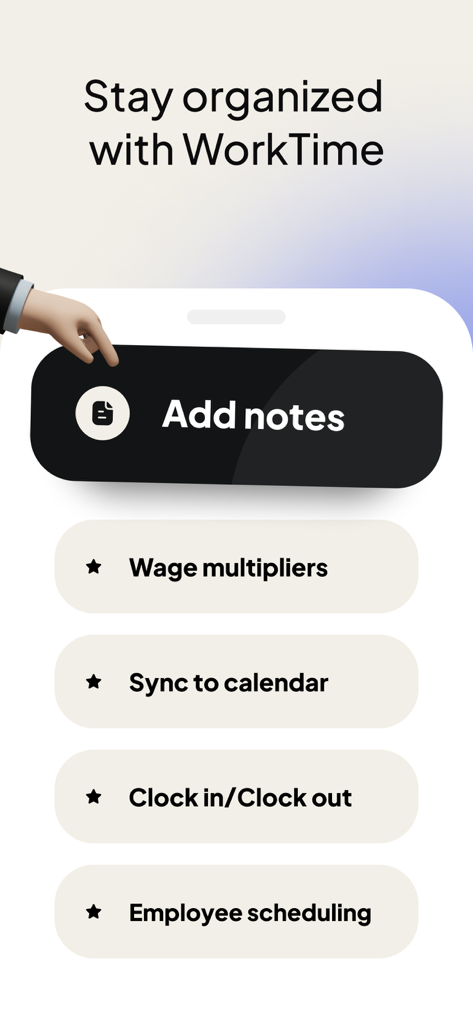
WorkTime: Shift Work Calendar - WorkTime app screen showing features like add notes wage multipliers and calendar sync for staying organized

WorkTime app screen showing features like add notes wage multipliers and calendar sync for staying organized

Description

TRACKING WORK SHIFTS HAS NEVER BEEN EASIER. WorkTime is your schedule manager. Set your shift times. See them all at a glance. Set alerts to remind you. Add up your hours. Share your schedule with family and friends. -------------------- Do you work random hours? Then this is the app for you. WorkTime is a shift calendar which tracks your work schedule with incredible ease. Enter the time you work with simple keypad entry. See your entire work schedule all on one screen. No more hunting around for that scrap of paper you wrote your upcoming shifts on. FEATURES • Unique time display calendar lets you see all your shifts at a single glance • Quickly enter shift start times with just two taps • Add shifts quickly from your Recent Shifts list • Add quick notes and reminders • Share your schedule with family and friends through Facebook, Twitter or Email • Save your schedule as a photo on your phone • Share multiple months PROFESSIONAL FEATURES • Add unlimited jobs  • Add up your hours worked and your wage with the Hours Calculator • Add alerts to remind you of an upcoming shift  • Ad free interface, sync to iCal and much more! -------------------- SET AND NEVER FORGET. With the purchase of the pro upgrade, you can set alarms to remind you when you work. Choose an alarm time based on how much time you need to get ready, and let WorkTime remember your shifts for you. -------------------- KEEP TRACK OF YOUR SHIFTS AND MUCH MORE. WorkTime isn’t just for jobs – it can be used to remind you of anything. Just create a job called To Do, or Chores, and set times and notes to remind you of places you need to be. WorkTime is designed for people who work random hours and random days. If you work Monday to Friday, 9 to 5, you don’t need this app. If you are a barista, a bartender, a waitress, a pizza delivery guy, or anyone who has to jot down their shifts - then WorkTime is the app for you. Stop writing down your shift times on a used napkin. Let WorkTime make your life a little bit easier. Subscription pricing and terms: WorkTime offers three auto-renewing subscription options: $3.99 per week $8.99 per month $49.99 per year These prices are for United States customers. Pricing in other countries may vary and actual charges may be converted to your local currency depending on the country of residence. Your WorkTime subscription will automatically renew at the end of each term and your credit card will be charged through your iTunes account. You can turn off auto-renew at any time from your iTunes account settings but refunds will not be provided for any unused portion of the term. Read more about our terms and conditions here: Terms of Use: http://totoventures.com/terms-of-use/ Privacy Policy: http://totoventures.com/privacy-policy/

Download

Download on App Store

This page is not an official page of the app or its developer, but an independent editorial publication created for informational and commentary purposes. Unless expressly stated otherwise, neither the app nor its developer is affiliated with, endorsed by, sponsored by, authorized by, or otherwise officially connected with MWM, Apple, Google Play, the app publisher, or the app's developer, and nothing on this page implies that the app was developed using MWM's services. Any trademarks, logos, screenshots, and other content remain the property of their respective owners.








