WristBoard - Watch Keyboard
Download on App Store

This page is not an official page of the app or its developer, but an independent editorial publication created for informational and commentary purposes. Unless expressly stated otherwise, neither the app nor its developer is affiliated with, endorsed by, sponsored by, authorized by, or otherwise officially connected with MWM, Apple, Google Play, the app publisher, or the app's developer, and nothing on this page implies that the app was developed using MWM's services. Any trademarks, logos, screenshots, and other content remain the property of their respective owners.

Logo of WristBoard - Watch Keyboard
Download on App Store

WristBoard - Watch Keyboard

Type messages faster and more privately than ever before. Bring a full QWERTY keyboard to your wrist with smart autocorrect, swipe gestures, and custom themes for the ultimate on-the-go productivity.

Key Figures

Downloads

240K+

User Rating

2.9/5

Total Ratings

1K+

Publisher

Adam Foot

Category

Productivity

Locales

20

Latest Version

7.1.1

Size

17.1 MB

First Released

Feb 21, 2019
Features

The Ultimate Typing Experience for Your Wrist

Stop talking to your watch and start typing. WristBoard brings a full, private, and efficient keyboard to your Apple Watch so you can stay productive without reaching for your phone.

Fast Swipe Typing

Glide through messages with the most efficient way to type on a watch. Our swipe technology mirrors the fluid experience you love on your iPhone for maximum speed.

Discreet Privacy

Maintain your privacy in public spaces. Reply to iMessages and emails silently with a full QWERTY keyboard instead of using awkward voice dictation.

The following screenshots and description are sourced directly from the app's official store listing and are the property of the app developer.

App Store

Screenshots
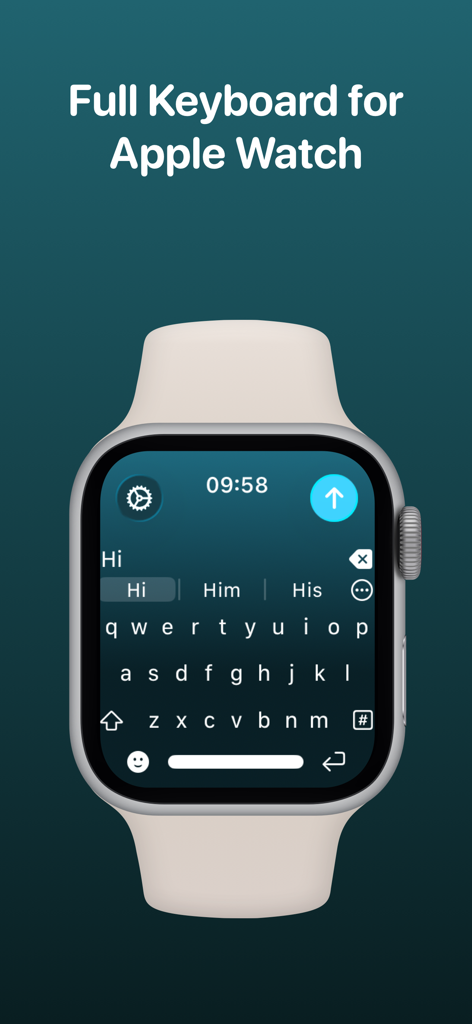
WristBoard - Watch Keyboard - WristBoard app displaying a full QWERTY keyboard on an Apple Watch screen.
WristBoard app displaying a full QWERTY keyboard on an Apple Watch screen.

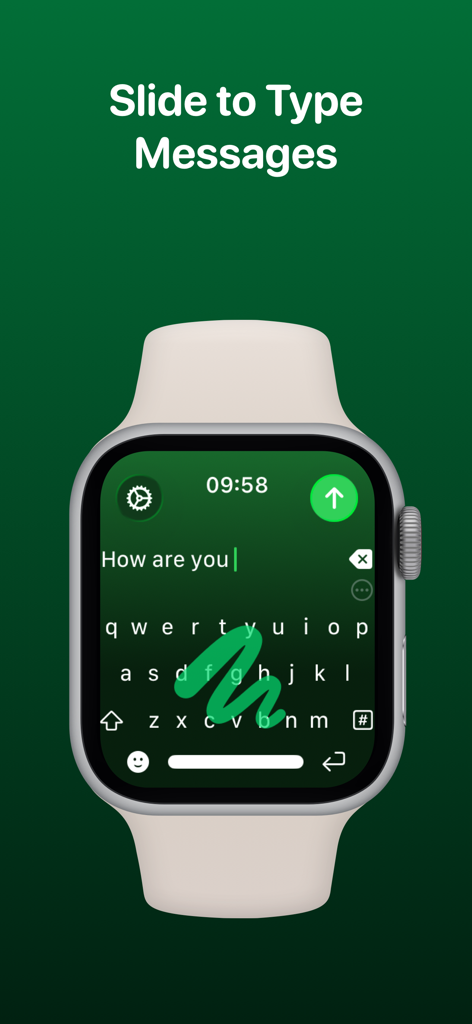
WristBoard - Watch Keyboard - An Apple Watch showing the WristBoard keyboard with a swipe to type gesture on a green interface.

An Apple Watch showing the WristBoard keyboard with a swipe to type gesture on a green interface.
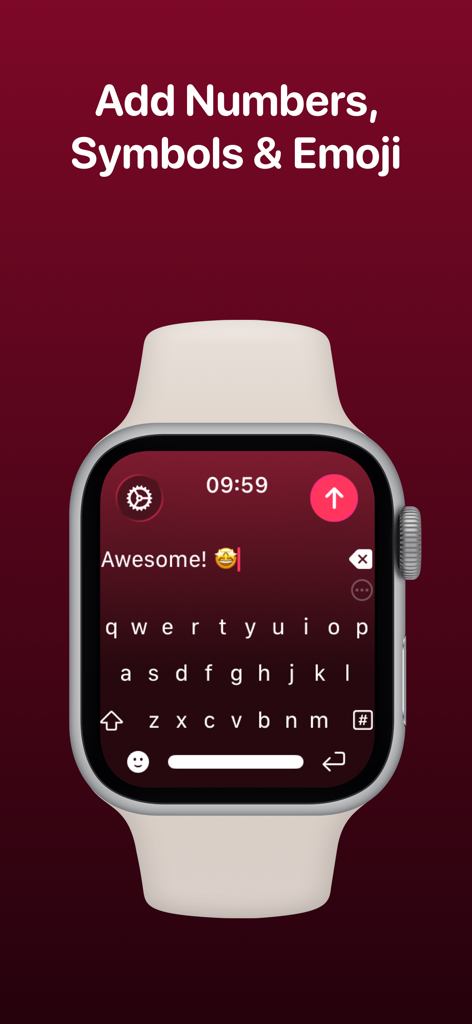
WristBoard - Watch Keyboard - Apple Watch displaying the WristBoard full QWERTY keyboard interface with a text message and emoji

Apple Watch displaying the WristBoard full QWERTY keyboard interface with a text message and emoji
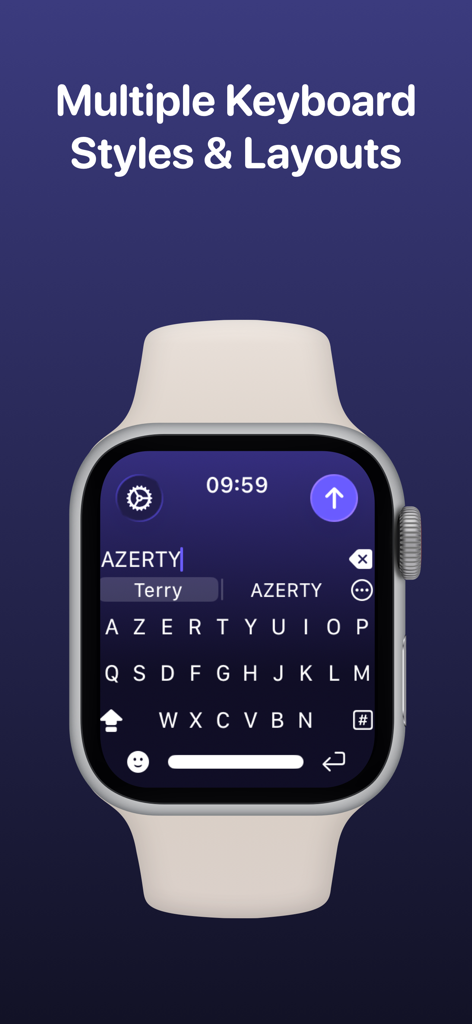
WristBoard - Watch Keyboard - A screenshot of an Apple Watch showing an AZERTY keyboard layout in the WristBoard app under the heading Multiple Keyboard Styles and Layouts.
A screenshot of an Apple Watch showing an AZERTY keyboard layout in the WristBoard app under the heading Multiple Keyboard Styles and Layouts.

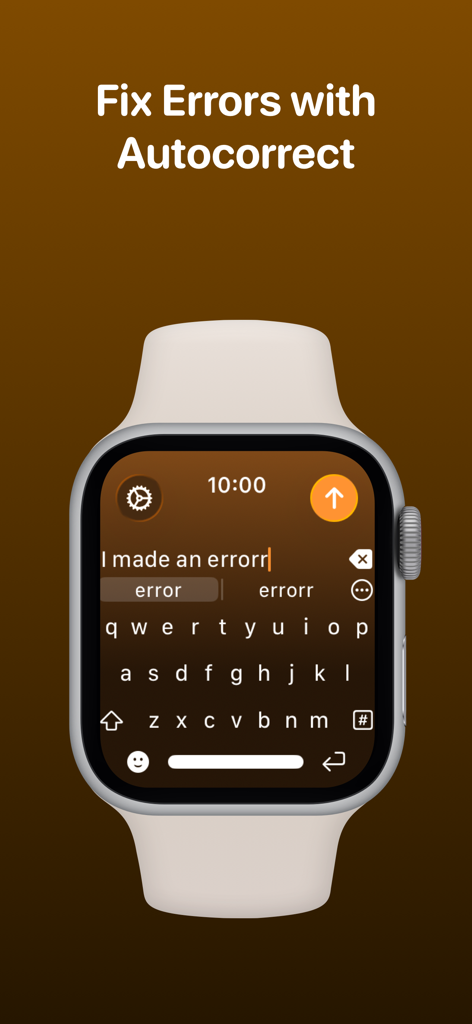
WristBoard - Watch Keyboard - WristBoard keyboard on Apple Watch showing the autocorrect feature for fixing typing errors.
WristBoard keyboard on Apple Watch showing the autocorrect feature for fixing typing errors.

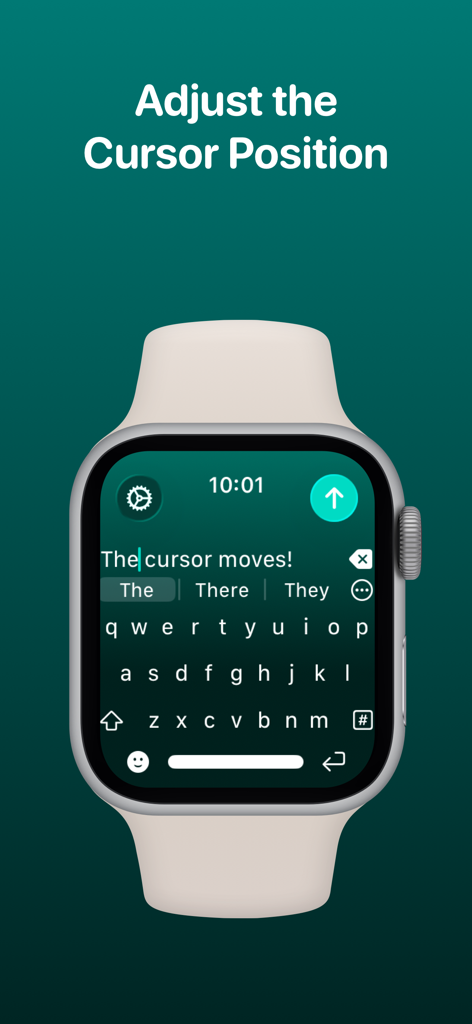
WristBoard - Watch Keyboard - WristBoard app showing the cursor position being adjusted on the Apple Watch keyboard interface.

WristBoard app showing the cursor position being adjusted on the Apple Watch keyboard interface.
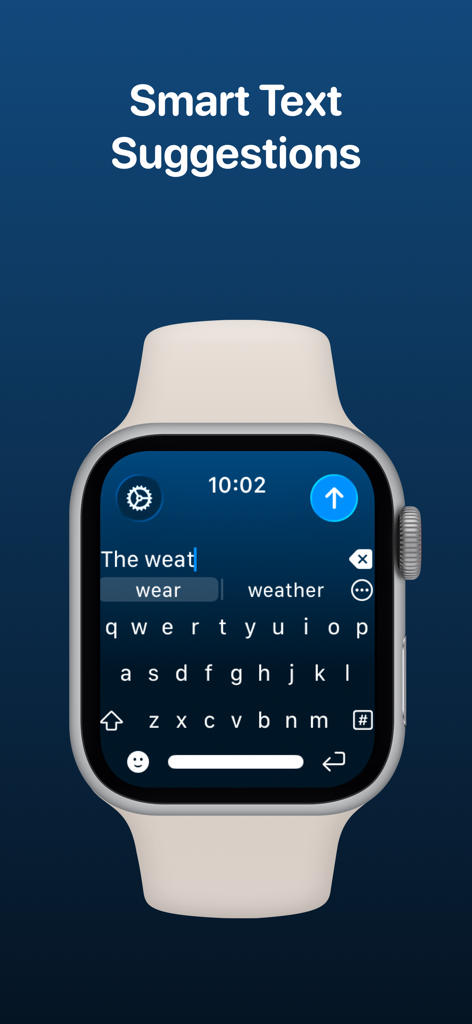
WristBoard - Watch Keyboard - WristBoard app on Apple Watch showing smart text suggestions while typing on a QWERTY keyboard.
WristBoard app on Apple Watch showing smart text suggestions while typing on a QWERTY keyboard.

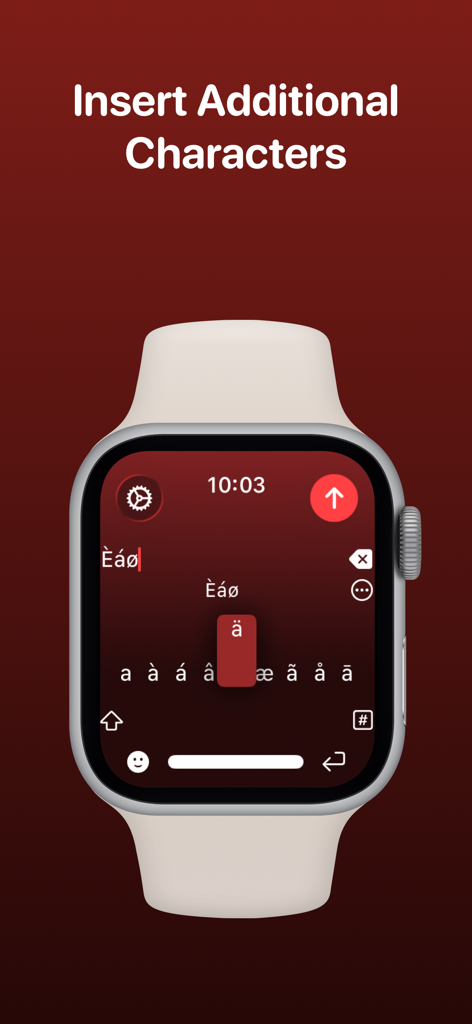
WristBoard - Watch Keyboard - Apple Watch screen showing the selection of accented and special characters in the WristBoard app.

Apple Watch screen showing the selection of accented and special characters in the WristBoard app.
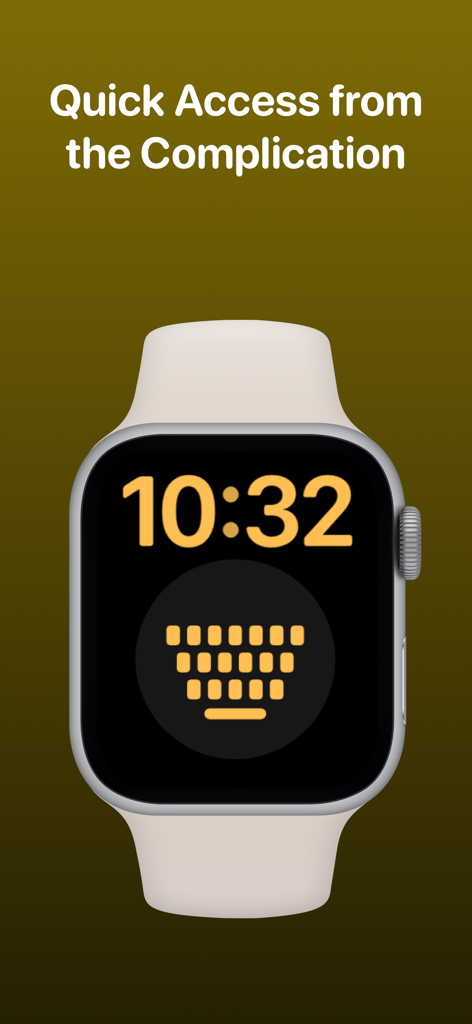
WristBoard - Watch Keyboard - Apple Watch face featuring the WristBoard keyboard complication for quick access.
Apple Watch face featuring the WristBoard keyboard complication for quick access.

WristBoard - Watch Keyboard - Logos of tech publications that featured WristBoard including 9to5Mac Cult of Mac iMore AppAdvice and TechRadar

Logos of tech publications that featured WristBoard including 9to5Mac Cult of Mac iMore AppAdvice and TechRadar

Description

Swipe and type messages on your Apple Watch using a fully functional keyboard with WristBoard. * As featured on the App Store, 9to5Mac, Cult of Mac, iMore, AppAdvice, TechRadar & iPhon.fr * Typing messages on Apple Watch can be chore - Scribble doesn't always work and Dictation isn't great in public spaces. With WristBoard, you get a fully-fledged keyboard straight on your wrist, no awkward typos necessary! By adding a full QWERTY, AZERTY or QWERTZ keyboard to your Apple Watch, you can reply to iMessages quickly and privately. Autocorrect and smart text predictions quickly ensures what you type is accurate and makes senses. WristBoard contains these great features: FULL KEYBOARD Add a full QWERTY, AZERTY or QWERTZ keyboard to your Apple Watch. Keys are easy to press and there’s support for key previews as you swipe along the keyboard. SWIPE KEYBOARD WristBoard was the first app to introduce swipe typing on Apple Watch and provides a more efficient way to type out messages on your wrist. SENDING WristBoard uses the built-in Apple Messages app on your Apple Watch to send messages to your contacts. Type out your message, tap the send button and you’ll be taken to the Messages app with your message ready to go! There's support for the Apple Mail app too so you can emails all from your wrist! SUGGESTIONS As you’re typing, you can complete words using the suggestions bar above the keys. Tap on a suggestion to replace the current typed word with the full suggestion. Great for improving speed on the small screen! Access all suggestions by tapping the ellipsis icon next to the first suggestions. AUTOCORRECT Whilst typing, if you make a mistake, WristBoard will automatically replace the incorrect word with one it thinks is correct. OTHER CHARACTERS WristBoard has full support for adding symbols, numbers and other special characters. EMOJI WristBoard supports adding an unlimited amount of emoji to a single message! Simply tap the emoji icon to get started and pick from Apple’s library, or one of your most recently used ones. THEMES Customise the look and feel of your keyboard with support for themes. MESSAGE PREVIEW Before sending your message, just tap the text field to view a full preview of your message. HAPTICS Choose to receive Haptic Feedback on actions like key presses and button actions. COMPLICATION For quick and easy access, you can add the WristBoard Complication to your Watch Face. Just tap and the keyboard will launch. CURSOR Whilst typing on the keyboard, you can see exactly where you are with the pulsing blue cursor. Use the Digital Crown to move the cursor's position. SETTINGS Customize WristBoard your way. Access the Settings menu by using the options button on the keyboard and you’ll be able to change the layout and toggle auto correct, suggestions & more. If you like this app, I’d really appreciate it if you could take the time to leave a positive review! Having issues? Please get in touch: Email: support@adamfoot.dev Website: https://adamfoot.dev Please note, a supported Apple Watch is required for full app functionality. WristBoard supports sending messages via SMS & iMessage through the Messages app or email through the Mail app. Some features may require a WristBoard+ subscription which can be purchased in the app. You can cancel at anytime. Terms: https://adamfoot.dev/terms-of-use

Download

Download on App Store

This page is not an official page of the app or its developer, but an independent editorial publication created for informational and commentary purposes. Unless expressly stated otherwise, neither the app nor its developer is affiliated with, endorsed by, sponsored by, authorized by, or otherwise officially connected with MWM, Apple, Google Play, the app publisher, or the app's developer, and nothing on this page implies that the app was developed using MWM's services. Any trademarks, logos, screenshots, and other content remain the property of their respective owners.








