This page is not an official page of the app or its developer, but an independent editorial publication created for informational and commentary purposes. Unless expressly stated otherwise, neither the app nor its developer is affiliated with, endorsed by, sponsored by, authorized by, or otherwise officially connected with MWM, Apple, Google Play, the app publisher, or the app's developer, and nothing on this page implies that the app was developed using MWM's services. Any trademarks, logos, screenshots, and other content remain the property of their respective owners.
ZoomNotes Lite
Break free from paper limits with the only note-taking app offering infinite zoom. Annotate PDFs, design complex digital planners, and organize your projects on a truly limitless digital workspace built for your second brain.
Key Figures
Downloads
304K+
User Rating
4.2/5
Total Ratings
1K+
Publisher
Deliverance Software Ltd
Category
Productivity
Locales
5
Latest Version
9.1.18
Size
149.8 MB
First Released
May 14, 2013
Features
Master Your Visual Ideas Without Limits
ZoomNotes Lite gives you the freedom of an infinite canvas combined with professional tools for digital planning, PDF annotation, and visual brainstorming.
Boundless Infinite Zoom
Experience a workspace that grows with your ideas. Zoom in for precision sketching or out for massive mind maps without any arbitrary limits.
Professional Document Markup
Annotate PDFs, Word, and Excel files with ease. Perfect for power users who need to mark up blueprints, lecture notes, or technical schematics.
The following screenshots and description are sourced directly from the app's official store listing and are the property of the app developer.
App Store
Screenshots
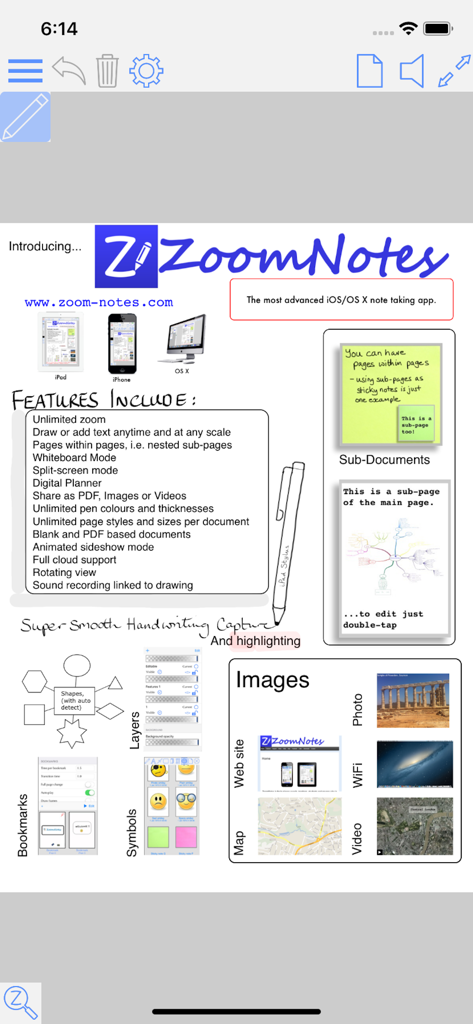
Feature list of the ZoomNotes Lite app highlighting infinite zoom and digital planning capabilities
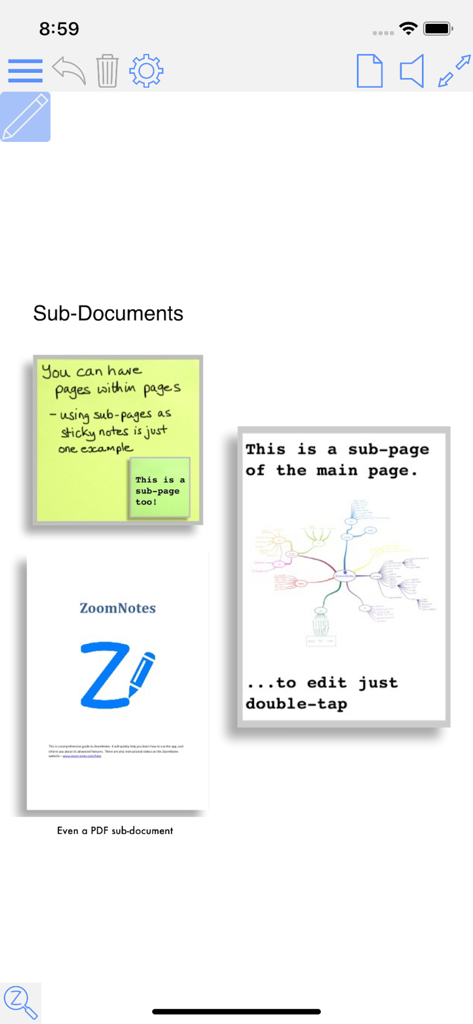
ZoomNotes Lite interface demonstrating sub-documents and nested pages for digital planning
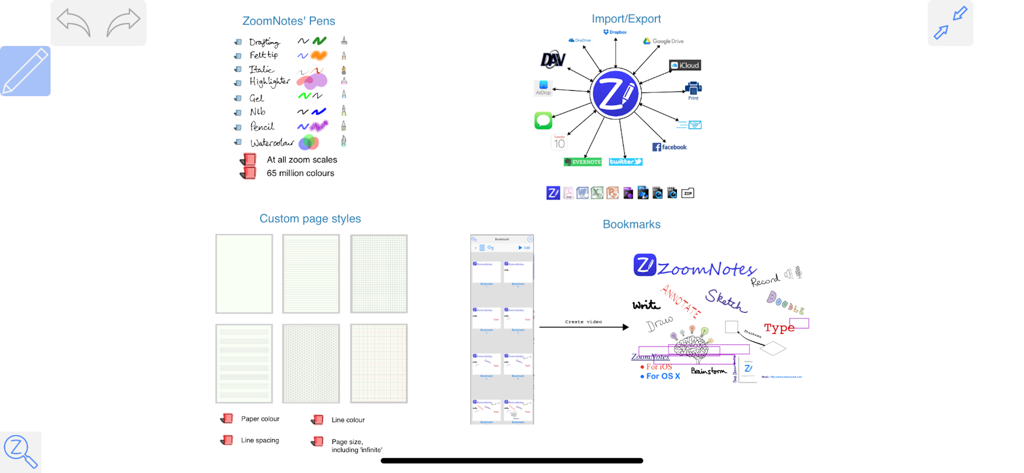
Overview of ZoomNotes Lite features including pen styles, cloud integration, page templates, and visual bookmarks
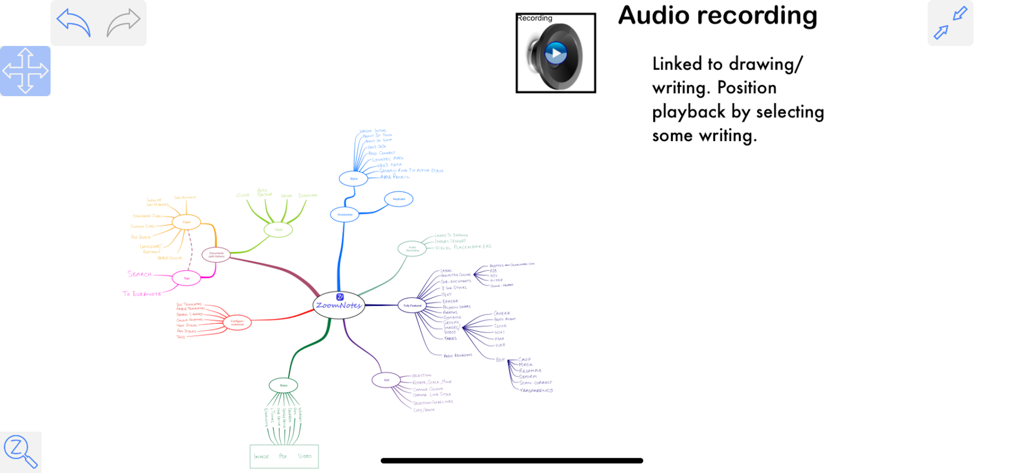
A detailed visual mind map in ZoomNotes Lite with an audio recording feature linked to handwriting.
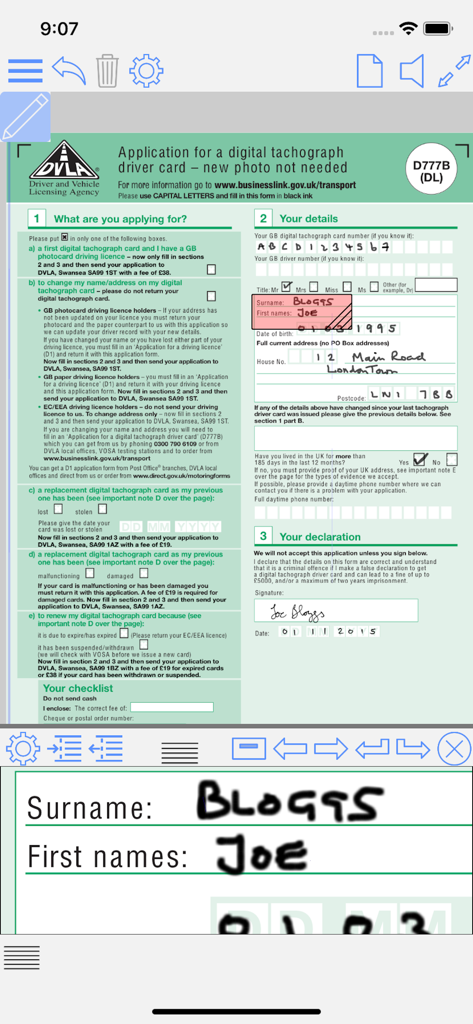
ZoomNotes Lite app interface showing a PDF form being filled with a magnified zoom window for handwriting.
Description
ZoomNotes Lite is an iPad/iPhone visual note-taking app. It lets you quickly make handwritten notes and sketches on virtual paper, on PDF files, on MS Word, Excel and Powerpoint docs (via GoogleDrive), and over images. Uniquely, it also lets you zoom in and out without arbitrary limits, an invaluable feature for this type of app. It has a free fully functioning pen (although you will be able to try the pens too), and more available as in-app purchases. It has unlimited paper sizes/styles, unlimited colours and line thicknesses, and a large range of ways to share its documents making ZoomNotes the most versatile handwriting/drawing app.
ZoomNotes Desktop for Mac now also available.
ZoomNotes is much more than a replacement for your trusted paper notebook!
Compatible with any capacitive stylus pen (although fingers work well too).
Here some reviews of the app store of the full version-
The best note taking app available! *****
by MarkNance – Version 7.1.4 – Jul 6, 2016
Don’t be put off by all its features! *****
by Stevearcher – Version 7.1.3 – May 24, 2016
Most complete Note app I’ve tried *****
by ItsDartstx – Version 7.1.3 – Apr 20, 2016
Most effective note taking app *****
by John25642 – Version 7.1.3 – Jul 7, 2016
Full featured and innovative *****
by music-major – Version 7.1.3 – May 15, 2016
Hands(writing)-down, best notepad replacement out there. *****
by Jed123zz – Version 7.1.3 – Mar 23, 2016
Free features include:
-1 Pen type - Felt tip.
-Huge Zoom Range and Whiteboard page style
-Rotatable views
-Split screen mode (edit 2 documents at once)
-Digital planning with links, which can also show events and reminders from the Calendar and Reminder apps
-Write over PDF file
-Write over MS Word, Powerpoint and Excel files (via GoogleDrive)
-Calendar events/reminders :add events linked to your documents, possibly with alarms. The URL in the event links back to the document in ZoomNotes.
-Typed text- limited to a single font, fills and borders
-Regular shapes and arrows
-Symbol library
-Select, scale, rotate and shift
-Cut, copy, paste (including between documents, pages and other apps)
-Write over pdf files (markup)
-Configurable paper types
-Intuitive folder interface for documents
-Sharing as PDF files, images, videos or ZoomNotes documents (via email, iTunes, clipboard, Dropbox, Twitter and Evernote)
-In app printing
-VGA compatible for use with projectors, monitors and AirPlay
-Universal app - iPhone and iPad
-iCloud support
-Geo-located documents; documents can be optionally geo-located and viewed as pins on a map.
-Layers let you control what is visible on a page, also options for 'master layers' which show on all pages.
In app purchases features include:
-7 extra Pen types, including Italic, Gel, Nib, Pencil and Watercolour.
-Sub-pages (pages within pages within...)
-Typed text- fully configurable fonts, colours, fills and borders
-Unlimited colours and line styles
-Bookmarks with animated playback
-Insert images from camera or photo library
-Insert web pages
-Insert videos from camera or photo library
-Edit inserted images, including masking and cropping
-Record and playback sounds, including import and export of caf files
- Handwriting recognition (14 different languages).
Please note that the full version of ZoomNotes is equivalent to the Lite version with all the in-app purchases.
There are lots more details including some videos of the app in action at www.zoom-notes.com
Please remember to leave us a review. If you wish, you can send us feedback directly, we reply to every email sent to support@zoom-notes.com.
If you experience any problems or bugs in the app, please email us your device information, which iOS version you are running to support@zoom-notes.com and we will fix it asap.
Twitter - @zoomnotes
This page is not an official page of the app or its developer, but an independent editorial publication created for informational and commentary purposes. Unless expressly stated otherwise, neither the app nor its developer is affiliated with, endorsed by, sponsored by, authorized by, or otherwise officially connected with MWM, Apple, Google Play, the app publisher, or the app's developer, and nothing on this page implies that the app was developed using MWM's services. Any trademarks, logos, screenshots, and other content remain the property of their respective owners.








