AeroWeather Pro
AeroWeather Pro
ダウンロード: App Store

このページはアプリまたはその開発者の公式ページではなく、情報提供および論評を目的として作成された独立した編集出版物です。明示的に別段の記載がない限り、アプリおよびその開発者は、MWM、Apple、Google Play、アプリのパブリッシャー、またはアプリの開発者と提携、承認、後援、認可、またはその他の公式的な関係はなく、このページのいかなる内容も、アプリがMWMのサービスを使用して開発されたことを意味するものではありません。すべての商標、ロゴ、スクリーンショット、その他のコンテンツはそれぞれの所有者の財産です。


ロゴ: AeroWeather Pro
ダウンロード: App Store

AeroWeather Pro

リアルタイムの航空気象、デコードされたレポート、NOTAM、ATC遅延に即座にアクセス。コックピットと手首のために設計され、プロおよびプライベートパイロット双方にとって究極の飛行前ツールです。

主要数値

ダウンロード

503K+

ユーザー評価

3.6/5

評価数

2K+

開発元

Lakehorn AG

カテゴリ

Weather

対応言語

15

最新バージョン

3.14.2

サイズ

114.5 MB

リリース日

2010年6月30日
機能

パイロットのための精密気象ツール

AeroWeather Proは、ミッションクリティカルな航空データを高密度な精度で提供し、飛行前の計画と状況認識においてプロフェッショナルな優位性をもたらします。

デコードされたMETAR・TAF

即時かつ世界中の気象レポートを、生の形式または読みやすい形式でアクセスでき、プロの飛行前ブリーフィングとFAAコンプライアンスに最適化されています。

スマート気象アラート

飛行規則の変更、風向変化、視程の閾値に対するプッシュ通知で情報を受け取り、安全な気象ウィンドウを逃すことはありません。

マルチデバイス連携

iPhone、iPad、Apple Watchで、NOTAMや滑走路を含む気象状況を監視し、完全なデジタルフライトバッグ体験を実現します。

FAQ

よくある質問

について知っておくべきこと AeroWeather Pro

AeroWeather Proはどのような情報を提供しますか?

AeroWeather Proは、世界中の空港の現在の正確な気象条件(METAR)と予報(TAF)を提供します。また、空港のNOTAM、ウェブカメラ画像、米国のATC遅延情報も統合しています。

AeroWeather Proはデコードされた気象データを表示しますか?

はい、AeroWeather Proは、生のMETARおよびTAFデータと完全にデコードされたMETARおよびTAFデータの両方を提供します。ユーザーは、簡単な理解や詳細な分析のためにこれらの形式を切り替えることができます。

AeroWeather Proには空港データベースがありますか?

はい、AeroWeather Proには組み込みの空港データベースが含まれています。このデータベースは、さまざまな空港の滑走路、日の出/日の入り時刻、薄明時刻、月の時刻、タイムゾーンなどの情報を提供します。

以下のスクリーンショットと説明は、アプリの公式ストアリスティングから直接取得されたものであり、アプリ開発者の所有物です。

アプリストア

スクリーンショット
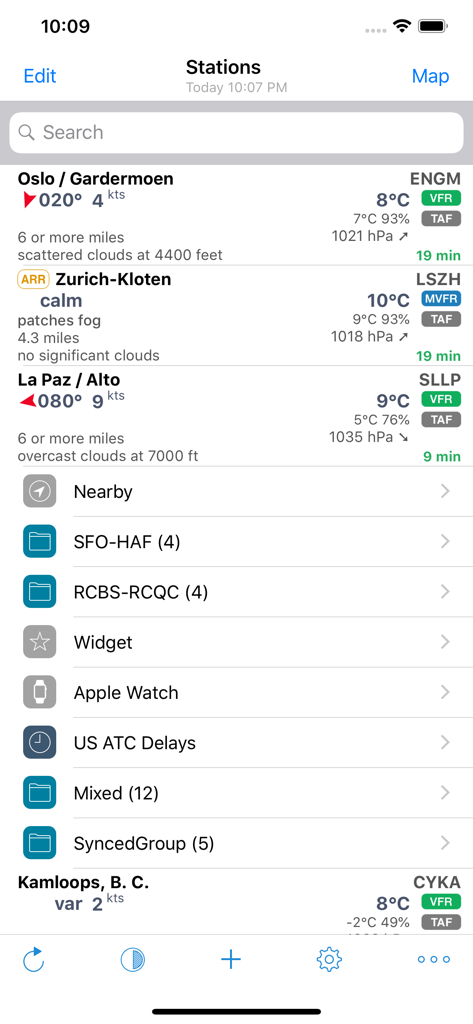
AeroWeather Pro - AeroWeather Proのステーション表示。航空気象データと飛行規則を表示。
AeroWeather Proのステーション表示。航空気象データと飛行規則を表示。

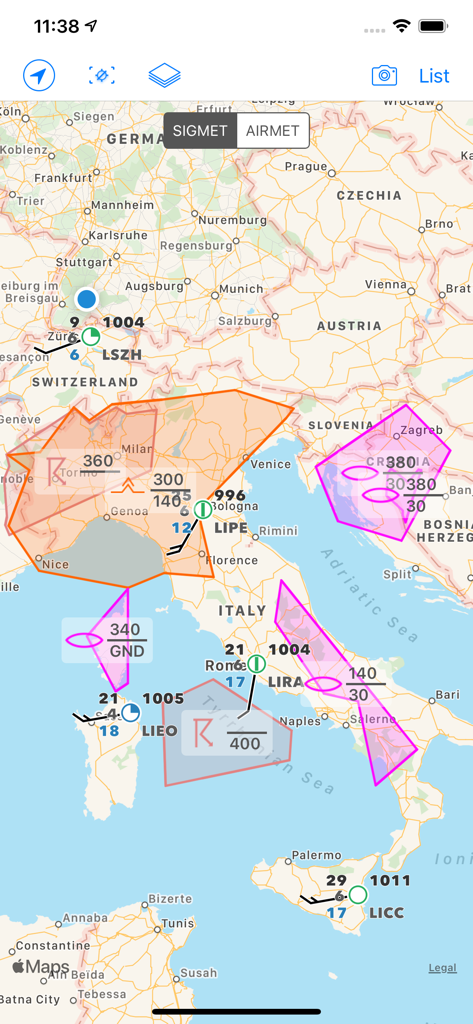
AeroWeather Pro - AeroWeather Proアプリのマップビュー。ヨーロッパ上空のSIGMETおよびAIRMET気象アラートと技術的な航空データを表示。
AeroWeather Proアプリのマップビュー。ヨーロッパ上空のSIGMETおよびAIRMET気象アラートと技術的な航空データを表示。

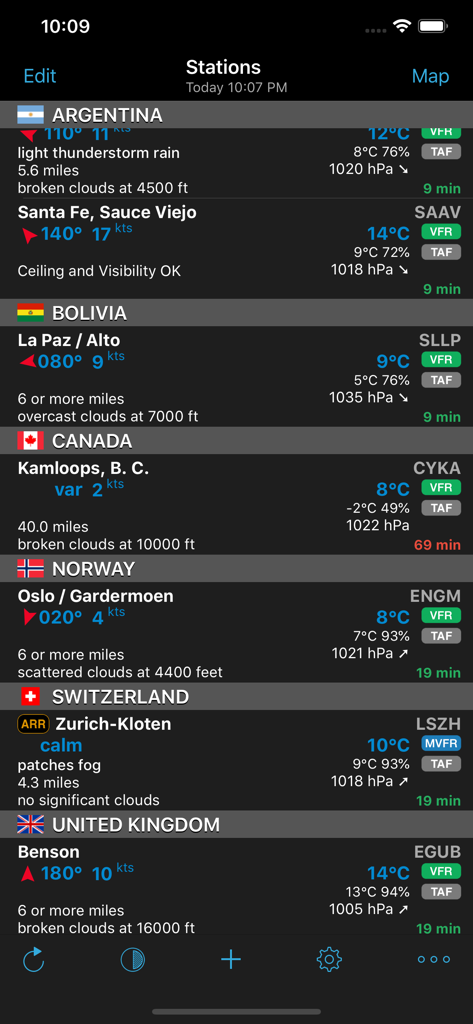
AeroWeather Pro - AeroWeather Proアプリのインターフェース。国際空港のMETARおよびTAF気象データを表示。
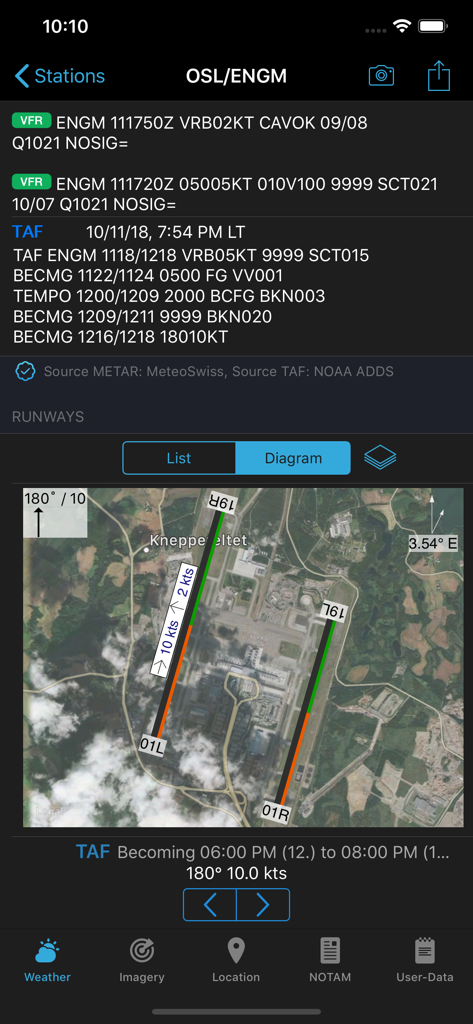
AeroWeather Proアプリのインターフェース。国際空港のMETARおよびTAF気象データを表示。

AeroWeather Pro - AeroWeather Proの画面。METAR TAF気象レポートと空港の衛星滑走路図を表示。
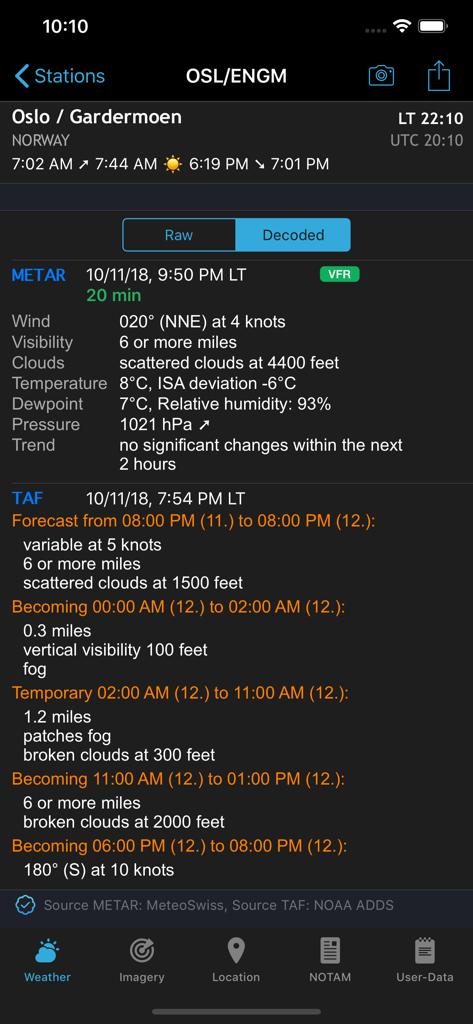
AeroWeather Proの画面。METAR TAF気象レポートと空港の衛星滑走路図を表示。

AeroWeather Pro - AeroWeather Proアプリのインターフェース。デコードされたMETARおよびTAF航空気象データを表示。
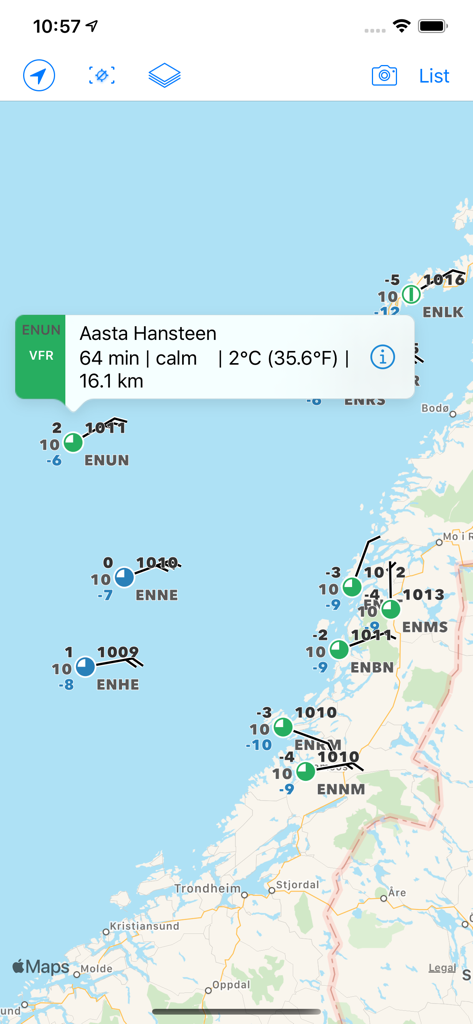
AeroWeather Proアプリのインターフェース。デコードされたMETARおよびTAF航空気象データを表示。

AeroWeather Pro - 航空気象マップ。パイロット向けのMETARレポートと飛行規則を表示。

航空気象マップ。パイロット向けのMETARレポートと飛行規則を表示。
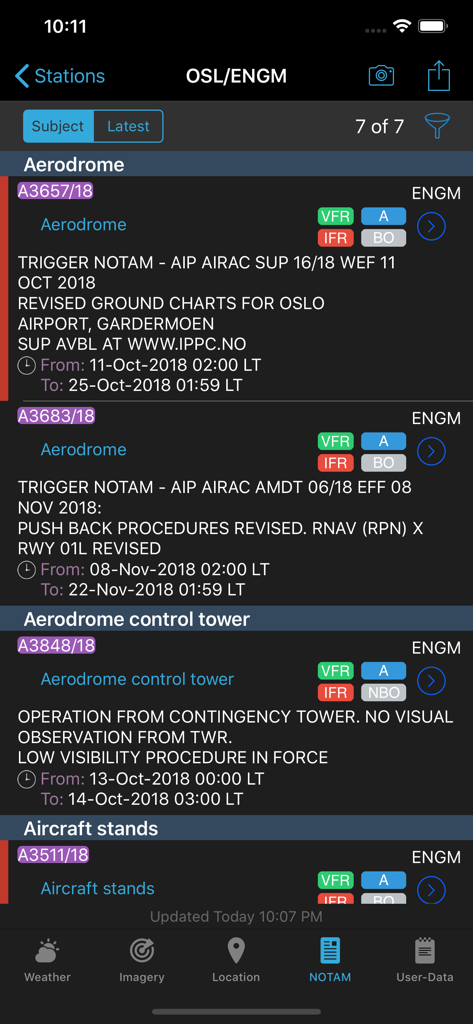
AeroWeather Pro - AeroWeather Proモバイルアプリの画面。オスロ空港の航空NOTAMを表示。空港および管制塔のアラートを含む。
AeroWeather Proモバイルアプリの画面。オスロ空港の航空NOTAMを表示。空港および管制塔のアラートを含む。

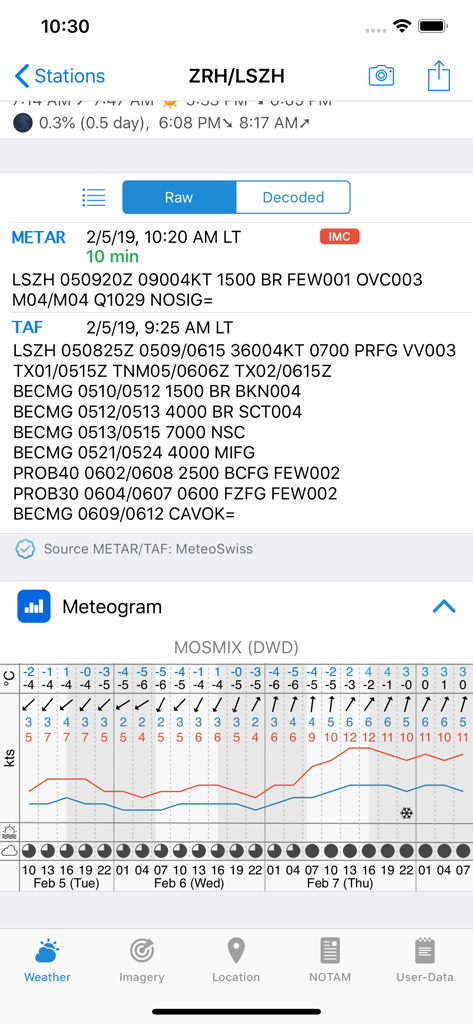
AeroWeather Pro - AeroWeather Proのインターフェース。空港の生のMETARおよびTAFレポートと気象図を表示。
AeroWeather Proのインターフェース。空港の生のMETARおよびTAFレポートと気象図を表示。

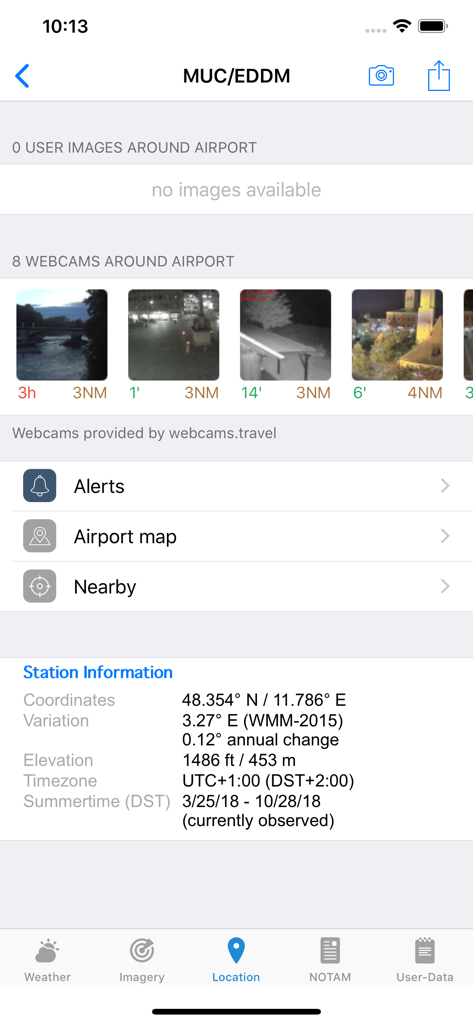
AeroWeather Pro - AeroWeather Proアプリのインターフェース。空港のステーション情報とライブウェブカメラビューを表示。

AeroWeather Proアプリのインターフェース。空港のステーション情報とライブウェブカメラビューを表示。

説明

*** AeroWeather: for pilots, aviation enthusiasts, and everyone who is serious about the weather! *** Current and precise weather conditions (METAR) and forecasts (TAF). AeroWeather Pro provides quick and intuitive access to METAR and TAF for airports worldwide. Data can be shown in its original (raw) format or as fully decoded and easy understandable texts. AeroWeather Pro is helpful for weather preflight-briefings, but also to just get very precise weather. All weather data is cached for offline access. In addition to weather data, AeroWeather Pro integrates also airport NOTAMs (provided by US FAA), webcam images around airports (provided by windy.com), FlightService access (US only), and US ATC delay information (provided by US FAA). AeroWeather Pro also offers built-in groups for earthquakes, nearby stations, and today widget (pre iOS14), which can be individually enabled on the top level view. Besides creating user groups it’s also possible to put stations on the same level user groups (e.g. home base). Depending on your needs, groups can be shown or hidden in the main list view. User groups can also be synchronized via Cloud Kit*. The app features a built-in airport database, which includes airport data like runways, sunrise/sunset, twilight times, moon times, timezones etc. METAR alert notifications** is another new and helpful feature to stay up-to-date. Define multiple alerts for each station with criteria like: flight rule (US NOAA), wind speed, temperature, pressure, present weather, visibility etc. Notifications will be sent to your device if the criteria is met (e.g., when flight rule becomes IFR). Dedicated METAR/TAF** access is optionally available. METAR/TAF data will come primarily from a certified ANSP (air navigation service provider) and is provided reliably and fast from our dedicated, redundant servers (indicated by blue checkmark underneath METAR/TAF). AeroWeather Pro comes with an Apple Watch app, which shows either a list of stations as defined in the Apple Watch group or all nearby stations based on the current location. METAR and TAF are displayed for each station. In addition, you can put AeroWeather as a complication in your watch face to stay up-to-date. Please consult our web-site for a full description of all features. * Additional functionality which needs to be unlocked (one-time purchase). These purchases are not transferable between Lite, Pro, and Mac. ** SUBSCRIPTIONS Additional features which generate recurring operation costs for us will be offered within a subscription. The following features are enabled while 'First' subscription is active: - Dedicated METAR/TAF data source - Meteograms - Alert push notifications - D-ATIS (bigger US airports only) - Area Forecast Discussions (currently US only) - RVR data (US and Germany only) - Home Screen Widgets for METAR, Plot, Meteogram - Imagery and Charts (requires 'Captain' subscription) - SIGMETs (requires 'Captain' subscription) Additional features are also enabled when using AeroWeather Lite. The subscription varies in time periods (1 month, 12 months). The subscription is valid in both AeroWeather Lite and Pro. Cross app subscription support is only available if iCloud (with the same Apple ID) is enabled. Previously purchased unlock features are not affected and will work with or without subscription. Auto-renewal may be turned off at any time by going to your account settings. A payment will be charged to your iTunes account at the end of the free trial period. Your iTunes account will be charged for renewal within 24 hours prior to the end of the current period. No commitment - you can cancel any time. Pleas read the full “Subscription Terms of Use” at: https://www.lakehorn.com/subscription-terms-of-use/

Download

ダウンロード: App Store

このページはアプリまたはその開発者の公式ページではなく、情報提供および論評を目的として作成された独立した編集出版物です。明示的に別段の記載がない限り、アプリおよびその開発者は、MWM、Apple、Google Play、アプリのパブリッシャー、またはアプリの開発者と提携、承認、後援、認可、またはその他の公式的な関係はなく、このページのいかなる内容も、アプリがMWMのサービスを使用して開発されたことを意味するものではありません。すべての商標、ロゴ、スクリーンショット、その他のコンテンツはそれぞれの所有者の財産です。