
このページはアプリまたはその開発者の公式ページではなく、情報提供および論評を目的として作成された独立した編集出版物です。明示的に別段の記載がない限り、アプリおよびその開発者は、MWM、Apple、Google Play、アプリのパブリッシャー、またはアプリの開発者と提携、承認、後援、認可、またはその他の公式的な関係はなく、このページのいかなる内容も、アプリがMWMのサービスを使用して開発されたことを意味するものではありません。すべての商標、ロゴ、スクリーンショット、その他のコンテンツはそれぞれの所有者の財産です。

AirDroid Kids - Screen Time
現代の保護者のためのオールインワンコンパニオン。スクリーンタイムの管理、有害コンテンツのブロック、リアルタイム位置情報の追跡により、究極のデジタル安全を実現します。
ダウンロード
351K+ユーザー評価
評価数
100開発元
カテゴリ
Lifestyle対応言語
15最新バージョン
1.8.0サイズ
131.5 MBリリース日
2024年5月6日ご家族のデジタルウェルビーイングをマスターする
テクノロジーと安全性のギャップを、お子様を守り、家庭のバランスを保つ強力なツールで、楽に埋めましょう。
スマートジオフェンスとライブトラッキング
お子様が学校に到着したときや安全地帯を出たときに、リアルタイムの位置情報更新と即時アラートで、安心感を得ましょう。
高度なコンテンツとアプリガード
不適切なウェブサイトをブロックし、アプリへのアクセスをワンタップで管理することで、子供たちをアダルトコンテンツやデジタルな distractions から積極的に保護しましょう。
よくある質問
について知っておくべきこと AirDroid Kids - Screen Time
AirDroid Kidsアプリの目的は何ですか?
AirDroid Kidsアプリは、お子様のデバイスにインストールされるAirDroidペアレンタルコントロールのコンパニオンアプリです。保護者がお子様を監視し、スクリーンタイムを管理し、安全を確保するのに役立ちます。
子供のデバイスにAirDroid Kidsをインストールするにはどうすればよいですか?
AirDroid Kidsをインストールするには、まずお使いのデバイスにAirDroidペアレンタルコントロールをダウンロードしてください。次に、お子様のデバイスにAirDroid Kidsをインストールします。その後、2つのアプリが連携してシームレスな管理を行います。
AirDroid Kidsにはどのような監視機能がありますか?
AirDroid Kidsは、ウェブサイトとアプリの使用状況の監視、ルート履歴とジオフェンスアラート付きの場所追跡、デバイスのアクティビティに関する保護者へのリアルタイムアラートを提供します。
AirDroid Kidsでウェブサイトやアプリをブロックできますか?
はい、AirDroid Kidsでは、ゲーム、ポルノ、ギャンブルなどのカテゴリを含むウェブサイトのブロックが可能です。保護者は、特定のアプリやウェブサイトの毎日のダウンタイムを設定することもできます。
AirDroid Kidsは私の家族のデータを第三者に販売していますか?
いいえ、AirDroid Kidsは家族や子供のデータを第三者に販売していません。スクリーンタイムのアクティビティと個人情報は、保護者のみが閲覧できます。
AirDroid KidsはiOSデバイスで特別な権限が必要ですか?
はい、iOS用のAirDroid Kidsアプリは、特別なMDMプロファイルをインストールし、インターネットトラフィックを制御するための特定の権限を承認する必要があります。このプロファイルは削除可能です。
子供はAirDroid Kidsアプリを使用して保護者とコミュニケーションできますか?
はい、子供はAirDroid Kidsアプリを使用して、困ったときに保護者にすぐに通知することができます。アプリにはファミリーチャット機能も搭載されています。
AirDroid Kidsアプリをペアレンタルアプリに接続するにはどうすればよいですか?
QRコードまたは数値コードを使用して子供のデバイスをバインドすることにより、AirDroid Kidsアプリを接続します。これは、セットアッププロセスのステップ1として表示されます。
AirDroid Kidsのスマートコネクター機能とは何ですか?
ステップ2でアクセスするスマートコネクターは、すべての機能を利用可能にします。これには、USB経由で子供のiOSデバイスをコンピューターに接続し、ペアリングコードで監視モードを有効にする必要があります。
AirDroid Kidsには子供向けの緊急機能は含まれていますか?
はい、AirDroid Kidsには「緊急SOS」機能が含まれており、正常にバインドされた後にアプリインターフェイスで表示されます。これにより、子供は保護者に迅速にアラートを送信できます。
以下のスクリーンショットと説明は、アプリの公式ストアリスティングから直接取得されたものであり、アプリ開発者の所有物です。
アプリストア
スクリーンショット
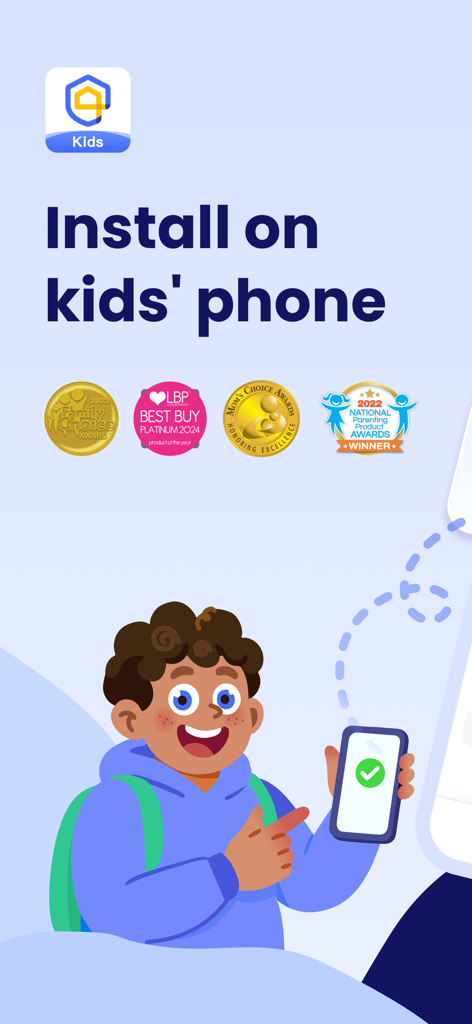
子供用電話機へのAirDroid Kidsアプリのインストール画面、 parenting awards を表示。
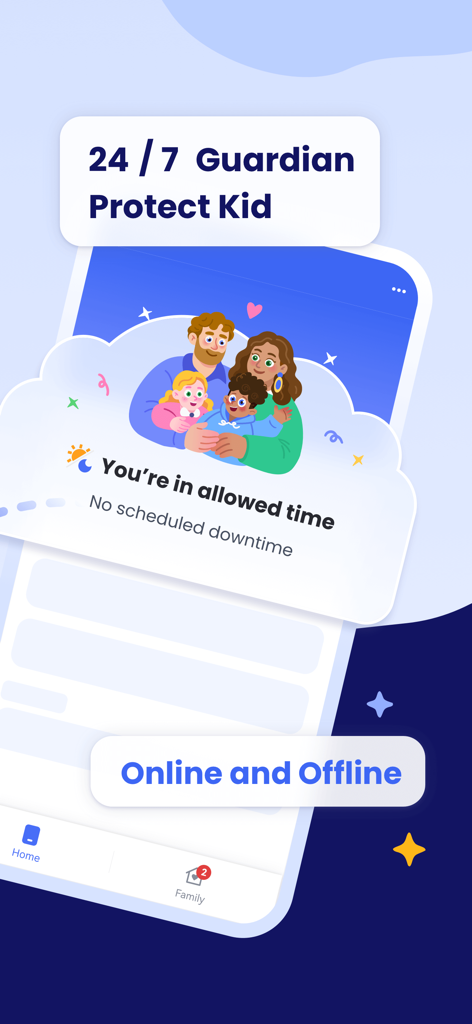
AirDroid Kidsアプリのインターフェース、24時間365日の保護者による保護と子供のスクリーンタイム管理を表示。
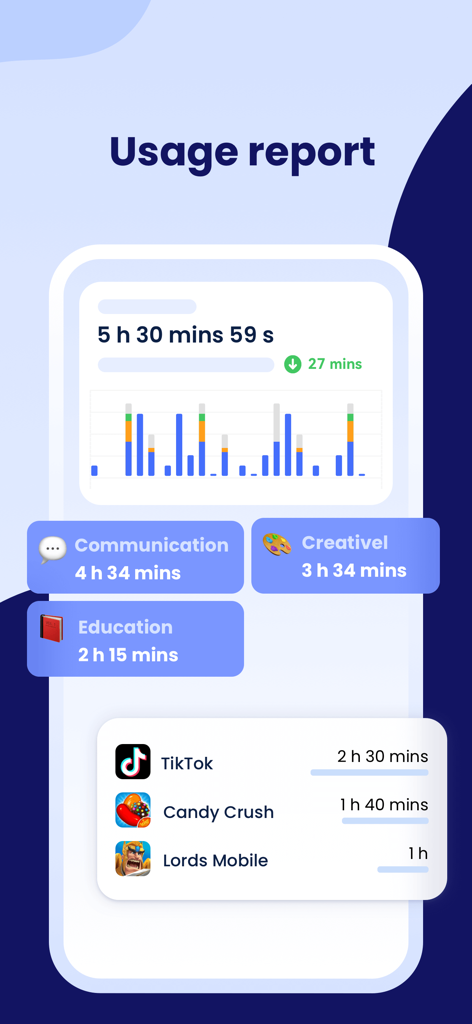
AirDroid Kidsのスクリーンタイム使用状況レポート、子供のアプリアクティビティとカテゴリを表示。
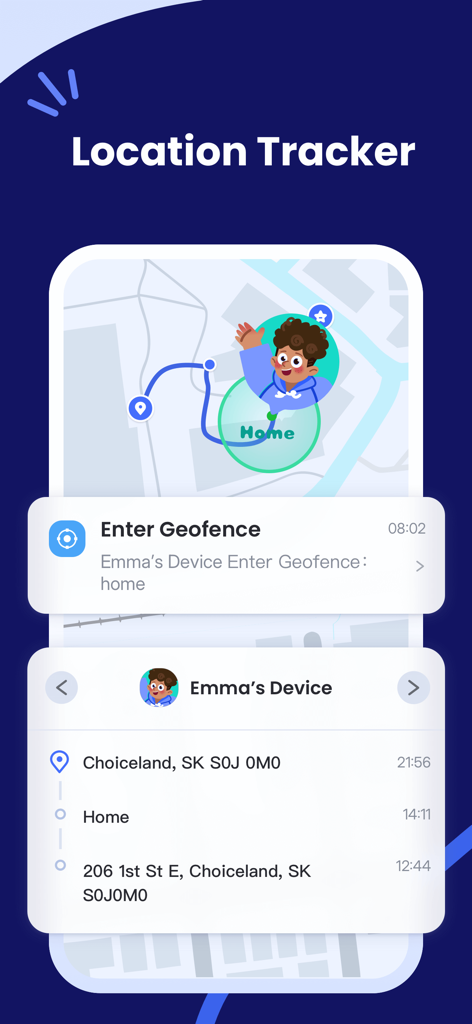
AirDroid Kidsのロケーショントラッカー、地図ルートとジオフェンスアラート通知を表示。
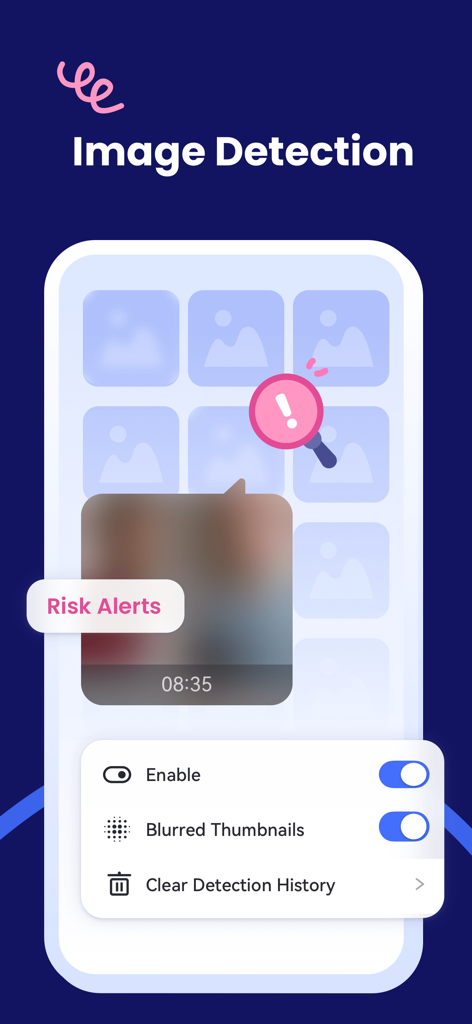
AirDroid Kidsの画像検出機能、リスクアラートと子供の安全のためのぼかしサムネイル設定を表示。
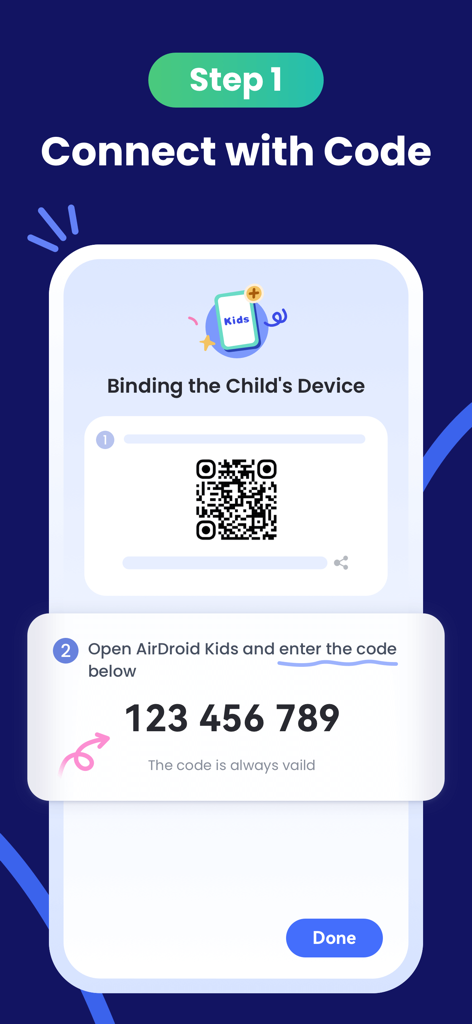
AirDroid KidsでQRコードと9桁のペアリングコードを使用して子供用デバイスをバインドする方法を示すセットアップ画面。
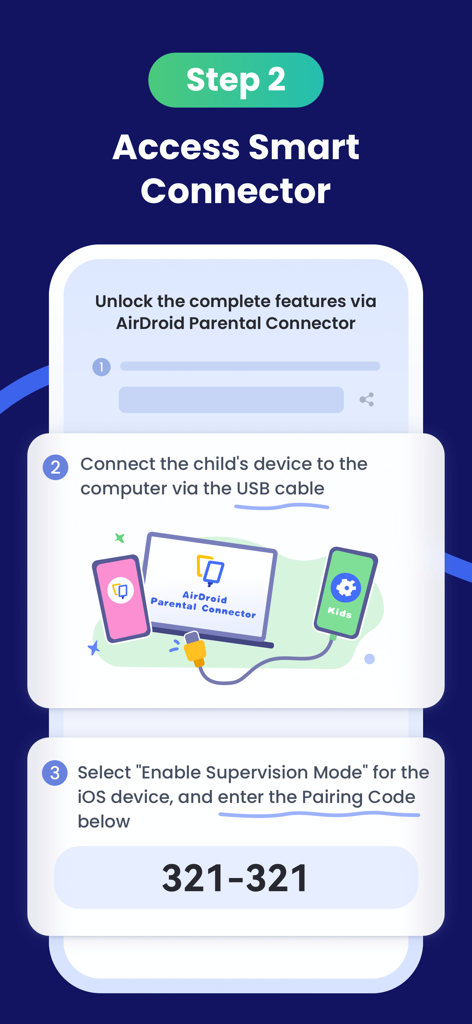
ペアリングコードとコンピュータへのUSB接続を使用して、監視モードを有効にする手順を示すAirDroid Kidsのセットアップ画面。
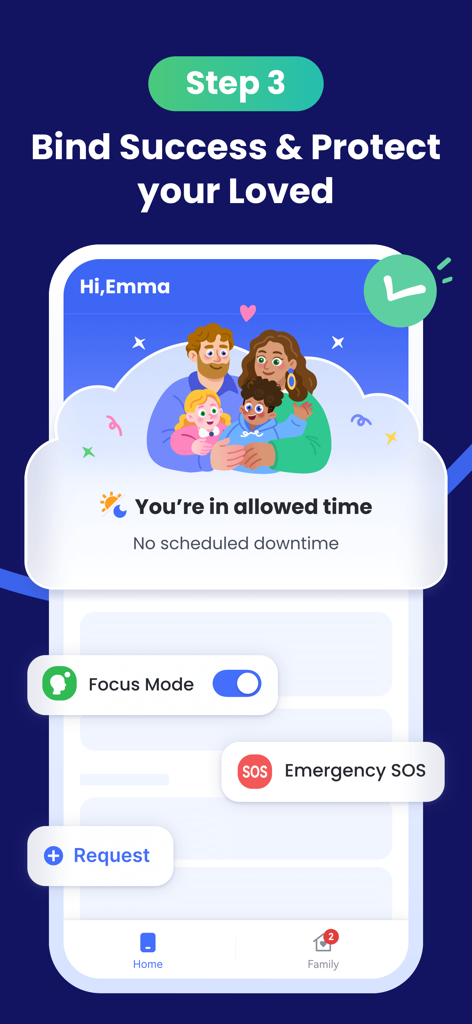
AirDroid Kidsのインターフェース、デバイスのバインドと安全機能の成功を示す。
説明
Download
類似アプリ
似た機能とユーザー体験を持つアプリ

Findos - Find My Device
Pollux Bilisim Teknolojileri Sanayi ve Ticaret Limited Sirketi

Boost Family Guard
Smith Micro Software, Inc.

Google Family Link
Google LLC

Findmykids: GPS Phone Tracker
LETEM LTD

Nintendo Switch Parental Cont…
Nintendo Co., Ltd.

Parental Control App Kids360
ANKO SOLUTIONS LLC

JusTalk Kids - Safe Messenger
Ningbo Jus Internet Technology Co., Ltd.

FlashGet Kids:parental control
HONGKONG FLASHGET NETWORK TECHNOLOGY CO., LIMITED

Parental Control App: AirDroid
SAND STUDIO CORPORATION LIMITED
このページはアプリまたはその開発者の公式ページではなく、情報提供および論評を目的として作成された独立した編集出版物です。明示的に別段の記載がない限り、アプリおよびその開発者は、MWM、Apple、Google Play、アプリのパブリッシャー、またはアプリの開発者と提携、承認、後援、認可、またはその他の公式的な関係はなく、このページのいかなる内容も、アプリがMWMのサービスを使用して開発されたことを意味するものではありません。すべての商標、ロゴ、スクリーンショット、その他のコンテンツはそれぞれの所有者の財産です。