
このページはアプリまたはその開発者の公式ページではなく、情報提供および論評を目的として作成された独立した編集出版物です。明示的に別段の記載がない限り、アプリおよびその開発者は、MWM、Apple、Google Play、アプリのパブリッシャー、またはアプリの開発者と提携、承認、後援、認可、またはその他の公式的な関係はなく、このページのいかなる内容も、アプリがMWMのサービスを使用して開発されたことを意味するものではありません。すべての商標、ロゴ、スクリーンショット、その他のコンテンツはそれぞれの所有者の財産です。


Alli360 by Kids360
あなたの子供がスマホ漬け?それは過去の話。デジタル世界の主導権を握り、彼らの未来を築く。'Alli360'が親に与えるのは、コントロールという名の真の安堵だ。
ダウンロード
250k+ユーザー評価
評価数
28.8K開発元
カテゴリ
Utilities対応言語
32最新バージョン
2.53.1サイズ
141.8 MBリリース日
2024年4月25日親のデジタルデバイス利用に関する懸念を軽減するための包括的アプローチ
Alli360 by Kids360: スマートフォン利用管理とデジタルウェルビーイング分析
スケジュールに基づいた利用制限
このツールは、学校の時間帯や夜間の休息時間など、特定のスケジュールに基づいてエンターテイメントアプリやSNSの利用を自動的に制限することを可能にします。これにより、健全な日課の確立を支援します。
連絡用アプリの常時利用可能
本アプリは、通話、メッセージ、タクシーなどの緊急性のある非エンターテイメント系アプリケーションを常に利用可能な状態に保ちます。これにより、親は子供といつでも連絡を取り続けることができます。
アプリケーション利用時間制限
ユーザーは、子供が利用する特定のアプリケーションやゲームに対して、細かく利用時間の上限を設定することが可能です。これは、過度なスクリーンタイムを効果的に管理するために役立ちます。
スマートフォン利用時間の可視化
親は、子供がスマートフォンに費やす総時間と、最も頻繁に使用しているアプリケーションを詳細に把握することができます。これにより、デジタル習慣の客観的な評価が可能になります。
アプリケーションの個別管理
この機能により、親は制限したい、または完全に利用をブロックしたいアプリケーションを個別に選択・指定できます。子供のニーズや家族のルールに合わせた柔軟な管理が実現します。
明示的な同意に基づく利用
このアプリは、子供の同意なしにそのデバイスにインストールされることはありません。その利用は、明確な同意があった場合にのみ可能であり、家庭内での信頼と透明性を重視しています。
個人データの保護とGDPR準拠
本サービスでは、ユーザーの個人データが関連法規およびGDPRポリシーに厳密に従って保管されます。これにより、親はデータのプライバシーとセキュリティに関して安心できます。
24時間サポート
技術的な問題が発生した場合、ユーザーはアプリ内または電子メールを通じて24時間体制のサポートサービスを利用できます。これにより、問題解決が迅速に行われます。
よくある質問
について知っておくべきこと Alli360 by Kids360
What is the Alli360 app?
Alli360 is a service that helps parents set time limits for children in entertainment applications and games. It complements the Kids360 for parents app and is installed on the teen's device.
How does Alli360 integrate with the Kids360 app for parents?
Alli360 is installed on the child's device and complements the Kids360 for parents app, which is installed on the parent's device. They work together for comprehensive parental control.
What parental control features does the Alli360 app provide?
Alli360 offers time limits for specific apps, schedules for school and rest times, application blocking, and detailed screen time tracking. It also ensures essential communication apps remain accessible.
How do I begin using the Alli360 app for parental control?
To start using Alli360, first install Kids360 for parents on your device. Then, install Alli360 on your teen's phone, enter the provided link code, and allow monitoring within the app.
Is the Alli360 app safe and compliant with privacy regulations?
Yes, Alli360 is designed for family safety and requires explicit consent for installation on a child's device. Personal data is stored in strict accordance with legislation and GDPR policies.
Does Alli360 allow parents to block specific applications on a child's phone?
Yes, Alli360 allows parents to select specific applications they wish to limit or block completely from their child's device. This feature helps manage app access effectively.
Does Alli360 block communication apps on a child's device?
No, Alli360 ensures that applications for calls, messages, taxis, and other non-entertainment purposes always remain available. This allows parents to maintain constant communication with their child.
What is the cost of using the Alli360 app?
Monitoring smartphone time after connecting a second device is free. Time management functions, including application limits and schedules, are available during a trial period and through a subscription purchase.
Can parents set daily schedules for app usage using Alli360?
Yes, Alli360 enables parents to set specific schedules for school time and evening rest. During these periods, games, social networks, and other entertainment apps automatically become unavailable.
Where can I find technical support for the Alli360 app?
For technical problems, you can access 24-hour support directly within the Alli360 app. Alternatively, you can contact the support team via email at support@kids360.app.
以下のスクリーンショットと説明は、アプリの公式ストアリスティングから直接取得されたものであり、アプリ開発者の所有物です。
アプリストア
スクリーンショット
本アプリをお子様のスマートフォンにインストールする画面です。保護者からの信頼を示す5つ星の「The Choice of Caring Parents」バッジとインストール手順を確認できます。
お子様のデバイスへ

保護者と子どもがスマートフォンを一緒に見ている親子の様子と共に、お子様用Alli360と保護者用Kids360の2つの連携アプリが明確に示されています。
親子連携設定

保護者アプリで取得した接続コードを入力して、お子様のデバイスとのペアリングを行う画面です。中央に表示される「8628」のコードとアプリ連携のアイコンが視覚的にわかりやすく示されています。
簡単接続コード

保護者のデバイスからお子様のアプリ使用を管理する画面です。TikTokに設定された「Limited to 1h」の利用時間制限と、Robloxの「Locked」表示でアプリのアクセス制限が一目でわかります。
アプリ時間管理

お子様の睡眠や学習時間に合わせてアプリの利用を制限できるスケジュール設定画面です。「Sleep」の月アイコンと「9 pm - 7 am all days」表示で夜間制限を、また「Study」のオン/オフスイッチで学習時間中の利用状況をコントロールできます。
タイムスケジュール
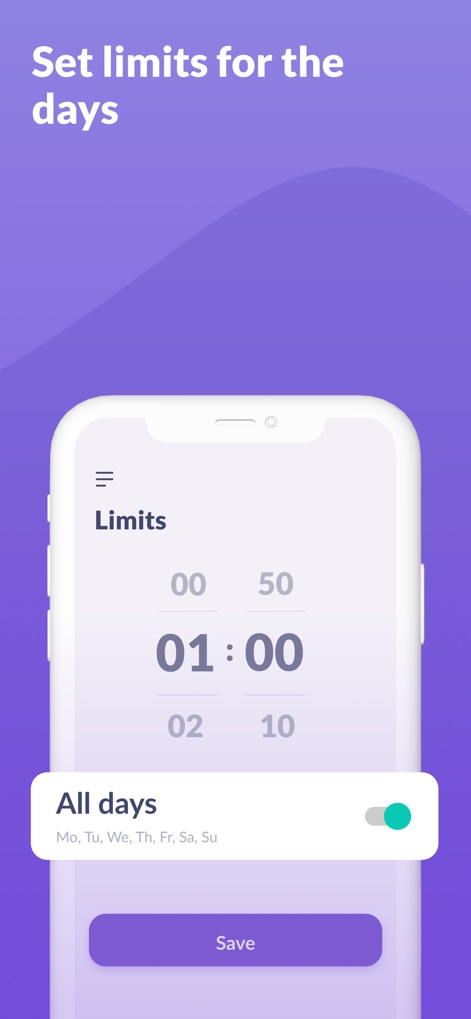
曜日ごとにアプリの利用時間をカスタマイズ設定する画面です。「01:00」と表示される具体的な時間制限と、「All days (Mo, Tu, We, Th, Fr, Sa, Su)」のトグルで週全体の適用状況を調整できます。
週間利用制限
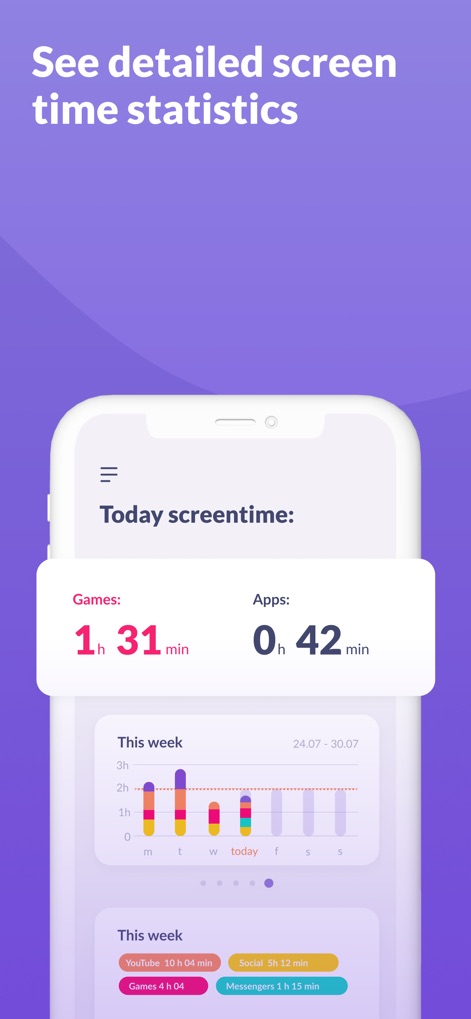
お子様のスマートフォン利用状況を詳細に可視化する統計画面です。「Today screentime: Games 1h 31min」といった今日の利用時間と、週ごとのアプリ使用傾向を示すカラフルな棒グラフで確認できます。
詳細利用統計
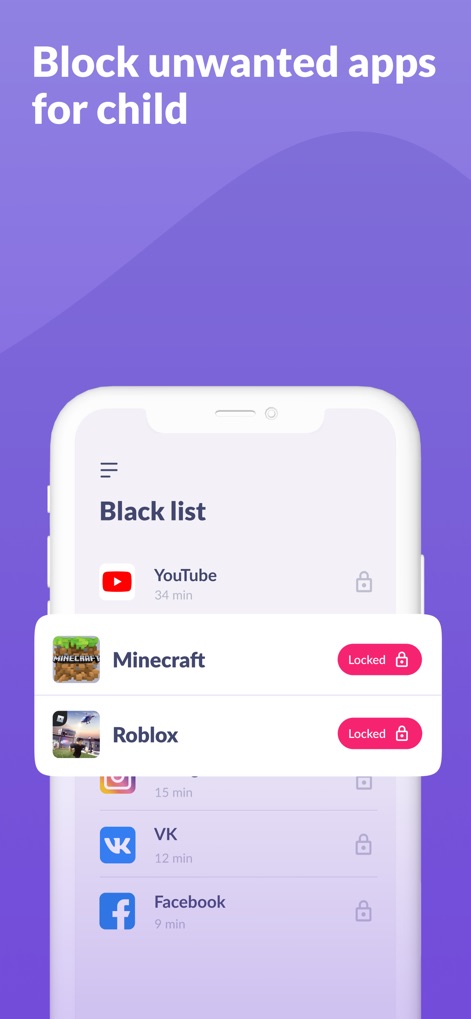
お子様が利用すべきでないアプリをブロックする「Black list」画面です。MinecraftとRobloxに表示されている「Locked」の状態と、各アプリの利用時間表示によって、どのアプリが制限されているかを確認できます。
アプリ制限リスト
説明
Download
類似アプリ
似た機能とユーザー体験を持つアプリ

Findos - Find My Device
Pollux Bilisim Teknolojileri Sanayi ve Ticaret Limited Sirketi

Boost Family Guard
Smith Micro Software, Inc.

Google Family Link
Google LLC

Findmykids: GPS Phone Tracker
LETEM LTD

Nintendo Switch Parental Cont…
Nintendo Co., Ltd.

Parental Control App Kids360
ANKO SOLUTIONS LLC

JusTalk Kids - Safe Messenger
Ningbo Jus Internet Technology Co., Ltd.

FlashGet Kids:parental control
HONGKONG FLASHGET NETWORK TECHNOLOGY CO., LIMITED

Parental Control App: AirDroid
SAND STUDIO CORPORATION LIMITED
このページはアプリまたはその開発者の公式ページではなく、情報提供および論評を目的として作成された独立した編集出版物です。明示的に別段の記載がない限り、アプリおよびその開発者は、MWM、Apple、Google Play、アプリのパブリッシャー、またはアプリの開発者と提携、承認、後援、認可、またはその他の公式的な関係はなく、このページのいかなる内容も、アプリがMWMのサービスを使用して開発されたことを意味するものではありません。すべての商標、ロゴ、スクリーンショット、その他のコンテンツはそれぞれの所有者の財産です。