ByeNoise - Video Audio Editor
ダウンロード: App Store

このページはアプリまたはその開発者の公式ページではなく、情報提供および論評を目的として作成された独立した編集出版物です。明示的に別段の記載がない限り、アプリおよびその開発者は、MWM、Apple、Google Play、アプリのパブリッシャー、またはアプリの開発者と提携、承認、後援、認可、またはその他の公式的な関係はなく、このページのいかなる内容も、アプリがMWMのサービスを使用して開発されたことを意味するものではありません。すべての商標、ロゴ、スクリーンショット、その他のコンテンツはそれぞれの所有者の財産です。

ロゴ: ByeNoise - Video Audio Editor
ダウンロード: App Store

ByeNoise - Video Audio Editor

バックグラウンドノイズを瞬時に除去し、音声を強化。あらゆる動画やポッドキャストでスタジオ品質のサウンドを実現する、クリエイターのためのオールインワンモバイルスタジオ。

主要数値

ダウンロード

201K+

ユーザー評価

4.4/5

評価数

3K+

開発元

Ofir Yagil

カテゴリ

Photo & Video

対応言語

2

最新バージョン

1.3.33

サイズ

43.8 MB

リリース日

2021年3月26日
機能

どこでもプロフェッショナルな音声品質を

ByeNoiseは高度なAIを使用して、生の録音をスタジオグレードのコンテンツに変換します。モバイルデバイスから直接、数秒でファイルをクリーンアップ、編集、強化できます。

プロAIノイズリダクション

風切り音、交通騒音、バックグラウンドハムノイズを瞬時に除去。ワンタップAIクリーニングで、ノイズの多い環境からの映像を救いましょう。

音声フォーカス技術

声を分離し、気を散らす環境音を除去します。クリアに聞こえる必要があるクリエイター、ポッドキャスター、ブロガーに最適です。

以下のスクリーンショットと説明は、アプリの公式ストアリスティングから直接取得されたものであり、アプリ開発者の所有物です。

アプリストア

スクリーンショット
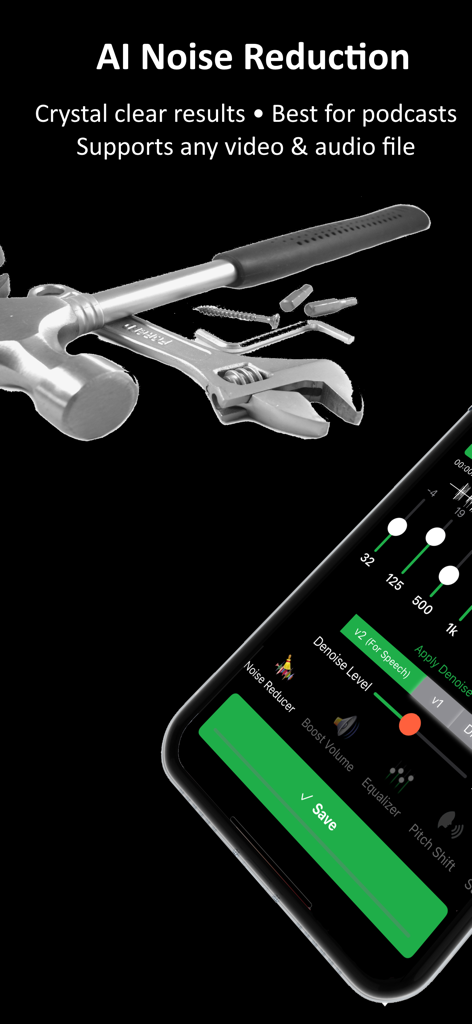
ByeNoise - Video Audio Editor - AIノイズリダクション設定と音声編集ツールを表示するByeNoiseアプリのインターフェース
AIノイズリダクション設定と音声編集ツールを表示するByeNoiseアプリのインターフェース

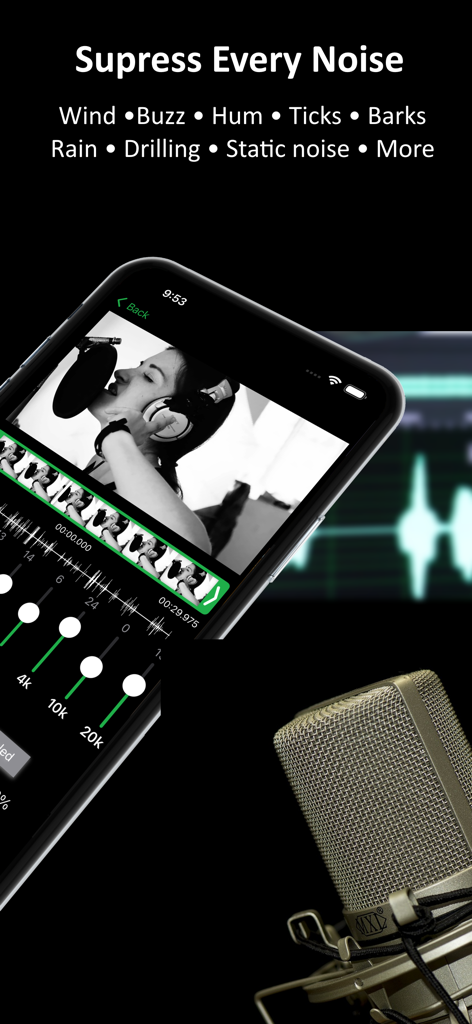
ByeNoise - Video Audio Editor - バックグラウンドノイズ抑制と動画音声編集ツールを表示するByeNoiseアプリのインターフェース
バックグラウンドノイズ抑制と動画音声編集ツールを表示するByeNoiseアプリのインターフェース

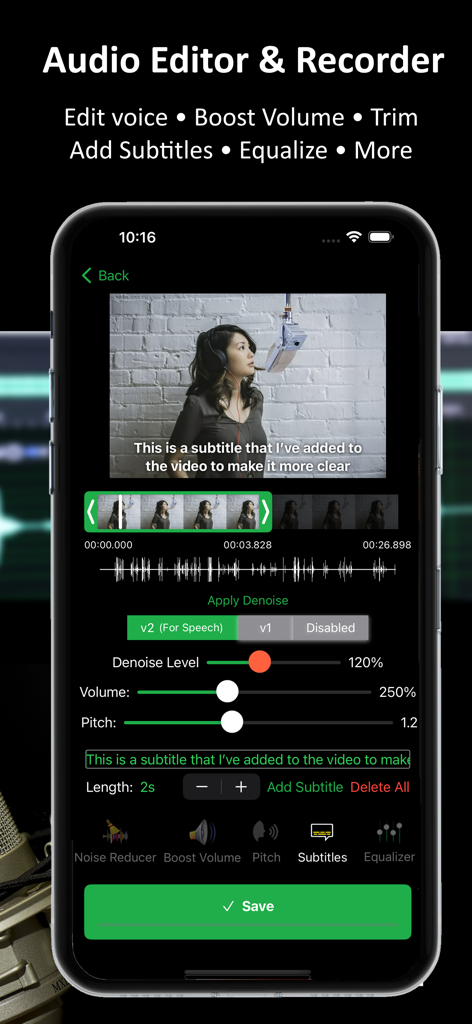
ByeNoise - Video Audio Editor - 動画音声の編集や字幕追加のためのByeNoiseアプリインターフェースを示すスマートフォンの画面
動画音声の編集や字幕追加のためのByeNoiseアプリインターフェースを示すスマートフォンの画面

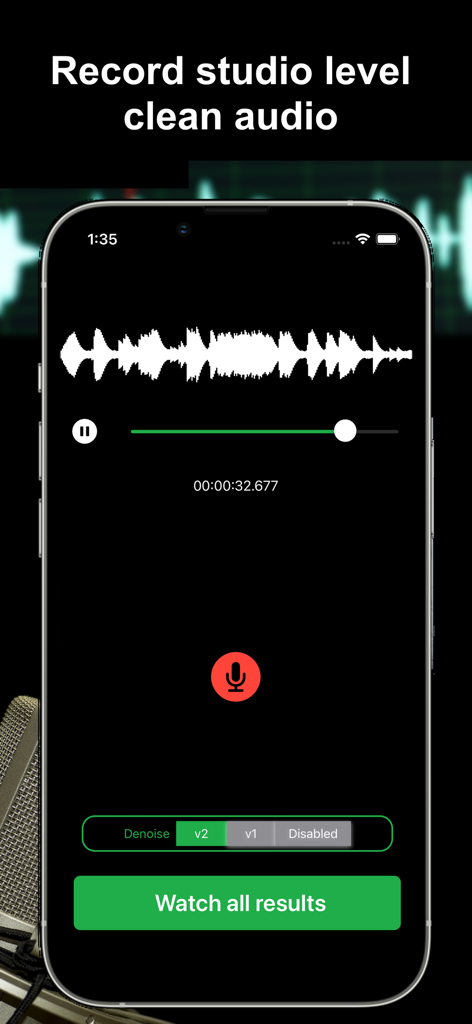
ByeNoise - Video Audio Editor - AIノイズリダクションによるスタジオ品質のクリアな音声録音のためのByeNoiseアプリ画面
AIノイズリダクションによるスタジオ品質のクリアな音声録音のためのByeNoiseアプリ画面

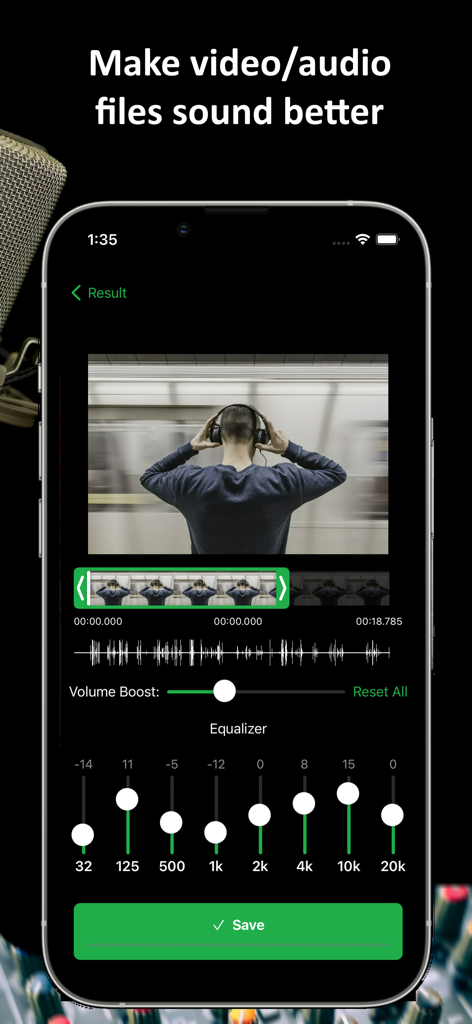
ByeNoise - Video Audio Editor - 動画・音声編集用のグラフィックイコライザーとボリュームブースターを備えたByeNoiseアプリインターフェース
動画・音声編集用のグラフィックイコライザーとボリュームブースターを備えたByeNoiseアプリインターフェース

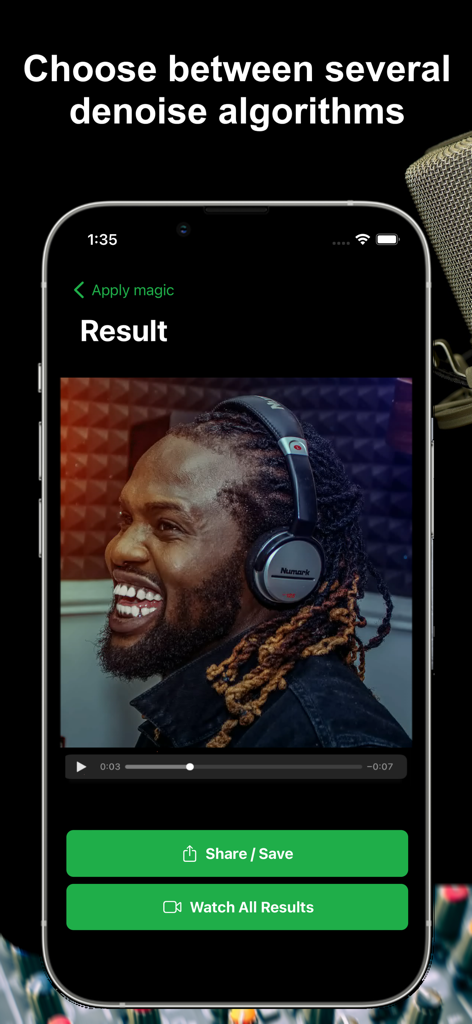
ByeNoise - Video Audio Editor - ヘッドフォンを装着した男性と共有・保存ボタンが表示された、ByeNoiseアプリのノイズ除去結果画面のスクリーンショット
ヘッドフォンを装着した男性と共有・保存ボタンが表示された、ByeNoiseアプリのノイズ除去結果画面のスクリーンショット

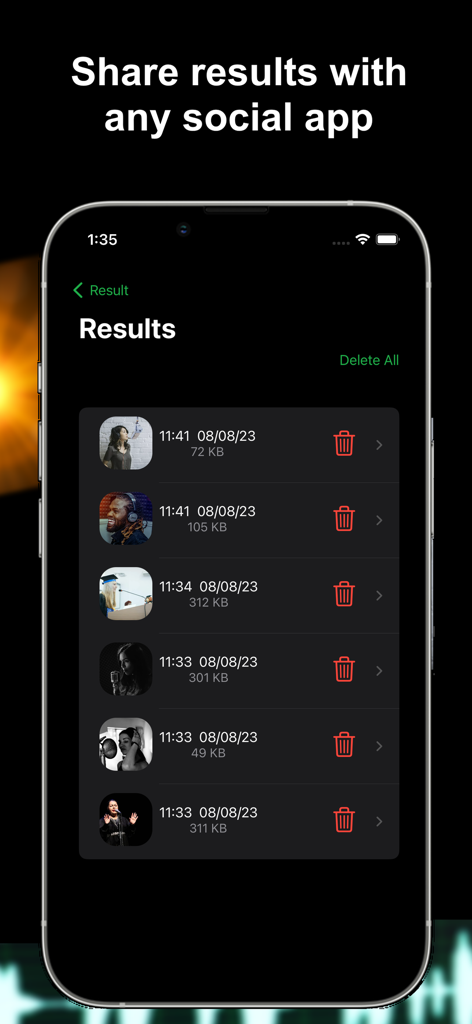
ByeNoise - Video Audio Editor - タイムスタンプとファイルサイズが表示された、ByeNoiseアプリインターフェースの処理済み音声・動画結果のリスト

タイムスタンプとファイルサイズが表示された、ByeNoiseアプリインターフェースの処理済み音声・動画結果のリスト

説明

ByeNoise is a powerful audio editor and noise reduction tool that perfectly cleans the sound of your audio/video files from unwanted background noise. It also works as an audio editor that lets you edit your audio, trim, cut, increase volume, add subtitles, change voice, adjust sound frequencies, boost volume and more. Built in audio recorder to record crystal clean audio and perform AI denoising algorithms on the recordings. Easily clean your audio/video files from unwanted background noise (wind, hums, whistles, buzzes, hiss, whines, fan noise and more) and enhance the important sound (like the speaker, singer or the guitar). Then easily share the clean results with your friends. “...I was surprised by the results and found no traces of noise in my audio recording” (iGeeksBlog) AI NOISE REDUCTION: * Remove background noise from audio/video files with a single tap * Clean noises like wind, hums, whistles, buzzes, hiss, whines, fan noise and more * Load files from photo library, Files app or iCloud * Eliminate static or electrical noise * Choose between a few different smart AI noise reduction algorithms ALL IN ONE AUDIO EDITOR: * Smart graphic equalizer to get better audio quality * Trim, cut and perform other video/audio adjustments * Voice changer * Volume booster * Embed subtitles into the video SMART AUDIO RECORDER: * Audio recorder with AI Noise Reduction that works great for podcasts * Get crystal clear recordings and share with your friends * Create audiobooks or speeches using our recorder to get clean recordings SPEECH ENHANCEMENT FEATURE: * Choose "Speech Only" to remove everything but the speaker * Everything that is not human voice will be removed (if you choose v2-Speech Only) * If you want to keep other important sounds except for noises, choose v1 BOOST VOLUME: * After performing noise reduction you can also boost the important sounds in the video/audio * You can also use the app as a simple volume booster or equalizer to increase file's volume regardless to the iPhone's volume SUPPORTS COMMON VIDEO/AUDIO FORMATS: * Load video formats of MOV, MP4, M4V, FLV, MKV, MPG, 3GP and more * Load audio formats of WAV, MP3, M4A, M4B, AAC, AC3, WMA and more * Or just create your own recordings using our great audio recorder DISCLAIMER: This program was tested and trained with many audio/video files, but it is an impossible task to automatically remove all noises for all kind of videos. It is going to work for most videos/audios but for some it might simply fail (videos with just too many noises or when the main speaker can barely be heard). Note: The free version of this app lets you denoise only the first 30 seconds of your videos (or videos shorter than that). If you enjoy the app, consider subscribing to the pro version and get unlimited features. Please read our terms of service and privacy policy before using the application: * Terms of service - https://ofirapps.blogspot.com/2021/03/video-noise-cleaner-terms-and-conditions.html * Privacy Policy - https://ofirapps.blogspot.com/2021/03/video-noise-cleaner-privacy-policy.html

Download

ダウンロード: App Store

このページはアプリまたはその開発者の公式ページではなく、情報提供および論評を目的として作成された独立した編集出版物です。明示的に別段の記載がない限り、アプリおよびその開発者は、MWM、Apple、Google Play、アプリのパブリッシャー、またはアプリの開発者と提携、承認、後援、認可、またはその他の公式的な関係はなく、このページのいかなる内容も、アプリがMWMのサービスを使用して開発されたことを意味するものではありません。すべての商標、ロゴ、スクリーンショット、その他のコンテンツはそれぞれの所有者の財産です。








