
このページはアプリまたはその開発者の公式ページではなく、情報提供および論評を目的として作成された独立した編集出版物です。明示的に別段の記載がない限り、アプリおよびその開発者は、MWM、Apple、Google Play、アプリのパブリッシャー、またはアプリの開発者と提携、承認、後援、認可、またはその他の公式的な関係はなく、このページのいかなる内容も、アプリがMWMのサービスを使用して開発されたことを意味するものではありません。すべての商標、ロゴ、スクリーンショット、その他のコンテンツはそれぞれの所有者の財産です。


Compress Photos, Resize Image
品質を犠牲にすることなく、数秒で写真を圧縮し、サイズを調整する。このアプリは、デジタル画像を完全に制御する力をユーザーに与える。
ダウンロード
50k+ユーザー評価
評価数
560開発元
カテゴリ
Utilities対応言語
37最新バージョン
1.18サイズ
63.8 MBリリース日
2024年10月12日モバイルファーストのユーザーに向けた効率的な画像最適化ソリューション
Compress Photos, Resize Image: 主要機能分析
写真圧縮
本アプリは、画像の鮮明さと品質を維持しながらファイルサイズを効率的に削減します。これにより、デバイスのストレージを節約し、オンライン共有を高速化することが可能です。
画像リサイズ
ユーザーは、ソーシャルメディア、ウェブサイト、またはその他の特定の要件に合わせて写真の寸法を簡単に調整できます。
一括処理
この機能により、ユーザーは複数の写真を一度に圧縮およびリサイズできるため、作業時間を大幅に節約できます。
プレビューと比較
ユーザーは画像を保存する前に、処理前と処理後の結果を並べて比較できます。これにより、意図しない品質低下を防ぎ、最適な調整を確認することが可能です。
シンプルなインターフェース
本ツールは、初心者でも迅速かつ容易に操作できるように設計されており、直感的なユーザーエクスペリエンスを提供します。
複数フォーマット対応
このアプリは、JPEGやPNGといった一般的な画像フォーマットに対応しており、幅広いファイルタイプの処理を可能にします。
よくある質問
について知っておくべきこと Compress Photos, Resize Image
How does "Compress Photos, Resize Image" reduce photo file size?
Compress Photos, Resize Image reduces file sizes by compressing images while maintaining sharpness and clarity. This helps optimize photos for web use and save storage space without quality loss.
Can I resize images with the Compress Photos, Resize Image app?
Yes, you can resize images with the "Compress Photos, Resize Image" app. It allows users to adjust photo dimensions to fit various requirements, such as social media or websites.
Does "Compress Photos, Resize Image" support batch processing?
Yes, "Compress Photos, Resize Image" supports batch processing. Users can compress and resize multiple photos simultaneously, saving significant time.
What image formats does "Compress Photos, Resize Image" support?
"Compress Photos, Resize Image" supports popular image formats. These include JPEG and PNG, providing flexibility for various image types and uses.
Can I preview the compression results before saving in "Image Compressor & Resizer"?
Yes, "Image Compressor & Resizer" allows users to preview and compare results side by side before saving. This feature ensures satisfaction with the compressed or resized output.
What is the estimated compressed size when using "Compress Photos, Resize Image"?
"Compress Photos, Resize Image" provides an estimated compressed size before processing. For example, three images totaling 7.19 MB can be estimated to compress to 0.18 MB.
How do subscriptions work for the "Compress Photos, Resize Image" app?
"Compress Photos, Resize Image" offers subscriptions that automatically renew. Payment is charged to your Apple ID upon purchase confirmation, and renewals occur 24 hours before the current period ends.
How do I cancel a subscription for "Compress Photos, Resize Image"?
You can cancel your "Compress Photos, Resize Image" subscription at any time. Manage subscriptions and turn off auto-renewal after purchase by going to your App Store account settings.
Does "Compress Photos, Resize Image" offer a free trial?
Yes, "Compress Photos, Resize Image" may offer a free trial. If a trial is provided, the subscription automatically renews after 3 days unless cancelled before the trial period concludes.
Can "Compress Photos, Resize Image" remove the background from images?
Yes, "Compress Photos, Resize Image" includes a feature to remove backgrounds from images. This functionality is accessible directly from the app's home screen.
Does "Compress Photos, Resize Image" preserve the aspect ratio when resizing?
Yes, "Compress Photos, Resize Image" offers the option to preserve the aspect ratio during resizing. A toggle button is available on the resize screen to control this feature.
以下のスクリーンショットと説明は、アプリの公式ストアリスティングから直接取得されたものであり、アプリ開発者の所有物です。
アプリストア
スクリーンショット

このアプリの直感的なホーム画面では、ユーザーは画像を圧縮、リサイズ、または不要な要素をクリアするための主要機能を一目で選択でき、さらに4.9という高い評価が本アプリの品質とユーザー満足度を裏付けています。
簡単操作で多機能
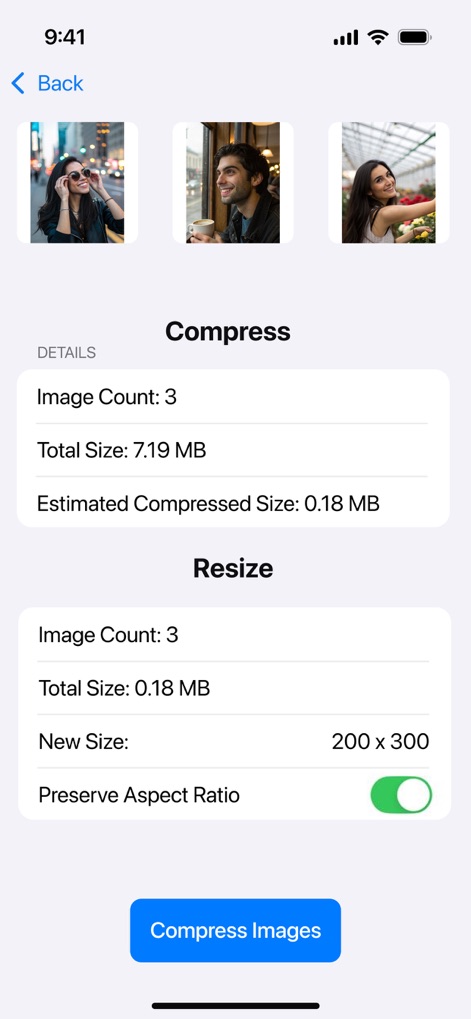
ユーザーは複数の画像を一度に処理でき、元画像合計7.19 MBが0.18 MBに圧縮される推定値を事前に確認できます。また、新しいサイズを200x300に設定し、アスペクト比を保持するオプションも提供されます。
複数画像を一括処理
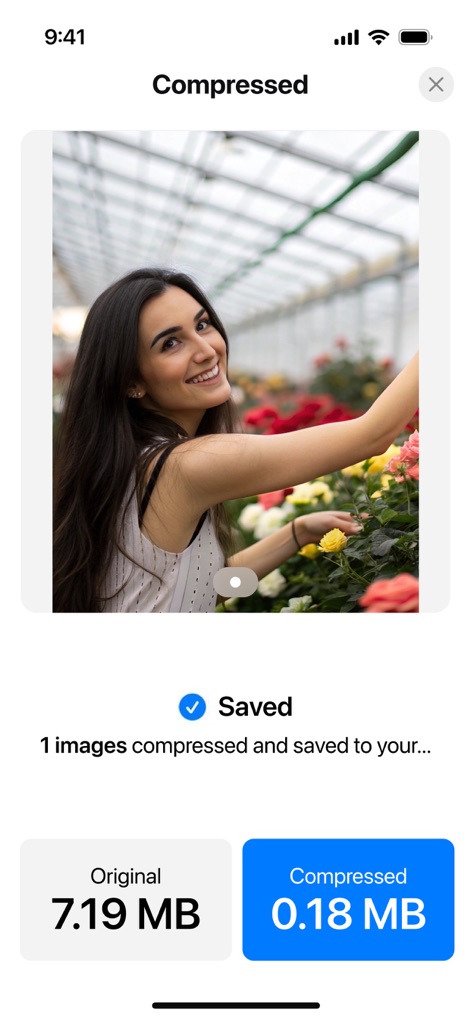
画像圧縮後、ユーザーは元のファイルサイズ7.19 MBが劇的に0.18 MBに削減されたことを明確に確認できます。これにより、容量削減の効果を視覚的に把握し、圧縮後の画像が正常に保存されたことを確認できます。
劇的なサイズ削減
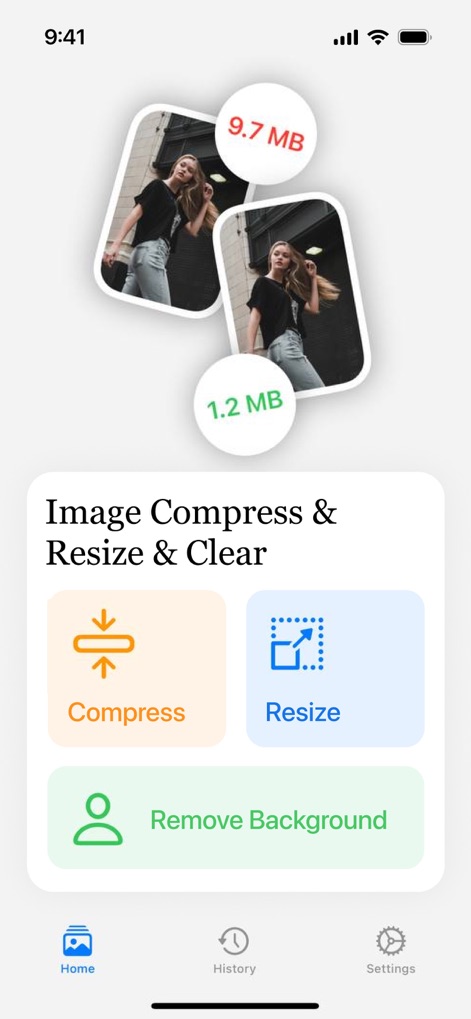
改良されたホーム画面では、画像が9.7MBから1.2MBへ圧縮されるビジュアル比較が分かりやすく表示されます。また、「背景除去」機能を含む主要な画像編集ツールに素早くアクセスでき、下部のナビゲーションで履歴や設定に簡単に移動できます。
直感的ホーム画面
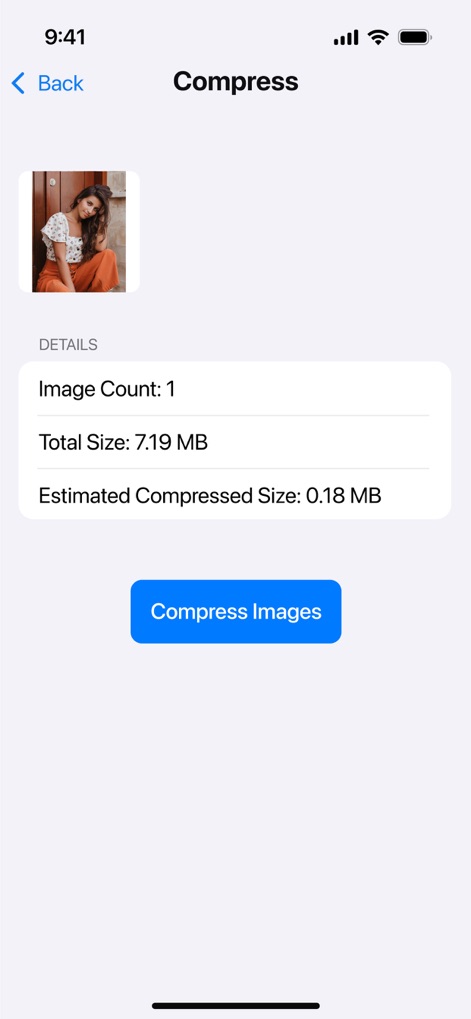
ユーザーは個別の画像に対して、合計サイズ7.19 MBから0.18 MBへの推定圧縮サイズを詳細に確認できます。これにより、圧縮前にファイルサイズの削減効果を正確に把握し、安心して処理を進めることができます。
詳細な圧縮予測
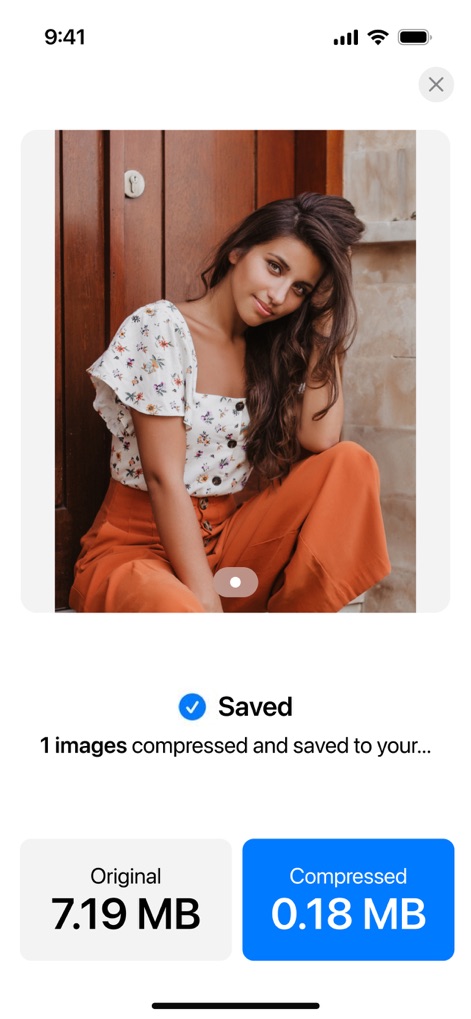
1枚の画像を圧縮した後、ユーザーは元の7.19 MBが0.18 MBに削減されたことを明確に確認できます。この表示により、効率的なファイルサイズ削減の効果を即座に把握し、画像が正常に保存されたことを確認できます。
圧縮効果を即確認
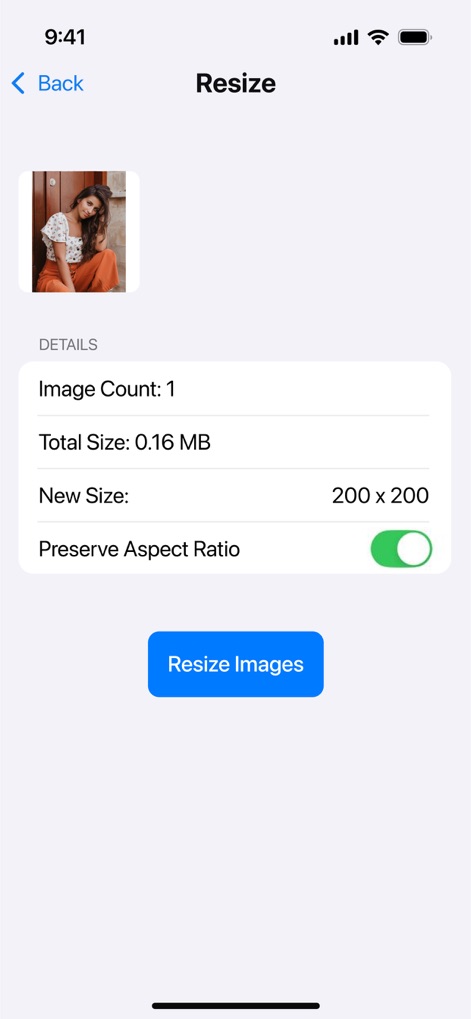
この画面では、ユーザーは個別の画像に対して新しいサイズを200x200に設定できます。アスペクト比を保持するトグルオプションにより、画像の比率を損なうことなく、必要なサイズに調整することが可能です。
サイズ変更を自在に
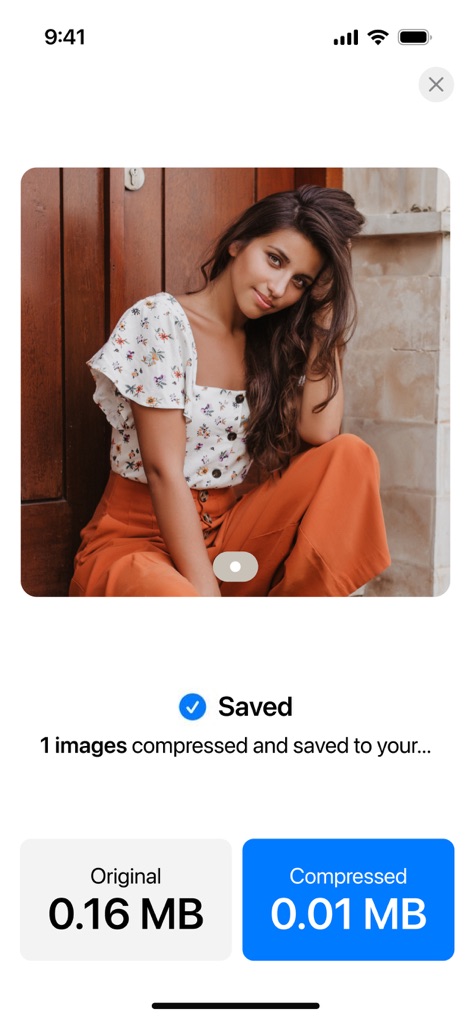
画像の処理後、ユーザーは元の0.16 MBから0.01 MBへと大幅にファイルサイズが削減されたことを確認できます。この効率的な最適化により、品質を維持しながらストレージを節約し、画像が正常に保存されたことを保証します。
最適化された結果
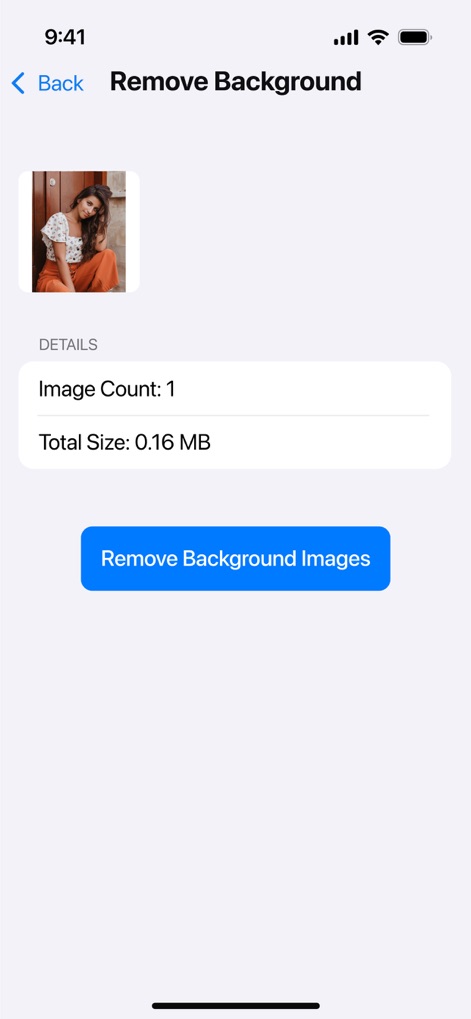
この機能により、ユーザーは簡単に画像の背景を除去する準備ができ、処理前の画像のサイズが0.16 MBであることを確認できます。これにより、被写体を際立たせたクリーンな画像を素早く作成できます。
背景を瞬時に除去
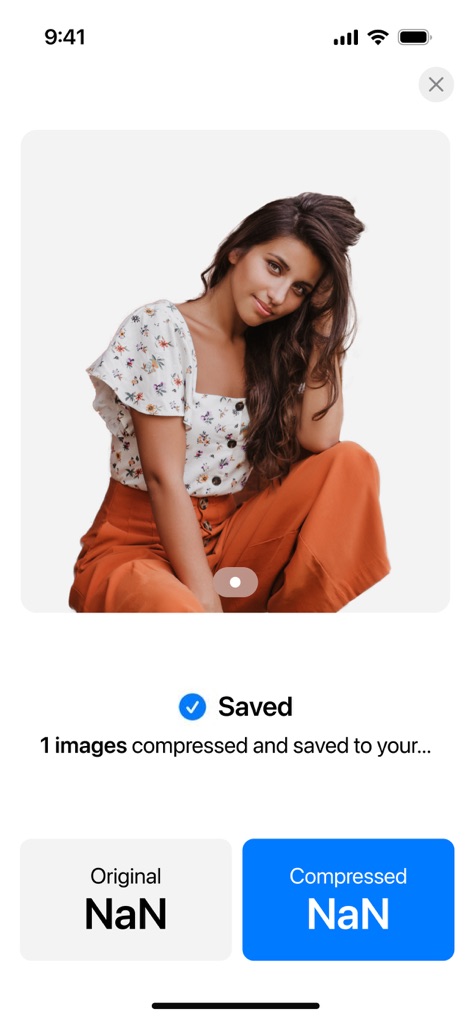
背景除去処理が完了すると、ユーザーは背景が透明になったクリーンな画像をすぐに確認できます。これにより、プロフェッショナルなビジュアルコンテンツを簡単に作成でき、処理された画像が正常に保存されたことを保証します。
クリーンな背景作成
説明
Download
類似アプリ
似た機能とユーザー体験を持つアプリ

Square Fit Photo Video Editor
Honk Honk Punch Pty Ltd

Image Size
Vitalij Schaefer

Compress Photos & Pictures
New Marketing Lab, Inc

JPEG-PNG Image file converter
handyCloset Inc.

Photo Resizer: resize image
Ryoichi Fukugawa

Photo Compress - Shrink Pics
Brachmann Online Marketing GmbH & Co. KG

Size Image
Abdullah Albalawi

Photo & Picture Resizer
Farluner Apps Grzegorz Balcerzak

Easy Photo Compressor
Osawa Shunsuke
このページはアプリまたはその開発者の公式ページではなく、情報提供および論評を目的として作成された独立した編集出版物です。明示的に別段の記載がない限り、アプリおよびその開発者は、MWM、Apple、Google Play、アプリのパブリッシャー、またはアプリの開発者と提携、承認、後援、認可、またはその他の公式的な関係はなく、このページのいかなる内容も、アプリがMWMのサービスを使用して開発されたことを意味するものではありません。すべての商標、ロゴ、スクリーンショット、その他のコンテンツはそれぞれの所有者の財産です。