
このページはアプリまたはその開発者の公式ページではなく、情報提供および論評を目的として作成された独立した編集出版物です。明示的に別段の記載がない限り、アプリおよびその開発者は、MWM、Apple、Google Play、アプリのパブリッシャー、またはアプリの開発者と提携、承認、後援、認可、またはその他の公式的な関係はなく、このページのいかなる内容も、アプリがMWMのサービスを使用して開発されたことを意味するものではありません。すべての商標、ロゴ、スクリーンショット、その他のコンテンツはそれぞれの所有者の財産です。


ダウンロード
7.5M+ユーザー評価
評価数
60.4K開発元
カテゴリ
Photo & Video対応言語
33最新バージョン
15.7サイズ
153.0 MBリリース日
2013年9月1日モバイルユーザーのニーズに応える画像リサイズツールの包括的評価
Image Size アプリ分析: 主要機能評価
高精度な画像リサイズ
このアプリは、ユーザーが望む任意のサイズに画像を迅速かつ簡単にリサイズすることを可能にします。様々なデジタルプラットフォームや印刷形式の要件に合わせて画像を調整するのに役立ちます。
多様な単位でのサイズ指定
本ツールは、ピクセル、ミリメートル、センチメートル、インチの4つの測定単位から選択して、出力形式を正確に指定する機能を提供します。これにより、ユーザーは特定のニーズに合わせて画像を調整できます。
アスペクト比の維持
ユーザーは、幅と高さの入力フィールド間のチェーンアイコンをタップするだけで、アスペクト比を簡単に維持できます。これにより、画像が歪むことなく、元のプロポーションを保ちます。
豊富な共有・保存オプション
最終的な画像を保存、メール送信、印刷、または共有するオプションが提供されます。これにより、ユーザーは加工した画像を様々なプラットフォームや手段で活用できます。
簡潔な操作ワークフロー
このアプリは、「画像を開く/撮影する」「希望の出力サイズを入力する」「マルチタッチジェスチャーで画像をクロップする」「保存/印刷/送信/共有する」というわずか4つの簡単なステップで画像リサイズを完了できます。
直感的な画像クロップ
ユーザーは、マルチタッチジェスチャーを使用して指で画像をクロップできます。これにより、リサイズ前に画像の構図を視覚的かつ直感的に調整することが可能です。
不要なオブジェクトの除去
このアプリは、アプリ内課金により、画像から不要なオブジェクトを削除できる消しゴム機能を提供します。これにより、写真のクリーンアップと改善が可能です。
広告の非表示化
別のアプリ内課金により、アプリ内の広告を完全に削除することが可能です。これにより、より集中できる、途切れることのないユーザー体験が提供されます。
よくある質問
について知っておくべきこと Image Size
How do I resize an image using the Image Size app?
The Image Size app resizes images in four steps: open/take a photo, input desired output size, crop with multitouch gestures, then save, print, send, or share the image.
What measurement units does Image Size app offer for resizing?
The Image Size app supports resizing images using four units of measurement: pixels, millimeters (mm), centimeters (cm), and inches. Users select the desired unit from the interface.
Does Image Size app maintain the original aspect ratio during resizing?
Yes, the Image Size app preserves the aspect ratio when resizing. Users tap the chain icon located between the width and height input fields to activate this function.
How can I save or share an image in the Image Size app?
After resizing, the Image Size app provides options to save, email, print, or share the final image. These actions are available directly within the app's interface.
Does the Image Size app include an object eraser tool?
Yes, the Image Size app includes an eraser tool for removing objects from images. This feature requires a one-time in-app purchase to unlock its functionality.
How do I remove advertisements from the Image Size app?
Advertisements in the Image Size app are removed through a one-time in-app purchase. This purchase permanently disables all ads within the application.
What is the maximum image size in pixels for resizing in Image Size app?
The Image Size app supports a maximum resize dimension of 8000 pixels. This limit applies to either the width or height of the image during the resizing process.
Can Image Size app use preset paper sizes for printing?
Yes, the Image Size app allows selection of preset paper sizes for printing, such as Letter, Legal, and Tabloid. This option is available when using inches as the unit of measurement.
What image formats does Image Size app support for output?
The Image Size app supports JPEG and HEIC as output formats for saving images. Users can also choose JPEG, ZIP, or HEIC for email attachments and maintain PNG format.
以下のスクリーンショットと説明は、アプリの公式ストアリスティングから直接取得されたものであり、アプリ開発者の所有物です。
アプリストア
スクリーンショット
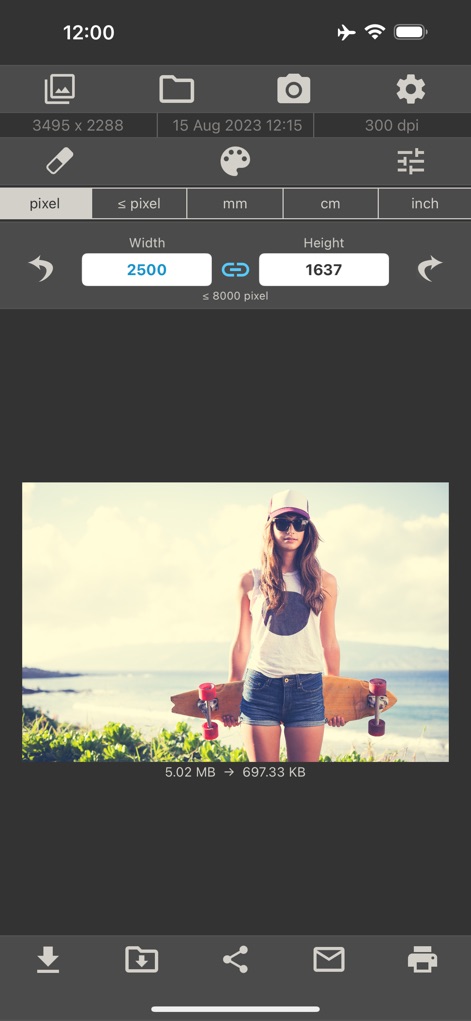
幅と高さの入力フィールドと連鎖アイコンにより、ユーザーはピクセル単位で画像のサイズを正確に調整できます。
ピクセル単位で調整

画像は指定されたピクセルサイズ(例:1080x1080)で正方形にリサイズされ、アスペクト比を保持しながら画像のサイズとファイルサイズを最適化できます。
正方形にトリミング
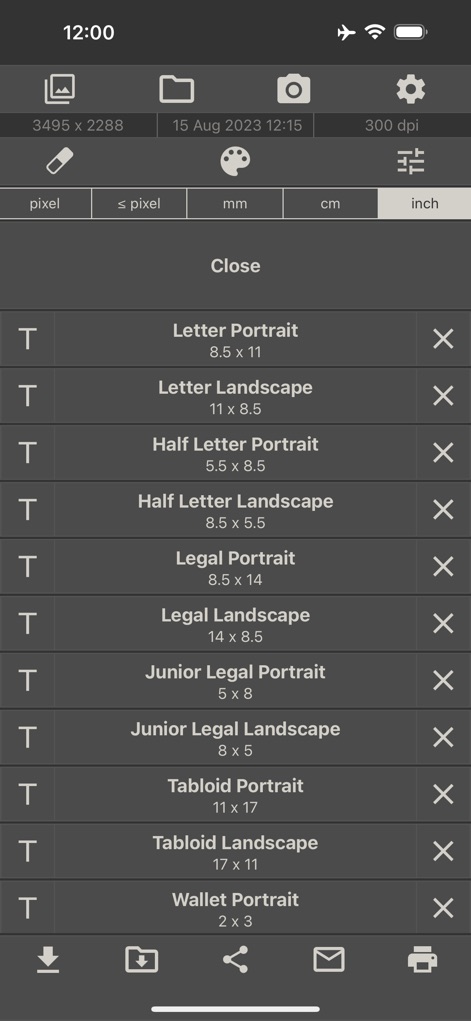
インチ単位で「Letter Portrait」や「Wallet Portrait」など、さまざまな標準印刷サイズテンプレートが利用できます。
多様な印刷サイズ
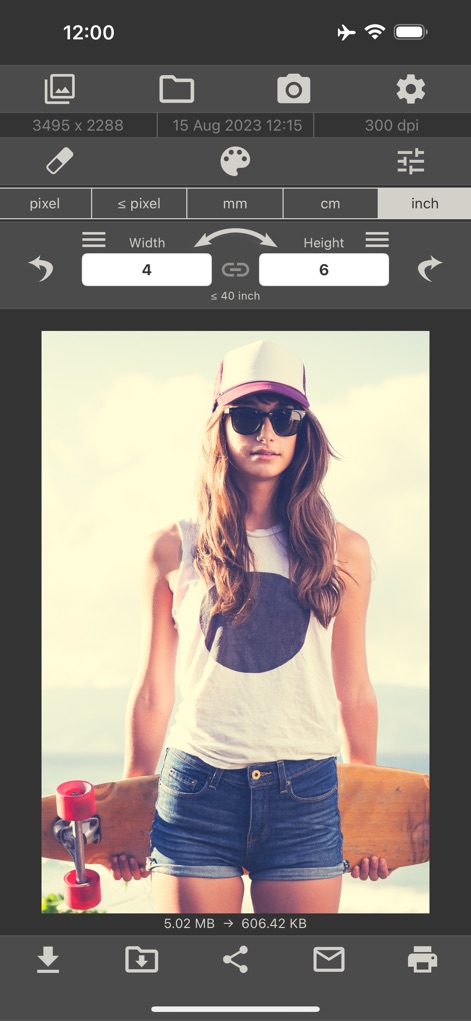
インチ単位での正確なサイズ入力(例:4x6インチ)が可能で、連鎖アイコンによりアスペクト比を維持しながら画像の寸法を調整できます。
インチで簡単設定
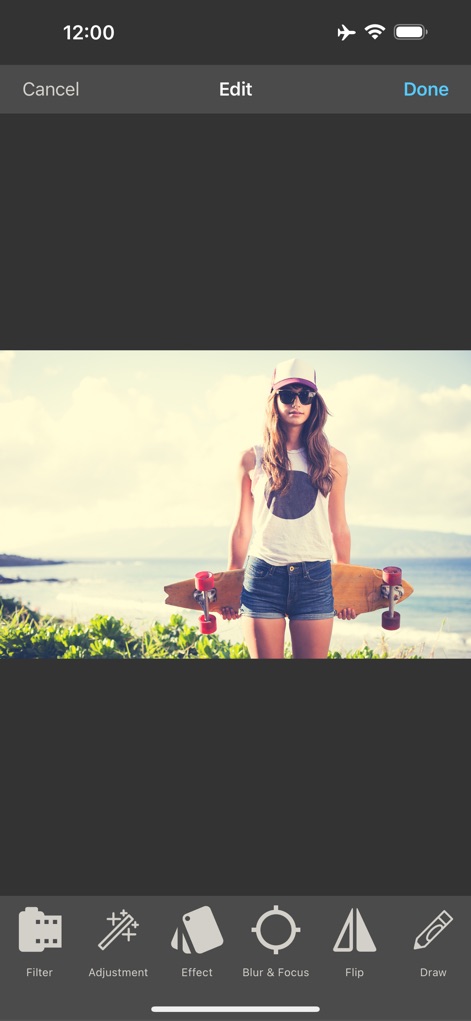
フィルター、調整、エフェクト、ぼかし&フォーカスなどの多様な編集ツールが利用可能で、画像表現を豊かにできます。
クリエイティブ編集ツール
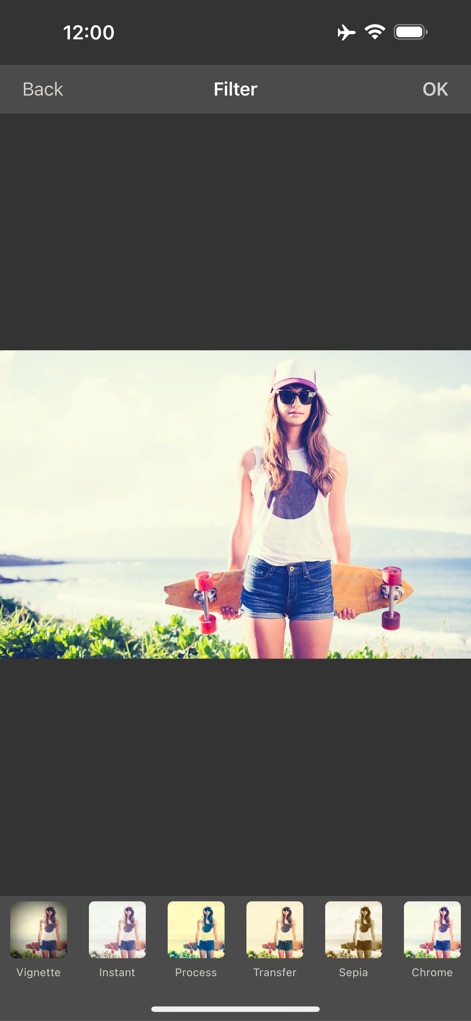
ビネット、インスタント、セピア、クロームなどの多様なプロフェッショナルフィルターがサムネイルで表示され、画像に芸術的な表現を加えることができます。
プロフェッショナルフィルター
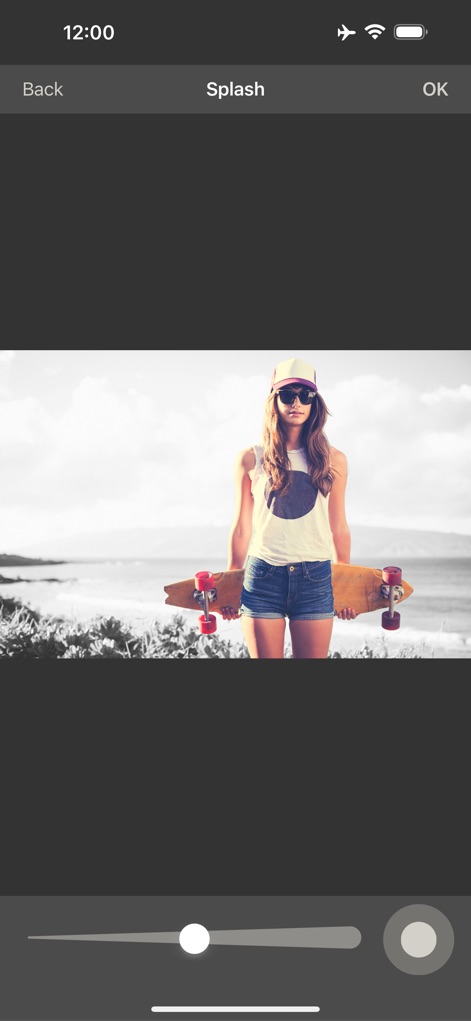
スライダーを使用して画像の特定部分に色彩を残し、背景をモノクロにするスプラッシュ効果を適用でき、印象的な視覚効果を創造できます。
スプラッシュ効果
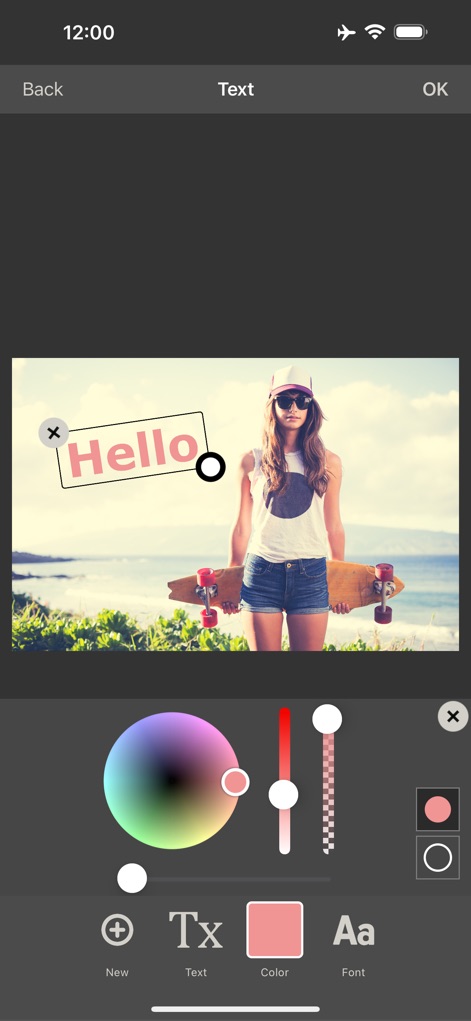
画像に「Hello」のようなテキストを簡単に追加でき、カラースライダーとフォント選択オプションを使ってカスタマイズされたメッセージを作成できます。
テキストオーバーレイ
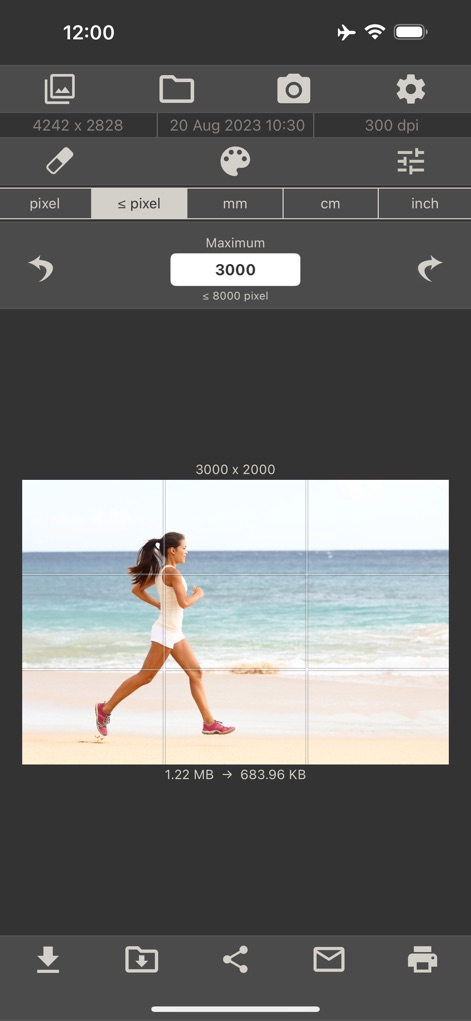
画像上に表示されるグリッドと「Maximum」ピクセルサイズ(例:3000)の指定により、正確な画像トリミングが可能です。
グリッドで精密調整
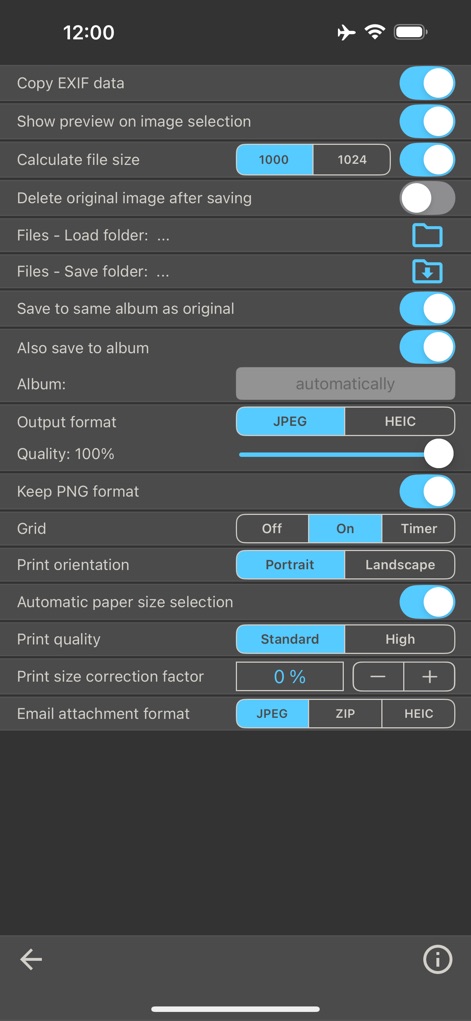
EXIFデータのコピー、ファイルサイズの計算、JPEGやHEICの出力形式選択など、ユーザーは詳細な設定オプションを調整して、出力画像を完全に制御できます。
詳細設定オプション
説明
Download
類似アプリ
似た機能とユーザー体験を持つアプリ

Square Fit Photo Video Editor
Honk Honk Punch Pty Ltd

Compress Photos & Pictures
New Marketing Lab, Inc

JPEG-PNG Image file converter
handyCloset Inc.

Compress Photos, Resize Image
SMDA GROUP SP. Z OO

Photo Resizer: resize image
Ryoichi Fukugawa

Photo Compress - Shrink Pics
Brachmann Online Marketing GmbH & Co. KG

Size Image
Abdullah Albalawi

Photo & Picture Resizer
Farluner Apps Grzegorz Balcerzak

Easy Photo Compressor
Osawa Shunsuke
このページはアプリまたはその開発者の公式ページではなく、情報提供および論評を目的として作成された独立した編集出版物です。明示的に別段の記載がない限り、アプリおよびその開発者は、MWM、Apple、Google Play、アプリのパブリッシャー、またはアプリの開発者と提携、承認、後援、認可、またはその他の公式的な関係はなく、このページのいかなる内容も、アプリがMWMのサービスを使用して開発されたことを意味するものではありません。すべての商標、ロゴ、スクリーンショット、その他のコンテンツはそれぞれの所有者の財産です。