
このページはアプリまたはその開発者の公式ページではなく、情報提供および論評を目的として作成された独立した編集出版物です。明示的に別段の記載がない限り、アプリおよびその開発者は、MWM、Apple、Google Play、アプリのパブリッシャー、またはアプリの開発者と提携、承認、後援、認可、またはその他の公式的な関係はなく、このページのいかなる内容も、アプリがMWMのサービスを使用して開発されたことを意味するものではありません。すべての商標、ロゴ、スクリーンショット、その他のコンテンツはそれぞれの所有者の財産です。


ダウンロード
2.5M+ユーザー評価
評価数
27.8K開発元
カテゴリ
Graphics & Design対応言語
14最新バージョン
7.5.7サイズ
235.9 MBリリース日
2017年7月26日'Drawing Desk: Sketch Paint Art' の主要機能評価
アプリケーション機能分析
総合描画ツール
本アプリは100種類以上の精密な描画ツール、カスタマイズ可能なブラシ設定、写真編集、テキスト追加、自動保存などの機能を利用し、幅広いデジタルアート作品の制作を可能にします。
塗り絵機能
29カテゴリ500種類以上の画像が用意されており、ユーザーは多様なテーマの塗り絵でリラックスし、創造性を楽しむことができます。
高度なスケッチブック
200種類以上のブラシと高度なレイヤーサポートにより、ユーザーは複雑な作品制作や繊細な調整が可能となり、よりプロフェッショナルな表現を実現できます。
画像参照描画
既存の画像を参考にしたり、作品の基盤として利用したりすることで、ユーザーは描画の精度を高め、創造的な可能性を広げることができます。
ピクセルアート
レトロな8ビットグラフィックを再現するグリッドベースのツールにより、ユーザーは精密なピクセル画像、スプライト、アイコンを簡単に作成し、独自の8ビットビジョンを実現できます。
マンダラ描画
再生オプション、色カスタマイズ、塗りつぶしツールなどを用いて、ユーザーはリラックスしながら自分だけのマンダラアートを制作し、創造的な自由を体験できます。
スマッジアート
色をぼかしたり混ぜたりする機能により、ユーザーは動きや感情を表現する芸術的な作品を簡単に生み出し、デジタルキャンバスに奥行きを与えられます。
ドゥードゥルパッド
シンプルな描画ツールでアイデアを素早く書き留め、コミュニティと簡単に共有することで、創造的なコミュニケーションを促進します。
よくある質問
について知っておくべきこと Drawing Desk: Sketch Paint Art
What features does Drawing Desk: Sketch Paint Art offer for digital art?
Drawing Desk: Sketch Paint Art offers 105 precise drawing tools, customizable brushes, photo import, text addition, 200 HD stickers, undo/redo, rulers, shapes, and automatic saving. It provides a comprehensive digital art experience for creativity.
Can I trace images using the Drawing Desk: Sketch Paint Art app?
Yes, Drawing Desk: Sketch Paint Art includes an 'Image Base Drawing' feature, allowing users to trace existing images. The AR Drawing mode also facilitates tracing any image and projecting AR art onto paper.
Does Drawing Desk: Sketch Paint Art offer drawing tutorials and lessons?
Yes, Drawing Desk: Sketch Paint Art provides over 1000 lessons and step-by-step tutorials to guide users in learning how to draw. It also includes features to track drawing progress.
How many brushes are available in Drawing Desk: Sketch Paint Art?
The Sketch Book feature in Drawing Desk: Sketch Paint Art provides over 200 brushes across 12 popular categories. Additionally, the Drawing Desk feature includes 105 precise drawing tools for versatile artwork.
What is the Smudge Art feature in Drawing Desk: Sketch Paint Art?
Smudge Art in Drawing Desk: Sketch Paint Art is a feature that allows users to blur and blend colors. This transforms digital canvases, capturing the essence of movement and emotion within artwork.
Does Drawing Desk: Sketch Paint Art include a coloring book?
Yes, Drawing Desk: Sketch Paint Art features a comprehensive Coloring Book. It offers 29 categories and over 500 images for coloring, alongside advanced filters and editing tools for creative expression.
What are the subscription prices for Drawing Desk: Sketch Paint Art?
Drawing Desk: Sketch Paint Art offers premium subscriptions: Weekly for $4.99, Monthly for $9.99, and Yearly for $39.99. Prices are for United States customers and may vary in other countries.
Does Drawing Desk: Sketch Paint Art provide a free trial?
Yes, Drawing Desk: Sketch Paint Art offers free trial periods for its premium subscriptions. Users can choose between a 1-week trial or a 3-day trial option to experience the app's full features.
How does the AR Drawing feature work in Drawing Desk: Sketch Paint Art?
The AR Drawing feature in Drawing Desk: Sketch Paint Art allows users to trace images, utilize the device camera for drawing, and project AR art onto physical paper for traditional drawing with digital guidance.
Can I create pixel art with Drawing Desk: Sketch Paint Art?
Yes, Drawing Desk: Sketch Paint Art includes a 'Pixel Art' feature. This grid-based tool allows users to craft intricate digital art, creating precise pixel images, sprites, and icons reminiscent of retro 8-bit graphics.
以下のスクリーンショットと説明は、アプリの公式ストアリスティングから直接取得されたものであり、アプリ開発者の所有物です。
アプリストア
スクリーンショット

既存の画像をキャンバスに重ねて簡単にトレースできます。ARドローイングインターフェースで精密な調整が可能です。
画像をトレース
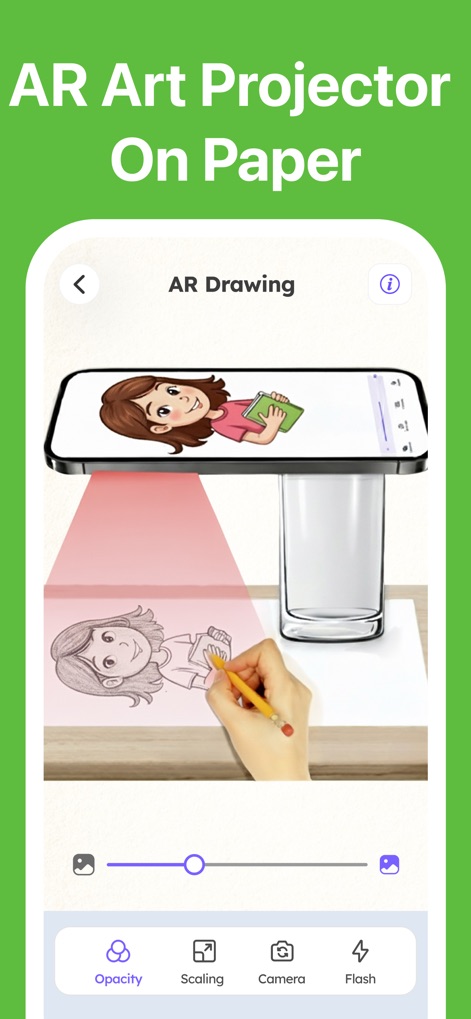
本アプリのARプロジェクション機能を使えば、紙に画像を投影して直接トレースできます。オパシティと拡大縮小のコントロールで描画が容易になります。
ARでアート投影
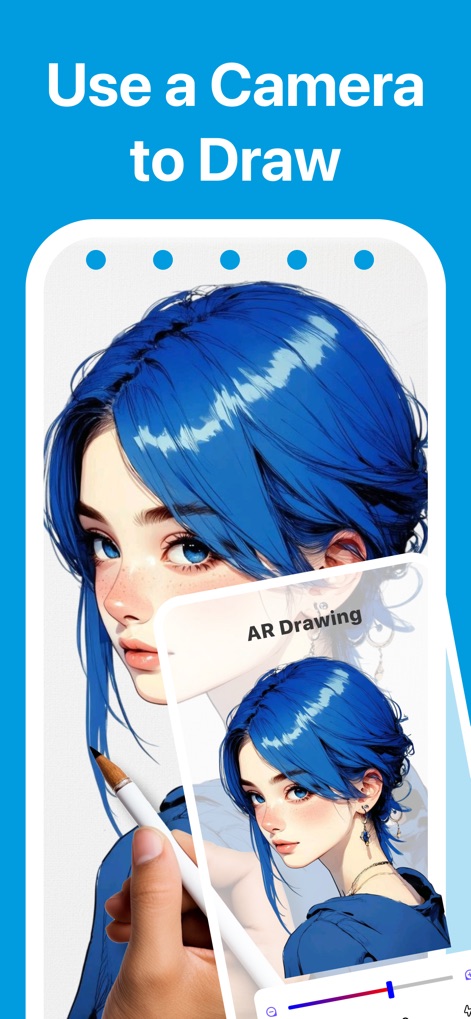
デバイスのカメラを活用し、現実世界に画像を重ねて描画体験を強化できます。AR重ね合わせ機能により、複雑なイラストも正確に再現可能です。
カメラで描画
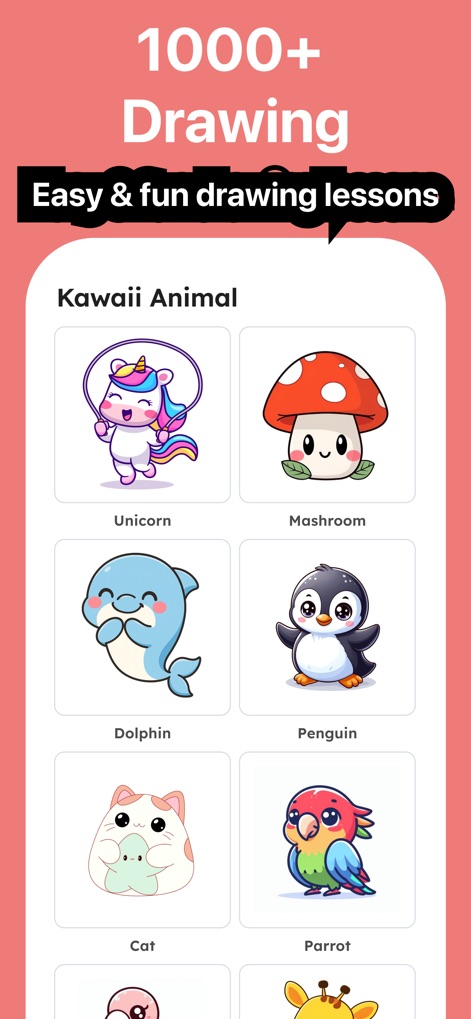
ユーザーは1000以上の描画レッスンから、楽しく簡単にアートを学べます。特に「かわいい動物」のような多様なカテゴリが用意されています。
豊富な描画レッスン
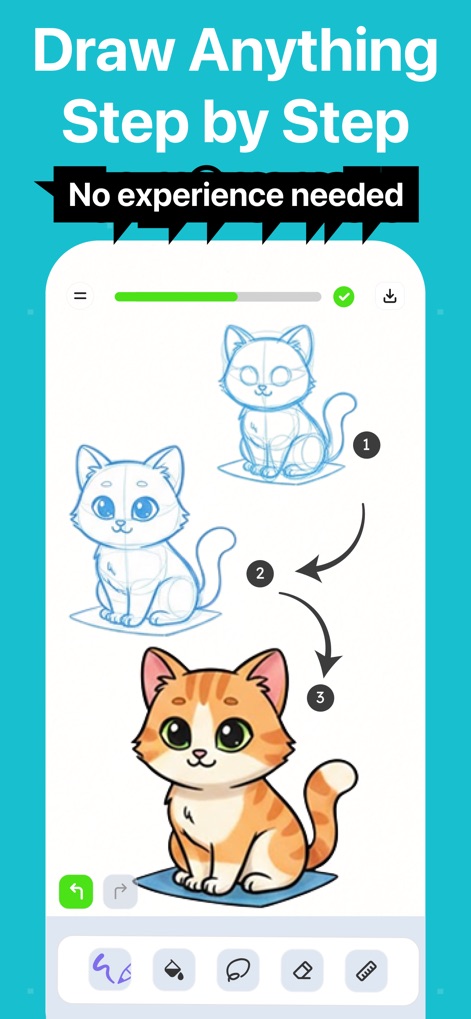
経験不要で、どんな絵もステップバイステップガイドに従って描けます。下部の描画ツール選択肢から最適なツールを選んで制作を進めることが可能です。
ステップで簡単描画
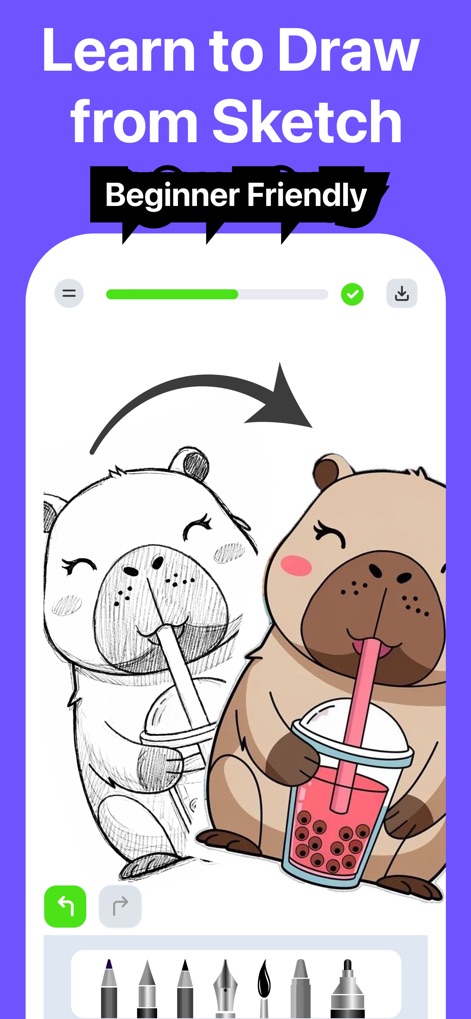
スケッチから完成まで、イラストの描き方を学べる初心者向けの機能です。明確なガイドと進捗表示で、ユーザーは迷うことなく創作を楽しめます。
スケッチから学ぼう
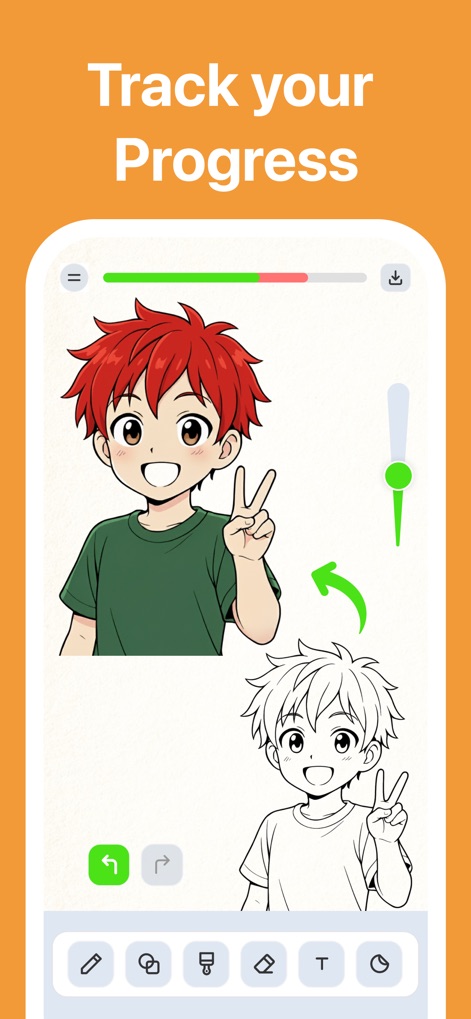
トップバーの進捗状況追跡機能で、ユーザーは作品の完成度を一目で確認できます。また、下部の直感的な編集ツールで簡単に修正や調整が可能です。
進捗管理
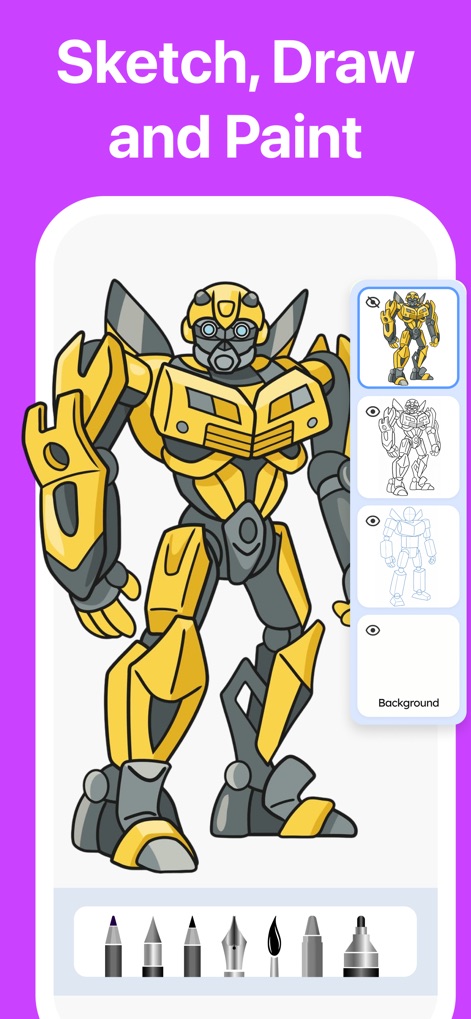
本アプリは、スケッチから描画、着色まで一貫した制作プロセスをサポートします。サイドパネルのレイヤー管理機能と、下部に並ぶ多彩な描画・着色ツールで、表現の幅が広がります。
スケッチ、描画、着色
説明
Download
類似アプリ
似た機能とユーザー体験を持つアプリ

Sketchbook®
Sketchbook, Inc.

Mental Canvas Draw
Mental Canvas, Inc.

ibis Paint
ibis inc.

ibis Paint X
ibis inc.

Paper: Sketch, Draw & Create
Evernote Corporation

Adobe Fresco: Draw & Paint App
Adobe Inc.

Art Set 4
Lofopi Ltd

MediBang Paint – Drawing & Art
MediBang inc.

Tayasui Sketches
SKETCHES SRL
このページはアプリまたはその開発者の公式ページではなく、情報提供および論評を目的として作成された独立した編集出版物です。明示的に別段の記載がない限り、アプリおよびその開発者は、MWM、Apple、Google Play、アプリのパブリッシャー、またはアプリの開発者と提携、承認、後援、認可、またはその他の公式的な関係はなく、このページのいかなる内容も、アプリがMWMのサービスを使用して開発されたことを意味するものではありません。すべての商標、ロゴ、スクリーンショット、その他のコンテンツはそれぞれの所有者の財産です。