Exposure Equivalence
Download on App Store

This page is not an official page of the app or its developer, but an independent editorial publication created for informational and commentary purposes. Unless expressly stated otherwise, neither the app nor its developer is affiliated with, endorsed by, sponsored by, authorized by, or otherwise officially connected with MWM, Apple, Google Play, the app publisher, or the app's developer, and nothing on this page implies that the app was developed using MWM's services. Any trademarks, logos, screenshots, and other content remain the property of their respective owners.


Logo of Exposure Equivalence
Download on App Store

Exposure Equivalence

Master the Sunny 16 rule and complex ND filter math with a distraction-free, professional-grade calculator designed for film and landscape photographers.

Key Figures

Downloads

0

User Rating

1.0/5

Total Ratings

0

Publisher

Rob Duell PhD

Category

Photo & Video

Locales

1

Latest Version

4.0

Size

2.0 MB

First Released

Oct 23, 2023
Features

Master the Physics of Light

A precision exposure calculator designed for analog purists and landscape photographers. Balance your settings with scientific accuracy using the Sunny 16 rule and EV100 scales.

Seamless ND Filter Math

Eliminate mental fatigue by instantly calculating exposure compensation for high-density filters during long exposures.

Dynamic Exposure Balancing

Adjust Aperture, ISO, and Shutter Speed in real-time to reach a perfect zero-stop offset for any lighting condition.

The following screenshots and description are sourced directly from the app's official store listing and are the property of the app developer.

App Store

Screenshots
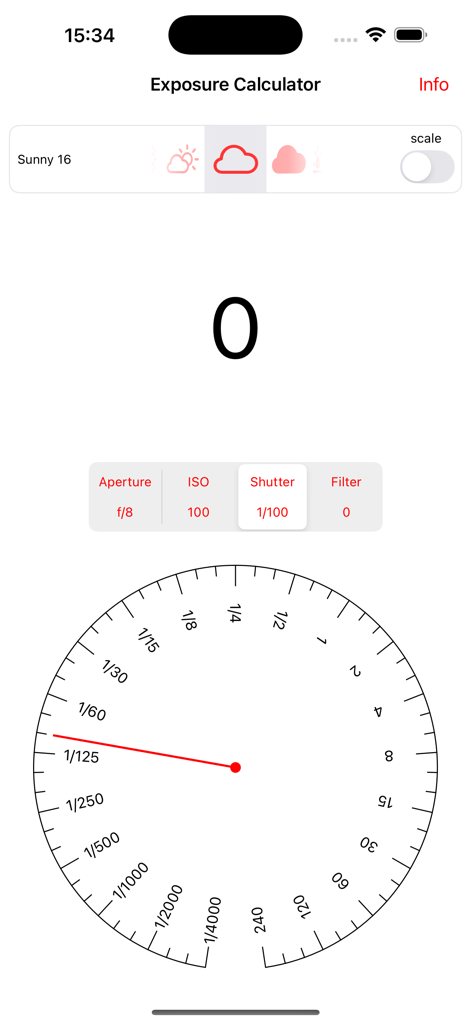
Exposure Equivalence - Interface of the Exposure Equivalence app showing a circular shutter speed dial and exposure balancing settings for manual photography.
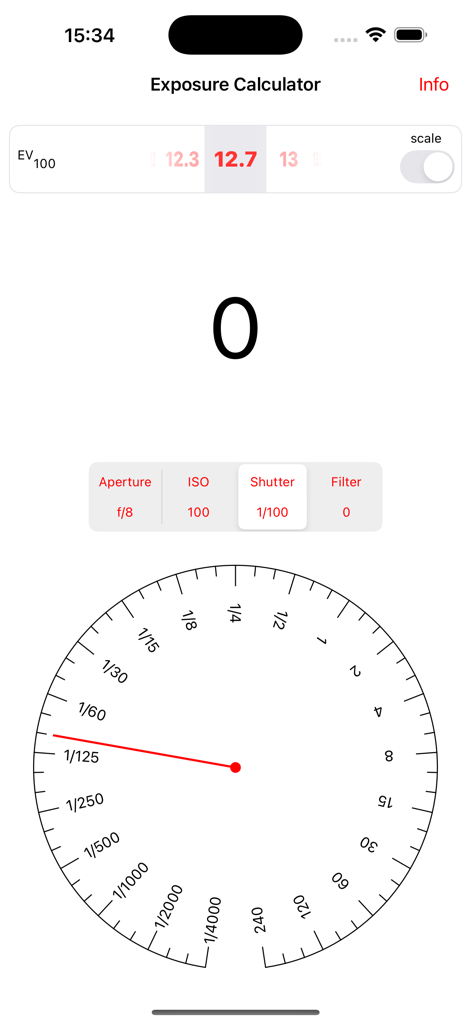
Interface of the Exposure Equivalence app showing a circular shutter speed dial and exposure balancing settings for manual photography.

Exposure Equivalence - Exposure Equivalence app interface showing a circular shutter speed dial and a large zero indicating balanced exposure settings.
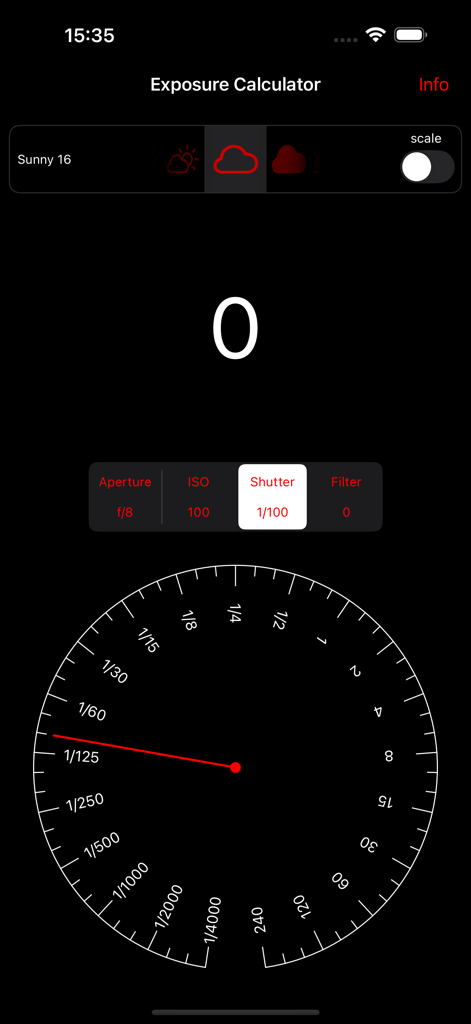
Exposure Equivalence app interface showing a circular shutter speed dial and a large zero indicating balanced exposure settings.

Exposure Equivalence - Exposure Equivalence app interface featuring an analog shutter speed dial and Sunny 16 rule exposure balance display.
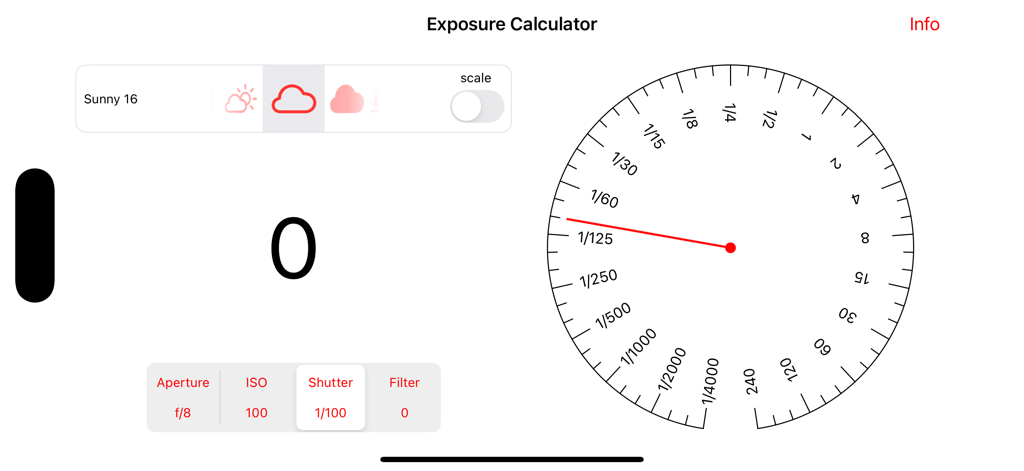
Exposure Equivalence app interface featuring an analog shutter speed dial and Sunny 16 rule exposure balance display.

Exposure Equivalence - Exposure Equivalence app interface showing the shutter speed dial and Sunny 16 exposure settings
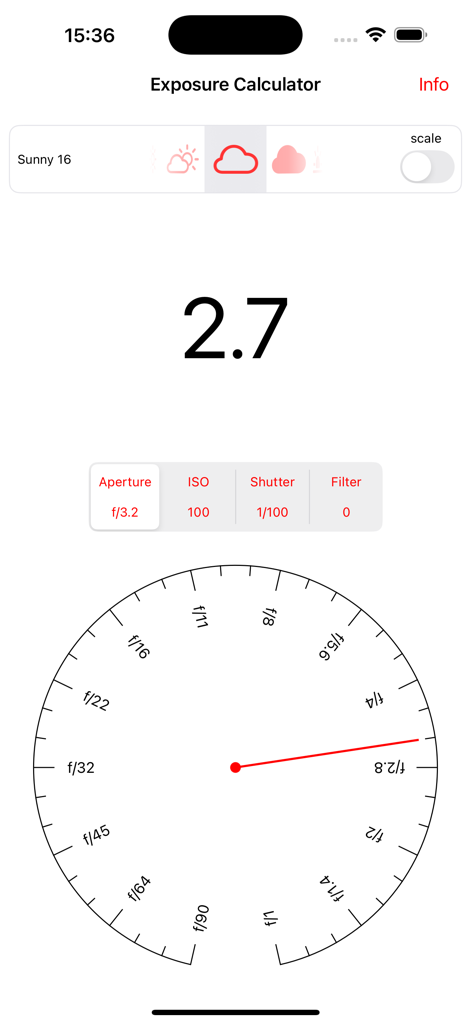
Exposure Equivalence app interface showing the shutter speed dial and Sunny 16 exposure settings

Exposure Equivalence - Exposure Equivalence app interface showing the exposure calculator with an aperture dial and Sunny 16 presets
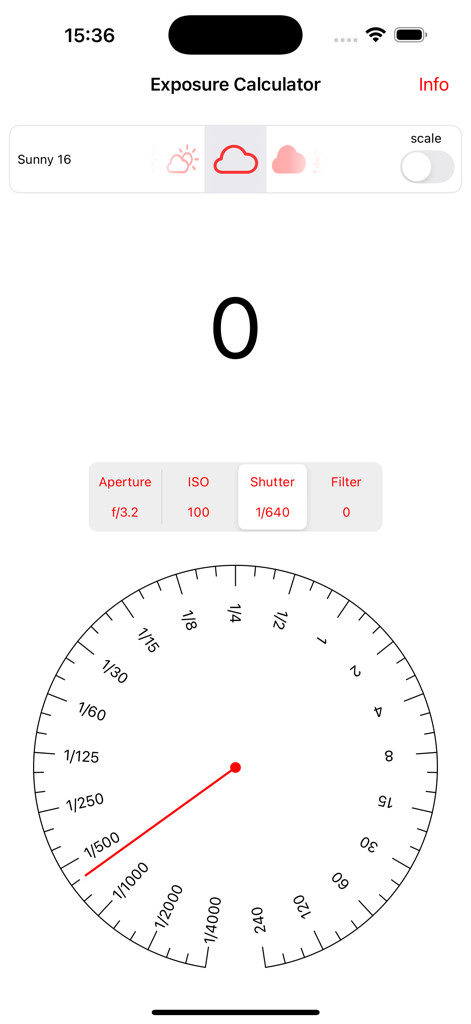
Exposure Equivalence app interface showing the exposure calculator with an aperture dial and Sunny 16 presets

Exposure Equivalence - Exposure Equivalence mobile app interface for calculating shutter speed and manual exposure settings
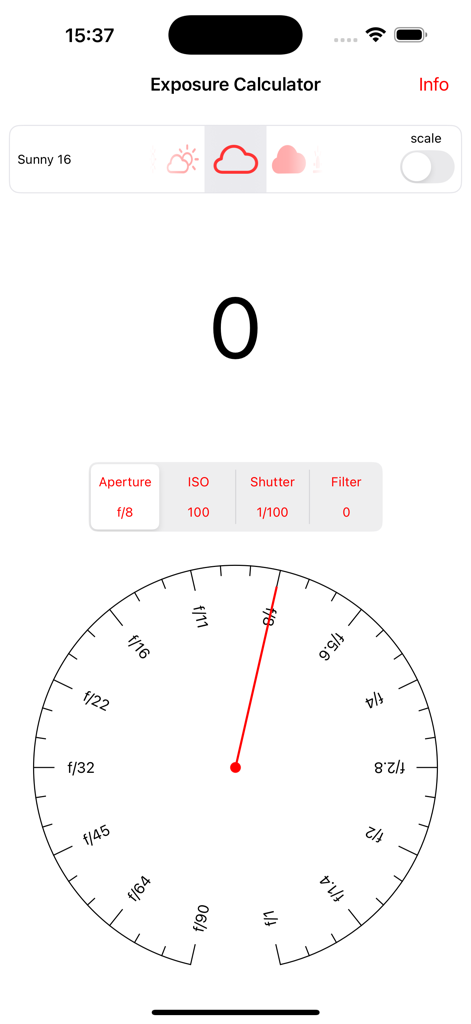
Exposure Equivalence mobile app interface for calculating shutter speed and manual exposure settings

Exposure Equivalence - Exposure Calculator screen showing aperture dial and Sunny 16 settings
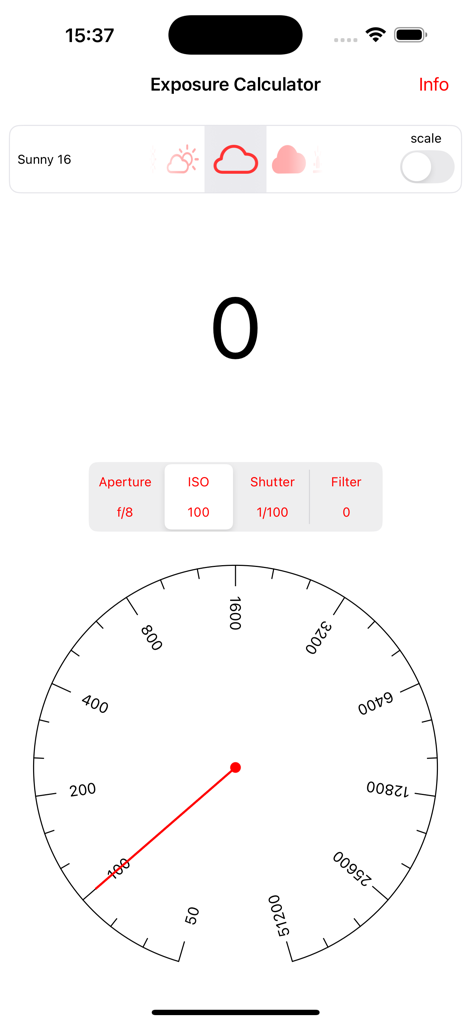
Exposure Calculator screen showing aperture dial and Sunny 16 settings

Exposure Equivalence - Exposure Equivalence app interface showing an ISO selection dial and Sunny 16 lighting conditions

Exposure Equivalence app interface showing an ISO selection dial and Sunny 16 lighting conditions
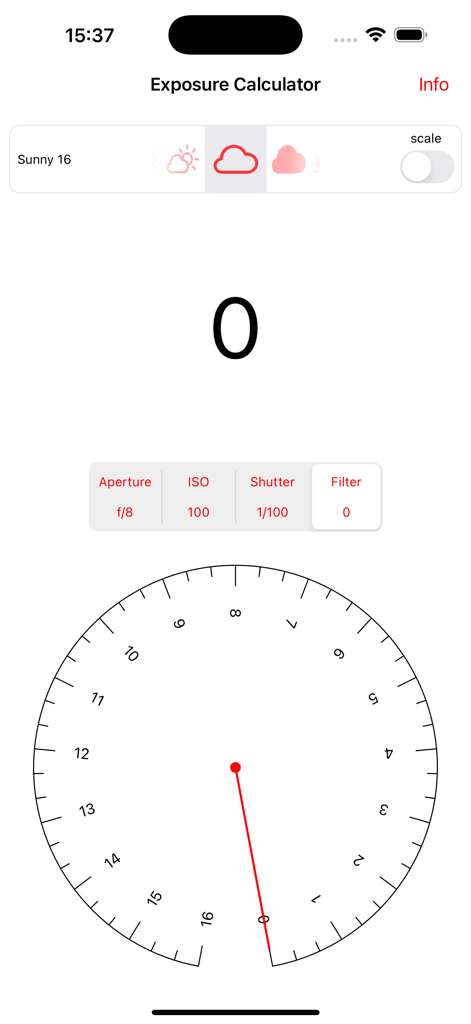
Exposure Equivalence - Exposure Equivalence app interface showing the exposure calculator with sunny 16 presets and a balance dial
Exposure Equivalence app interface showing the exposure calculator with sunny 16 presets and a balance dial

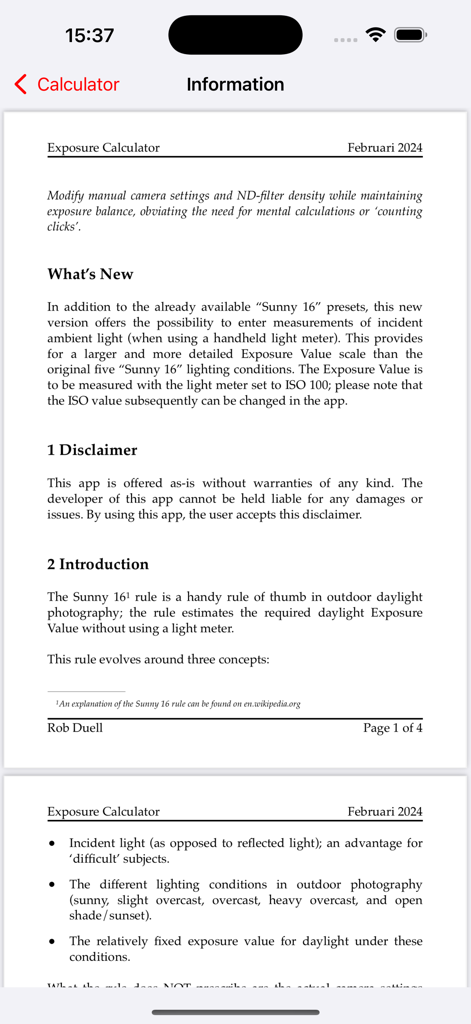
Exposure Equivalence - The information page of the Exposure Equivalence app explaining the Sunny 16 rule and technical photography concepts.

The information page of the Exposure Equivalence app explaining the Sunny 16 rule and technical photography concepts.

Description

The Sunny 16 rule is a handy rule of thumb in outdoor daylight photography; the rule estimates the required daylight Exposure Value without using a light meter. This rule evolves around three concepts: 1) Incident light (as opposed to reflected light); an advantage for ‘difficult’ subjects.
 2) The different lighting conditions in outdoor photography (sunny, slight overcast, overcast, heavy overcast, and open shade/sunset).
 3) The relatively fixed exposure value for daylight under these conditions. What the rule does NOT prescribe are the actual camera settings (aperture, ISO and shutter speed) that you can use, as long as the combination of manual camera settings lead to an equivalent exposure value as specified by the rule. And this is exactly where the Exposure Calculator app comes in: it lets you a) change settings for aperture, ISO and shutter speed, and
 b) use ND-filters for which the filter density (the filter exposure compensation value) can be taken into account, c) balance out all these settings to achieve a correct exposure in accordance with the entered lighting condition (either a Sunny 16 preset or a measured EV100 ). The calculator supports the balancing process by indicating the resulting overall exposure value in stops RELATIVE to the selected lighting condition, taking into account a selected filter density. 
The calculator can also be used as a ‘training device’, where you first guess the required combination of settings for balance, and subsequently check these with the calculator. Explanation for the calculator screen, from top to bottom: A) In the ‘lighting condition panel’, select a lighting condition. In the new version of this app, you can select a lighting condition from either the “Sunny 16” presets-scale, or from a more extended scale of Exposure Values (assumed to be measured at ISO 100). On the right side of this panel, you can switch between the two scales (“Sunny 16” or “EV100”). B) The number display indicates whether the selected settings are in balance (indicated by 0), or whether a correction in the settings is necessary (indicated by a negative number for under exposure, of a positive number for over exposure) C) If you want to change settings for aperture, ISO, shutter speed or filter density, you can select this in the switch just below the number display. Of course changing settings will lead to the number display increasing or decreasing; this exposure offset needs to be balanced out by using (a combination of) the other settings, until the displayed number becomes 0 again. The switch itself continuously displays the selected values for aperture, ISO, shutter speed and filter density. D) The circular controls for aperture, ISO, shutter speed or filter density are displayed below (when the screen is in ‘portrait mode’) or to the right (in ‘landscape mode’). You can change the settings for the circular control either by tapping on the control or by moving the pointer. Further characteristics: - No in-app purchases - No account, no login - No advertisements

Download

Download on App Store

This page is not an official page of the app or its developer, but an independent editorial publication created for informational and commentary purposes. Unless expressly stated otherwise, neither the app nor its developer is affiliated with, endorsed by, sponsored by, authorized by, or otherwise officially connected with MWM, Apple, Google Play, the app publisher, or the app's developer, and nothing on this page implies that the app was developed using MWM's services. Any trademarks, logos, screenshots, and other content remain the property of their respective owners.