
このページはアプリまたはその開発者の公式ページではなく、情報提供および論評を目的として作成された独立した編集出版物です。明示的に別段の記載がない限り、アプリおよびその開発者は、MWM、Apple、Google Play、アプリのパブリッシャー、またはアプリの開発者と提携、承認、後援、認可、またはその他の公式的な関係はなく、このページのいかなる内容も、アプリがMWMのサービスを使用して開発されたことを意味するものではありません。すべての商標、ロゴ、スクリーンショット、その他のコンテンツはそれぞれの所有者の財産です。


Filmora HD-Video Editor&Maker
デスクトップ編集のパワーをiPadとiPhoneで活用。AI駆動のビート検出から高度なキーフレーム、Appleデバイス間のクラウド同期まで、あなたの想像力をソーシャルメディア向けのインパクトのある4Kストーリーに変えましょう。
ダウンロード
1M+ユーザー評価
評価数
3K+開発元
カテゴリ
Photo & Video対応言語
20最新バージョン
14.3.27サイズ
380.8 MBリリース日
2020年6月30日プロフェッショナルなパワーとモバイルのシンプルさ
高度な編集ツール、AI自動化、そして現代のクリエイターのために設計されたシームレスなマルチデバイスワークフローで、あなたのクリップをシネマティックストーリーに変えましょう。
AI駆動の自動化
音声からテキストへの変換と、サウンドトラックのリズムに完璧にカットを同期するビート検出で、手作業の時間を節約しましょう。
シネマティックプロツール
iPadとiPhoneに最適化された直感的なインターフェースで、スピードランプ、マスキング、キーフレームなどのハイエンドテクニックをマスターしましょう。
よくある質問
について知っておくべきこと Filmora HD-Video Editor&Maker
Filmora HD-Video Editor&Makerとは何ですか?
Filmoraは、ユーザーがクリップ、写真、音楽からビデオストーリーを作成できる、簡単でありながら強力なビデオエディターです。高度な機能、音楽、ステッカー、フィルター、エフェクト、トランジションが含まれています。
Filmoraはソーシャルメディアプラットフォーム向けのVlog作成に使用できますか?
はい、Filmoraを使用すると、ユーザーはVlogをすばやく作成し、YouTube、TikTok、Facebook、Instagramなどのプラットフォームで共有できます。プロジェクトプレゼンテーションビデオの作成もサポートしています。
Filmoraはクロスデバイスでのプロジェクト編集をサポートしていますか?
はい、Filmoraはプロジェクトファイルの相互転送をサポートしています。ユーザーはプロジェクトをクラウドに保存して、いつでもどこでもビデオを編集でき、iPad/iPhoneやMacなどのデバイス間でプロジェクトを継続できます。
Filmoraはどのような高度な編集機能を提供していますか?
Filmoraは、マスク、音声テキスト変換(STT)、速度調整(カーブスピード)、キーフレームアニメーション、ピクチャーインピクチャー(PIP)、4Kエクスポートなどの高度な機能を提供しています。
Filmoraはオーディオ編集機能と音楽リソースを提供していますか?
はい、Filmoraには、ビート検出、オーディオクリップの分割、音量コントロールなどのオーディオ編集機能が含まれています。また、音楽ライブラリ、効果音、ボイスオーバーオプションも提供しています。
ユーザーはFilmoraビデオにテキストやステッカーを追加できますか?
はい、Filmoraを使用すると、ユーザーはビデオや写真にテキストを追加してパーソナライズできます。また、創造的な表現のためのさまざまな楽しいステッカーも提供しています。
Filmoraで利用できるビジュアルエフェクトの種類は何ですか?
Filmoraは、明るさと温度の調整、カスタマイズ可能なフィルター、オーバーレイ、クールなトランジションなど、さまざまなビジュアルエフェクトを提供して、ビデオの外観を強化します。
Filmora Unlimitedサブスクリプションはどのようなメリットがありますか?
Filmora Unlimitedサブスクリプションは、すべての機能、限定フィルターやエフェクトなどの有料編集素材、4Kビデオエクスポートへのアクセスを提供します。また、ビデオからウォーターマークが自動的に削除されます。
Filmoraのサブスクリプションオプションは何ですか?
Filmoraは、月次、年次、または買い切り購入を含むサブスクリプションオプションを提供しています。自動更新が少なくとも24時間前にオフにされない限り、サブスクリプションは自動的に更新されます。
Filmoraは4K解像度でビデオをエクスポートできますか?
はい、Filmoraは4Kビデオエクスポートをサポートしています。この機能はFilmora Unlimitedサブスクリプションに含まれており、作成したビデオの高品質な共有を可能にします。
Filmora HD-Video Editor&Makerアプリは誰が開発しましたか?
WondershareがFilmora HD-Video Editor&Makerを開発しました。Wondershareは、150か国以上の数百万人のユーザーにサービスを提供する、アプリケーションソフトウェア開発におけるグローバルリーダーです。
Filmora HD-Video Editor&Makerにはマルチトラックエディターがありますか?
はい、Filmora HD-Video Editor&Makerにはマルチトラックエディターが搭載されています。これにより、インターフェースで示されているように、1つの列での完全な表示で簡単な操作と効率的な編集が可能になります。
Filmoraプロジェクトは複数のデバイス間で共有および編集できますか?
はい、Filmoraはプロジェクトファイルの相互転送をサポートしています。ユーザーはプロジェクトをクラウドに保存できるため、いつでもさまざまなデバイスでプロジェクトを共有および編集できます。
Filmoraで利用できる外出先での編集オプションは何ですか?
Filmoraを使用すると、正確な分割、ビデオクロッピング、複数のスケールキャンバスオプションで外出先でも簡単にビデオを編集でき、柔軟なモバイル編集機能を提供します。
Filmoraはさまざまなフィルターとエフェクトを提供していますか?
はい、Filmoraは、シネマティックフィルター、トレンドエフェクト、ダイナミックトランジションなど、ビデオの美学を強化するためのさまざまなクールなフィルターとエフェクトを提供しています。
Filmoraのビデオ共有とエクスポート機能は何ですか?
Filmoraは、4K 60fpsエクスポートや非破壊エクスポートなど、高品質な共有をサポートしています。また、Instagram、Facebook、YouTube、TikTokなどのプラットフォームへのワンクリック共有も提供しています。
Filmoraには豊富なリソースライブラリが含まれていますか?
はい、Filmoraは豊富なリソースライブラリを提供しています。カスタムテキストのオプションや、創造的なビデオ強化のための2000以上のトレンディな音楽トラックやステッカーが含まれています。
Filmoraはプロフェッショナル編集のためにキーフレームアニメーションをサポートしていますか?
はい、Filmoraはキーフレームアニメーションをサポートしています。このプロフェッショナル機能は、複雑なプロジェクト編集のニーズに対応するように設計されており、ビデオ要素とエフェクトを正確に制御できます。
Filmoraではクロマキーなどのプロフェッショナル編集機能が利用できますか?
はい、Filmoraは、クロマキー、マスク、カーブスピード、ノイズ除去、音声テキスト変換などのプロフェッショナル編集機能を提供しています。クロマキーツールはインターフェースで表示されています。
以下のスクリーンショットと説明は、アプリの公式ストアリスティングから直接取得されたものであり、アプリ開発者の所有物です。
アプリストア
スクリーンショット
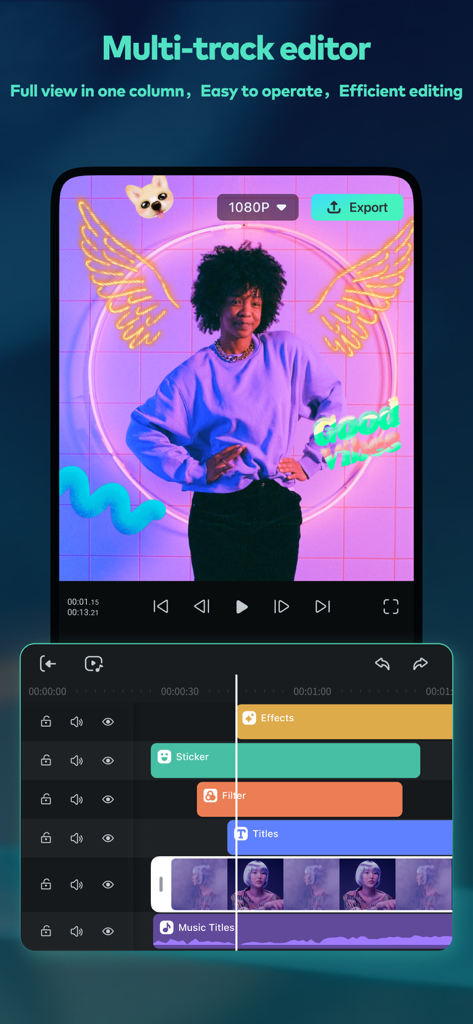
Filmora HDビデオエディターアプリのインターフェース。ビデオエフェクトとステッカーを備えたマルチトラックタイムラインを表示しています
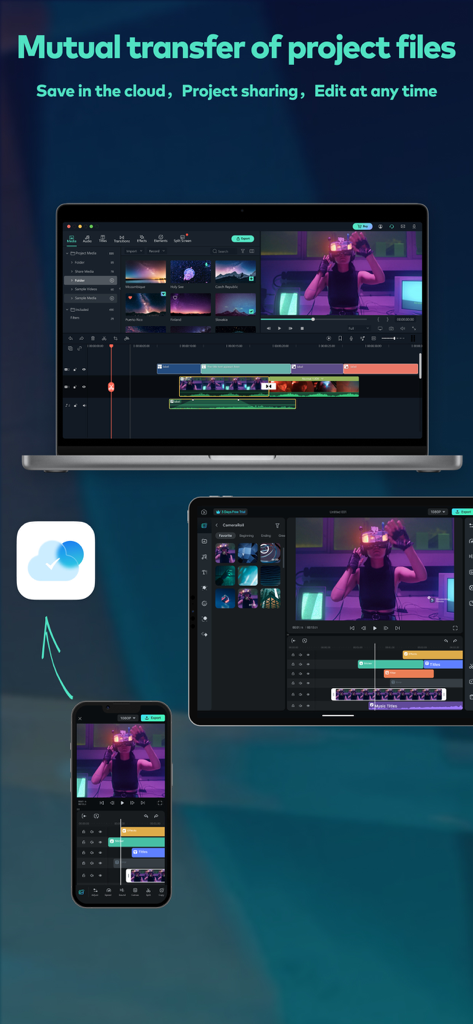
Filmora HDビデオ編集プロジェクトが、クラウド経由でiPhone、iPad、Mac間で同期されています
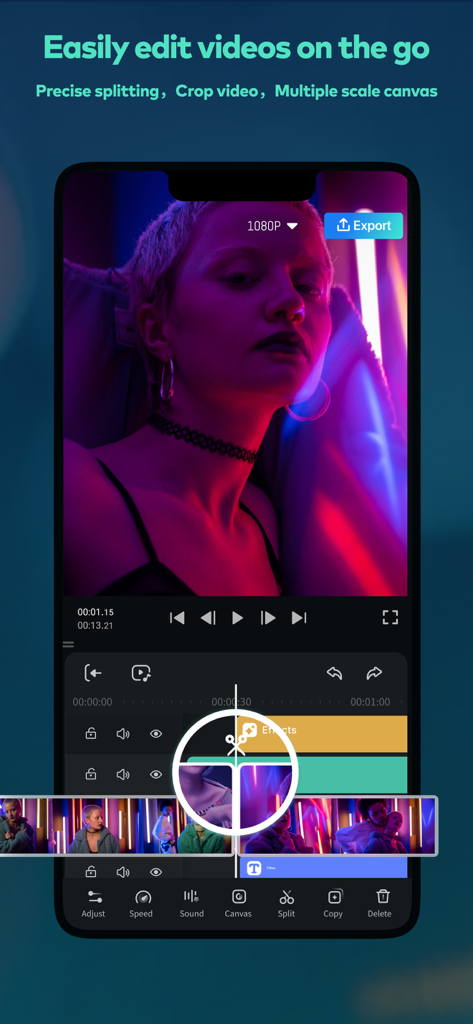
Filmora HDビデオエディターのインターフェース。モバイルでの正確な分割とマルチトラックタイムラインツールが表示されています
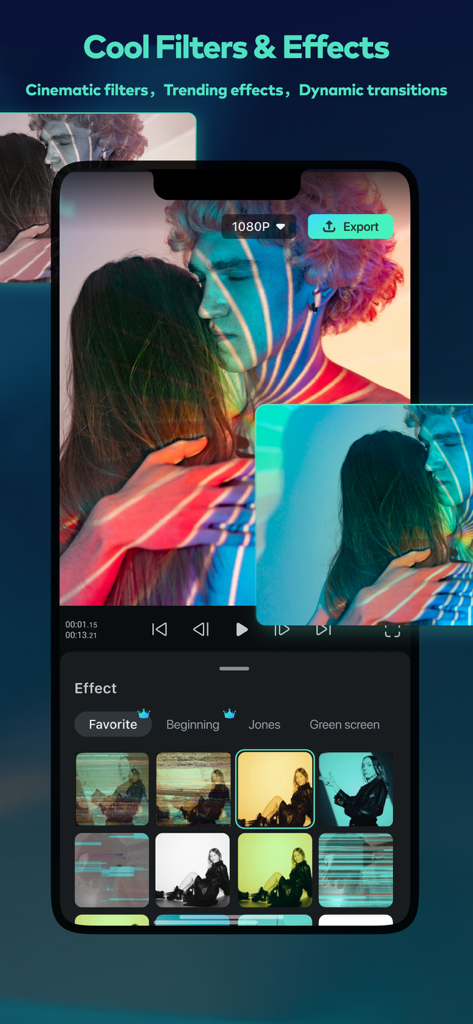
Filmora HDアプリのインターフェース。シネマティックフィルターとビデオエフェクトのセレクションが表示されています
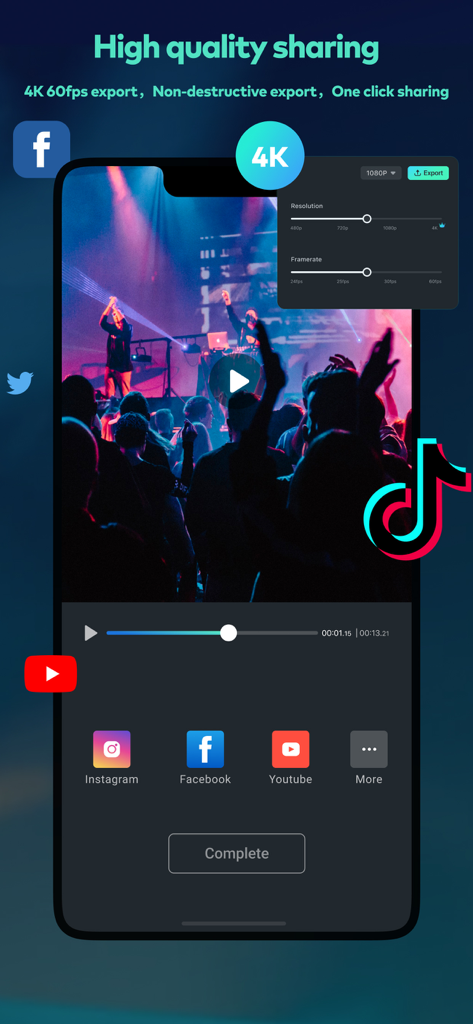
Filmora HDビデオエディターのインターフェース。4Kエクスポートとソーシャルメディア共有用です
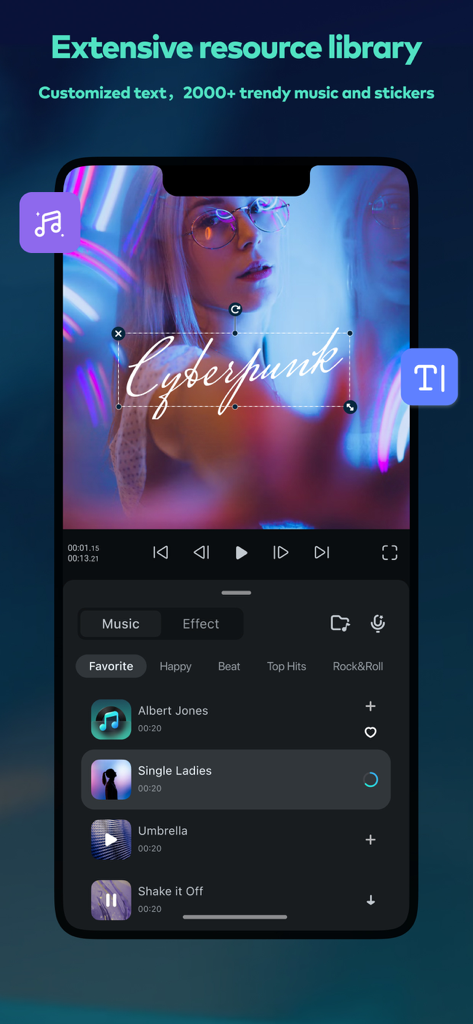
Filmora HDアプリのインターフェース。サイバーパンクテキストオーバーレイを備えたビデオと、プロジェクトに追加できる人気の音楽トラックのリストが表示されています
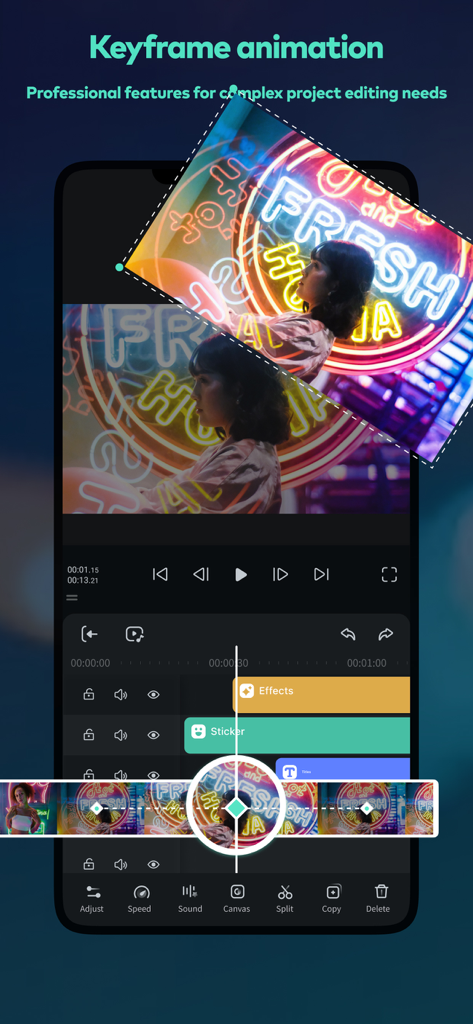
Filmora HDアプリでのキーフレームアニメーション編集を示すスマートフォンの画面
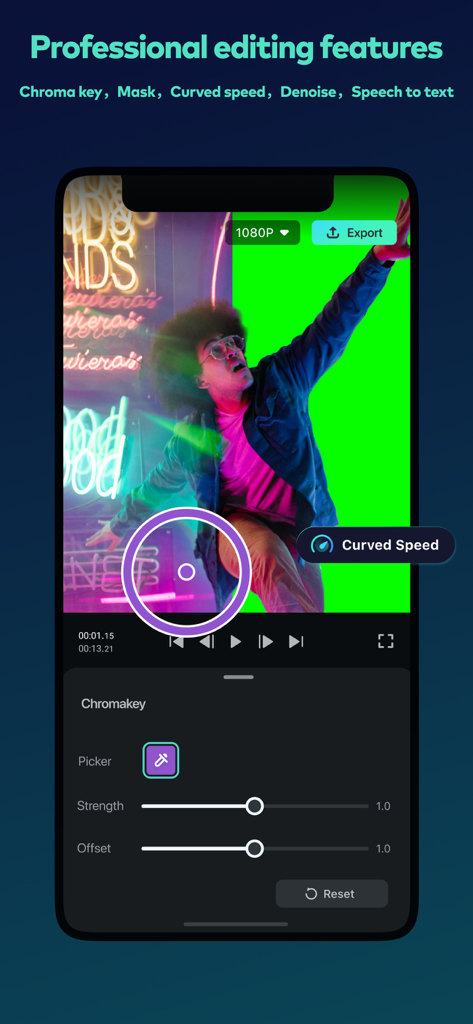
Filmora HDモバイルアプリのインターフェース。グリーンスクリーン背景を使用したプロフェッショナルなクロマキービデオ編集が表示されています
説明
Download
類似アプリ
似た機能とユーザー体験を持つアプリ

Edits: Video Editor
Instagram, Inc.

VLLO- Video Editor, Vlog Edits
vimosoft

YouCut - AI Video Editor
SHANTANU PTE. LTD.

必剪-B站官方出品
Shanghai Bilibili Animation Co.,Ltd

剪影 - 视频剪辑 & 卡点影集制作
Shanghai Jian Ji Software Technology Co., Ltd

Videoshop - Video Editor
Jajijujejo Inc.

VDIT - Video Maker & Editor
ImgBase, Inc.

Video Editor with Music・VidLab
Onelight Apps CY Ltd

Video Maker-movie maker&Editor
Changsha Fugui Bamboo Network Technology Co., Ltd.
このページはアプリまたはその開発者の公式ページではなく、情報提供および論評を目的として作成された独立した編集出版物です。明示的に別段の記載がない限り、アプリおよびその開発者は、MWM、Apple、Google Play、アプリのパブリッシャー、またはアプリの開発者と提携、承認、後援、認可、またはその他の公式的な関係はなく、このページのいかなる内容も、アプリがMWMのサービスを使用して開発されたことを意味するものではありません。すべての商標、ロゴ、スクリーンショット、その他のコンテンツはそれぞれの所有者の財産です。