HOS Smart Home IP Control
Download on App Store

This page is not an official page of the app or its developer, but an independent editorial publication created for informational and commentary purposes. Unless expressly stated otherwise, neither the app nor its developer is affiliated with, endorsed by, sponsored by, authorized by, or otherwise officially connected with MWM, Apple, Google Play, the app publisher, or the app's developer, and nothing on this page implies that the app was developed using MWM's services. Any trademarks, logos, screenshots, and other content remain the property of their respective owners.

Logo of HOS Smart Home IP Control
Download on App Store

HOS Smart Home IP Control

Experience professional-grade automation with WYSIWYG control. Use real photos of your rooms to manage Sonos, lights, and security across your entire Apple ecosystem—no cloud required.

Key Figures

Downloads

0

User Rating

1.0/5

Total Ratings

0

Publisher

Ahmed El-Bermawy

Category

Lifestyle

Locales

4

Latest Version

26

Size

150.4 MB

First Released

Aug 1, 2017
Features

Master Your Home with Pro-Grade Control

Stop juggling dozens of apps. HOS Smart Home provides the ultimate DIY toolkit to build a secure, visually stunning automation hub tailored to your exact living space.

Visual Reality Interface

Use your iPhone camera to create a 'What You See Is What You Got' dashboard. Map your smart switches directly onto real photos of your rooms for intuitive, touch-based control.

Secure IP-First Protocol

Take back your privacy with direct TCP/IP control and TLS 1.2 security. Manage SONOS audio, lighting, and HVAC locally without relying on invasive cloud-based third parties.

The following screenshots and description are sourced directly from the app's official store listing and are the property of the app developer.

App Store

Screenshots
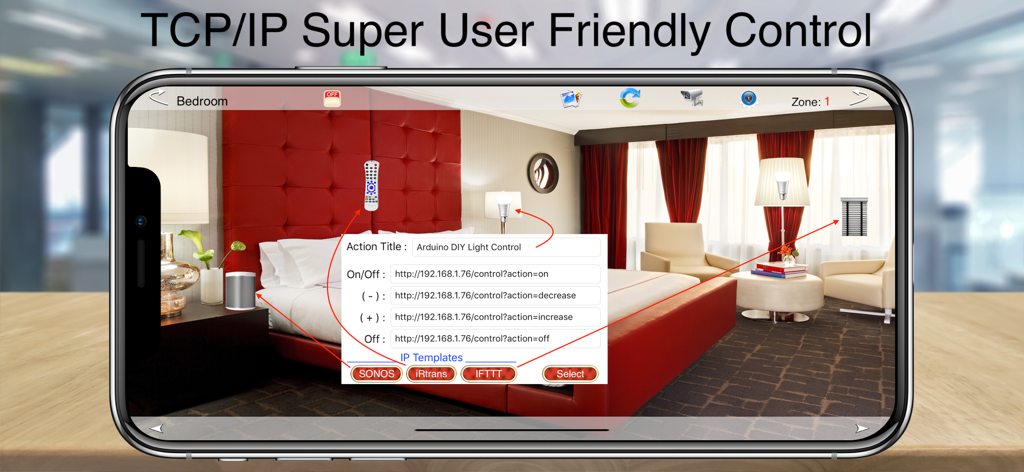
HOS Smart Home IP Control - HOS Smart Home app interface showing DIY IP control configuration over a custom bedroom photo.
HOS Smart Home app interface showing DIY IP control configuration over a custom bedroom photo.

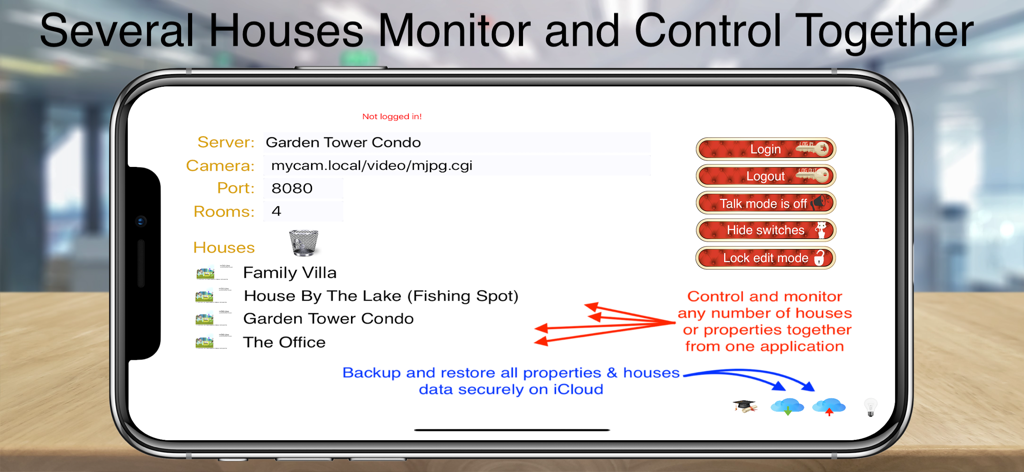
HOS Smart Home IP Control - Interface of HOS Smart Home app showing a list of different properties and management settings
Interface of HOS Smart Home app showing a list of different properties and management settings

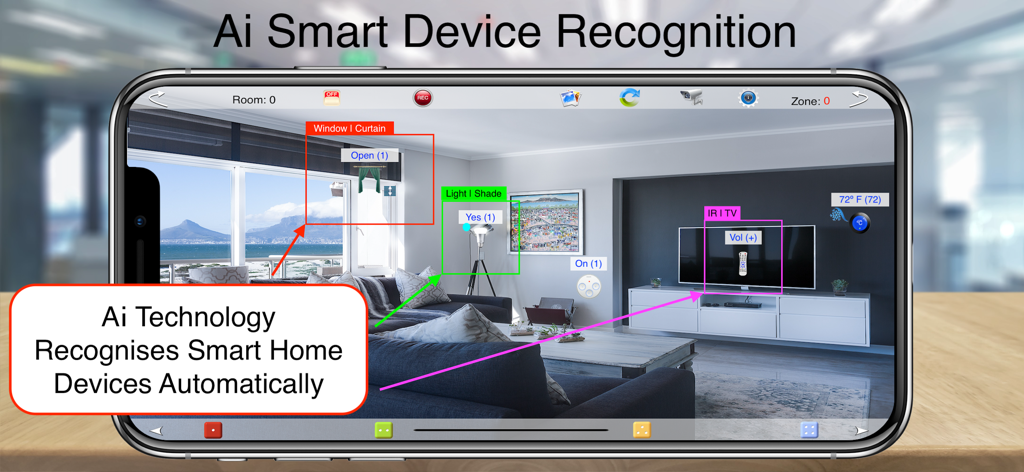
HOS Smart Home IP Control - HOS Smart Home app using AI technology to automatically recognize and label smart devices in a living room
HOS Smart Home app using AI technology to automatically recognize and label smart devices in a living room

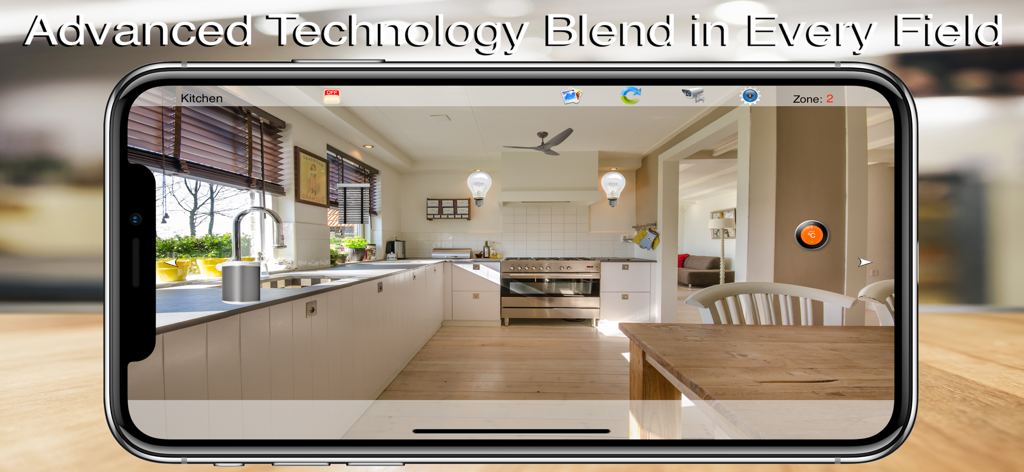
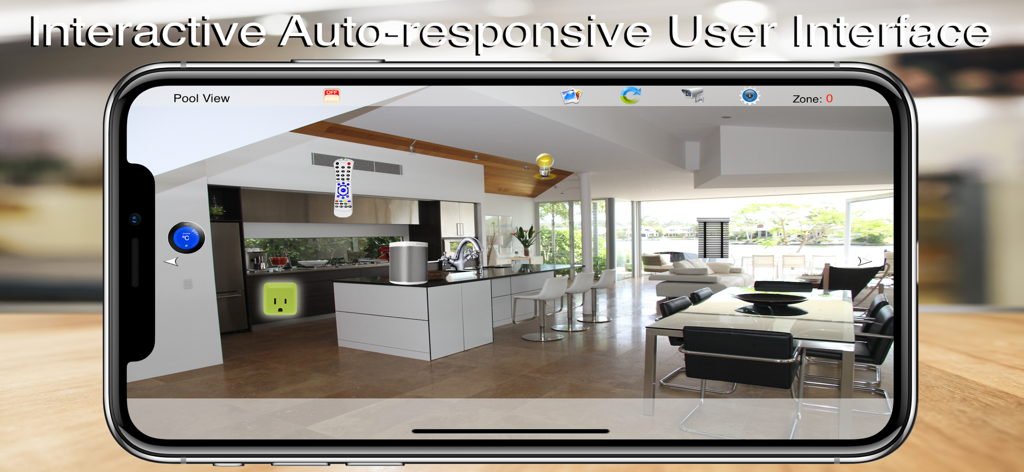
HOS Smart Home IP Control - Smartphone screen showing the HOS Smart Home app with interactive light and audio controls over a kitchen photo.
Smartphone screen showing the HOS Smart Home app with interactive light and audio controls over a kitchen photo.

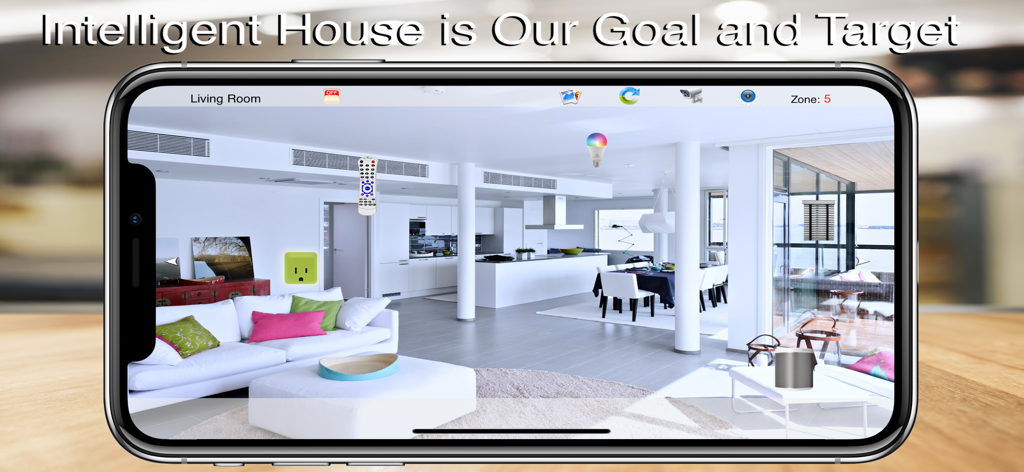
HOS Smart Home IP Control - HOS Smart Home IP Control app interface showing interactive device icons overlaid on a living room photo
HOS Smart Home IP Control app interface showing interactive device icons overlaid on a living room photo

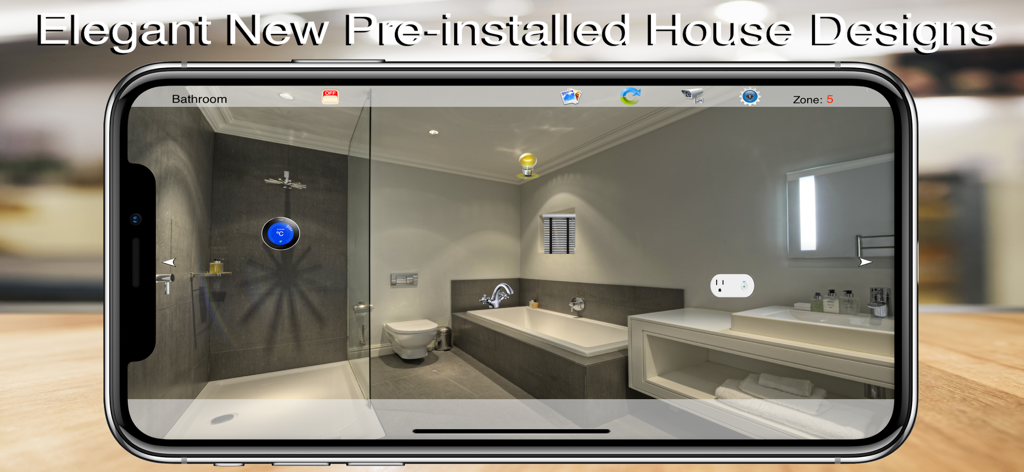
HOS Smart Home IP Control - HOS Smart Home app showing a visual control interface for a bathroom on a smartphone
HOS Smart Home app showing a visual control interface for a bathroom on a smartphone

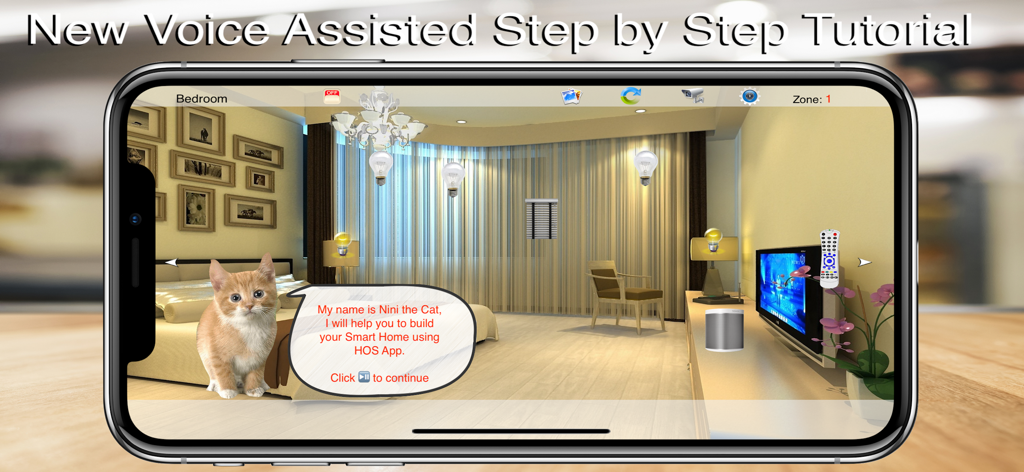
HOS Smart Home IP Control - HOS Smart Home app voice assisted step by step tutorial screen with virtual room interface
HOS Smart Home app voice assisted step by step tutorial screen with virtual room interface

HOS Smart Home IP Control - HOS Smart Home interactive user interface showing digital control icons overlaid on a room photo

HOS Smart Home interactive user interface showing digital control icons overlaid on a room photo

Description

HOS Smart Home For IP Controls is a full-featured home automation software with support for TCP/IP Control Devices & DIY Kit, This can turn your DIY Smart Home dream Kit into Reality, with compatibility to almost every TCP/IP controlled Device with TLS1.2 Transport Layer Security or newer, Fully Supported SONOS Audio, iRtrans iR Remote Control, & IFTTT [Internet Smart Home presets & actions]. The software is an apple iOS or TVOS application that is configured and controlled from anywhere in the world with any web-enabled iOS or TVOS device. Ai technology visually detects all smart devices in your house using the devices camera live mode or the pre selected wallpaper (Live Edition). WYSIWYG (What You See Is What You Got) technology allow you to use your iPhone/iPad camera to add real rooms / devices photos / skins to be controlled by a simple touch. VR (Virtual Reality) simulate the exact actions of the real push button wall / in-line switches in your room with a set-up easier than setting a channel on your conventional TV. Multi Layers Option Allowing you to Add A frame or alpha pictures on each others to build your own unique custom room design making home control more user friendly. HOS Smart Home is designed to control light switches, thermostats, door locks, audio / video equipment, cameras, garage doors, water valves, energy monitors and much more. With a dedicated library of rooms profiles and remote controls skins professionally designed to meet with most modern houses rooms and devices. Main Features: - Controls light, wall / inline switches, thermostats, door locks, garage doors, water valves, energy monitors, environmental sensors, cameras and more! - Runs all iP Controlled devices and protocols, compatible with all ip controlled devices using direct ip devices calls. - Can issue spoken messages for alerts, announcement and reminders thru internal Device Speaker and thru ip speakers (SONOS). - Multi profiles allowing you to control as many houses as you wish from the same iOS device. - Backup and Restore your houses profiles on your personal computer (no other system do) never been as easy. - WYSIWYG (what you see is what you got) technology allow you to use your iPhone/iPad camera to add real rooms/devices photos / skins to be controlled by a simple touch. -Multi Layers Option Allowing you to Add A frame or alpha pictures on each others to build your own unique custom room design making home control more user friendly. - User friendly customized on screen switches using VR (virtual reality) technology simulate the exact actions of the real push button wall / in-line switches with a set-up easier than setting a channel on your conventional TV. - Dedicated library of rooms profiles and remote controls skins professionally designed to meet most modern houses rooms and devices. - Advanced monitor / control view checks indoor / outdoor temperature, humidity, and electricity consumption. - Full control of SONOS speakers with TTS (text to speech) for user announcements, system commands, warning alerts, and entertainment. - This is an all devices App (iPhone/iPad, Apple Watch, and AppleTV) which means you can pay for one device and download the app for all other devices for free.

Download

Download on App Store

This page is not an official page of the app or its developer, but an independent editorial publication created for informational and commentary purposes. Unless expressly stated otherwise, neither the app nor its developer is affiliated with, endorsed by, sponsored by, authorized by, or otherwise officially connected with MWM, Apple, Google Play, the app publisher, or the app's developer, and nothing on this page implies that the app was developed using MWM's services. Any trademarks, logos, screenshots, and other content remain the property of their respective owners.