
このページはアプリまたはその開発者の公式ページではなく、情報提供および論評を目的として作成された独立した編集出版物です。明示的に別段の記載がない限り、アプリおよびその開発者は、MWM、Apple、Google Play、アプリのパブリッシャー、またはアプリの開発者と提携、承認、後援、認可、またはその他の公式的な関係はなく、このページのいかなる内容も、アプリがMWMのサービスを使用して開発されたことを意味するものではありません。すべての商標、ロゴ、スクリーンショット、その他のコンテンツはそれぞれの所有者の財産です。


KineMaster - Video Editor
指先一つでプロの映像クリエイターになる魔法。スマホひとつで、あなたのアイデアは瞬時に現実の映像へと変貌する。
ダウンロード
7.5M+ユーザー評価
評価数
166.4K開発元
カテゴリ
Photo & Video対応言語
18最新バージョン
8.1.5(2356)サイズ
181.7 MBリリース日
2022年5月1日モバイルクリエイター向け多機能ビデオ編集ツールの詳細評価
KineMaster - Video Editor アプリ分析
AI自動キャプション
本アプリは、動画または音声から即座に字幕を追加し、コンテンツのアクセシビリティと視聴者のエンゲージメントを向上させます。
クロマキー(グリーンバック)
ユーザーは、グリーンバックを使用し、背景を削除してプロのような動画合成を容易に行うことが可能です。
豊富なテンプレートライブラリ
このツールは、何千もの既製ビデオプロジェクトから独自のコンテンツを構築できるテンプレートを提供し、クリエイティブなプロセスを加速させます。
AIマジックリムーバル
アプリは、人物や顔の周りの背景を切り抜き、印象的なビジュアルエフェクトを簡単に作成する機能を提供します。
キーフレームアニメーション
本アプリは、あらゆるレイヤーのサイズ、位置、回転を細かく調整できるキーフレームアニメーション機能を通じて、高度なクリエイティブコントロールを可能にします。
包括的なアセットストア
ユーザーは、エフェクト、ステッカー、音楽、フォント、トランジションなど、数万もの豊富なアセットを利用して動画を強化できます。
4K 60 FPS高解像度出力
このアプリは、4K解像度と毎秒60フレームでの動画制作をサポートし、プロフェッショナルな品質のビデオ出力能力を提供します。
ソーシャルメディア最適化出力
本ツールは、YouTube、TikTok、Instagramなどのプラットフォームに即座にアップロードできる最適化された形式で動画を保存する機能を提供します。
よくある質問
について知っておくべきこと KineMaster - Video Editor
Does KineMaster offer automatic captioning for videos?
Yes, KineMaster features AI Auto Captions. This tool instantly adds subtitles from video or audio, enhancing accessibility and saving editing time for users.
Can KineMaster remove backgrounds from videos or images?
Yes, KineMaster offers AI Magic Removal to cut out backgrounds around subjects. It also supports Chroma Key (Green Screen) for professional background removal and video combining.
What is the maximum video export quality supported by KineMaster?
KineMaster supports exporting videos in high resolution, specifically up to 4K quality at 60 frames per second (FPS). Users can also optimize videos for social media sharing.
Does KineMaster provide ready-to-use video templates?
Yes, KineMaster provides thousands of pre-made video project templates. Users can easily replace photos and videos within these templates to jumpstart their creative projects.
What content can users find in the KineMaster Asset Store?
The KineMaster Asset Store contains tens of thousands of resources. These include effects, stickers, music, fonts, transitions, VFX, stock videos, images, and color filters for video enhancement.
Does KineMaster offer AI-powered artistic style effects?
Yes, KineMaster features AI Style, enabling users to add various artistic effects to their videos and images. This includes applying styles to transform visual appearance, such as 'Cartoon'.
Can KineMaster projects be backed up to the cloud?
Yes, KineMaster integrates KineCloud. This feature allows users to back up their personal video projects to the cloud, facilitating continued editing on different devices or at a later time.
Does KineMaster have a feature for removing background noise?
Yes, KineMaster includes AI Noise Removal. This advanced feature effectively zaps distracting sounds from video or audio tracks, significantly improving sound clarity in projects.
Can users add multiple video and image layers in KineMaster?
Yes, KineMaster supports layering. Users can add and stack numerous photos, videos, and GIFs, enabling complex compositions where elements play simultaneously within the timeline.
Does KineMaster provide undo and redo options for editing mistakes?
Yes, KineMaster features multiple Undo and Redo capabilities. This allows users to revert unwanted changes or reapply editing history, ensuring flexibility and control during the editing process.
以下のスクリーンショットと説明は、アプリの公式ストアリスティングから直接取得されたものであり、アプリ開発者の所有物です。
アプリストア
スクリーンショット
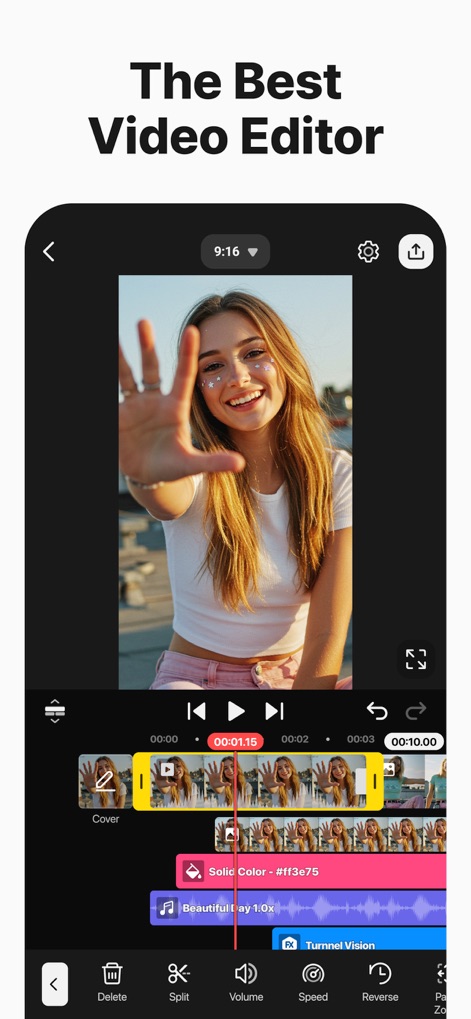
このアプリは、直感的なマルチレイヤー編集と精密なタイムライン操作を通じて、ユーザーが複雑な動画を効率的に作成することを可能にします。
高機能編集インターフェース
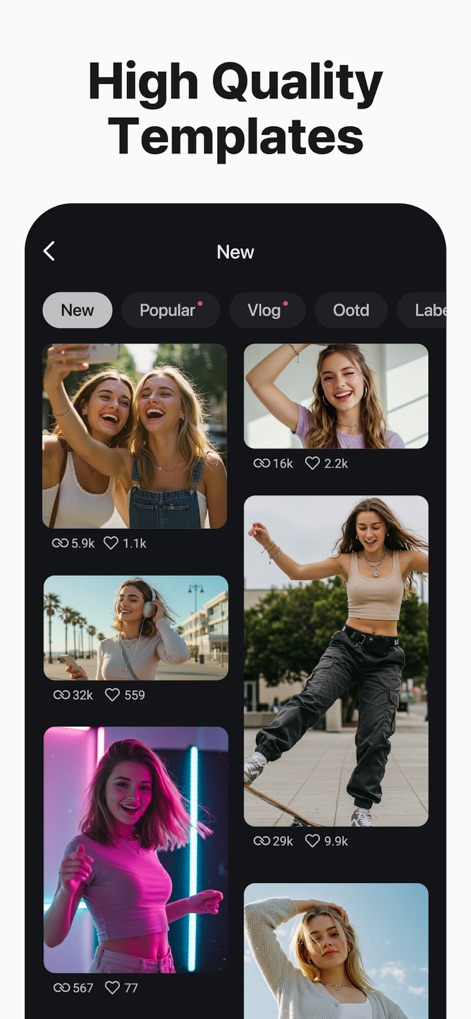
ユーザーは、豊富なテンプレートカテゴリから選択し、各テンプレートのプレビューとエンゲージメント表示を参照しながら、動画作成のインスピレーションを得ることができます。
魅力的なテンプレート
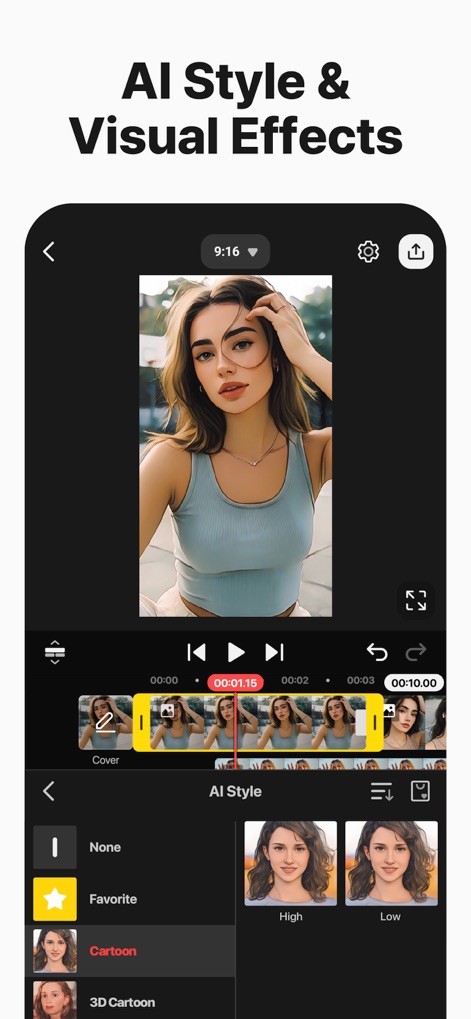
このツールは、AIスタイル変換機能により、動画や画像に芸術的な効果を適用し、その結果をリアルタイムプレビューで確認しながら調整できます。
AIでアート表現
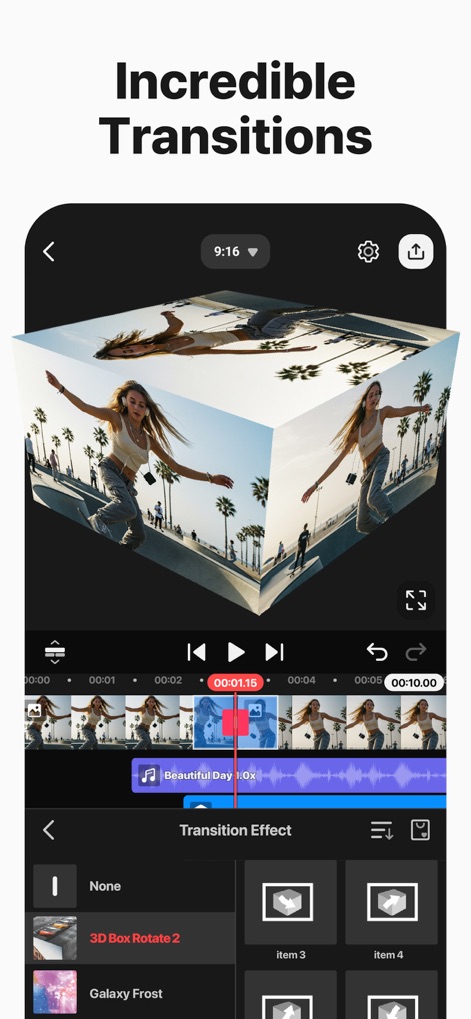
ユーザーは、多彩なトランジションエフェクトから選び、動画クリップ間のスムーズで魅力的なつながりを、ビジュアルエフェクトプレビューで確認しながら追加できます。
印象的な場面転換
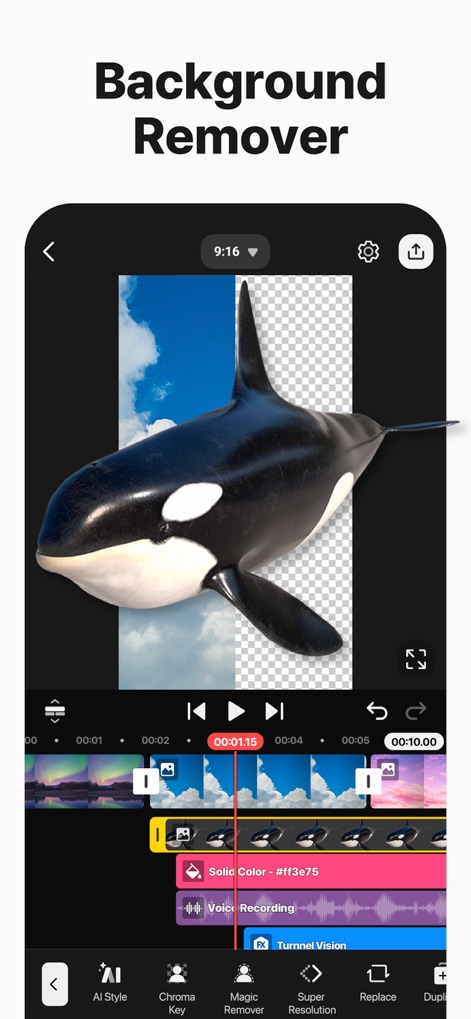
本アプリは、高度なAIマジックリムーバー機能とクロマキー合成オプションを提供し、動画の背景を簡単に除去して、より洗練されたビジュアルを作成します。
背景を瞬時に除去

このアプリは、詳細な音量調整機能と視覚的なオーディオ波形表示により、ユーザーが動画のサウンドトラックをプロフェッショナルなレベルで編集することを可能にします。
高度な音声編集
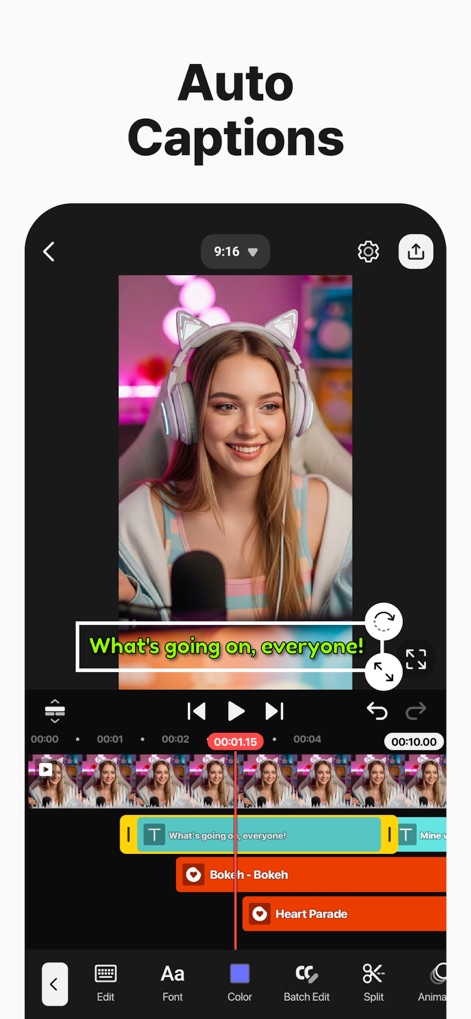
本ツールは、AI自動キャプション生成により、動画の音声を瞬時にテキスト化し、ユーザーはキャプションのスタイル編集を通じて視覚的に魅力的な字幕を作成できます。
AIで自動キャプション
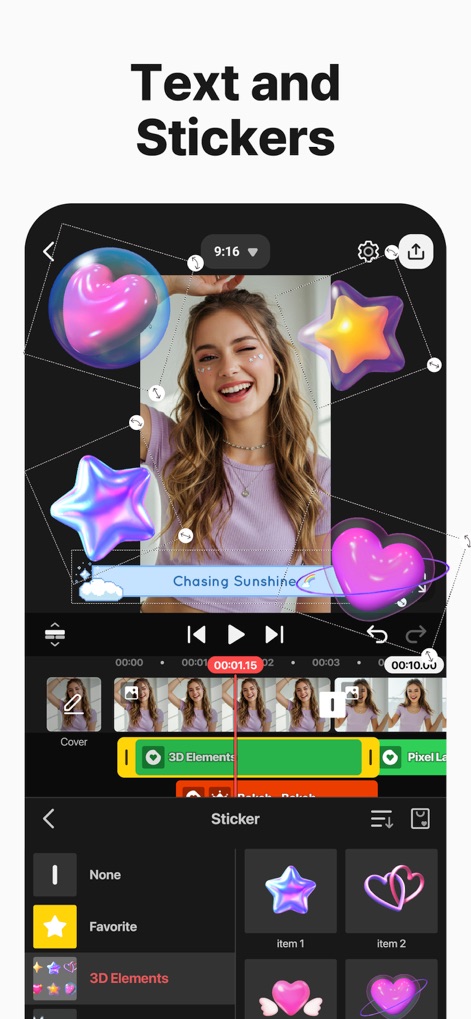
ユーザーは、多彩なステッカーコレクションから選択し、動画にテキストとグラフィックのレイヤー追加をすることで、個性的で表現豊かなコンテンツを生み出すことができます。
魅せるテキストとスタンプ
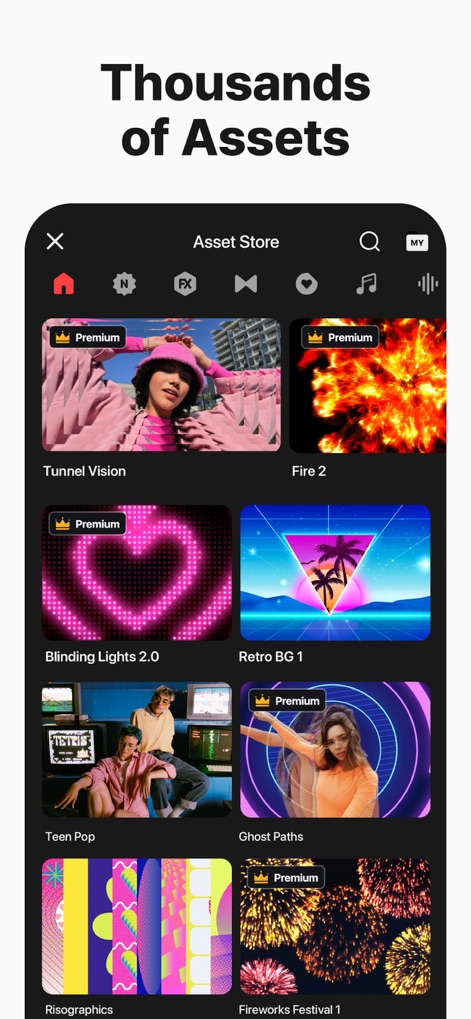
このアセットストアは、豊富なアセットカテゴリを提供し、ユーザーはプレミアムコンテンツ提供を含む数千ものエフェクト、音楽、フォントなどを動画制作に活用できます。
無限のアセットライブラリ
説明
Download
類似アプリ
似た機能とユーザー体験を持つアプリ

Edits: Video Editor
Instagram, Inc.

VLLO- Video Editor, Vlog Edits
vimosoft

YouCut - AI Video Editor
SHANTANU PTE. LTD.

必剪-B站官方出品
Shanghai Bilibili Animation Co.,Ltd

剪影 - 视频剪辑 & 卡点影集制作
Shanghai Jian Ji Software Technology Co., Ltd

Videoshop - Video Editor
Jajijujejo Inc.

VDIT - Video Maker & Editor
ImgBase, Inc.

Video Editor with Music・VidLab
Onelight Apps CY Ltd

Video Maker-movie maker&Editor
Changsha Fugui Bamboo Network Technology Co., Ltd.
このページはアプリまたはその開発者の公式ページではなく、情報提供および論評を目的として作成された独立した編集出版物です。明示的に別段の記載がない限り、アプリおよびその開発者は、MWM、Apple、Google Play、アプリのパブリッシャー、またはアプリの開発者と提携、承認、後援、認可、またはその他の公式的な関係はなく、このページのいかなる内容も、アプリがMWMのサービスを使用して開発されたことを意味するものではありません。すべての商標、ロゴ、スクリーンショット、その他のコンテンツはそれぞれの所有者の財産です。