
このページはアプリまたはその開発者の公式ページではなく、情報提供および論評を目的として作成された独立した編集出版物です。明示的に別段の記載がない限り、アプリおよびその開発者は、MWM、Apple、Google Play、アプリのパブリッシャー、またはアプリの開発者と提携、承認、後援、認可、またはその他の公式的な関係はなく、このページのいかなる内容も、アプリがMWMのサービスを使用して開発されたことを意味するものではありません。すべての商標、ロゴ、スクリーンショット、その他のコンテンツはそれぞれの所有者の財産です。


Mind Mapping - MindMeister
思考を瞬時に視覚化し、混沌を明晰な計画へ変える。MindMeisterは、単なるマッピングを超え、あなたの頭脳を拡張する。
ダウンロード
2.5M+ユーザー評価
評価数
6.2K開発元
カテゴリ
Productivity対応言語
12最新バージョン
10.1.2サイズ
37.8 MBリリース日
2010年7月22日この評価では、MindMeisterがユーザーの思考整理、ブレインストーミング、プロジェクト計画にどのように貢献するかを詳細に検証します。
MindMeister: 包括的なマインドマッピングソリューションの分析
リアルタイム共同編集
複数のユーザーが同時にマインドマップを編集し、アイデアを共有することで、チームの生産性と連携が向上します。
デバイス間シームレス同期
作成されたマインドマップはオンラインアカウントと自動的に同期されるため、ユーザーはどのデバイスからでも最新の情報にアクセスし、作業を継続できます。
モバイル対応とマルチタッチ操作
このアプリはモバイルデバイス向けに最適化されており、ドラッグ&ドロップ、ズーム、パンなどのマルチタッチジェスチャーにより、直感的で効率的なマインドマッピング体験を提供します。
豊富なコンテンツ統合
ユーザーはアイデアにメモ、リンク、タスク、添付ファイル、画像などを追加できるため、マインドマップをより詳細で包括的な情報ハブとして活用できます。
豊富なカスタマイズとテーマ
アイコン、色、スタイル、多様なテーマを用いてマインドマップをカスタマイズすることで、ユーザーは情報を視覚的に整理し、理解度を高めることができます。
プレゼンテーションモード
作成されたマインドマップを直接プレゼンテーションとして再生できるため、ユーザーは視覚的に魅力的な方法でアイデアを共有し、聞き手に伝えることができます。
多様なエクスポート形式
マインドマップをPDF、PNG、さらにはMS WordやPowerPoint形式でエクスポートできるため、ユーザーは作成したコンテンツをさまざまなプラットフォームで共有・活用できます。
無制限のマインドマップ作成
プレミアムプランでは、作成できるマインドマップの数に制限がなく、ユーザーはどんなに多くのプロジェクトやアイデアにも対応できます。
よくある質問
について知っておくべきこと Mind Mapping - MindMeister
What is MindMeister?
MindMeister is a mobile mind mapping app designed to help users organize, prioritize, and generate new thoughts. It syncs seamlessly with an online account and offers features for creation, collaboration, and sharing.
Is MindMeister a free app?
Yes, the "Basic" version of MindMeister is free. It allows users to create up to three mind maps and includes features like real-time collaboration and seamless syncing.
Can I collaborate with others in MindMeister?
Yes, MindMeister supports real-time collaboration, allowing multiple users to work on mind maps simultaneously. Users can also view and edit notes and add comments directly within the app.
How many free mind maps can I create with MindMeister?
Users can create up to three free mind maps with the MindMeister "Basic" plan. This plan includes essential features like syncing maps and multi-touch support for editing.
Does MindMeister require an account to use?
Yes, MindMeister requires a free account registration to use the app. This account enables seamless syncing of maps and folders with the online platform.
What export formats does MindMeister support?
MindMeister supports exporting maps in PDF and PNG formats with the "Personal" plan. The "Pro" plan further adds export options for MS Word, MS PowerPoint, and slides as a zip file.
Can I add images to my mind maps in MindMeister?
Yes, the MindMeister "Personal" plan allows users to add files and images to topics within their mind maps. The "Basic" plan supports adding icons, colors, and map themes.
How does MindMeister sync my mind maps?
MindMeister seamlessly syncs mobile creations and folders with your free online account. This ensures your mind maps are accessible and up-to-date across different devices and the browser-based interface.
Does MindMeister offer a free trial for paid plans?
Yes, MindMeister offers a free 1-week trial for the "Personal" plan after signing up. The membership automatically continues as an auto-renewing subscription if not canceled.
Where can I find the privacy policy for MindMeister?
The privacy policy for MindMeister is available on their website at https://www.mindmeister.com/privacy. This link ensures users can review information on data handling practices.
以下のスクリーンショットと説明は、アプリの公式ストアリスティングから直接取得されたものであり、アプリ開発者の所有物です。
アプリストア
スクリーンショット
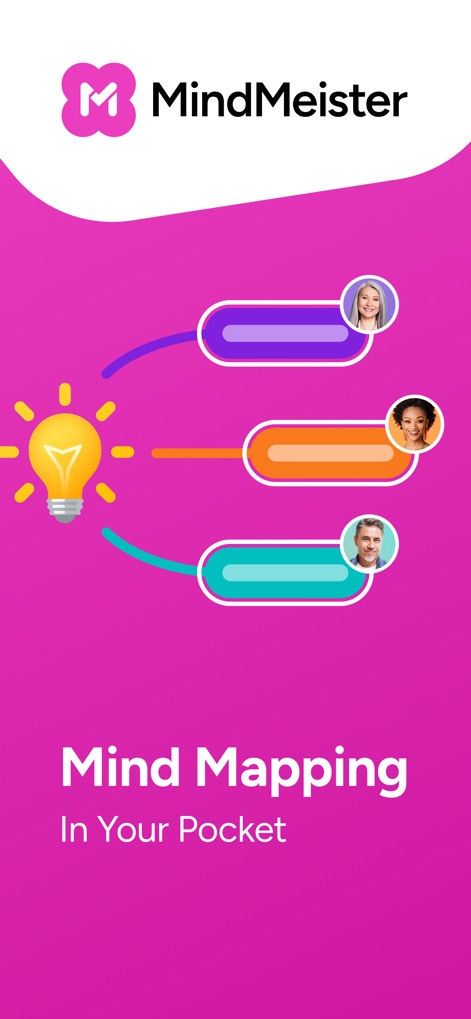
本アプリは、光る電球のアイコンが示すようにアイデアの発想を支援し、複数のユーザーアイコンからコラボレーションを促進するポータブルな思考整理ツールです。
どこでも思考整理

ユーザーは、階層的なマインドマップでアイデアを視覚的に整理し、右上の共有ボタンを通じて迅速に共同作業を開始できます。
アイデアを視覚化

ユーザーは、コメント入力欄からリアルタイムで意見を共有し、ユーザーのアイコンと名前によって誰がどのフィードバックを提供したかを明確に把握できます。
リアルタイム協力

豊富なアイコンライブラリを使用してマインドマップに視覚的な要素を追加し、カラー選択オプションでトピックのスタイルを自由にカスタマイズできます。
直感的な装飾

ユーザーは、マインドマップのサムネイル表示によりプロジェクトの概要を素早く把握し、「Recent」フォルダ表示で最新の作業に簡単にアクセスできます。
全てのマップを一箇所に
説明
Download
類似アプリ
似た機能とユーザー体験を持つアプリ

Xmind - Mind Map & Brainstorm
Xmind Ltd.

Smartsheet: Projects & Teams
Smartsheet Inc.

Miro: your visual workspace
Realtimeboard Inc.

Padlet
Wallwisher, Inc.

Asana: Work Management
Asana, Inc.

Microsoft Planner
Microsoft Corporation

Microsoft Loop
Microsoft Corporation

Microsoft Whiteboard
Microsoft Corporation

Nola: Story Planner & Writing
indent Inc.
このページはアプリまたはその開発者の公式ページではなく、情報提供および論評を目的として作成された独立した編集出版物です。明示的に別段の記載がない限り、アプリおよびその開発者は、MWM、Apple、Google Play、アプリのパブリッシャー、またはアプリの開発者と提携、承認、後援、認可、またはその他の公式的な関係はなく、このページのいかなる内容も、アプリがMWMのサービスを使用して開発されたことを意味するものではありません。すべての商標、ロゴ、スクリーンショット、その他のコンテンツはそれぞれの所有者の財産です。