MobiScanner - PDF Scanner App
ダウンロード: App Store

このページはアプリまたはその開発者の公式ページではなく、情報提供および論評を目的として作成された独立した編集出版物です。明示的に別段の記載がない限り、アプリおよびその開発者は、MWM、Apple、Google Play、アプリのパブリッシャー、またはアプリの開発者と提携、承認、後援、認可、またはその他の公式的な関係はなく、このページのいかなる内容も、アプリがMWMのサービスを使用して開発されたことを意味するものではありません。すべての商標、ロゴ、スクリーンショット、その他のコンテンツはそれぞれの所有者の財産です。

ロゴ: MobiScanner - PDF Scanner App
ダウンロード: App Store

MobiScanner - PDF Scanner App

iPhoneをパワフルなPDFスキャナーに変えましょう。OCRで簡単にテキストを抽出し、外出先で契約書に署名し、ビジネス書類を数秒で整理できます。

主要数値

ダウンロード

74K+

ユーザー評価

4.7/5

評価数

100

開発元

CLOUD INTERACTIVE TECH PTE. LTD.

カテゴリ

Business

対応言語

14

最新バージョン

1.1.45

サイズ

47.1 MB

リリース日

2023年5月20日
機能

オールインワンモバイルオフィス

アメリカのペースの速いプロフェッショナルのために設計された、プロフェッショナルグレードのスキャン、瞬時のテキスト抽出、安全なデジタル署名で、ドキュメントワークフローを合理化します。

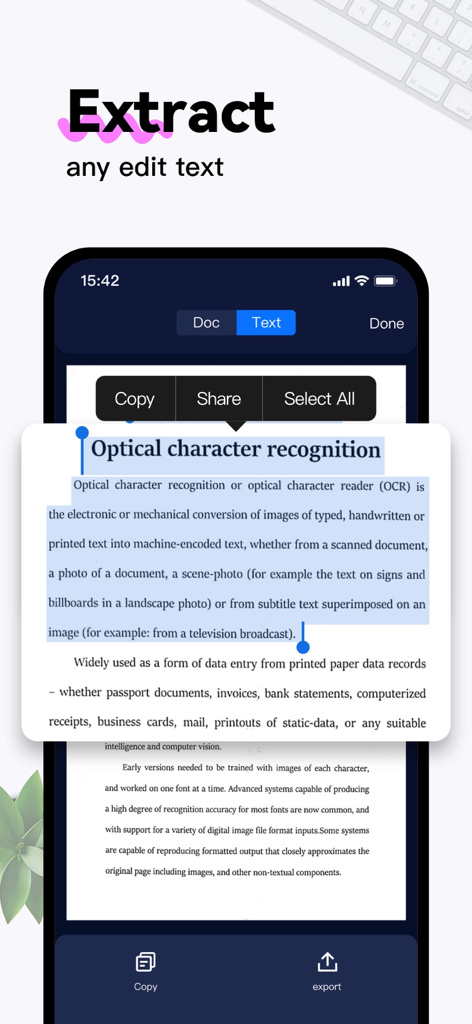
瞬時のテキスト抽出(OCR)

物理的なページを編集可能なデジタルテキストに瞬時に変換します。高精度認識でレポートや書籍からテキストを抽出します。英語、スペイン語、フランス語などに対応しています。

数秒で電子署名&共有

プリンターは不要です。より速く契約を締結しましょう。画面上で直接契約書にプロフェッショナルな署名を追加し、メール、iMessage、WhatsAppで瞬時に共有できます。

以下のスクリーンショットと説明は、アプリの公式ストアリスティングから直接取得されたものであり、アプリ開発者の所有物です。

アプリストア

スクリーンショット
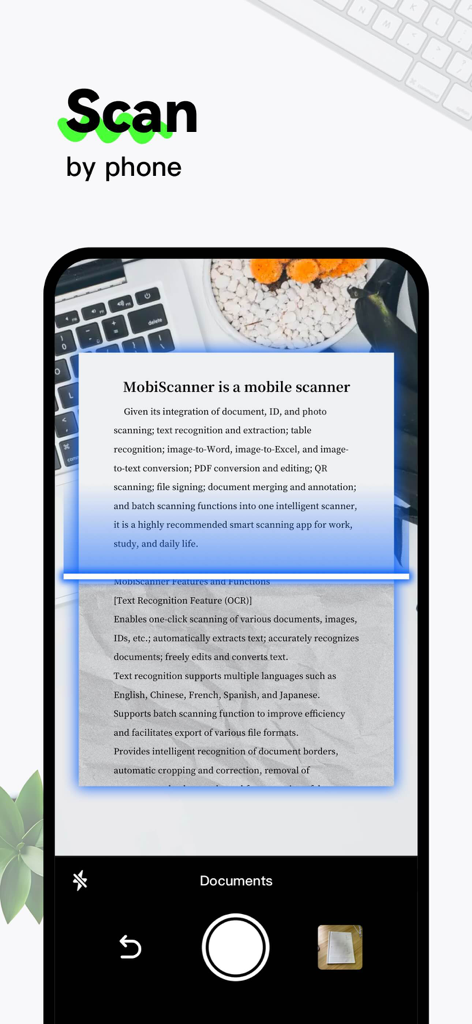
MobiScanner - PDF Scanner App - MobiScannerアプリを使用して紙のドキュメントをデジタルファイルにスキャンしているスマートフォンの様子
MobiScannerアプリを使用して紙のドキュメントをデジタルファイルにスキャンしているスマートフォンの様子

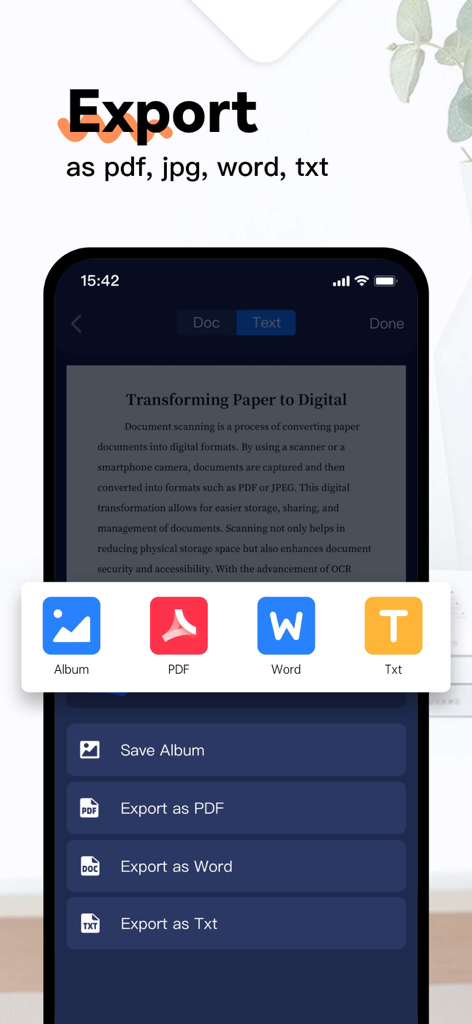
MobiScanner - PDF Scanner App - MobiScannerアプリのインターフェイスにPDF、Word、Txt形式のエクスポートオプションが表示されている様子
MobiScannerアプリのインターフェイスにPDF、Word、Txt形式のエクスポートオプションが表示されている様子

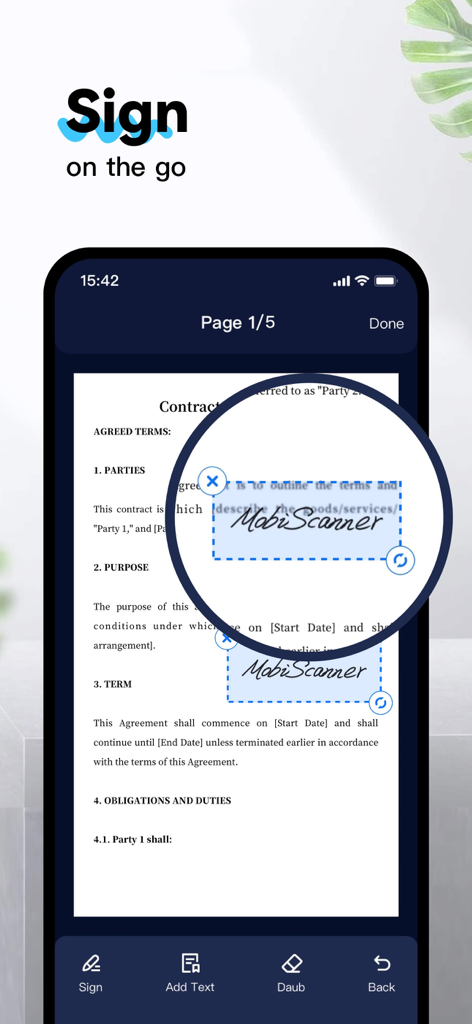
MobiScanner - PDF Scanner App - MobiScannerアプリのインターフェイスに契約書ドキュメントにデジタル署名が適用されている様子
MobiScannerアプリのインターフェイスに契約書ドキュメントにデジタル署名が適用されている様子

MobiScanner - PDF Scanner App - スキャンされたドキュメントからOCR技術を使用してテキストを抽出しているMobiScannerアプリを表示するスマートフォンの画面
スキャンされたドキュメントからOCR技術を使用してテキストを抽出しているMobiScannerアプリを表示するスマートフォンの画面

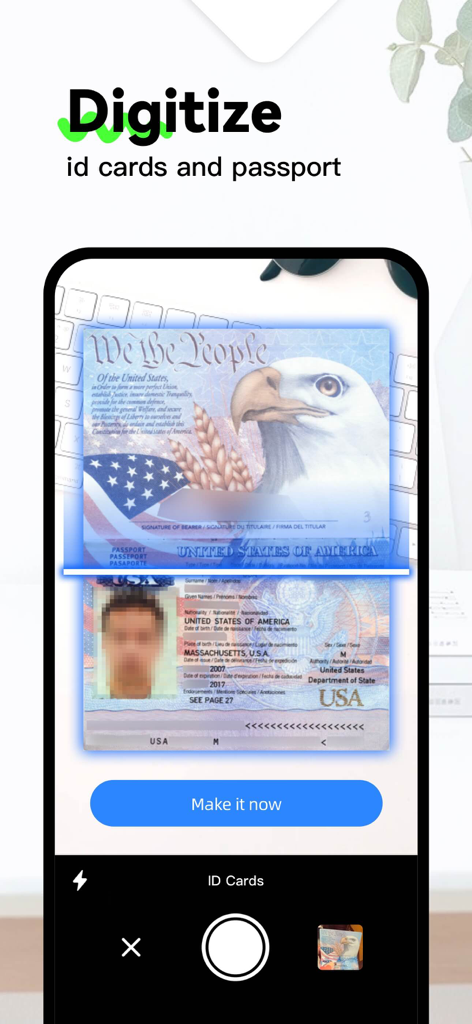
MobiScanner - PDF Scanner App - スマートフォンカメラを使用して米国パスポートとIDカードをデジタル化しているMobiScannerアプリのインターフェイスを示しています
スマートフォンカメラを使用して米国パスポートとIDカードをデジタル化しているMobiScannerアプリのインターフェイスを示しています

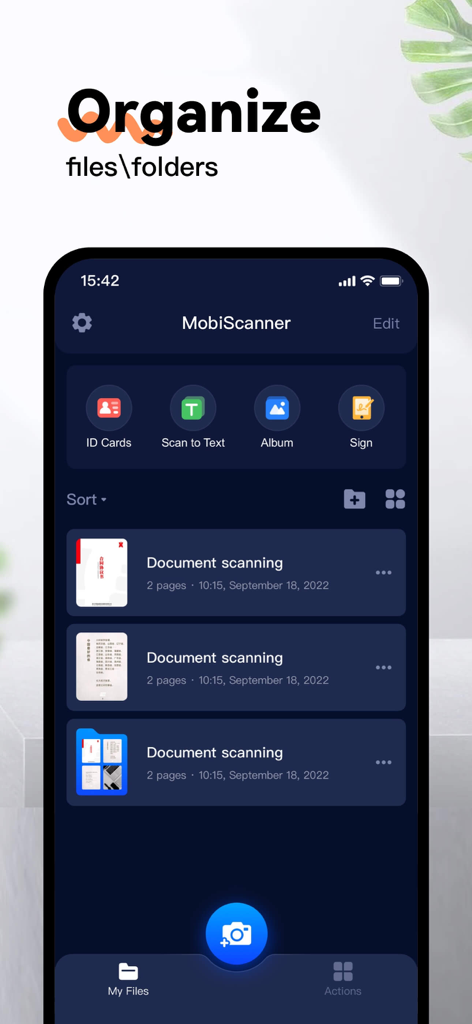
MobiScanner - PDF Scanner App - 整理されたドキュメントフォルダとスキャンオプションを表示するMobiScannerアプリのインターフェイス

整理されたドキュメントフォルダとスキャンオプションを表示するMobiScannerアプリのインターフェイス

説明

Mobilscanner is a multi-functional scanner app. It turns your mobile device into a useful scanner, which can automatically recognize text (OCR) and improves your efficiency to save your time. Download this scanner app for free to scan, save, export, and share any document in PDF, JPG or TXT formats instantly. =====Important Features==== [Scanning] This powerful scanner app is a must-use tool for students and anyone involved in business (accountant, real estate agent, manager or lawyer). Use this PDF scanner to scan anything you need: receipts, contracts, paper notes, fax paper, books, and store the scans as multi-page PDF or JPG files. [Multiple scanning modes] --Single\Multiple document --ID cards and passport --QR CODE [Save、Export] –-PDF Converter: This PDF scanner allows you to create PDFs from apps and convert documents in many formats to PDF. –-supported file formats: pdf, jpg, word, txt, [Text Recognition Feature (OCR)] --easy to use automatically extracts text. --extract text from any scannable object with text recognition. --support languages: English, Chinese, French, Spanish, and Japanese…… --recognized text can be freely edited, saved and exported --supports scanning and imported file recognition [Share & Sign] --sign scans manually or add image signatures --share files for commenting or viewing in WhatsApp, iMessage, Facebook [Document editors and file managers] --edit scans with filters and noise removal. --manage files using folders, drag-and-drop to reorder, and enjoy other document editing features. --use the delete or import document palace Download MobiScanner today and start saving you time and work! MobiScanner subscribe for advanced features: access to all features. You will be charged after the purchase is confirmed. Subscriptions auto-renew 24 hours before the expiration date. You can manage your subscriptions in account Settings of the AppStore. We'd love to hear from you! Please leave your comments to help us make MobiScanner even better. You can also get in touch with us at https://www.cloudintertech.com/contact-us.html. MobiScanner Subscribe to get Premium features: access to all features. You will be charged after the purchase confirmation. Subscriptions auto-renew 24 hours before the expiration date. You can manage your subscriptions in account Settings on the AppStore. Privacy Policy: https://www.cloudintertech.com/privacy.html Terms of Use: https://www.cloudintertech.com/agreement.html We'd love to hear from you! Please leave a review to help us make MobiScanner even better. You can also get in touch with us at https://www.cloudintertech.com/contact-us.html.

Download

ダウンロード: App Store

このページはアプリまたはその開発者の公式ページではなく、情報提供および論評を目的として作成された独立した編集出版物です。明示的に別段の記載がない限り、アプリおよびその開発者は、MWM、Apple、Google Play、アプリのパブリッシャー、またはアプリの開発者と提携、承認、後援、認可、またはその他の公式的な関係はなく、このページのいかなる内容も、アプリがMWMのサービスを使用して開発されたことを意味するものではありません。すべての商標、ロゴ、スクリーンショット、その他のコンテンツはそれぞれの所有者の財産です。








