
このページはアプリまたはその開発者の公式ページではなく、情報提供および論評を目的として作成された独立した編集出版物です。明示的に別段の記載がない限り、アプリおよびその開発者は、MWM、Apple、Google Play、アプリのパブリッシャー、またはアプリの開発者と提携、承認、後援、認可、またはその他の公式的な関係はなく、このページのいかなる内容も、アプリがMWMのサービスを使用して開発されたことを意味するものではありません。すべての商標、ロゴ、スクリーンショット、その他のコンテンツはそれぞれの所有者の財産です。


Image to PDF Converter & Edit
紙の山をデジタル資産に変え、どこからでも自由に操作する能力。
ダウンロード
5M+ユーザー評価
評価数
17.2K開発元
カテゴリ
Productivity対応言語
18最新バージョン
1.3.7サイズ
82.8 MBリリース日
2022年3月15日モバイルワーカーの生産性を最大化するドキュメント管理ソリューション
主要機能分析:Image to PDF Converter & Edit
画像からPDFへの変換
デバイスやクラウド、カメラスキャンから取り込んだ画像を、数秒でプロフェッショナルなPDFドキュメントに変換し、多様な文書管理ニーズに対応します。
PDFの高度な編集機能
電子署名の追加、ハイライト、注釈付け、ページ管理、テキスト挿入、圧縮レベル調整など、PDFを詳細に編集し、ビジネスや学術用途での活用を強化します。
PDFファイルのセキュリティ保護
パスワード設定によりPDFファイルを保護し、機密文書の暗号化を可能にすることで、プライバシーと情報セキュリティを確保します。
多様な画像入力オプション
デバイスストレージ、iCloud、カメラスキャンなど、複数のソースから画像をインポートできるため、紙の資料も手軽にPDF化し、柔軟な作業フローを実現します。
画像の前処理と最適化
画像のリサイズ、トリミング、落書き、回転機能により、PDF変換前に画像を最適化し、より高品質でプロフェッショナルな最終ドキュメントを作成します。
オフラインでの作業対応
インターネット接続がない環境でも画像からPDFへの変換が可能なため、場所を選ばずにドキュメント管理作業を継続できます。
自動ファイル整理機能
ファイルを名前、サイズ、作成日、変更日などで自動的にソートし、大量のドキュメントの中から目的のファイルを素早く見つけ出し、効率的な整理をサポートします。
PDFの簡単共有
変換したPDFファイルをソーシャルメディア、メール、クイック共有機能などを通じて簡単に共有でき、コラボレーションや情報伝達を円滑に進めます。
よくある質問
について知っておくべきこと Image to PDF Converter & Edit
What is PDF Converter , Photo to PDF?
PDF Converter, Photo to PDF is an application that converts various image formats like JPG, JPEG, PNG, and HEIC into PDF files. It also offers features such as image resizing, password protection, and offline conversion.
Can Image to PDF Converter convert HEIC files to PDF?
Yes, Image to PDF Converter supports converting HEIC image files, alongside JPG, JPEG, and PNG formats, directly into PDF documents. This capability is explicitly stated in the app's description.
Does PDF Converter , Photo to PDF work offline?
Yes, PDF Converter, Photo to PDF functions offline. Users can convert their images into PDF documents without requiring an internet connection, ensuring privacy and accessibility anywhere.
How much does a subscription for PDF Converter , Photo to PDF cost?
A subscription for PDF Converter, Photo to PDF costs USD $9.99 per month. Alternatively, an annual subscription is available for USD $29.99, which includes a 3-day free trial period.
Can I protect my PDF files with a password using Image to PDF Converter?
Yes, Image to PDF Converter allows users to set passwords on their PDF files. This feature helps protect confidential documents and encrypts them to prevent unauthorized viewing during sharing.
How can I organize my files in PDF Converter , Photo to PDF?
PDF Converter, Photo to PDF offers automatic sorting for images and PDF files. Users can organize by name, size, created date, or modified date, and also arrange them manually if preferred.
What types of files can PDF Converter , Photo to PDF import for conversion?
PDF Converter, Photo to PDF can import various image types for conversion, including notes, receipts, invoices, forms, business cards, certificates, whiteboards, and ID cards. It also supports scanning physical paper files.
Can users edit images before converting them to PDF in Image to PDF Converter?
Yes, users can edit images within Image to PDF Converter before conversion. The app provides tools to resize, crop, doodle, and rotate images, optimizing them for improved PDF output quality.
How do I share converted PDF files from PDF Converter , Photo to PDF?
Users can easily share converted PDF files from PDF Converter, Photo to PDF. The app provides options to send documents via social media platforms, email, or quick share features directly after conversion.
Does Image to PDF Converter offer a free trial for its premium features?
Yes, Image to PDF Converter offers a 3-day free trial. This trial is specifically included with the annual subscription option, allowing users to experience all premium features before committing to a purchase.
以下のスクリーンショットと説明は、アプリの公式ストアリスティングから直接取得されたものであり、アプリ開発者の所有物です。
アプリストア
スクリーンショット
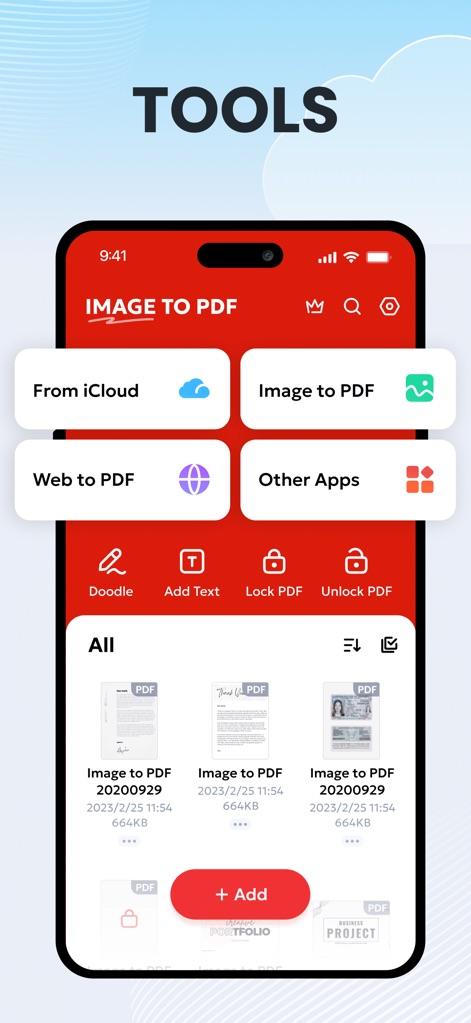
このアプリは、iCloudやWebからの変換、さらにはPDFのロック解除といった多様な機能を提供し、ユーザーのファイル管理を効率化します。
多様なツール
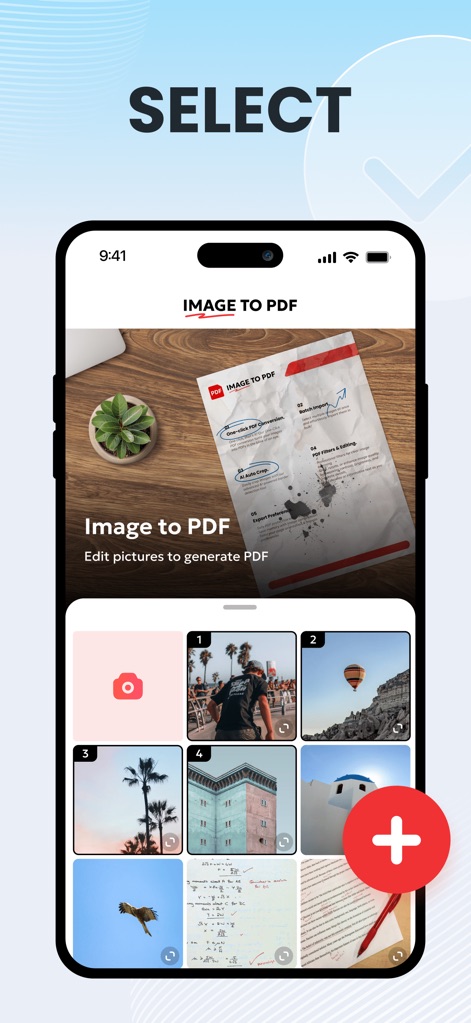
変換前にデバイスのギャラリーから画像を簡単に選択でき、PDF生成前に写真の編集や最適化が行えます。
画像を厳選
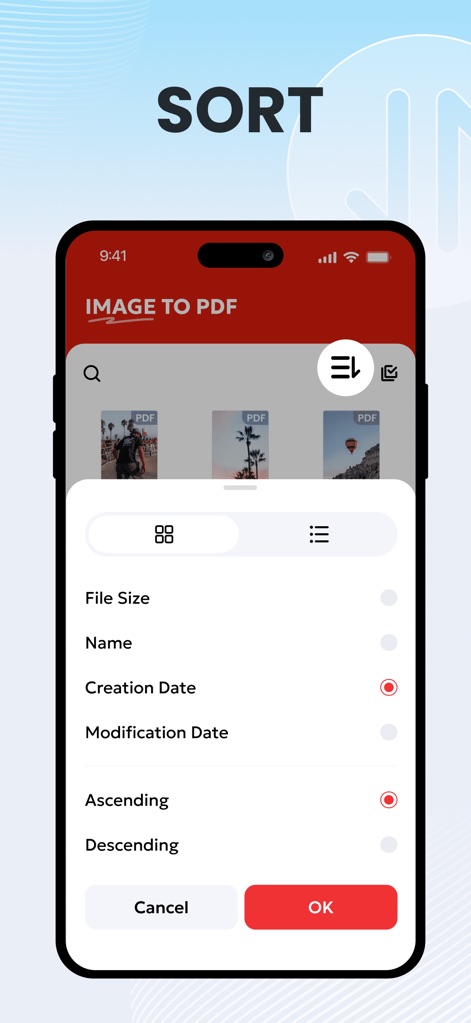
本ツールは、ファイルサイズや作成日などの基準でPDFを自動的にソートし、ユーザーは手動での昇順・降順での並べ替えも可能です。
スマートに整理
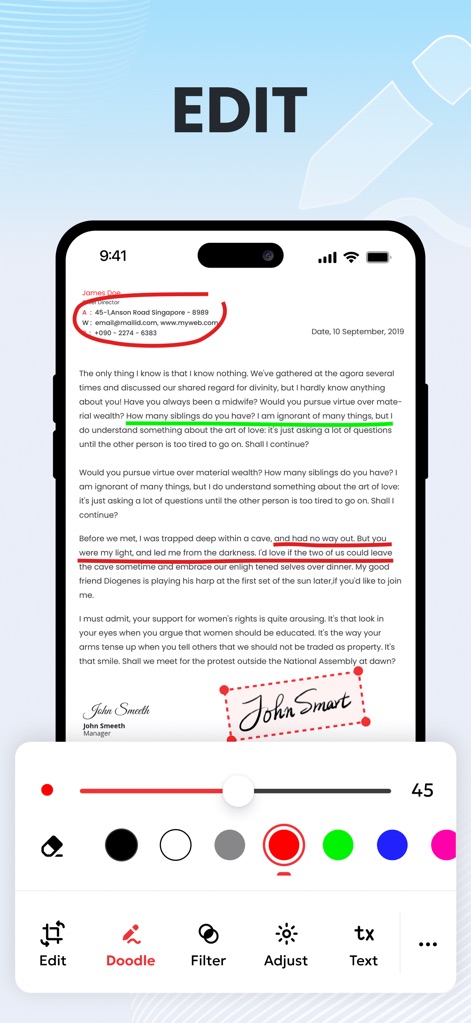
このアプリでは、ユーザーはPDFドキュメントに直接ハイライトを追加したり、異なる色を使用して注釈を書き込んだりすることができます。
PDFを編集
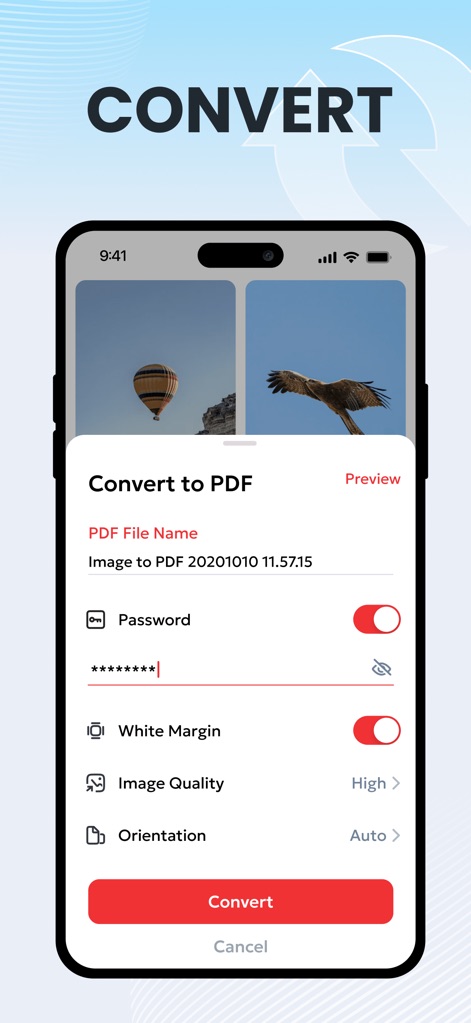
変換プロセスでは、ユーザーは出力PDFのファイル名をカスタマイズでき、重要なドキュメントにはパスワード設定でセキュリティを追加できます。
PDFに変換

変換されたPDFは成功メッセージとともにプレビュー表示され、WhatsAppやMessengerなどの複数のソーシャルメディアプラットフォームを通じて簡単に共有できます。
すぐに共有
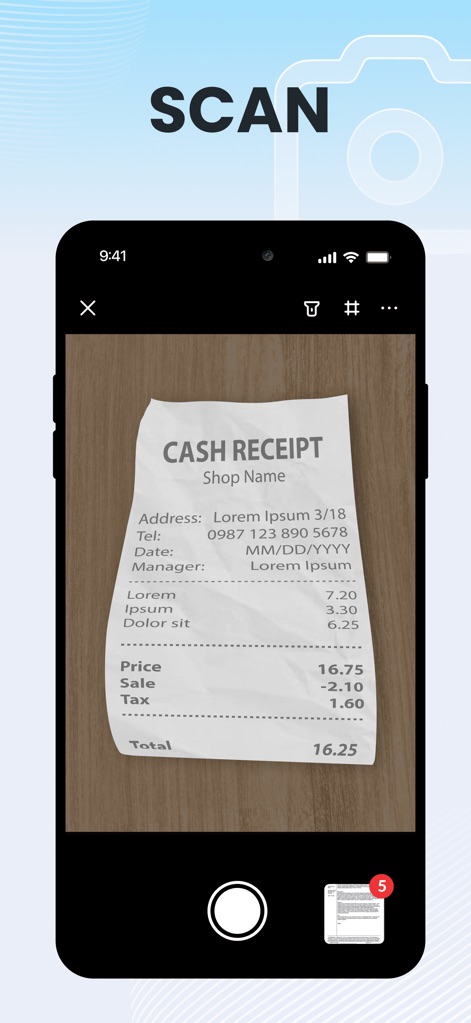
このアプリは、デバイスのカメラを使用して物理的な領収書やドキュメントをスキャンし、スキャンしたページをまとめてPDFとして処理できます。
書類をスキャン
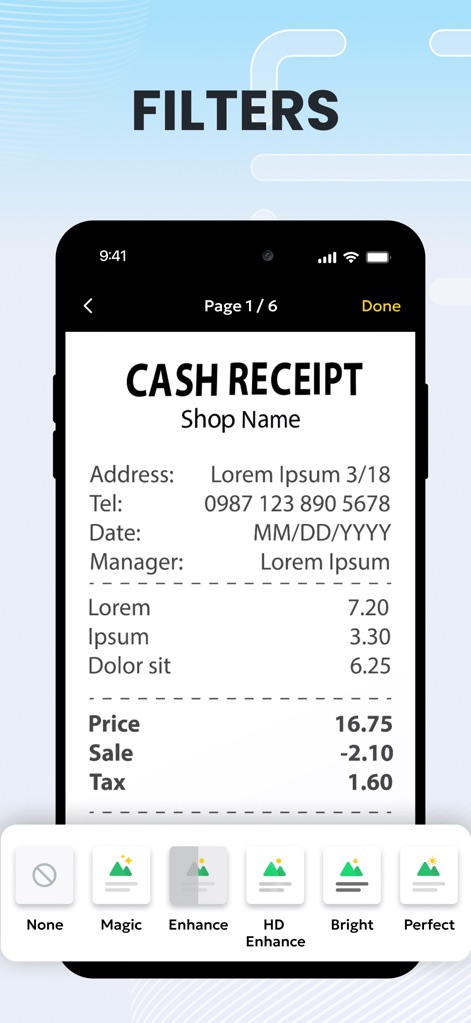
スキャンしたドキュメントには、鮮明度を高めるための「マジック」や「エンハンス」といった複数のフィルターを適用でき、視認性を向上させます。
スキャンを補正
説明
Download
類似アプリ
似た機能とユーザー体験を持つアプリ

PDF PRO Scan Image & Documents
Balzo srl

The PDF Scanner, PDF editor HQ
NEXT K.U.M. LTD

CamScanner - PDF Scanner App
INTSIG Information Co., Ltd

Adobe Scan: PDF & OCR Scanner
Adobe Inc.

WPS Office: PDF, Docs, Sheets
KINGSOFT OFFICE SOFTWARE CORPORATION LIMITED

iLovePDF - PDF Editor & Scan
ILOVEPDF S.L.

Scanner App: Genius Scan
The Grizzly Labs

Microsoft Lens: PDF Scanner
Microsoft Corporation

Clear Scan: Doc Scanner App
INDY MOBILE APP COMPANY LIMITED
このページはアプリまたはその開発者の公式ページではなく、情報提供および論評を目的として作成された独立した編集出版物です。明示的に別段の記載がない限り、アプリおよびその開発者は、MWM、Apple、Google Play、アプリのパブリッシャー、またはアプリの開発者と提携、承認、後援、認可、またはその他の公式的な関係はなく、このページのいかなる内容も、アプリがMWMのサービスを使用して開発されたことを意味するものではありません。すべての商標、ロゴ、スクリーンショット、その他のコンテンツはそれぞれの所有者の財産です。