Satellite Tracker

Satellite Tracker

Download on App Store
Logo of Satellite Tracker

Satellite Tracker: Precision Orbital Tracking for Ham Radio and Space Observers

Master the skies with professional-grade azimuth and elevation calculations. Access real-time NORAD and AMSAT data sets, visualize passes on 3D Earth models, and optimize your signal acquisition with the successor to the award-winning HamSat series.

Download on App Store

Publisher

Craig Vosburgh

Category

Utilities

Downloads

0

User Rating

2.9/5

Total Ratings

0

Locales

1

Precision in Every Pass

Discover the interface used by 0 users.
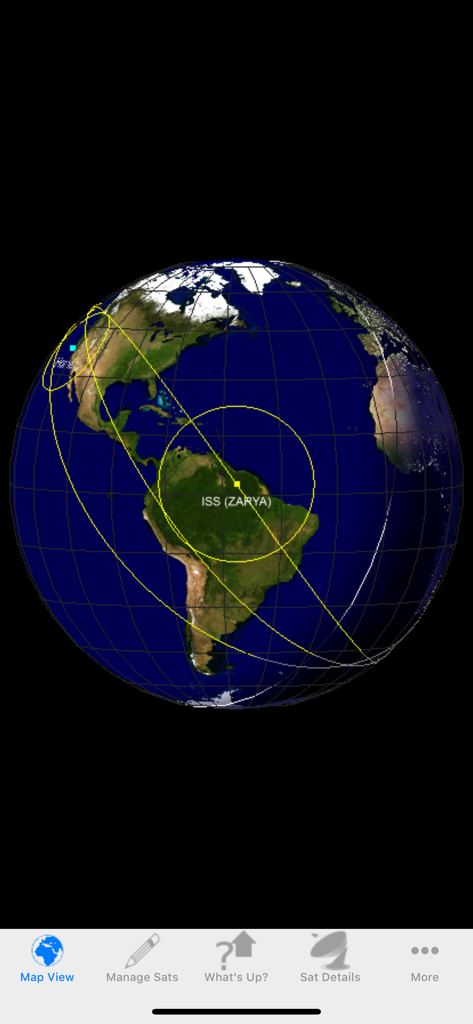
3D Earth globe view showing the International Space Station ISS orbit and coverage area.

3D Earth globe view showing the International Space Station ISS orbit and coverage area.

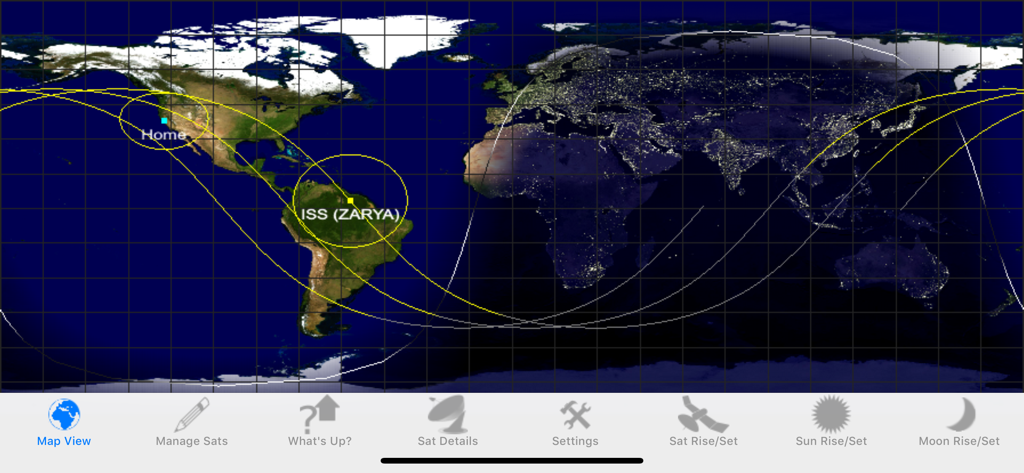
Interface of the Satellite Tracker app showing a 2D world map with orbital paths and the current position of the International Space Station

Interface of the Satellite Tracker app showing a 2D world map with orbital paths and the current position of the International Space Station

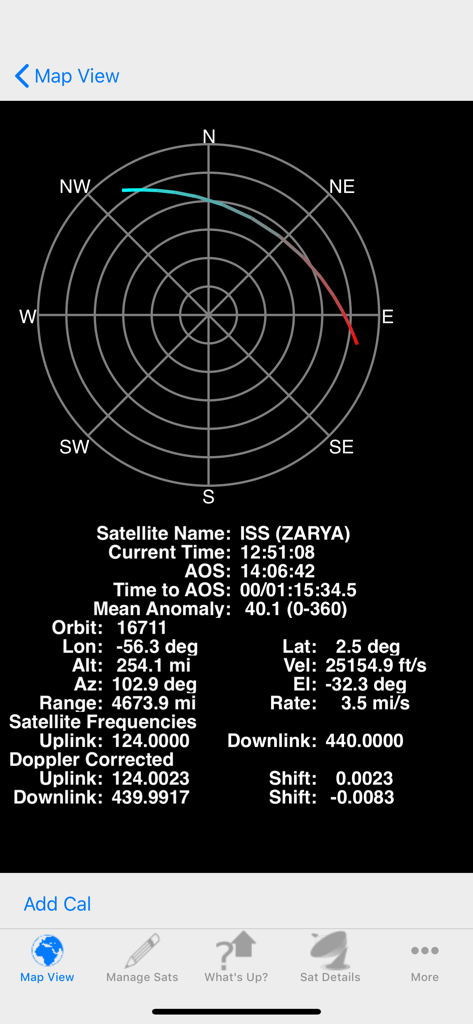
Technical orbital data and radio frequency details for the International Space Station ISS ZARYA

Technical orbital data and radio frequency details for the International Space Station ISS ZARYA

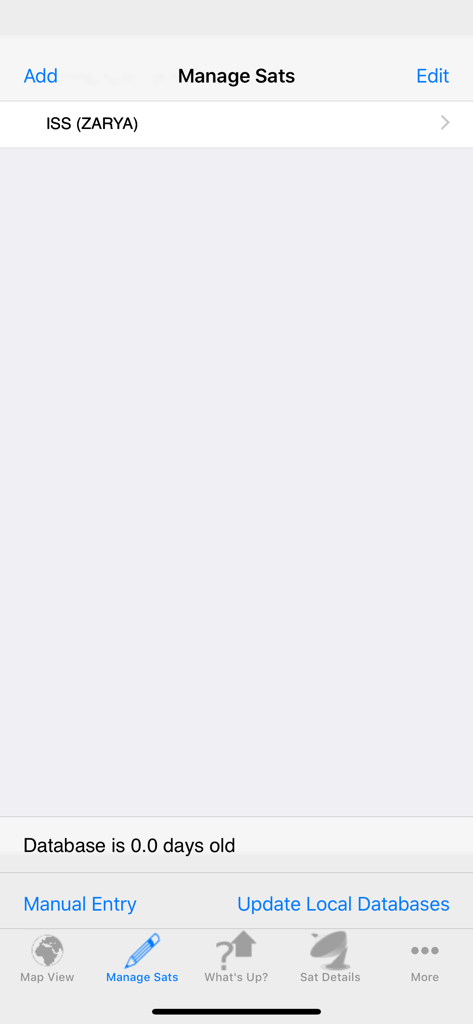
Manage satellites screen of the Satellite Tracker app showing the International Space Station in the tracking list

Manage satellites screen of the Satellite Tracker app showing the International Space Station in the tracking list

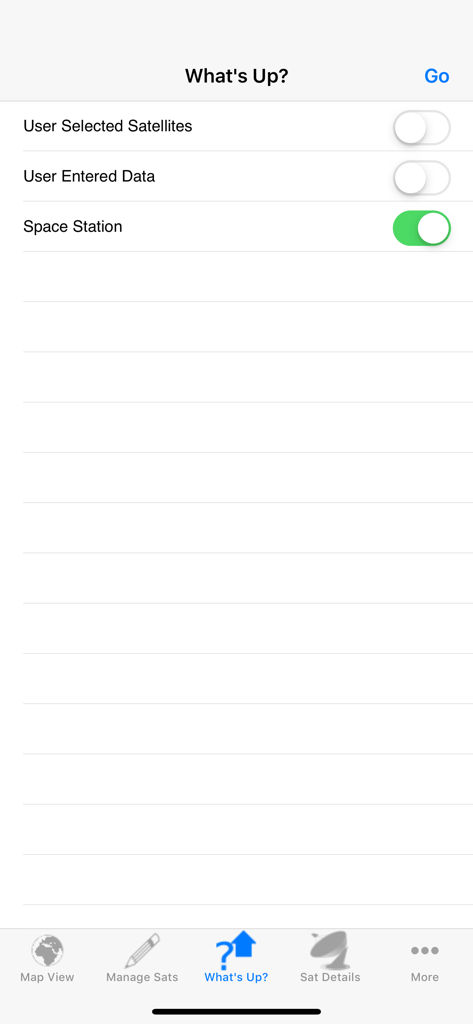
The What's Up screen of the Satellite Tracker app showing toggle switches for User Selected Satellites and Space Station tracking

The What's Up screen of the Satellite Tracker app showing toggle switches for User Selected Satellites and Space Station tracking

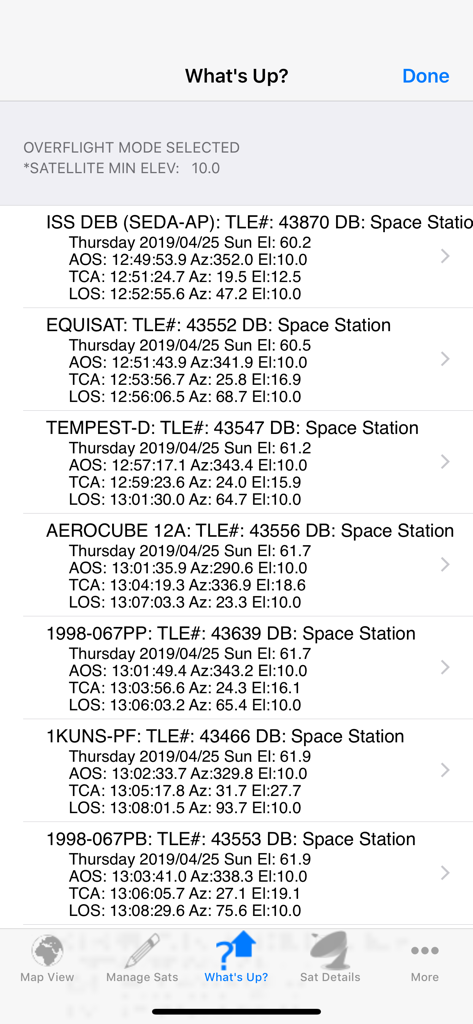
Technical list of upcoming satellite overflights showing acquisition of signal times and orbital data

Technical list of upcoming satellite overflights showing acquisition of signal times and orbital data

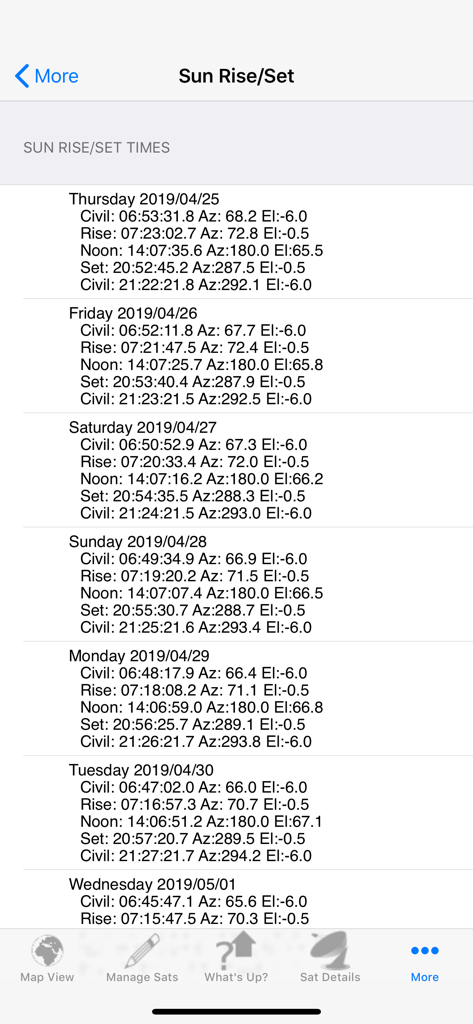
A detailed technical list of sun rise and set times with azimuth and elevation coordinates for satellite tracking

A detailed technical list of sun rise and set times with azimuth and elevation coordinates for satellite tracking

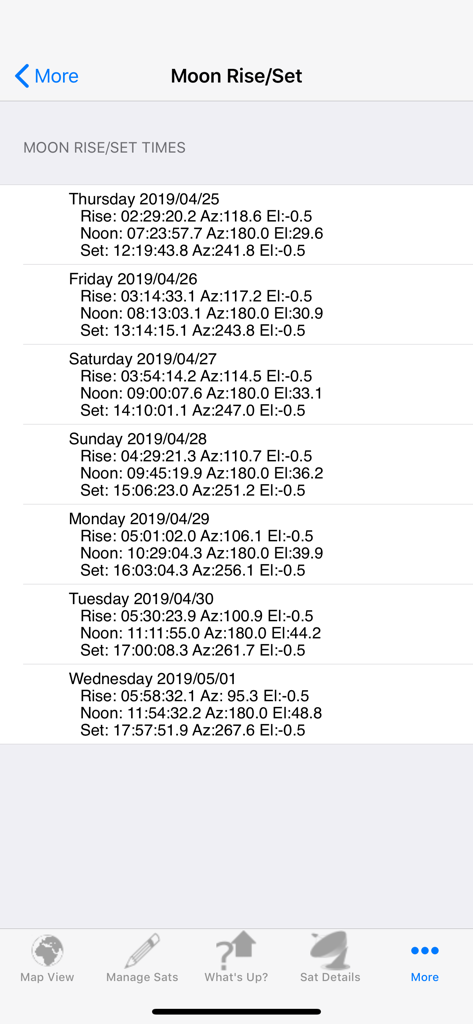
A detailed technical list of moon rise, noon, and set times with azimuth and elevation coordinates.

A detailed technical list of moon rise, noon, and set times with azimuth and elevation coordinates.

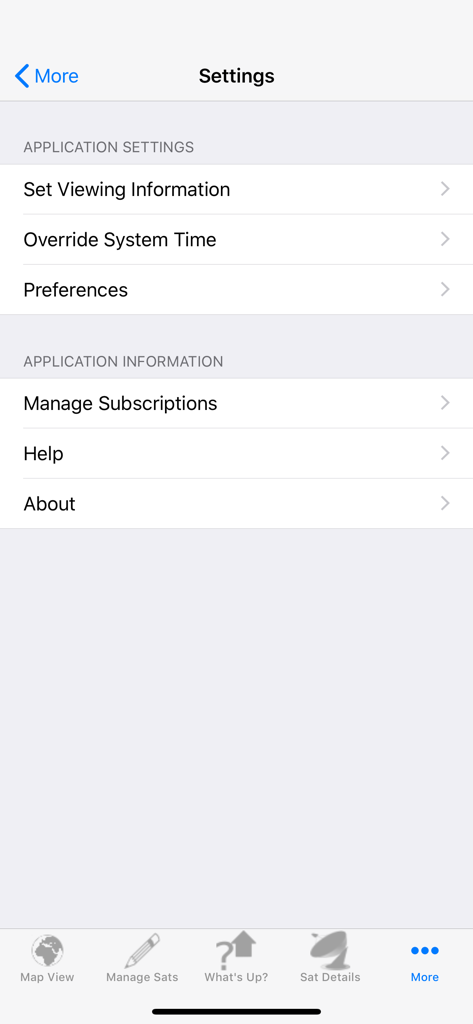
Settings screen of the Satellite Tracker app showing viewing information and subscription management options

Settings screen of the Satellite Tracker app showing viewing information and subscription management options

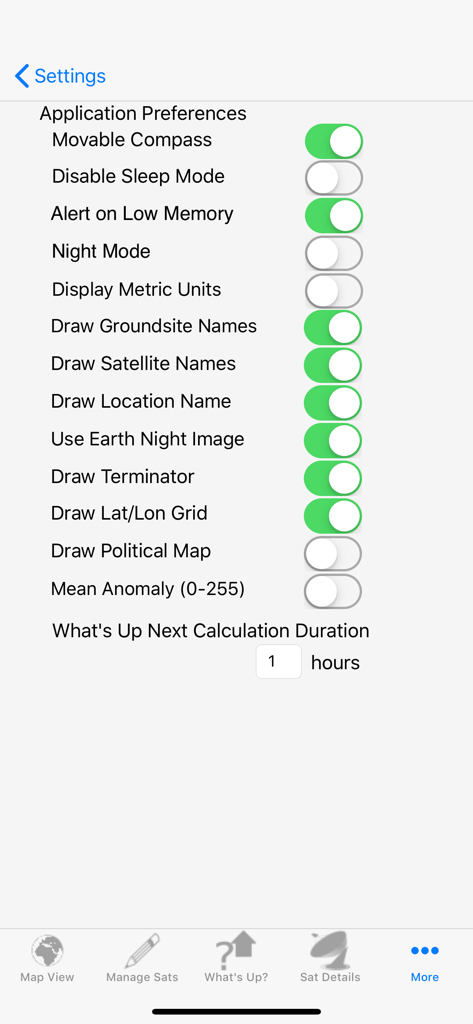
The settings menu of the Satellite Tracker app featuring various toggle options for tracking and display preferences

The settings menu of the Satellite Tracker app featuring various toggle options for tracking and display preferences

Precision Tracking for Professionals and Hobbyists

The tools that make this app stand out, trusted by 0 users.

📡

Advanced Radio & Visual Modes

Toggle between all overflights for radio contact windows or sunlight-only passes for visual ground observation, with precise rise, set, azimuth, and elevation data.

🗂️

Comprehensive Satellite Catalog

Gain professional-grade access to NORAD and AMSAT data sets covering thousands of objects including CubeSats, NOAA weather satellites, and GPS constellations.

🗺️

Dynamic 3D & 2D Visualization

Experience a photorealistic Earth model with seamless orientation switching and deep customization controls, optimized for a high-fidelity 'command center' feel on iPad and iPhone.

About the app

Everything you need to know about Satellite Tracker.

Description

Satellite Tracker is the follow on to our award winning HamSat series of applications. Satellite Tracker merges all the features of the iPhone and iPad versions providing you a single application that seamlessly optimizes the screen to the device you’re running it on (check out the various iPhone and iPad screen shots). The application will calculate the rise/set times and associated azimuth and elevation for the selected satellite, Sun or Moon given either the user entered or network retrieved location. There are two modes for satellite rise/set calculations. The first is for those folks wanting to know all overflights for a given location (like Ham radio operators) while the second mode computes only those passes where the satellite would be visible to a ground observer. In the ground observer mode, the calculations not only take into account that the ground is dark but also that the satellite is in sunlight (it even takes into account if the satellite becomes lit or unlit during the pass) In addition, you can see the Earth rendered either as a 3D globe or a 2D map using photo realistic texture maps for the Earth model. The orientation of the map is easily changed by a simple rotation of the device from portrait (3D) to landscape (2D). In either orientation you can zoom in and out as well as pan using the touch screen. There are more than a dozen controls provided to allow you to customize how the application works to meet your specific needs (type of Earth texture used, location, type of overflight calculated…) Finally, the application is now free to download and provides full functionality for tracking, viewing and communicating with the International Space Station (what was the capability of the ISS family of paid apps). The following subscriptions are available for tracking and communicating with a larger set of satellites: -HamSat (Annual and Monthly): Provides access to the NORAD and AMSAT two line element sets which cover all amateur related satellites. -ProSat (Annual and Monthly): Provides access to thousands of satellites grouped into the following categories (from www.celestrak.com): -100 (or so) Brightest -Last 30 Day’s Launches (or so) -Amateur Ham Radio Satellites -CubeSats -Disaster Monitoring -Earth Resources -Education -Engineering -Geodetic -Geostationary -GOES -GPS Operational -Intelsat -Iridium -Molniya -NOAA -Orbcomm -Search & Rescue (SARSAT) -Space & Earth Science -Space Station -Weather To get a feel for the apps, please checkout the iPad quickstart video (http://www.youtube.com/watch?v=tiHCGxV0WM8) and associated user’s guide (http://www.vosworx.com/wp-content/uploads/2017/05/SatSeriesHD.pdf) or the iPhone quickstart video (http://www.youtube.com/watch?v=iuPccQI9oSg) and it’s user’s guide (http://www.vosworx.com/wp-content/uploads/2017/05/SatSeries.pdf). Please note that InApp payments will be charged to your AppleID account at the confirmation of purchase. Subscriptions automatically renews unless it is canceled at least 24 hours before the end of the current period. Your account will be charged for renewal within 24 hours prior to the end of the current period. You can manage and cancel your subscription by going to your account settings on the App Store after purchase. For more information, please visit our Terms of Service at http://www.vosworx.com/terms-of-service-for-app and our Privacy Policy at http://www.vosworx.com/privacy-policy-for-apps. Thanks to everyone who has sent in their questions/requests and keep them coming! -Craig (support@vosworx.com)

Latest Version

10.3.8

Size

22.1 MB

First Released

May 16, 2019

Ready for the Next Critical Pass?

Join thousands of Ham radio operators and technical hobbyists. Download the ultimate tool for professional-grade orbital data, precise azimuth-elevation calculations, and real-time satellite tracking.

Download on App Store

App information, icons, screenshots, and descriptions displayed on this page are sourced from the Apple App Store and are the property of their respective developers. Download estimates and rankings are based on MWM's proprietary models and may not reflect actual figures. This page is provided for informational and analytical purposes only.

Believe this page infringes your intellectual property? File a dispute