
This page is not an official page of the app or its developer, but an independent editorial publication created for informational and commentary purposes. Unless expressly stated otherwise, neither the app nor its developer is affiliated with, endorsed by, sponsored by, authorized by, or otherwise officially connected with MWM, Apple, Google Play, the app publisher, or the app's developer, and nothing on this page implies that the app was developed using MWM's services. Any trademarks, logos, screenshots, and other content remain the property of their respective owners.

Task Manager Progress
Transform overwhelming projects into clear, actionable steps. Break down your goals with unlimited sub-tasks and watch your momentum build through automated visual progress tracking.
Downloads
0User Rating
Total Ratings
0Publisher
Category
ProductivityLocales
2Latest Version
1.0.11Size
13.3 MBFirst Released
Mar 4, 2025Visualize Your Momentum
Built for high-achievers who value clarity. Break complex goals into small wins and track your progress with beautiful, automatic percentages.
Infinite Task Layers
Master complex projects by breaking them down into unlimited sub-tasks. Perfect for those who need a structured action plan.
Instant Dopamine Hits
Watch your progress bars climb automatically as you work. Get the visual gratification of seeing your goals move toward 100%.
The following screenshots and description are sourced directly from the app's official store listing and are the property of the app developer.
App Store
Screenshots
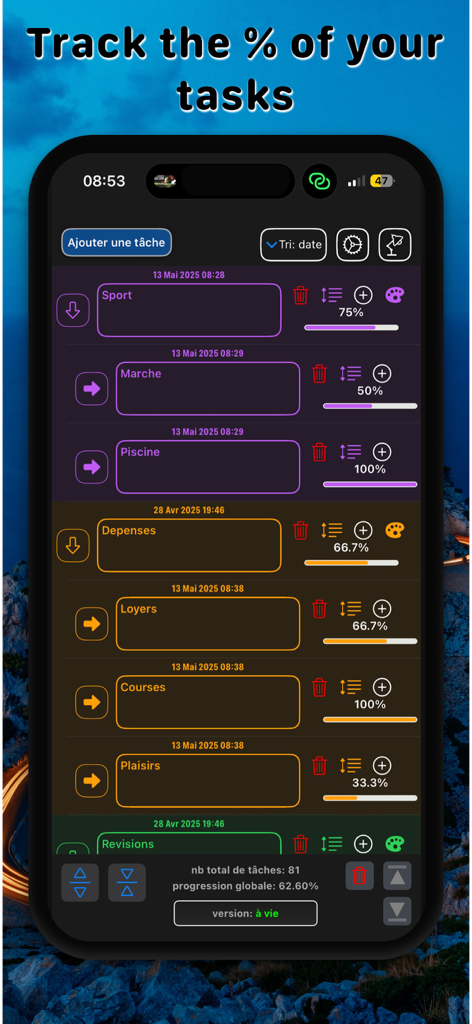
Task Manager Progress app screen displaying a list of tasks with individual percentage completion bars and color coded categories
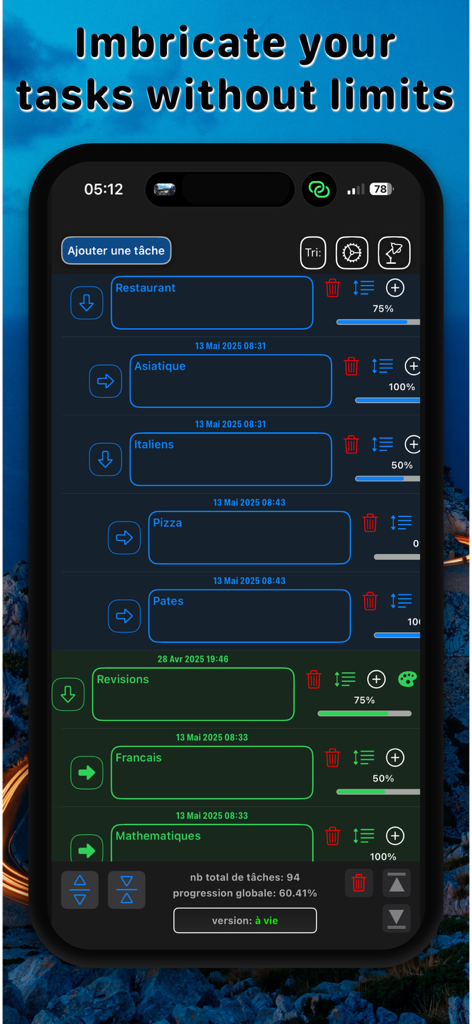
Task Manager Progress app interface displaying a hierarchical task list with visual progress bars and completion percentages
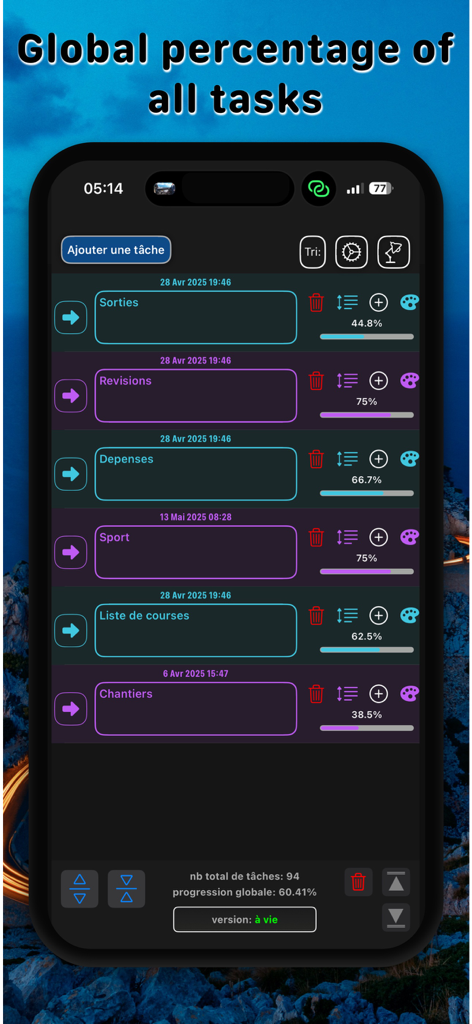
Mobile app screen displaying a list of tasks with visual progress bars and completion percentages.
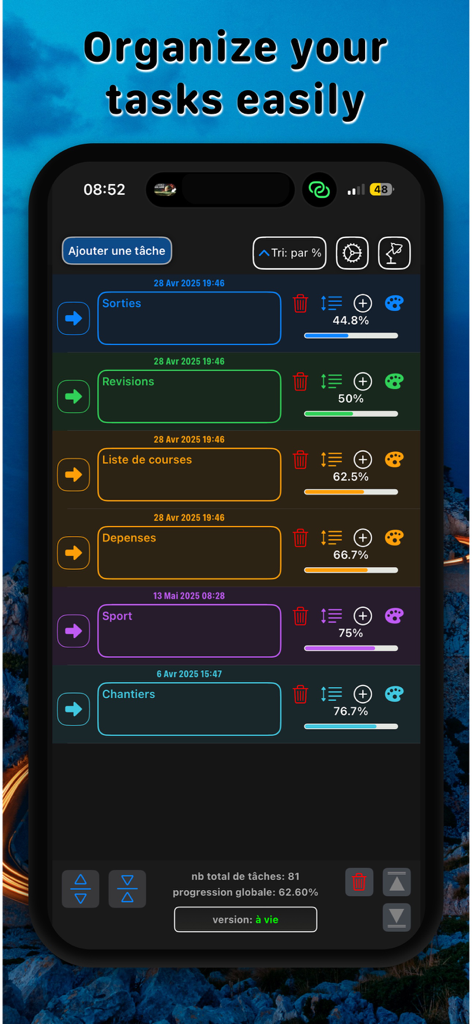
Task Manager Progress mobile app interface showing a list of tasks with color coded categories and percentage progress bars.
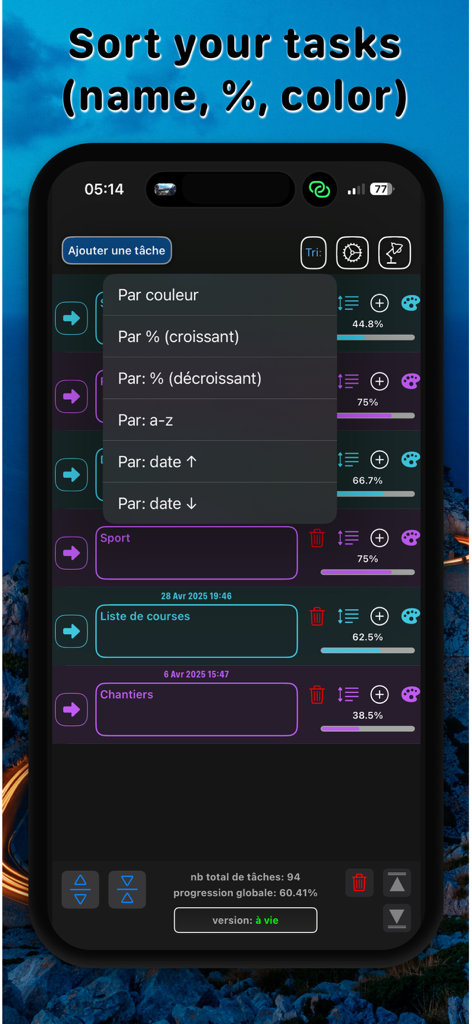
Interface of Task Manager Progress app showing the task sorting menu with options for color, percentage, and alphabetical order.
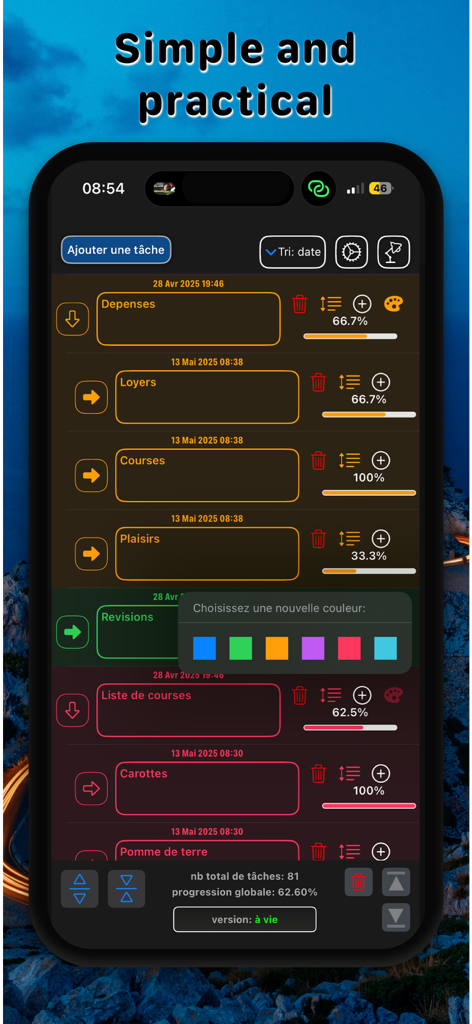
Mobile app dashboard displaying task lists with progress percentages and a color picker
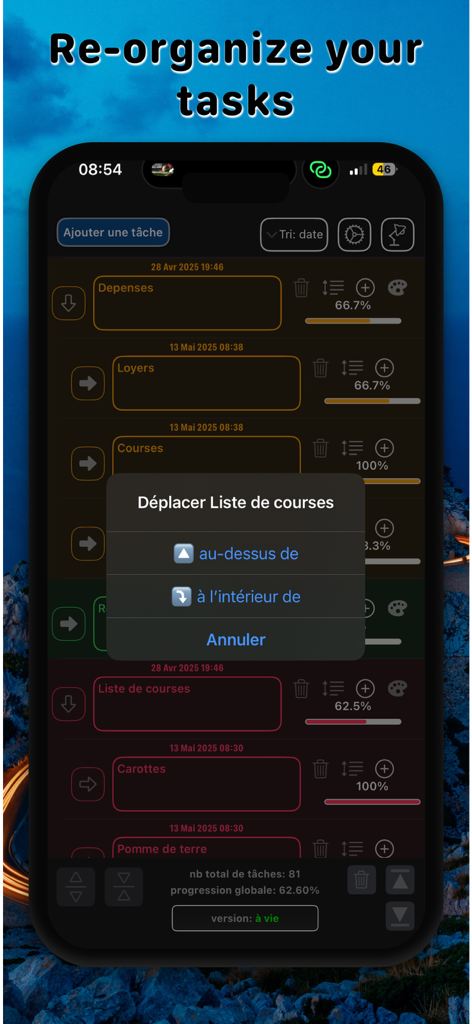
IPhone screen of Task Manager Progress app displaying a menu to reorganize and nest task lists with progress percentage bars
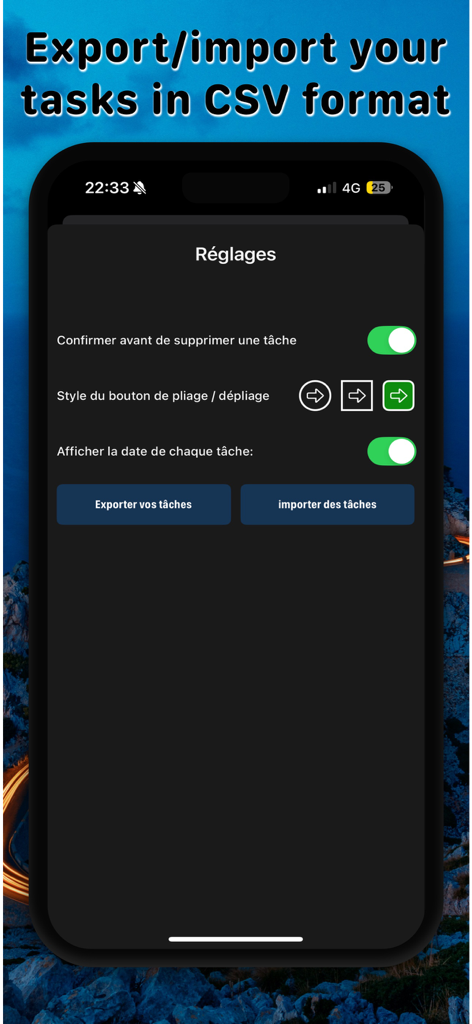
Settings screen of Task Manager Progress showing CSV export and import options for task management.
Description
Download
More Like This
Apps with similar features and user experience

My PосkеtОptiоn : Smart list
Astrana LLC

Resolva - Guarda Roupa Virtual
RESOLVA CONSULTORIA DE ESTILO DE MODA LTDA

2Do - Todo List, Tasks & Notes
Beehive Innovations Services
Due - Reminders & Timers
Due Apps LLP

eCalendar - Daily Planner
Shenzhen Fujia Technology Co., Ltd.

Firetask 5
Elemental Tools GmbH

А-FriепdFindег: YourPresent
Abner Hoover

Planelo: Idea & Project Hub
David Tereba
This page is not an official page of the app or its developer, but an independent editorial publication created for informational and commentary purposes. Unless expressly stated otherwise, neither the app nor its developer is affiliated with, endorsed by, sponsored by, authorized by, or otherwise officially connected with MWM, Apple, Google Play, the app publisher, or the app's developer, and nothing on this page implies that the app was developed using MWM's services. Any trademarks, logos, screenshots, and other content remain the property of their respective owners.