Task Office lite: to-do list
ダウンロード: App Store

このページはアプリまたはその開発者の公式ページではなく、情報提供および論評を目的として作成された独立した編集出版物です。明示的に別段の記載がない限り、アプリおよびその開発者は、MWM、Apple、Google Play、アプリのパブリッシャー、またはアプリの開発者と提携、承認、後援、認可、またはその他の公式的な関係はなく、このページのいかなる内容も、アプリがMWMのサービスを使用して開発されたことを意味するものではありません。すべての商標、ロゴ、スクリーンショット、その他のコンテンツはそれぞれの所有者の財産です。

ロゴ: Task Office lite: to-do list
ダウンロード: App Store

Task Office lite: to-do list

リスト以上のものを必要とするハイアチーバーのために作られました。タスク、カレンダー、CRMを 1 つの強力なパイプラインにシームレスに統合し、進捗を追跡してプロフェッショナルな目標を達成します。

主要数値

ダウンロード

6K+

ユーザー評価

4.0/5

評価数

100

開発元

DK CONSULTING, TOV

カテゴリ

Productivity

対応言語

15

最新バージョン

11.0

サイズ

84.8 MB

リリース日

2015年9月2日
機能

プロフェッショナルのピークをマスターする

Task Office liteは、プロジェクト管理、GTDワークフロー、CRMツールを、ハイアチーバーのプロフェッショナルのために構築された 1 つの強力なエコシステムに統合します。

実績あるGTD®フレームワーク

「Getting Things Done」の方法論を楽に実装し、心をクリアにしてインパクトの高い結果に集中しましょう。

プロジェクトパイプライン追跡

視覚的なパーセンテージとタイムラインで進捗を監視し、あらゆる複雑なプロジェクトがスケジュール通りに管理されていることを確認します。

以下のスクリーンショットと説明は、アプリの公式ストアリスティングから直接取得されたものであり、アプリ開発者の所有物です。

アプリストア

スクリーンショット
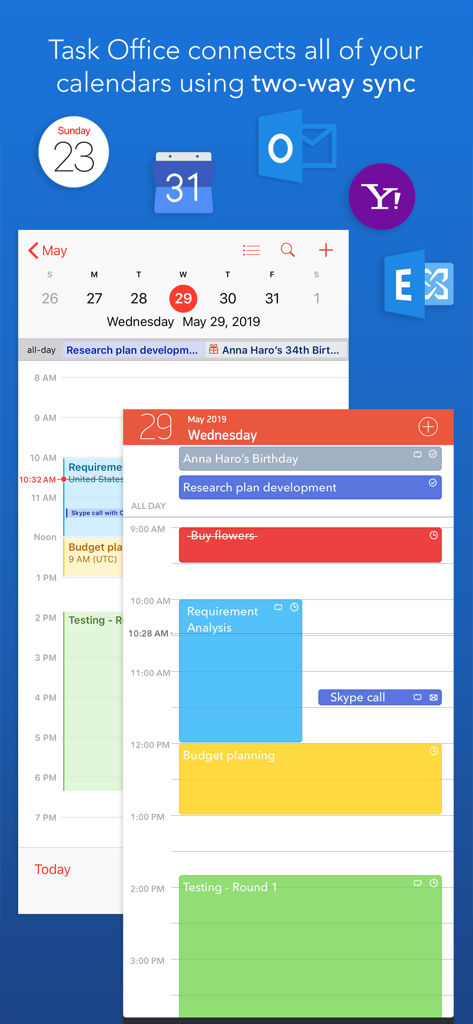
Task Office lite: to-do list - OutlookおよびYahooとの双方向カレンダー同期と毎日のスケジュールを表示するTask Office liteアプリインターフェイス
OutlookおよびYahooとの双方向カレンダー同期と毎日のスケジュールを表示するTask Office liteアプリインターフェイス

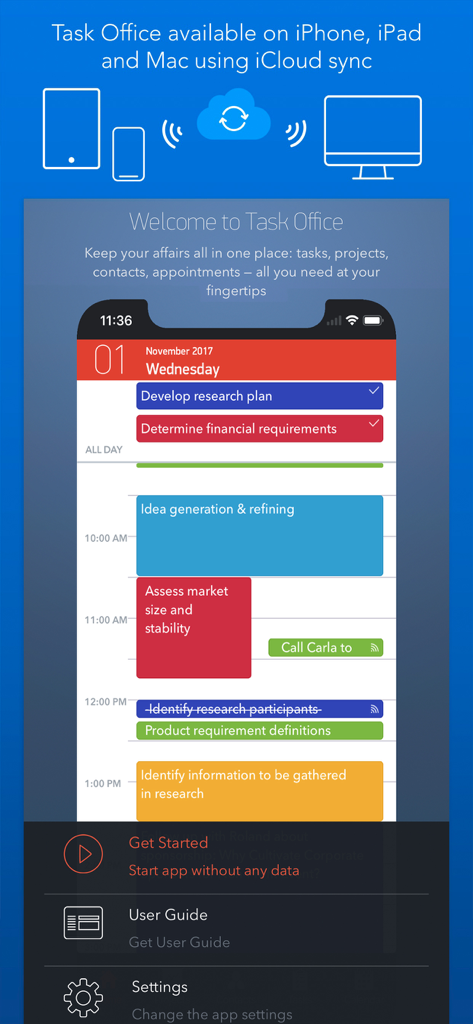
Task Office lite: to-do list - Appleデバイス全体での毎日のタスクスケジュールとiCloud同期を表示するTask Office liteアプリインターフェイス

Appleデバイス全体での毎日のタスクスケジュールとiCloud同期を表示するTask Office liteアプリインターフェイス
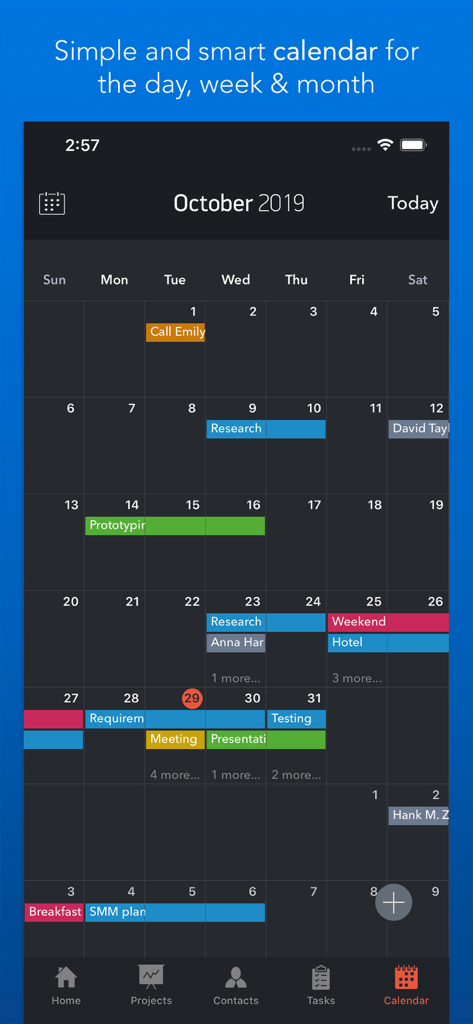
Task Office lite: to-do list - 色分けされたスケジュールされたタスクと予定を表示するTask Office lite月間カレンダービュー
色分けされたスケジュールされたタスクと予定を表示するTask Office lite月間カレンダービュー

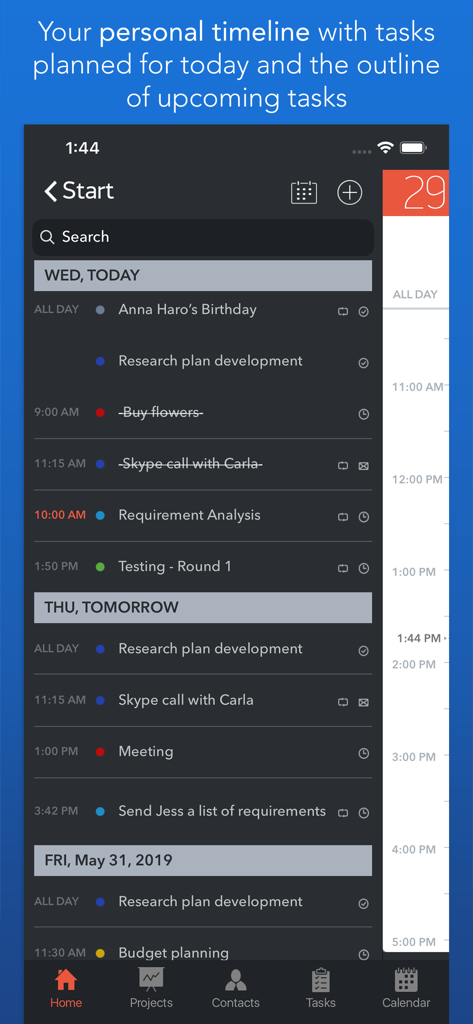
Task Office lite: to-do list - 毎日のタスクと今後のプロジェクトマイルストーンを表示するTask Office liteパーソナルタイムライン
毎日のタスクと今後のプロジェクトマイルストーンを表示するTask Office liteパーソナルタイムライン

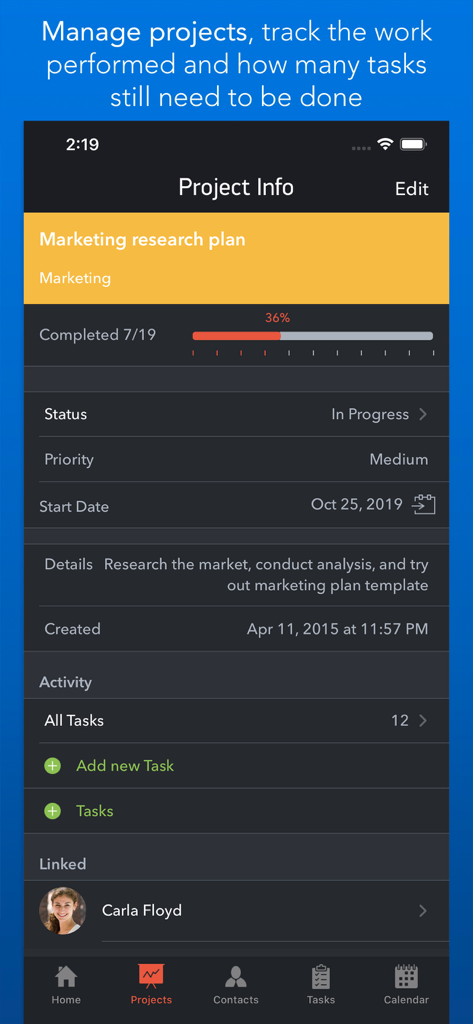
Task Office lite: to-do list - マーケティングリサーチプランの進捗追跡とステータスを表示するTask Office liteプロジェクト情報画面
マーケティングリサーチプランの進捗追跡とステータスを表示するTask Office liteプロジェクト情報画面

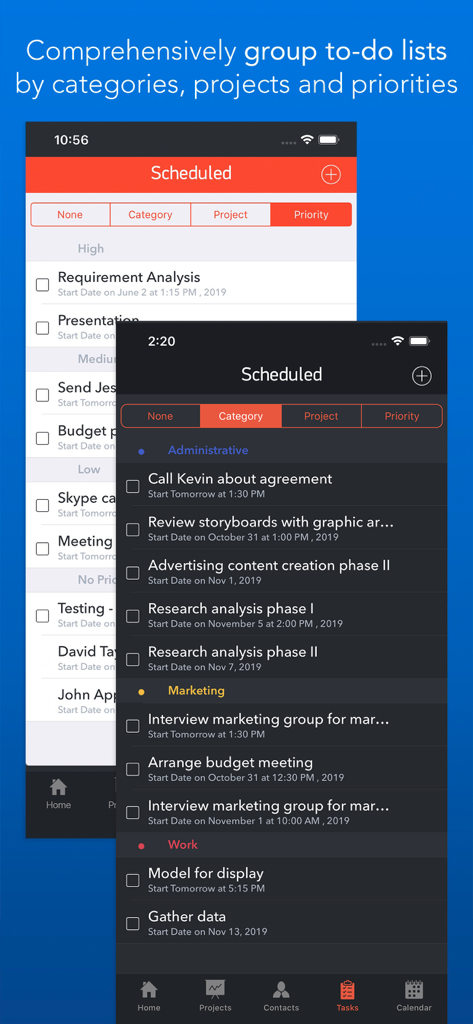
Task Office lite: to-do list - ライトおよびダークテーマでカテゴリと優先度別にグループ化されたToDoリストを表示するTask Office liteインターフェイス
ライトおよびダークテーマでカテゴリと優先度別にグループ化されたToDoリストを表示するTask Office liteインターフェイス

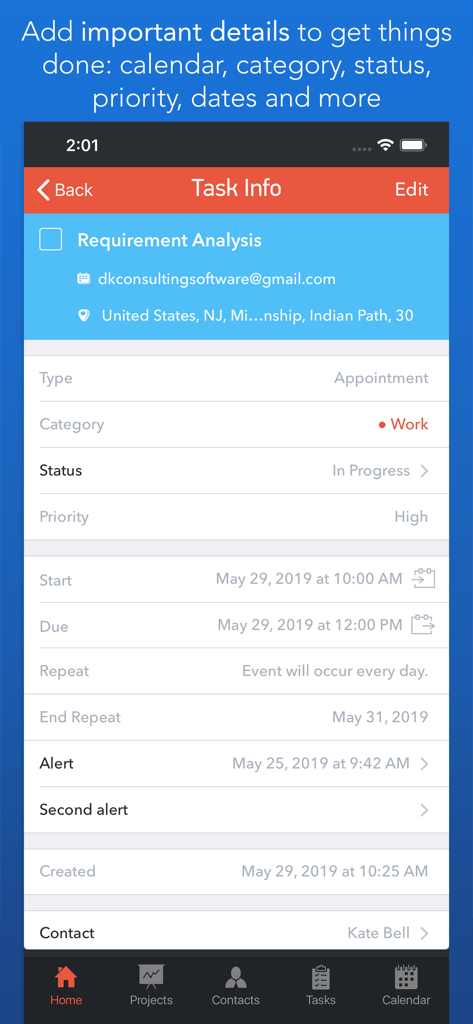
Task Office lite: to-do list - Task Office liteアプリでカテゴリ、ステータス、優先度などの詳細なGTD属性を表示するタスク情報画面
Task Office liteアプリでカテゴリ、ステータス、優先度などの詳細なGTD属性を表示するタスク情報画面

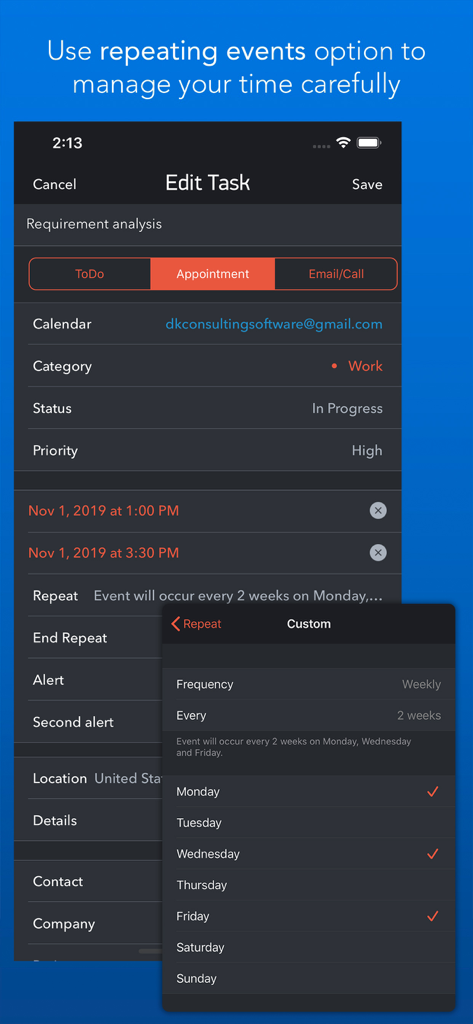
Task Office lite: to-do list - Task Office liteモバイルアプリ画面で、繰り返しタスクのカスタム繰り返しイベント設定を表示
Task Office liteモバイルアプリ画面で、繰り返しタスクのカスタム繰り返しイベント設定を表示

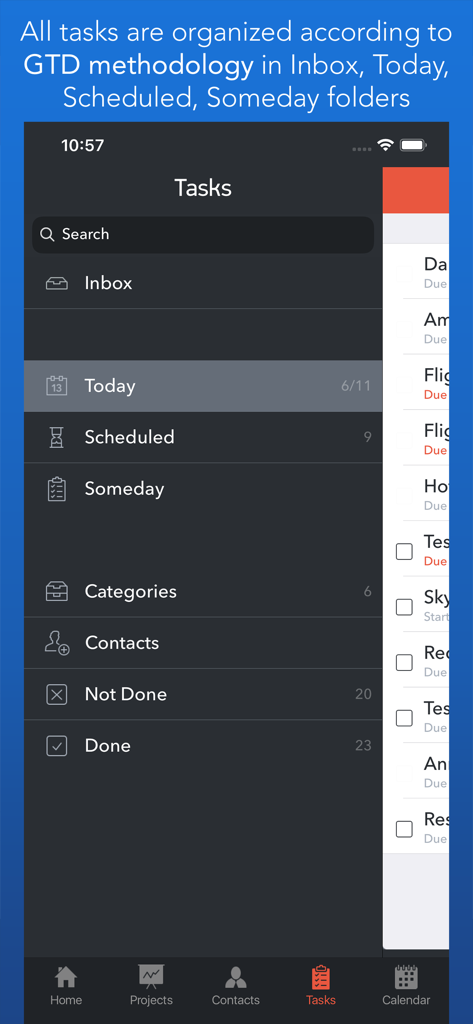
Task Office lite: to-do list - Task Office liteアプリのGTD方法論タスク整理画面

Task Office liteアプリのGTD方法論タスク整理画面

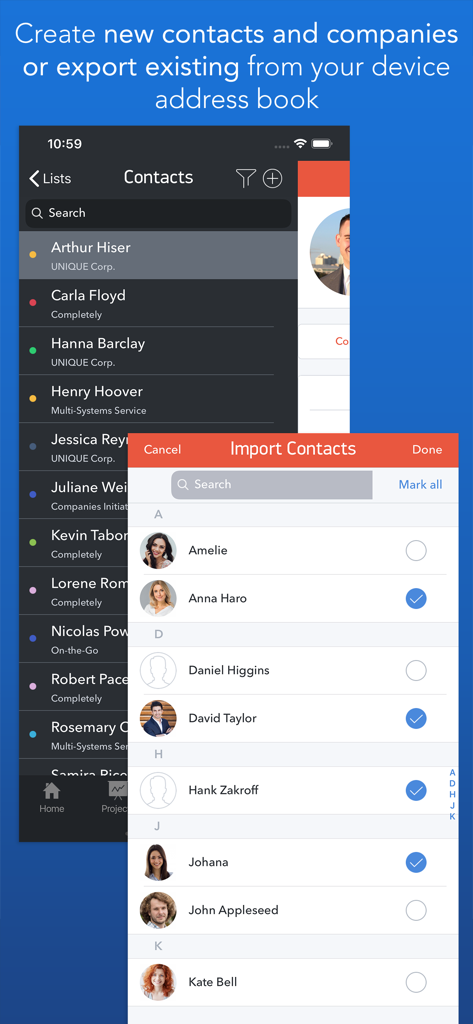
Task Office lite: to-do list - Task Office lite連絡先管理画面で、プロフェッショナル連絡先のインポートと整理方法を表示

Task Office lite連絡先管理画面で、プロフェッショナル連絡先のインポートと整理方法を表示

説明

Task Office is the best of ever existing GTD, to do lists, projects and contacts management apps. Manage both simple and complex projects, to do lists without any difficulties and focus on the final result. Manage your contacts and relationships, schedule your time and succeed. Planning & Performing • Start scheduling each new day on Home screen. Here you will find your current projects and to dos: a timeline with tasks you have planned for today and outline of upcoming tasks. Home screen allows you to focus only on current tasks, planned for today, and not to get lost in plenty of other planned tasks. You can plan your day directly from Home screen creating new tasks, projects, contacts and companies Quick & Easy navigation • Reach any project, task, to do list or contact in seconds. Task Office is designed in a way that will allow you to navigate within app screens just in one tap • Organize your tasks by categories, projects or priorities and make a logic order of all your plans Detailed GTD • Add all important details to get things done: choose tasks category, status, priority and set dates • Assign tasks to people by choosing a person from all existing contacts • Add locations to each task and project • Make all your information categorized – assign special categories for easy filtering and browsing through tasks and projects Comprehensive GTD Tab • All tasks are organized according to GTD methodology (by D. Allen) • Add tasks of different types: - ToDo – tasks with duration of several days - Appointment – assign task duration accurate to minutes - Email/Call – short task for making calls or sending emails to any user Alerts • Use double alert and let the program remind you what is next to be done Tracking project progress • Track the progress of your projects and to do lists by viewing the pipeline: view the percentage of work performed and how many tasks still need to be done • Check out everyone who is involved in project: view the list of contacts involved in the project Managing your team • Create new contacts and companies; add all the important information about your contact or company. Either you can import existing contact from your iOS device Address Book • Send e-mails directly from Contacts Screen • Group your contacts creating your Private Lists, so that you can easily monitor their productivity and track task implementation. Save each Private list and refer back to easily Visualized Calendar • Task Office calendar allows you to focus on what is important in your timeline. See your planed To Dos, Appointments, Emails/Calls to get things done in time • View calendar by day, week or month • Add tasks directly to the Calendar by Tap&Hold • Change tasks duration or Start and Due Dates simply Drag&Drop Calendar Syncing • Task Office syncs with Calendars (iCloud, Google Calendar, Exchange, Yahoo, Outlook) and you will not miss anything checking out due dates iCloud Sync • Sync your information – tasks, projects, contacts, etc. – between your devices Repeating tasks • Add repeated tasks, choosing recurrences frequency Set goals and achieve them. Become a part of Task Office team today!

Download

ダウンロード: App Store

このページはアプリまたはその開発者の公式ページではなく、情報提供および論評を目的として作成された独立した編集出版物です。明示的に別段の記載がない限り、アプリおよびその開発者は、MWM、Apple、Google Play、アプリのパブリッシャー、またはアプリの開発者と提携、承認、後援、認可、またはその他の公式的な関係はなく、このページのいかなる内容も、アプリがMWMのサービスを使用して開発されたことを意味するものではありません。すべての商標、ロゴ、スクリーンショット、その他のコンテンツはそれぞれの所有者の財産です。