
このページはアプリまたはその開発者の公式ページではなく、情報提供および論評を目的として作成された独立した編集出版物です。明示的に別段の記載がない限り、アプリおよびその開発者は、MWM、Apple、Google Play、アプリのパブリッシャー、またはアプリの開発者と提携、承認、後援、認可、またはその他の公式的な関係はなく、このページのいかなる内容も、アプリがMWMのサービスを使用して開発されたことを意味するものではありません。すべての商標、ロゴ、スクリーンショット、その他のコンテンツはそれぞれの所有者の財産です。

Trace Drawing App - Sketchify
不可能を可能にする描画の再定義:このアプリは、現実とデジタルの壁を打ち破り、あらゆるユーザーに未体験の創造力を提供している。もはや線は、キャンバス上だけに存在するものではない。
ダウンロード
750k+ユーザー評価
評価数
11.5K開発元
カテゴリ
Graphics & Design対応言語
21最新バージョン
1.7サイズ
225.1 MBリリース日
2024年10月1日「Trace Drawing App - Sketchify」の主要機能とユーザーインパクト評価
アプリケーション機能分析
ARドローイング
この機能は、スマートフォンやタブレットのカメラを使用して、任意の画像を現実世界の表面に投影し、リアルタイムで輪郭をトレースすることで、ユーザーが絵を学ぶ、作品を複製する、複雑なデザインを作成するのに役立ちます。
描画レッスン
本アプリは、基礎的な図形から高度なテクニックまで、段階的な描画ガイドを提供し、初心者からスキルアップを目指すアーティストまで、インタラクティブな学習体験をARドローイングと統合して提供します。
AIドローイング
ユーザーは、コンセプトやシーンを記述するだけで、内蔵されたAIが数秒でオリジナルアートワークを生成し、創造的な行き詰まりを克服し、インスピレーションを見つけるのに役立ちます。
カラーリングツール
トレースまたはスケッチの後、ユーザーは使いやすいカラーリングツールを使用して作品を強化し、パレット、グラデーション、塗りつぶしオプションで絵を鮮やかでパーソナルなものにできます。
画像のインポート
ユーザーは、写真ライブラリから写真、スケッチ、デザインを即座にインポートし、ARドローイングと組み合わせて個人的な参照を完璧な位置でトレースできます。
画像検索
このアプリは、アプリ内から直接高品質な画像参照を検索できるため、別のアプリに切り替えることなく、無限の視覚的インスピレーションを得ることができます。
よくある質問
について知っておくべきこと Trace Drawing App - Sketchify
What is Trace Drawing App - Sketchify?
Trace Drawing App - Sketchify is a creative tool that transforms how users sketch, trace, and create art using advanced Augmented Reality (AR) and Artificial Intelligence (AI) technologies for both digital and real-world drawing.
How does AR drawing work in Sketchify?
Sketchify's AR Drawing projects images onto real-world surfaces using your device camera. Users trace outlines in real time, with the feature adapting to the environment, providing guidance for drawing on paper, canvas, or walls.
Can I import my own images into Trace Drawing App - Sketchify?
Yes, Sketchify allows users to import photos, sketches, or designs from their photo library. These images can be combined with AR Drawing, adjusted for size, rotation, and alignment for accurate tracing.
Does Sketchify offer drawing lessons?
Yes, Sketchify provides step-by-step drawing guides, integrated with AR drawing, to help users learn basic shapes and advanced techniques. These lessons are suitable for beginners and artists refining their skills.
How does AI Drawing function in Trace Drawing App - Sketchify?
Sketchify's AI Drawing generates original artwork instantly based on user descriptions. Users can customize these AI-generated images and utilize them as references for tracing or sketching, fostering creative inspiration.
How do subscriptions work for Sketchify?
Sketchify subscriptions are charged to your iTunes account upon purchase. They auto-renew unless canceled 24 hours prior to the current period's end, with renewal charges applied 24 hours before expiration.
Where can I find the privacy policy for Trace Drawing App - Sketchify?
The privacy policy for Trace Drawing App - Sketchify is located at the following URL: https://fitnesstrainingglobal.com/privacy_policy.html. This provides details on how user data is handled.
Can Sketchify record drawing sessions?
Yes, Sketchify includes a recording feature that captures entire drawing sessions from start to finish. This is useful for creating tutorials, sharing processes on social media, or reviewing artistic progress.
Does Sketchify include coloring tools?
Yes, Sketchify provides easy-to-use coloring tools. After tracing or sketching, users can enhance their artwork with various palettes, gradients, and fill options to create vibrant and personalized drawings.
Is Sketchify compatible with both iPhone and iPad?
Yes, Sketchify is designed to work seamlessly on both iPhone and iPad devices. It features a user-friendly interface tailored for creators across all skill levels.
以下のスクリーンショットと説明は、アプリの公式ストアリスティングから直接取得されたものであり、アプリ開発者の所有物です。
アプリストア
スクリーンショット
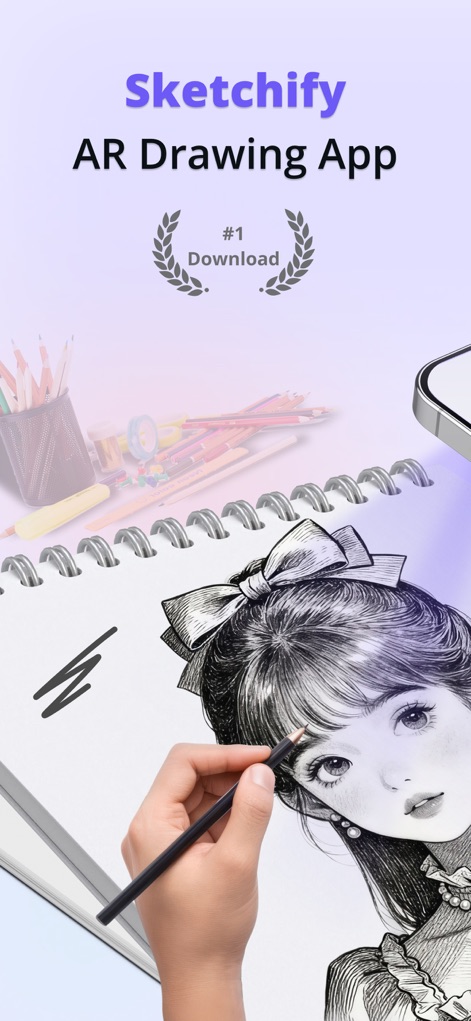
このアプリはAR投影技術を活用し、スマートフォン画面を通して現実の紙にイメージをトレースすることを可能にします。リアルタイムのガイダンスと正確な位置合わせにより、ユーザーは手軽にアートを作成できます。
ARで描画
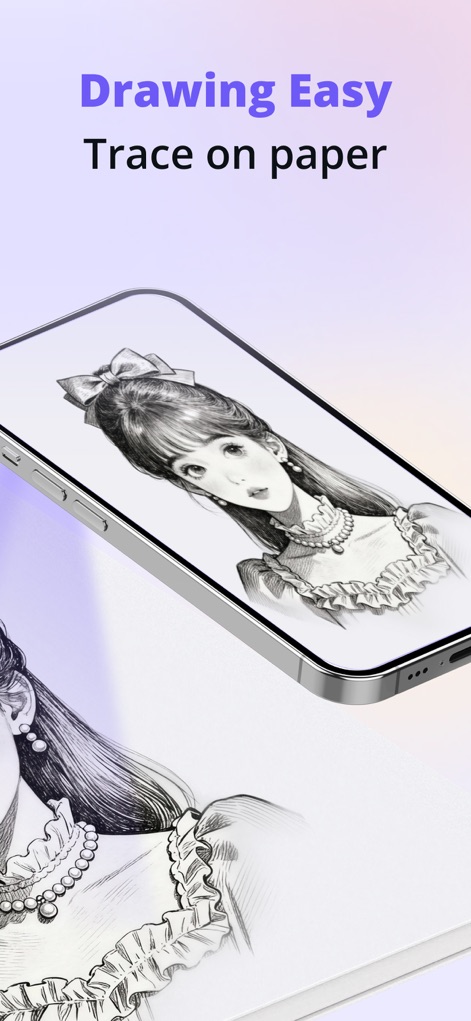
ユーザーはスマートフォン画面に表示される画像を、リアルタイムで紙に投影しトレースできます。この機能は、複雑なデザインやキャラクターアートを、正確な輪郭と細部で簡単に再現することを可能にします。
簡単トレース
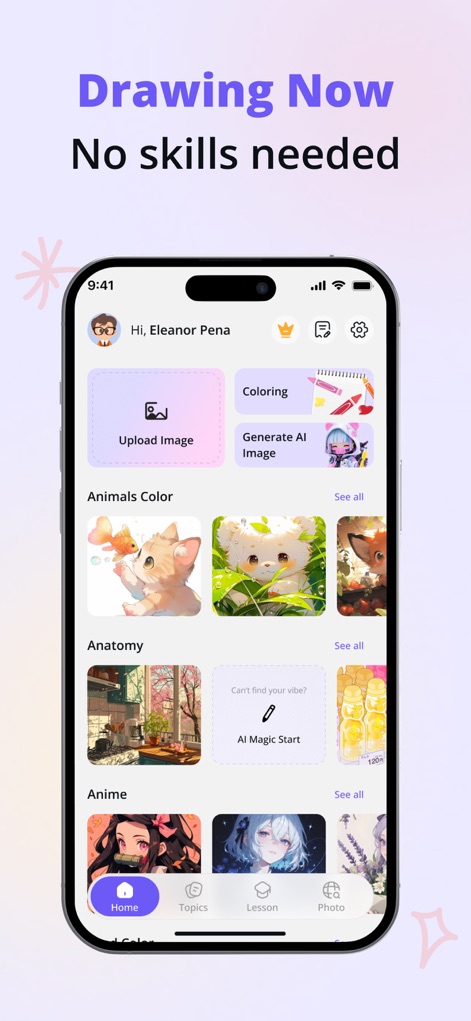
このアプリのホーム画面は、画像アップロード機能とAI画像生成機能を提供し、ユーザーの創造性を刺激します。動物やアニメのカテゴリからインスピレーションを得ることも可能です。
創造の出発点
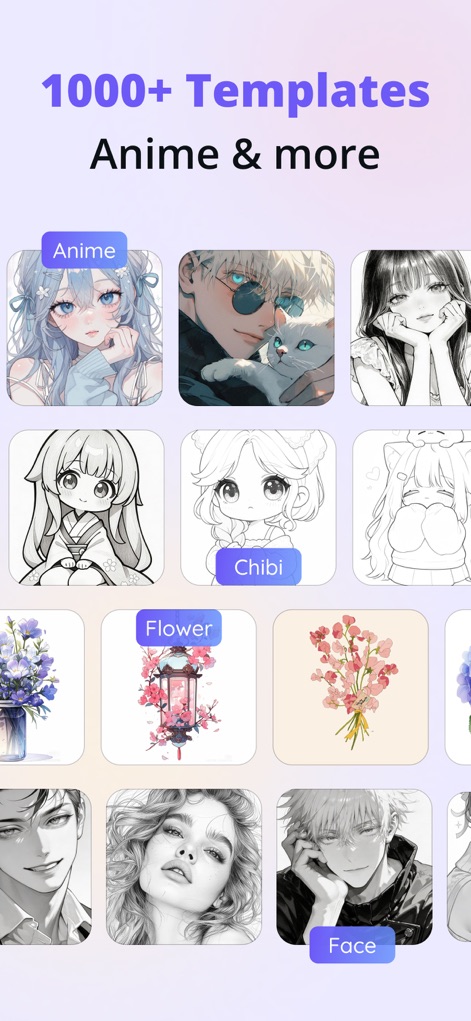
ユーザーは1000種類以上のテンプレートから選択でき、アニメキャラクターから花、人物まで、多様なインスピレーションを見つけられます。特にアニメやチビキャラのテンプレートは、初心者が様々なスタイルを学ぶのに最適です。
豊富なテンプレート
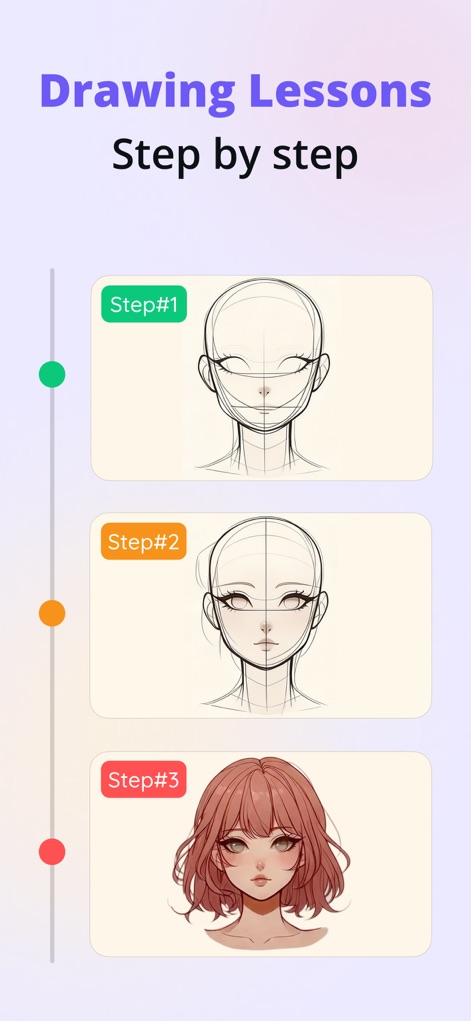
このアプリの描画レッスンは、ステップバイステップのガイドを提供し、ユーザーが基本的な顔の輪郭から詳細な着色までを習得できます。図解された各ステップは、キャラクター描画のスキルを段階的に向上させます。
ステップ学習
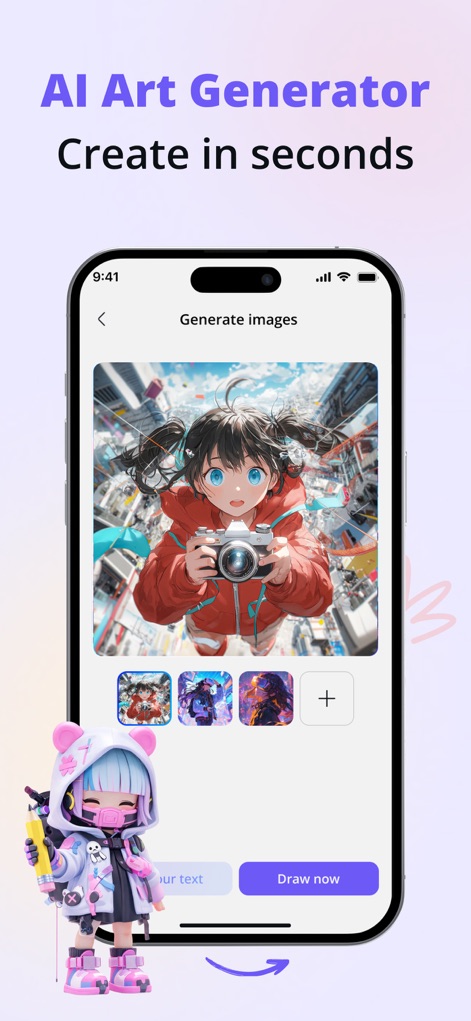
本アプリのAIアート生成機能は、テキスト入力から数秒でオリジナルのアートワークを生み出します。このツールは、アイデアを視覚化し、アニメスタイルの画像など、新しいインスピレーションを迅速に提供します。
AIで創造
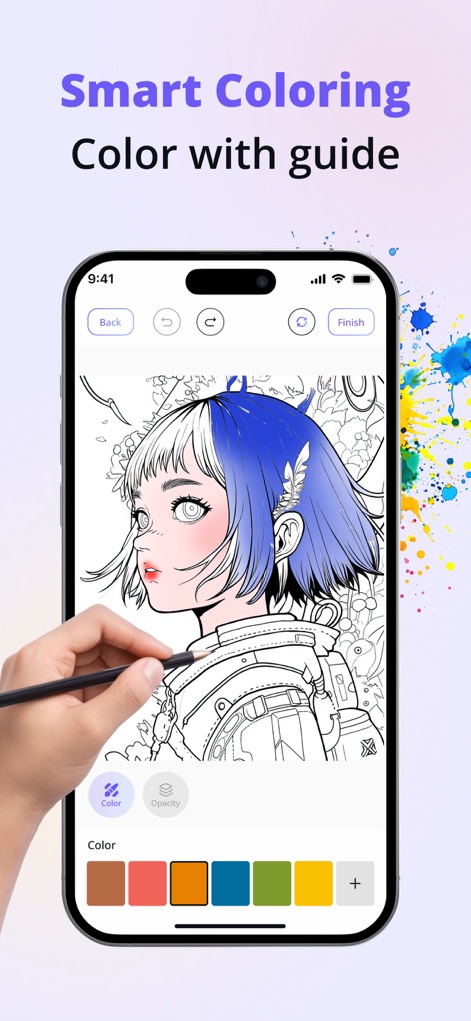
ユーザーはこのスマートな塗り絵機能で、ガイドに従いながらイラストに色を塗ることができます。パレット選択とブラシの不透明度調整機能により、作品に深みと個性を加えることが可能です。
直感的な彩色
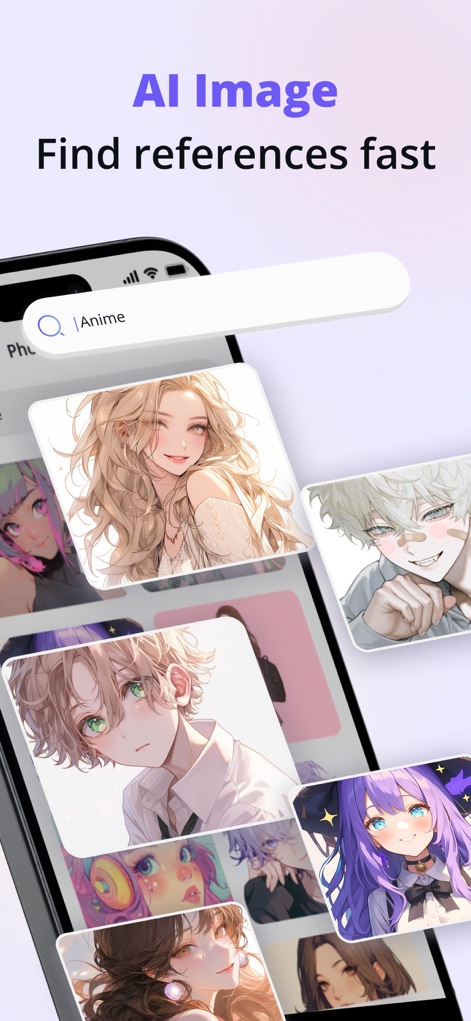
このアプリ内検索機能は、ユーザーがアニメスタイルの参照画像を素早く見つけることを可能にします。AIが生成した多様な画像は、描画のインスピレーション源として活用できます。
参照画像を検索
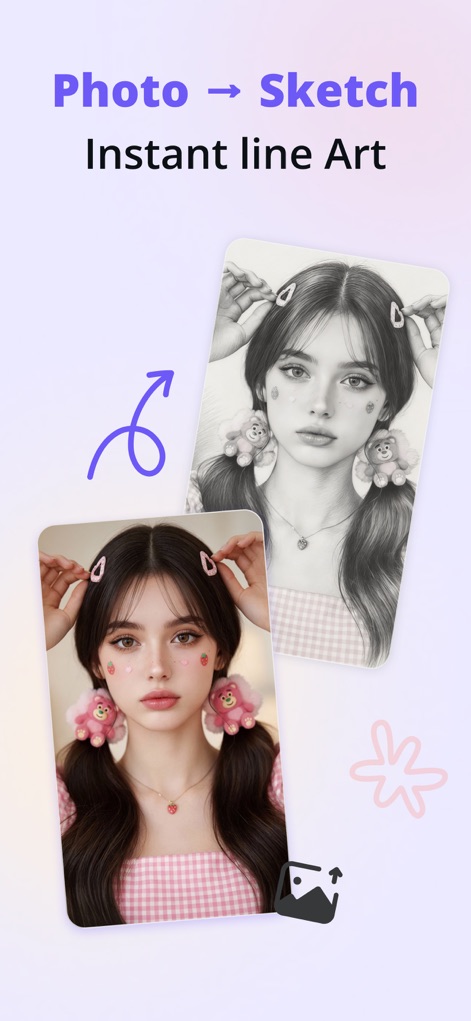
このツールは、取り込んだ写真を瞬時に線画スケッチに変換する機能を提供します。元の写真からアウトラインを抽出し、描画の下絵として利用できるため、リアルな肖像画の練習に特に役立ちます。
写真をスケッチに
説明
Download
類似アプリ
似た機能とユーザー体験を持つアプリ

AR Drawing Paint Sketch Trace
DROIDFUN LIMITED

Camera Lucida™: AR Drawing
Big Idea Design LLC

AR Drawing Sketch App: ArtEasy
SMDA GROUP SP Z O O SP KOMANDYTOWA

PicTrace: AR Drawing & Sketch
ANDROID VIETNAM TECHNOLOGY CORPORATION

AR Draw: Sketching & Painting
EIGEN SOFTWARE LIMITED

AR Drawing How to Draw Sketch
Magomed Dzhamalov

Da Vinci Eye: AR Trace & Draw
Da Vinci Eye LLC

AR Drawing - AR Sketch
Ketanbhai Khokhani

HEY CLAY®
HEY CLAY LTD
このページはアプリまたはその開発者の公式ページではなく、情報提供および論評を目的として作成された独立した編集出版物です。明示的に別段の記載がない限り、アプリおよびその開発者は、MWM、Apple、Google Play、アプリのパブリッシャー、またはアプリの開発者と提携、承認、後援、認可、またはその他の公式的な関係はなく、このページのいかなる内容も、アプリがMWMのサービスを使用して開発されたことを意味するものではありません。すべての商標、ロゴ、スクリーンショット、その他のコンテンツはそれぞれの所有者の財産です。