
このページはアプリまたはその開発者の公式ページではなく、情報提供および論評を目的として作成された独立した編集出版物です。明示的に別段の記載がない限り、アプリおよびその開発者は、MWM、Apple、Google Play、アプリのパブリッシャー、またはアプリの開発者と提携、承認、後援、認可、またはその他の公式的な関係はなく、このページのいかなる内容も、アプリがMWMのサービスを使用して開発されたことを意味するものではありません。すべての商標、ロゴ、スクリーンショット、その他のコンテンツはそれぞれの所有者の財産です。


TrimCut - Video Editor
AIによる完璧なレタッチ、瞬時の自動キャプション、そして次世代クリエイターのためにデザインされたシネマティックエフェクトで、あなたのTikTok、リール、YouTubeショートを格上げしましょう。
ダウンロード
3M+ユーザー評価
評価数
4K+開発元
カテゴリ
Photo & Video対応言語
12最新バージョン
3.0.9サイズ
179.8 MBリリース日
2024年10月10日スクロールを止めるコンテンツを作成
次世代クリエイターのために特別に設計されたプロフェッショナルグレードのAI編集ツール。数秒で生の映像をバイラル対応の傑作に変えましょう。
完璧なAIレタッチ
瞬時にカメラ映え。毎フレームに完璧なインフルエンサーの美学を施すために設計されたAIツールで、肌を滑らかにし、特徴を際立たせましょう。
ワンタップ自動キャプション
エンゲージメントを最大80%向上させましょう。正確な字幕を自動生成し、サイレントスクローラーにもメッセージが響くようにします。
よくある質問
について知っておくべきこと TrimCut - Video Editor
TrimCutとは何ですか?
TrimCutは、オールインワンのビデオ編集スタジオおよびプロのレタッチアプリです。強力なAIツール、基本および高度なビデオ編集機能、そして魅力的なストーリーを作成するためのクリエイティブなエフェクトを提供します。
TrimCutはビデオ編集にAI搭載ツールを提供していますか?
はい、TrimCutは強力なAIツールを提供しています。これには、肌を滑らかにするAIレタッチ、字幕用の自動キャプション、AI背景削除、スローモーションエフェクト、色と照明のバランスを自動調整する自動調整などが含まれます。
TrimCutはビデオの背景削除をどのように処理しますか?
TrimCutには、ワンタップでビデオの背景を瞬時に削除するAI背景削除ツールが搭載されています。この機能は、その強力なAIスイートの一部です。
TrimCutでキャプションや字幕を自動で追加できますか?
はい、TrimCutは自動キャプション機能を提供しています。ワンタップで正確な字幕や歌詞を生成し、さまざまなプラットフォームでビデオをよりアクセスしやすく、魅力的にします。
TrimCut Pro Unlimitedで利用可能なサブスクリプションオプションは何ですか?
TrimCut Pro Unlimitedでは、週次、月次、年次のサブスクリプションタイプが提供されています。現在の期間が終了する少なくとも24時間前に自動更新をオフにしない限り、サブスクリプションは自動的に更新されます。
TrimCutはユーザーがスローモーションエフェクトのためにビデオ速度を調整することを許可していますか?
はい、TrimCutはユーザーがスローモーションエフェクトを作成することを許可しています。カスタマイズ可能な速度カーブによる速度調整機能を備えており、瞬間をスムーズでシネマティックなシーケンスに変えます。
TrimCutは複数のビデオクリップを結合できますか?
はい、TrimCutは複数のビデオクリップを結合できます。クリップをシームレスに連結する「トリム&結合」機能を提供しており、これは基本的なビデオ編集機能の中核をなすものです。
TrimCutはどのような種類のフィルターとエフェクトを提供していますか?
TrimCutは、グリッチ、トランジション、VHS、FXエフェクトなど、プロフェッショナルなエフェクトの豊富なライブラリを提供しています。また、ビデオに最適なムードを設定するためのシネマティックフィルターも提供しています。
TrimCutのプライバシーポリシーはどこで見つけられますか?
TrimCutのプライバシーポリシーは、https://pzmobile.com/app/en/policy でオンラインで確認できます。ユーザーは、データ処理とプライバシー慣行の詳細についてポリシーを確認できます。
TrimCutはマルチトラック編集をサポートしていますか?
はい、TrimCutはマルチトラック編集をサポートしています。マルチトラックタイムライン機能を備えており、ユーザーはビデオ、写真、ステッカー、テキストを簡単にオーバーレイしてダイナミックなコンテンツを作成できます。
以下のスクリーンショットと説明は、アプリの公式ストアリスティングから直接取得されたものであり、アプリ開発者の所有物です。
アプリストア
スクリーンショット
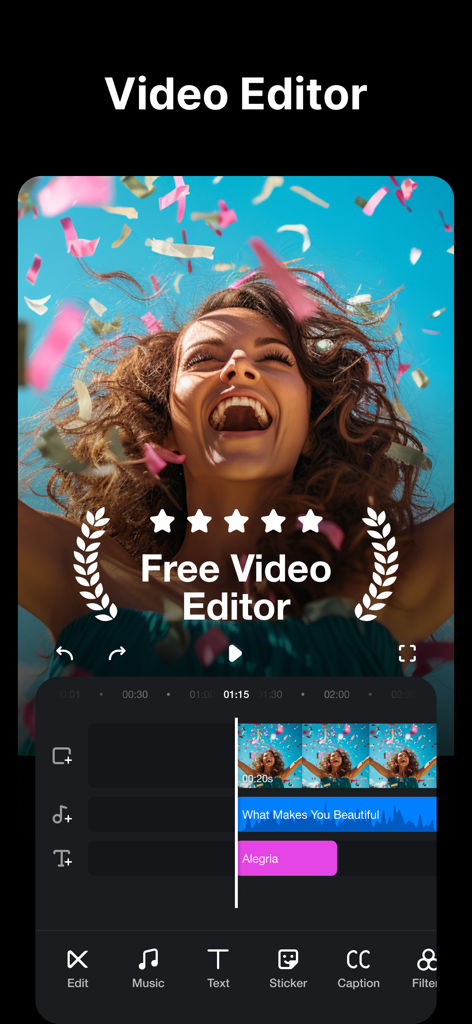
TrimCut動画編集アプリのインターフェース。音楽とテキストエフェクトを備えたマルチトラックタイムラインが表示されています。
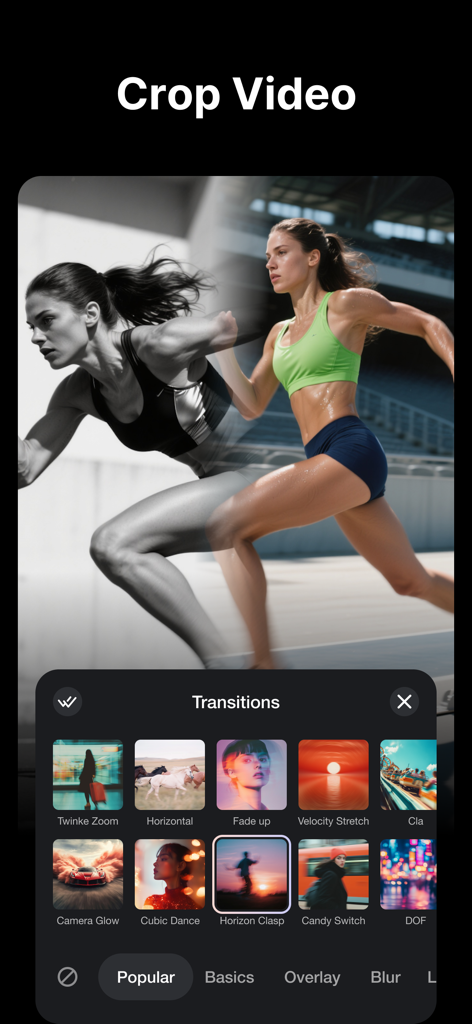
ソーシャルメディアクリエイター向けのTrimCutアプリインターフェースにあるシネマティック動画トランジションのライブラリ。
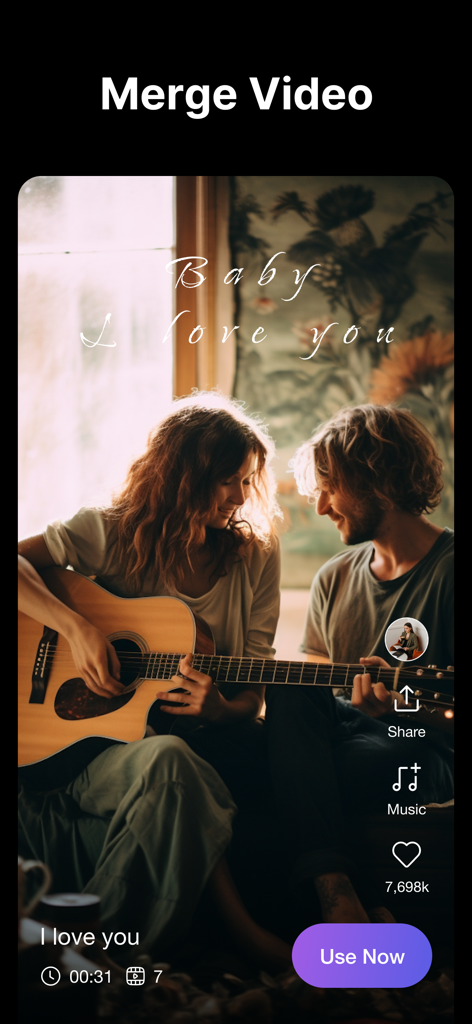
TrimCut動画編集アプリのインターフェースで、動画結合機能とシネマティックなライフスタイルクリップ、ソーシャルメディアアイコンが表示されています。
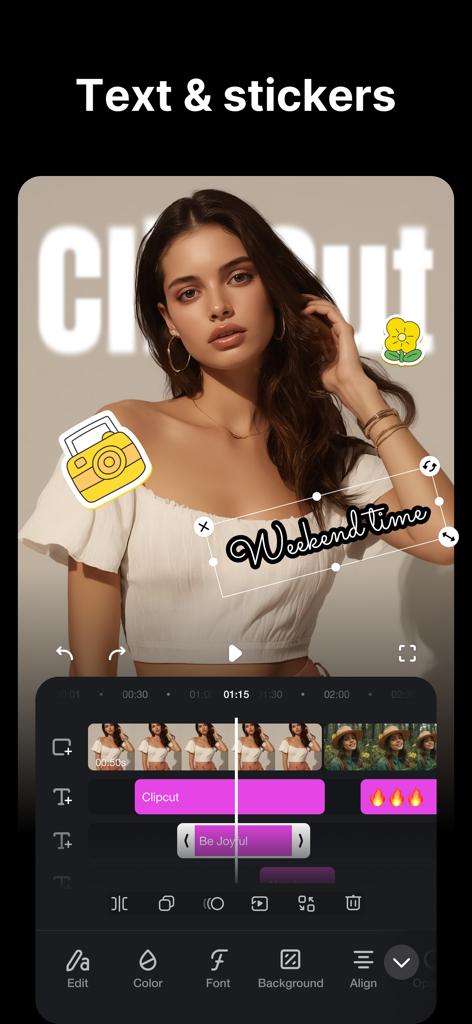
TrimCutアプリのインターフェースで、テキストとステッカーのオーバーレイを使った動画編集が表示されています。
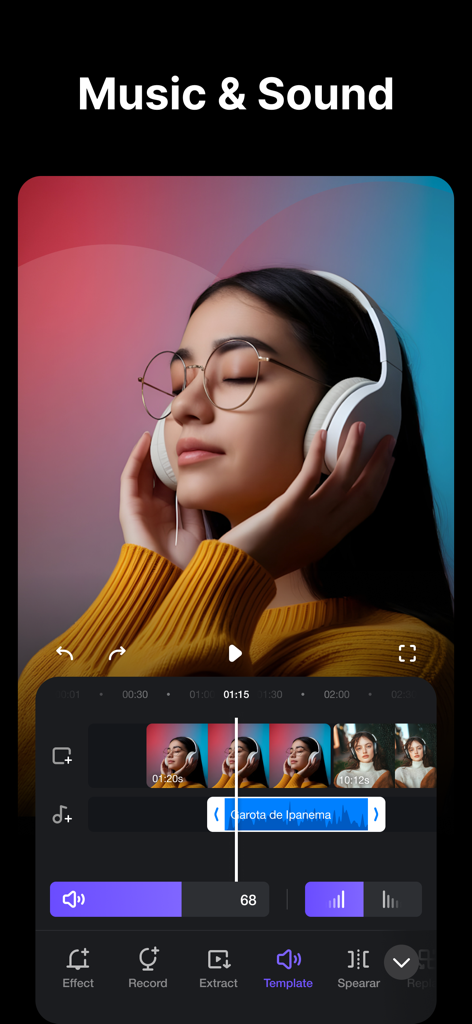
TrimCutアプリのインターフェースで、オーディオ波形と動画タイムラインを備えた音楽とサウンド編集ツールが表示されています。
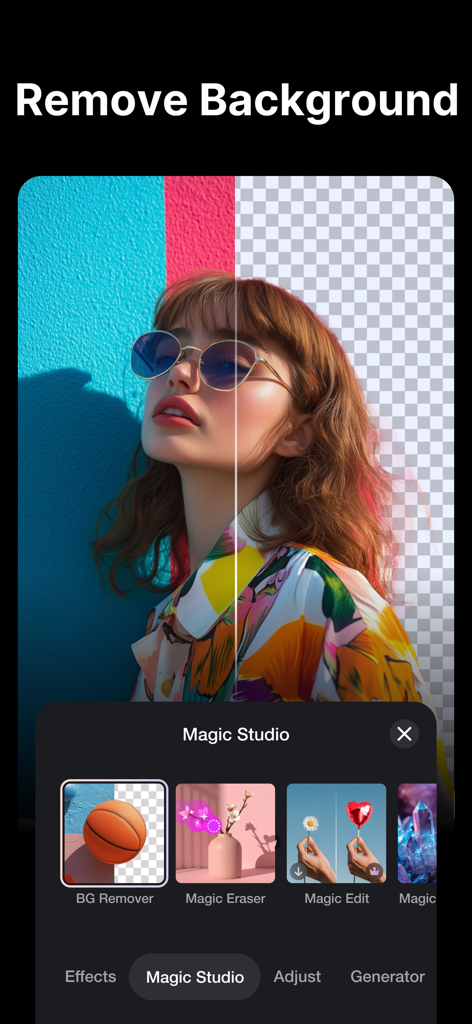
TrimCut動画編集アプリのAI背景除去機能を示す分割画面。
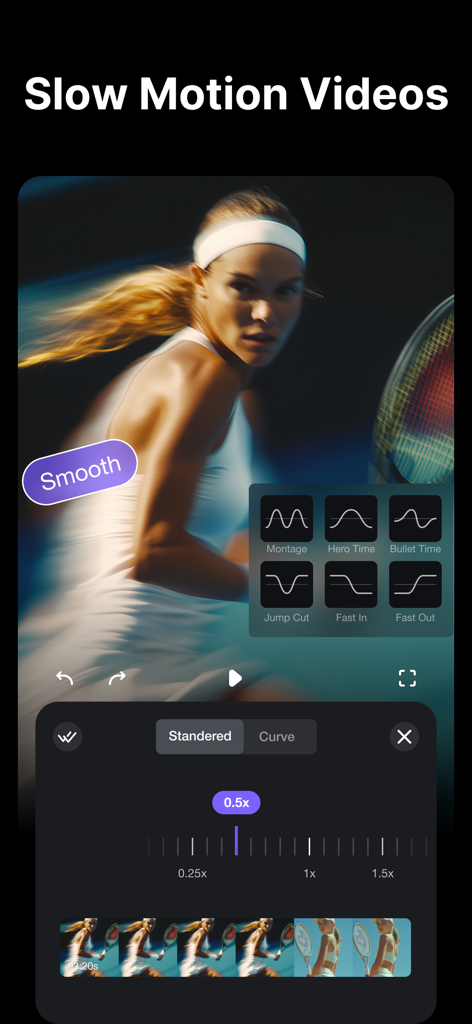
TrimCut動画編集インターフェースで、テニスクリップのプロフェッショナルなスローモーション速度カーブ設定が表示されています。
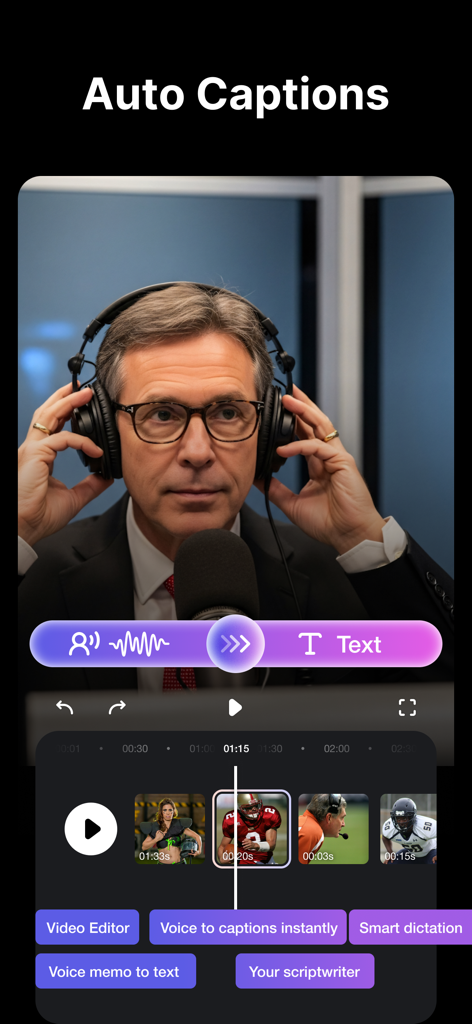
TrimCutアプリのインターフェースで、ソーシャルメディア動画向けの自動キャプションと音声テキスト編集ツールが特徴です。
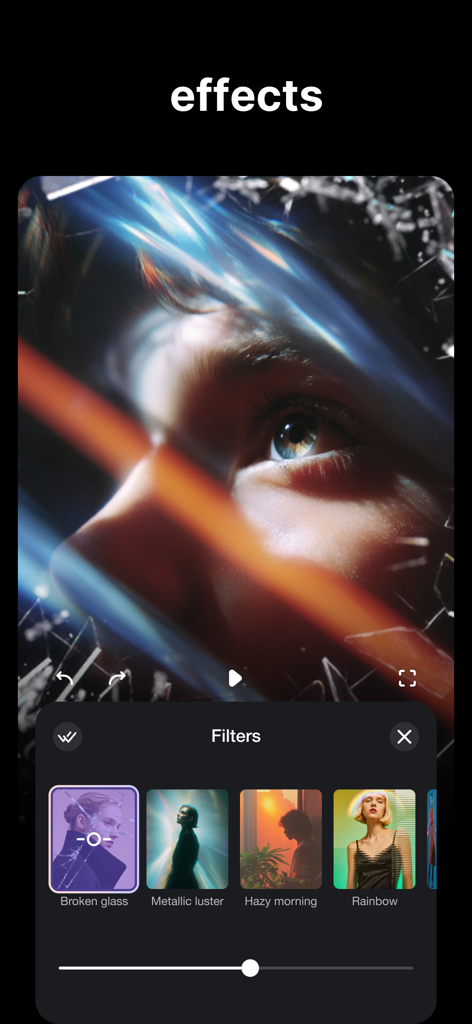
TrimCutアプリのインターフェースで、芸術的な動画フィルターと、クローズアップ動画クリップに適用された壊れたガラスのエフェクトが表示されています。
説明
Download
類似アプリ
似た機能とユーザー体験を持つアプリ

Edits: Video Editor
Instagram, Inc.

VLLO- Video Editor, Vlog Edits
vimosoft

YouCut - AI Video Editor
SHANTANU PTE. LTD.

必剪-B站官方出品
Shanghai Bilibili Animation Co.,Ltd

剪影 - 视频剪辑 & 卡点影集制作
Shanghai Jian Ji Software Technology Co., Ltd

Videoshop - Video Editor
Jajijujejo Inc.

VDIT - Video Maker & Editor
ImgBase, Inc.

Video Editor with Music・VidLab
Onelight Apps CY Ltd

Video Maker-movie maker&Editor
Changsha Fugui Bamboo Network Technology Co., Ltd.
このページはアプリまたはその開発者の公式ページではなく、情報提供および論評を目的として作成された独立した編集出版物です。明示的に別段の記載がない限り、アプリおよびその開発者は、MWM、Apple、Google Play、アプリのパブリッシャー、またはアプリの開発者と提携、承認、後援、認可、またはその他の公式的な関係はなく、このページのいかなる内容も、アプリがMWMのサービスを使用して開発されたことを意味するものではありません。すべての商標、ロゴ、スクリーンショット、その他のコンテンツはそれぞれの所有者の財産です。