Video Editor - Movie Maker Pro

Video Editor - Movie Maker Pro

ダウンロード: App Store
ロゴ: Video Editor - Movie Maker Pro

ビデオエディター - Movie Maker Pro:ワンクリックでバズるコンテンツを作成

プロレベルのFX、リアクションカメラ、シネマティックフィルターで、ソーシャルメディアをアップグレード。TikTok、リール、YouTubeクリエイターのために設計された究極のオールインワンスタジオ。

ダウンロード: App Store

開発元

IAPPTECHNOLOGIES LLP

カテゴリ

Photo & Video

ダウンロード

1M+

ユーザー評価

4.4/5

評価数

46K+

対応言語

10

ポケットの中のプロスタジオ

このインターフェースを利用する 1M+ 人のユーザー.

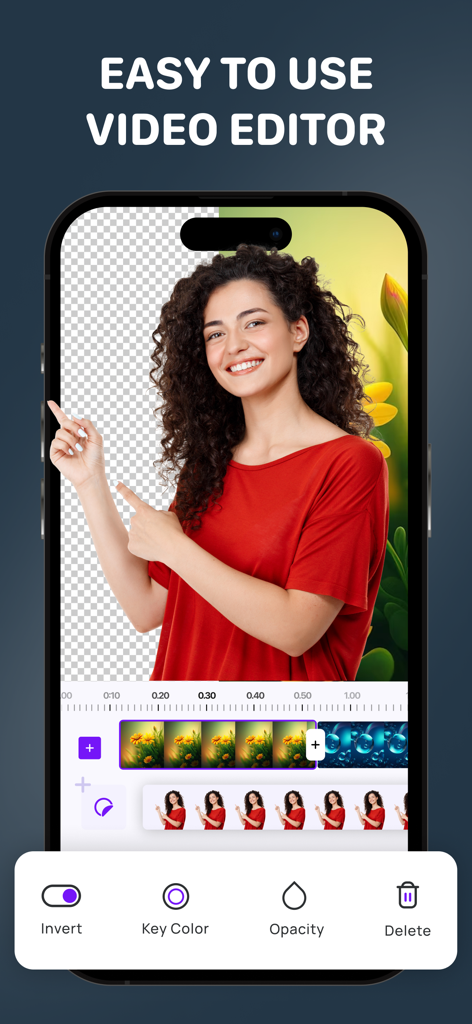
赤いシャツを着た女性が背景削除とクロマキーツールを使用しているビデオエディターアプリのインターフェースを表示したスマートフォンの画面
赤いシャツを着た女性が背景削除とクロマキーツールを使用しているビデオエディターアプリのインターフェースを表示したスマートフォンの画面

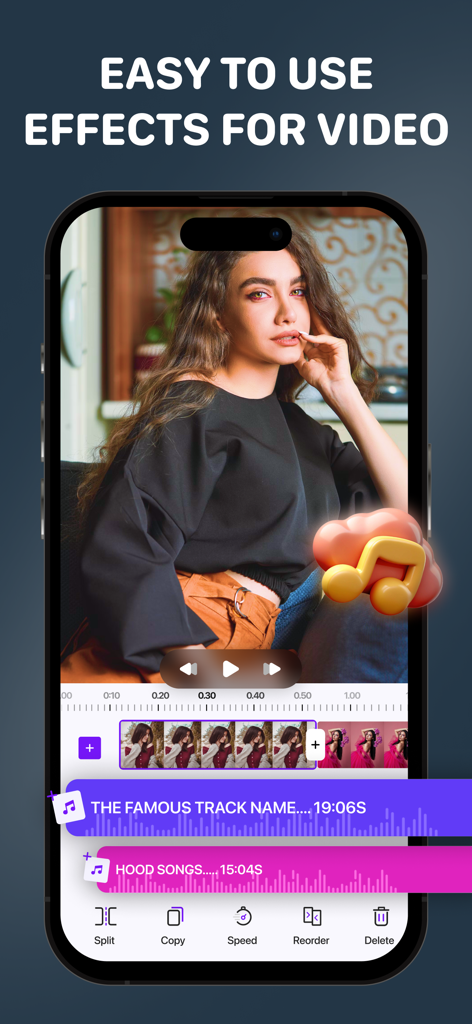
Movie Maker Proアプリの編集タイムラインと音楽機能を表示した携帯電話の画面
Movie Maker Proアプリの編集タイムラインと音楽機能を表示した携帯電話の画面

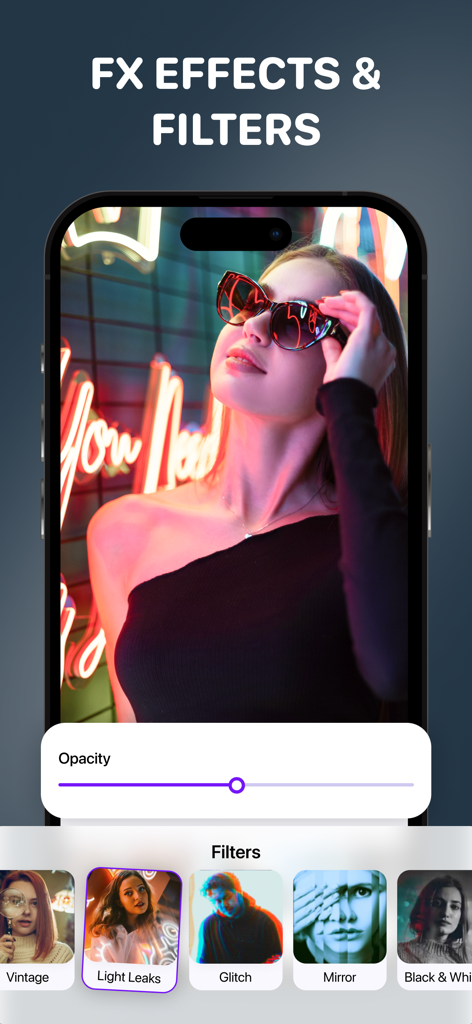
ネオンライトの中にいる女性と、さまざまなアーティスティックなフィルターオプションが表示されたビデオエディターのモバイル画面
ネオンライトの中にいる女性と、さまざまなアーティスティックなフィルターオプションが表示されたビデオエディターのモバイル画面

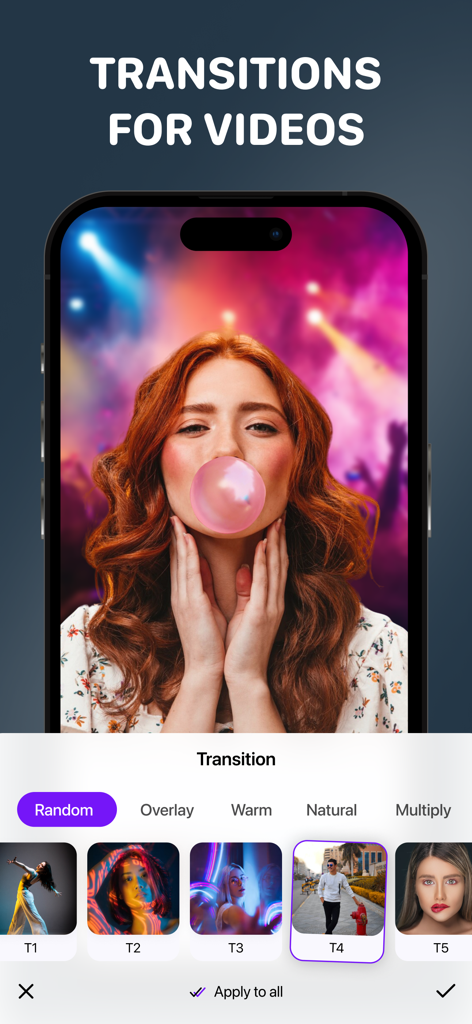
「オーバーレイ」や「ウォーム」などのカテゴリーがあるビデオトランジション選択メニューを表示したMovie Maker Proアプリのインターフェース
「オーバーレイ」や「ウォーム」などのカテゴリーがあるビデオトランジション選択メニューを表示したMovie Maker Proアプリのインターフェース

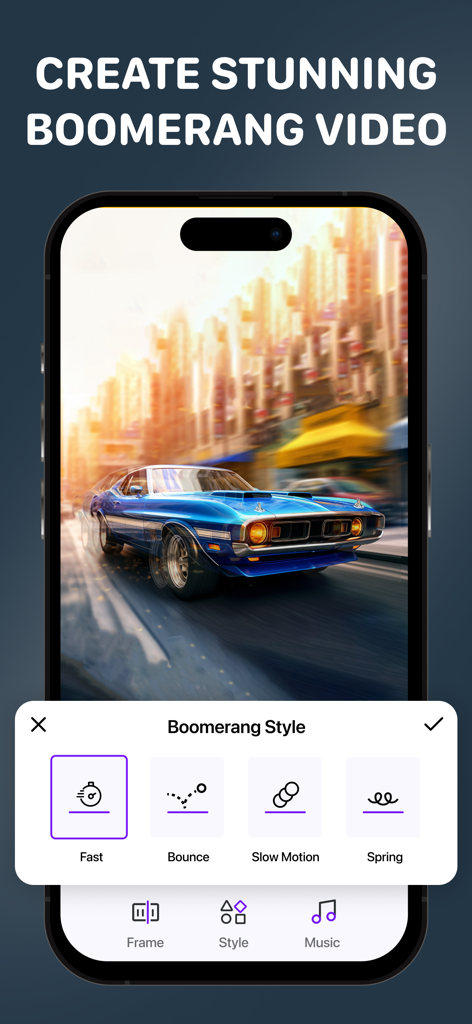
ビデオエディターアプリで「ファスト」や「バウンス」などのさまざまなブーメランスタイルを表示しているスマートフォンの画面
ビデオエディターアプリで「ファスト」や「バウンス」などのさまざまなブーメランスタイルを表示しているスマートフォンの画面

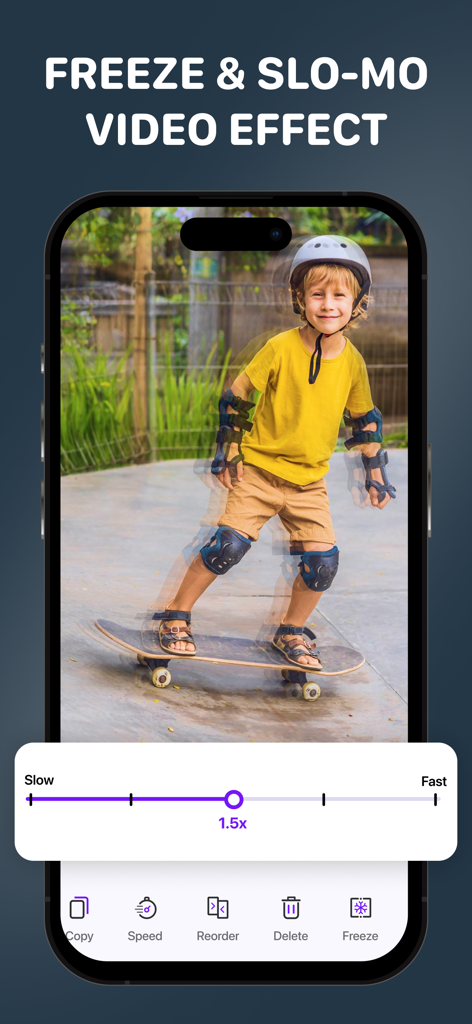
スケートボードをする少年のビデオにスローモーションとフリーズフレームエフェクトを適用しているビデオエディターアプリのインターフェース
スケートボードをする少年のビデオにスローモーションとフリーズフレームエフェクトを適用しているビデオエディターアプリのインターフェース

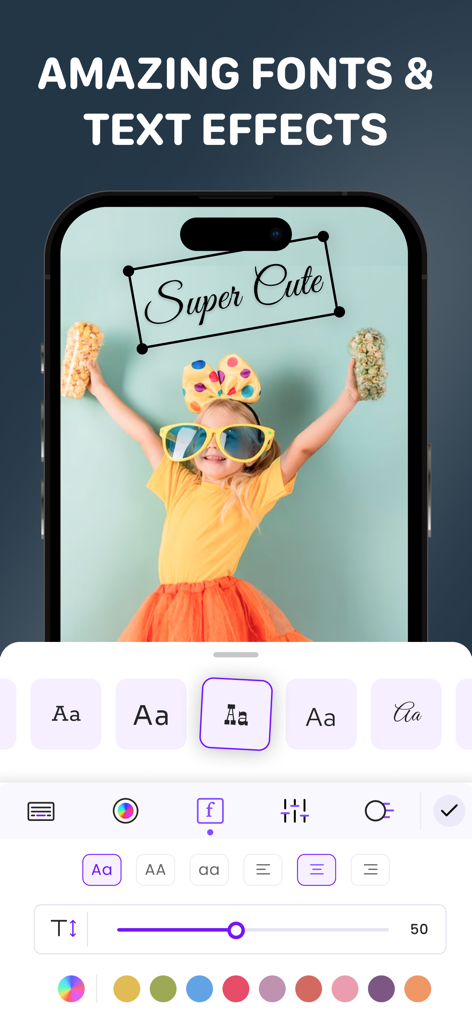
女の子のビデオ上にさまざまなフォントスタイル、テキストの色、編集ツールを表示したMovie Maker Proアプリのインターフェース
女の子のビデオ上にさまざまなフォントスタイル、テキストの色、編集ツールを表示したMovie Maker Proアプリのインターフェース

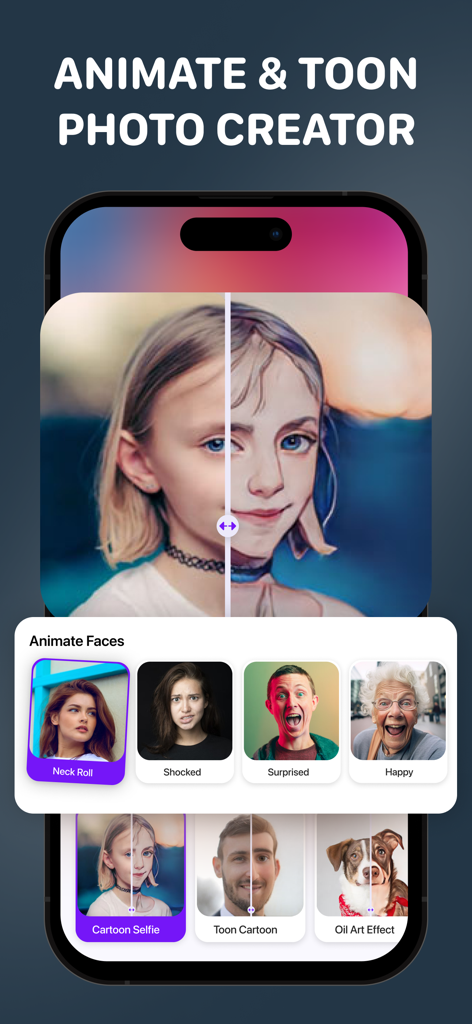
カートゥーンフィルターや、「驚き」「ハッピー」などのAIフェイスアニメーションオプションを表示したアプリのインターフェース
カートゥーンフィルターや、「驚き」「ハッピー」などのAIフェイスアニメーションオプションを表示したアプリのインターフェース

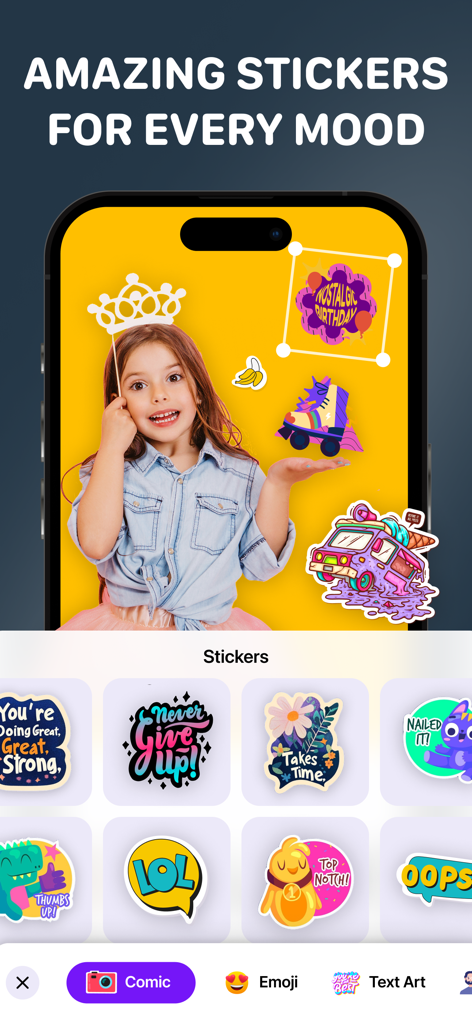
ビデオ編集用のカラフルなデジタルステッカーやモチベーションを高めるフレーズを表示したスマートフォンの画面
ビデオ編集用のカラフルなデジタルステッカーやモチベーションを高めるフレーズを表示したスマートフォンの画面

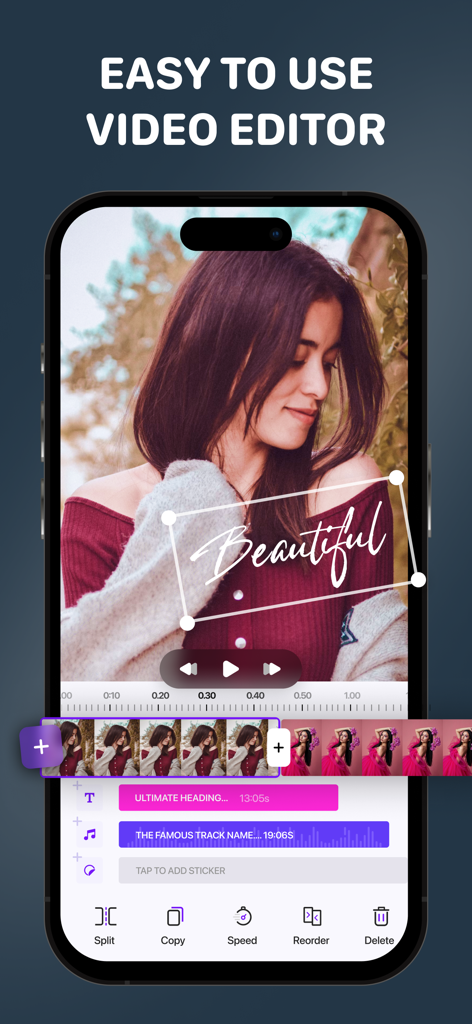
テキストと音楽トラックを含むビデオタイムラインを備えたVideo Editor Movie Maker Proアプリのモバイルインターフェース

テキストと音楽トラックを含むビデオタイムラインを備えたVideo Editor Movie Maker Proアプリのモバイルインターフェース

バズるために必要なすべてがここに

このアプリを際立たせるツール、 1M+ 人のユーザーが選択.

ワンクリック・シネマティックFX

アナモルフィックフレア、ヴィンテージフィルター、ミラーエフェクトで、フィードを美しく彩る映像に瞬時に変換。

🤳

プロ仕様リアクションカメラ

自分と画面を同時に録画して、TikTok、リール、YouTubeショート向けのエンゲージメントの高いリアクション動画を作成。

🎬

オールインワン・ブランディング

スマートフォンだけで、プロ仕様のイントロ作成、カスタム音楽の追加、魅力的なコラージュのデザインを行い、ブランドを構築。

アプリについて

について知っておくべきこと Video Editor - Movie Maker Pro.

説明

Video Edit.or - Movie FX Make.r + Add Music & Awesome Video Filters - Full Features Video Editor - Slow Motion Videos - Video Compressing - Intro Maker - Screen Recording - Reaction Camera - SlideShow Maker Video FX is a powerful 1-CLICK video effects studio for your Vine, Instagram, Flipagram and Dubsmash videos. Just one click to add beautifully crafted effects to your videos. Get the app FREE now... and look forward to 70+ new animations and video enhancements like autumn leaves, falling snow, and anamorphic lens flares! • Video Mirror Effects Create reflections in four different directions • Video Collage is a most exciting feature of the app • The app is Exclusively designed for trimming video • You can add music of your own choice to your trimmed video • Add effects to your trimmed video • Option to save the video to your camera roll • Built-in social share option provided - Add shapes or apply filters for each trimmed video separately. - VIGNETTE Make moody Sin City style edits, fade edges you can even change the color. - BRIGHTNESS/CONTRAST Some photos need a little bit more light and a little bit of a shadow feel, this tool will do just that - HUE/SATURATION Change the colors in your pictures and adjust the vibrant level - EXPOSURE Bring out the white light in your photo - WARMTH Make every photo feel like summer - SHARPNESS Take out the blurriness out of your photo for pure perfection - Reverse Play your videos backward with Reverse Vid! The quickest and easiest way to reverse your videos. Reverse a section, slow it down and watch at half speed. - Add awesome background music to your new video. Or you can keep the original audio or choose your own from the iPod. ~ Premium SUBSCRIPTION details ~
Unlock ALL Video Editor, Slide Show Maker, music effects, soundtracks, transitions and unlimited saves with the Premium Version. When subscribing, enjoy 3 days of free trial. The Yearly subscriptions are $29.99 per Year!

 The weekly subscriptions is just $3.99 per week! Please, know that:
 - Subscriptions are automatically renewed unless auto-renew is turned off at least 24-hours prior to the end of the current subscription period. 
 - Payment will be charged to your iTunes Account when your purchase is confirmed. 
- Renewal will be charged to your account within 24-hours prior to the end of the subscription current period. 
- Subscriptions may be managed and auto-renewal may be turned off in the user's Account Settings after purchase. - No current subscription can be canceled during its active subscription period.
 - Where applicable, purchase of subscription will result in the forfeit by the user of any unused portion of the free trial period, if offered.

 Privacy Policy: https://videoeditorial.iapptechnologies.ca/VideoEditorial/privacy-policy Terms of Use: https://videoeditorial.iapptechnologies.ca/VideoEditorial/terms-and-conditions

最新バージョン

5.3.9

サイズ

216.0 MB

リリース日

2015年11月11日

次のバズるヒット作を作る準備はできていますか?

TikTok、リール、YouTube向けの究極のオールインワンスタジオを使用している100万人以上のクリエイターに加わりましょう。ワンクリックでプロのエフェクト、リアクションツール、シネマティックフィルターにアクセスできます。

ダウンロード: App Store

App information, icons, screenshots, and descriptions displayed on this page are sourced from the Apple App Store and are the property of their respective developers. Download estimates and rankings are based on MWM's proprietary models and may not reflect actual figures. This page is provided for informational and analytical purposes only.

Believe this page infringes your intellectual property? File a dispute