Video Editor : Video Maker,Cut
ダウンロード: App Store

このページはアプリまたはその開発者の公式ページではなく、情報提供および論評を目的として作成された独立した編集出版物です。明示的に別段の記載がない限り、アプリおよびその開発者は、MWM、Apple、Google Play、アプリのパブリッシャー、またはアプリの開発者と提携、承認、後援、認可、またはその他の公式的な関係はなく、このページのいかなる内容も、アプリがMWMのサービスを使用して開発されたことを意味するものではありません。すべての商標、ロゴ、スクリーンショット、その他のコンテンツはそれぞれの所有者の財産です。


ロゴ: Video Editor : Video Maker,Cut
ダウンロード: App Store

Video Editor : Video Maker,Cut

プロレベルのスプライシング、トレンドのエフェクト、インスタントオーディオ抽出を使用して、TikTokやReelsで際立つ投稿を作成する何千人ものクリエイターに参加しましょう。

主要数値

ダウンロード

40K+

ユーザー評価

3.5/5

評価数

0

開発元

宝锋 吴

カテゴリ

Photo & Video

対応言語

19

最新バージョン

1.6.6

サイズ

100.3 MB

リリース日

2022年10月28日
機能

バイラルになるコンテンツを作成する

インパクトのあるソーシャルビデオのためのオールインワンモバイルスタジオ。シームレスなカットからトレンドのエフェクトまで、数分でプロレベルのコンテンツを作成できます。

高速&正確な編集

TikTokやReelsのスピードに合わせて設計された直感的なツールで、クリップを簡単に分割、スプライス、トリミングできます。

トレンドの雰囲気とフィルター

クールなトランジション、シネマティックフィルター、目を引く特殊効果の厳選されたライブラリで、あなたの美的感覚を高めましょう。

以下のスクリーンショットと説明は、アプリの公式ストアリスティングから直接取得されたものであり、アプリ開発者の所有物です。

アプリストア

スクリーンショット
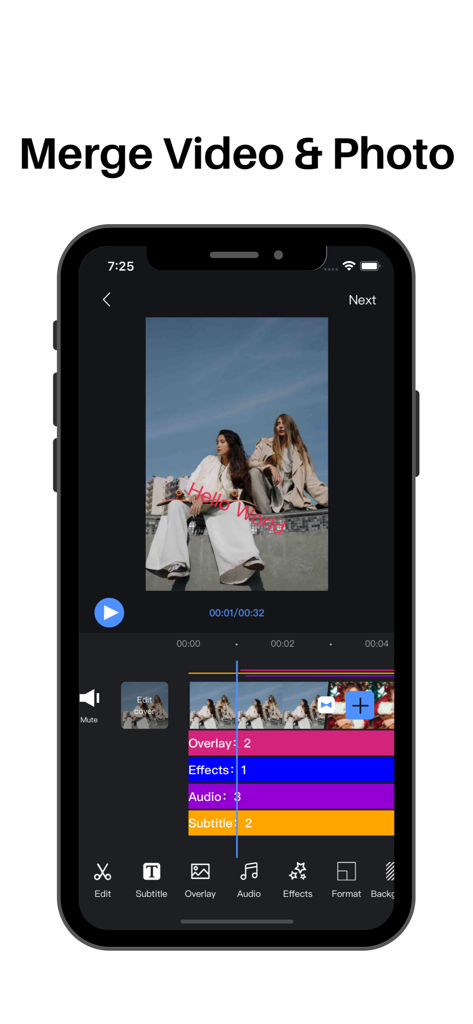
Video Editor : Video Maker,Cut - 複数のタイムライントラックを使用してビデオと写真をマージするオプションが表示されたビデオエディターインターフェースを示すモバイル画面
複数のタイムライントラックを使用してビデオと写真をマージするオプションが表示されたビデオエディターインターフェースを示すモバイル画面

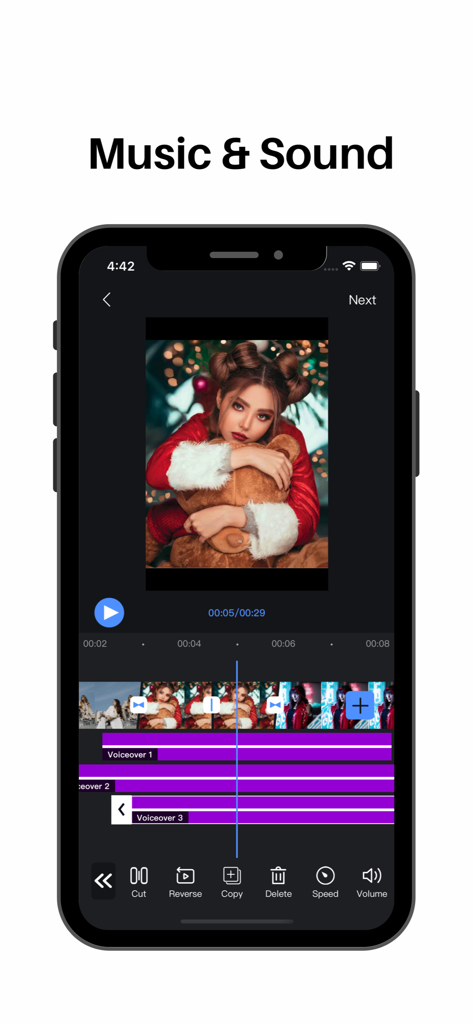
Video Editor : Video Maker,Cut - ビデオクリップのタイムライン上の複数のボイスオーバートラックを示すモバイルビデオ編集アプリインターフェース
ビデオクリップのタイムライン上の複数のボイスオーバートラックを示すモバイルビデオ編集アプリインターフェース

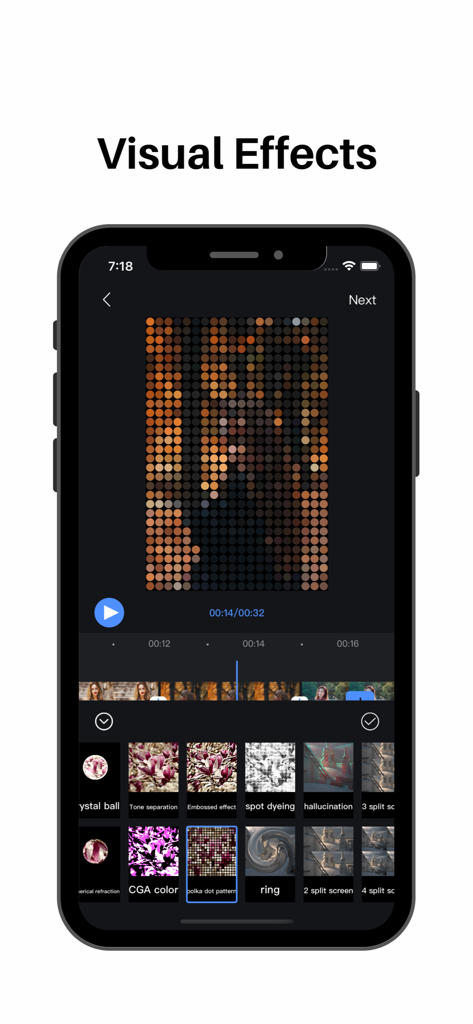
Video Editor : Video Maker,Cut - ドットパターンエフェクトとさまざまなフィルターオプションが表示されたモバイルビデオ編集アプリインターフェースを示すスマートフォン画面
ドットパターンエフェクトとさまざまなフィルターオプションが表示されたモバイルビデオ編集アプリインターフェースを示すスマートフォン画面

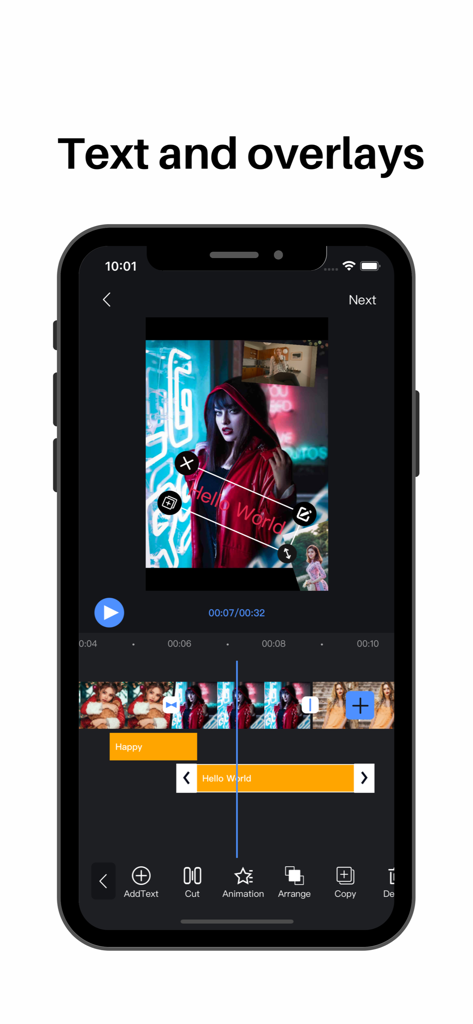
Video Editor : Video Maker,Cut - 編集タイムライン上の「Hello World」というテキストオーバーレイとピクチャーインピクチャービデオクリップが表示されたモバイルビデオ編集アプリインターフェース。
編集タイムライン上の「Hello World」というテキストオーバーレイとピクチャーインピクチャービデオクリップが表示されたモバイルビデオ編集アプリインターフェース。

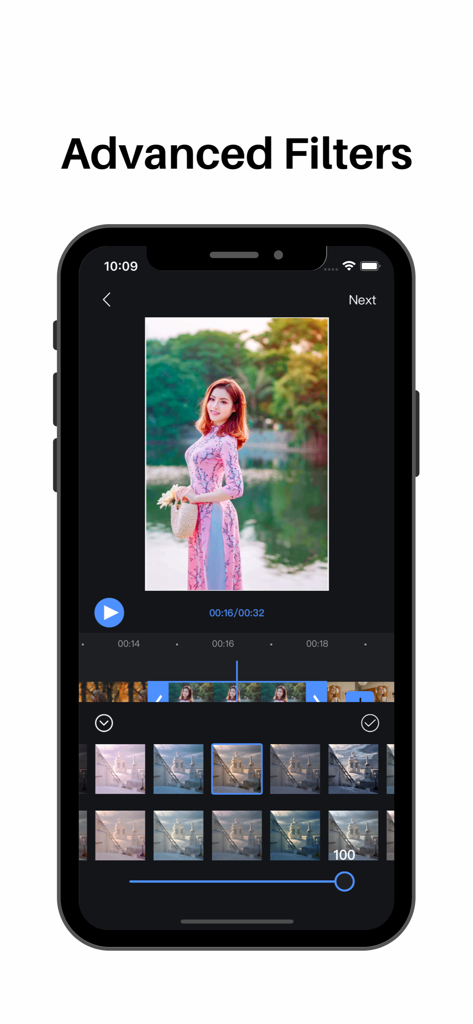
Video Editor : Video Maker,Cut - ビデオ編集用の高度なフィルターインターフェースを示すiPhone画面。

ビデオ編集用の高度なフィルターインターフェースを示すiPhone画面。

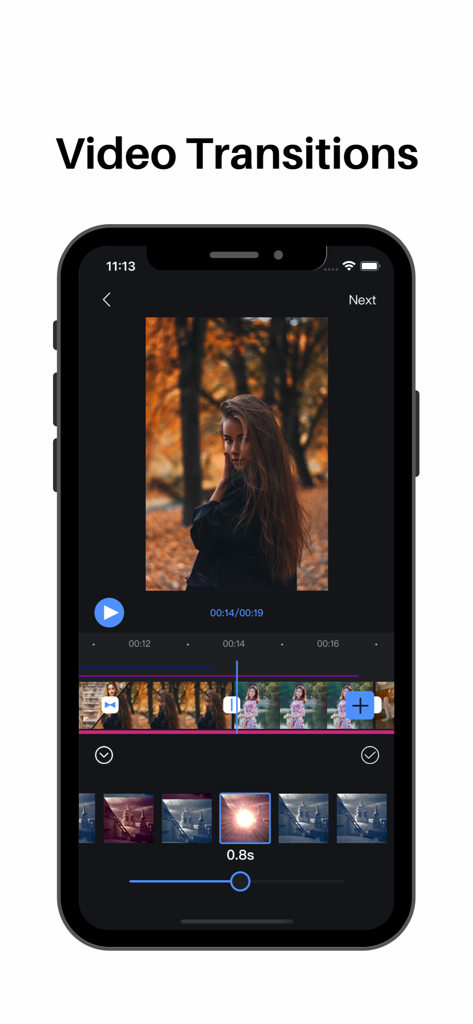
Video Editor : Video Maker,Cut - タイムラインとエフェクトオプションを備えたビデオトランジション機能を示すVideo Editorのモバイルアプリインターフェース
タイムラインとエフェクトオプションを備えたビデオトランジション機能を示すVideo Editorのモバイルアプリインターフェース

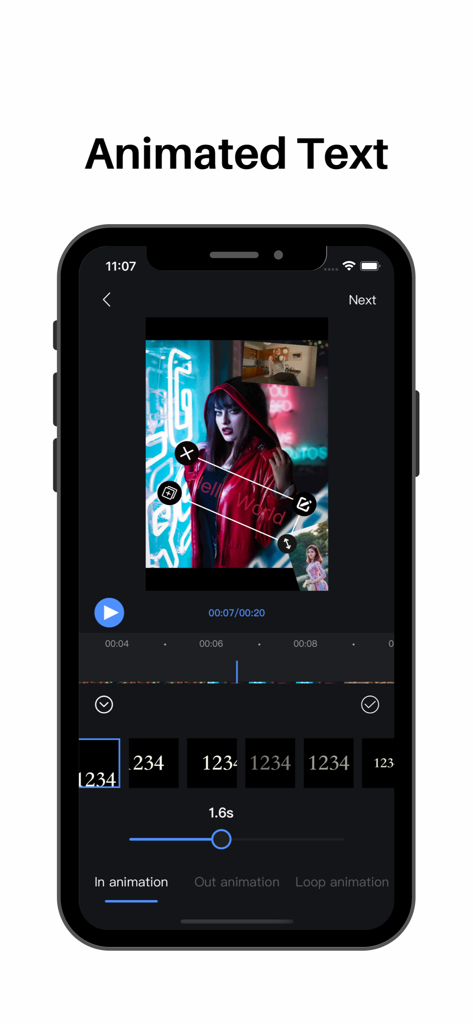
Video Editor : Video Maker,Cut - Video Editorアプリでアニメーションスタイルを備えたアニメーションテキスト機能を示すスマートフォン画面。
Video Editorアプリでアニメーションスタイルを備えたアニメーションテキスト機能を示すスマートフォン画面。

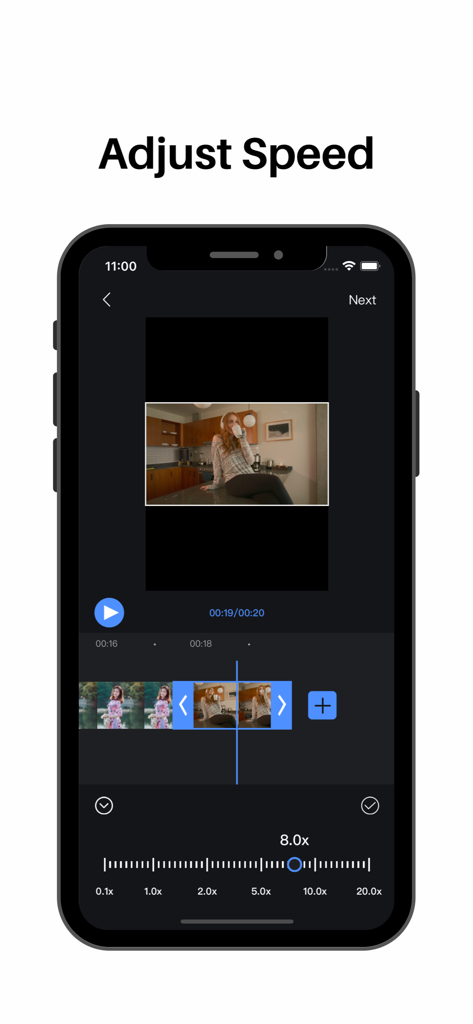
Video Editor : Video Maker,Cut - スピード調整スライダーとビデオタイムラインを示すモバイルビデオエディターインターフェース

スピード調整スライダーとビデオタイムラインを示すモバイルビデオエディターインターフェース

説明

Video Editor Features: 【segmentation】 Split video clips at will 【Splicing】 Video/picture stitching at will 【Speed ​​change】 fast/slow speed switch 【Picture in Picture】 Support for adding video/photo picture-in-picture blending modes 【Transitions】 Cool effects for you to choose 【Special effects】 Easily choose from a variety of video/picture animation modes 【Filter】 A variety of rich filter modes for you to choose, showing different colors 【subtitle】 Multi-layer subtitles can be added, size, position, font style can be changed at will Easily control subtitle display time 【Extract audio】 Convenient and fast extraction of audio from local video 【Upside down】 Easily switch video/audio reverse mode 【Voice】 Add to extract audio from video Selection of local audio Comfortable use of recording mode 【Cutting】 Easy cropping of video/pictures in various ratios 【Video time crop】 Easily crop the desired time segment in the video 【Proportional background】 Easy selection of different ratios of video/picture Canvas background color can be changed at will Adding background images Background blur function settings 【Video Editor VIP Subscription】 1. Subscribing to Video Editor VIP membership includes the following functions: watermark removal, video parameter adjustment, subtitles and video animations, advanced filters, special effects, and transition animations. 2. Video Editor VIP members provide free use (renewed by annual fee) and monthly subscription. We also offer a one-time fee in addition to our existing subscription plans if needed. The price depends on the subscription package you choose. 3. Subscription automatically renews at the selected package price unless cancelled 24 hours in advance of the current subscription period. Subscription fees are charged to your iTunes Account at confirmation of purchase. You can manage subscriptions and turn off auto-renewal by going to your Account Settings after purchase. According to Apple's policy, the current subscription cannot be cancelled during the active subscription period. There will be no refunds for any unused portion after purchase. 4. If you are eligible for a free trial and subscribe before the end of the free trial period, the remaining free trial period will be cancelled after you confirm your purchase. Subscription starts immediately after free usage ends unless cancelled at least 24 hours before the end of the trial. Privacy Policy: https://sites.google.com/view/appsvideo/video-editor/privacy User Agreement: https://sites.google.com/view/appsvideo/video-editor/agreement Feedback Email: feedbackapp@126.com

Download

ダウンロード: App Store

このページはアプリまたはその開発者の公式ページではなく、情報提供および論評を目的として作成された独立した編集出版物です。明示的に別段の記載がない限り、アプリおよびその開発者は、MWM、Apple、Google Play、アプリのパブリッシャー、またはアプリの開発者と提携、承認、後援、認可、またはその他の公式的な関係はなく、このページのいかなる内容も、アプリがMWMのサービスを使用して開発されたことを意味するものではありません。すべての商標、ロゴ、スクリーンショット、その他のコンテンツはそれぞれの所有者の財産です。