Video Editor : Video Maker

Video Editor : Video Maker

ダウンロード: App Store
ロゴ: Video Editor : Video Maker

動画編集アプリ:動画メーカー:プロのようにバイラルなソーシャルコンテンツを作成

精密な編集、500以上のエモいステッカー、シネマティックなトランジションで、あなたのクリップを素晴らしいReelsやTikTokに変えよう—すべてiPhoneやiPadから。

ダウンロード: App Store

開発元

Miraitowa Inc Limited

カテゴリ

Photo & Video

ダウンロード

1M+

ユーザー評価

4.6/5

評価数

11K+

対応言語

8

プロのように作成

このインターフェースを利用する 1M+ 人のユーザー.

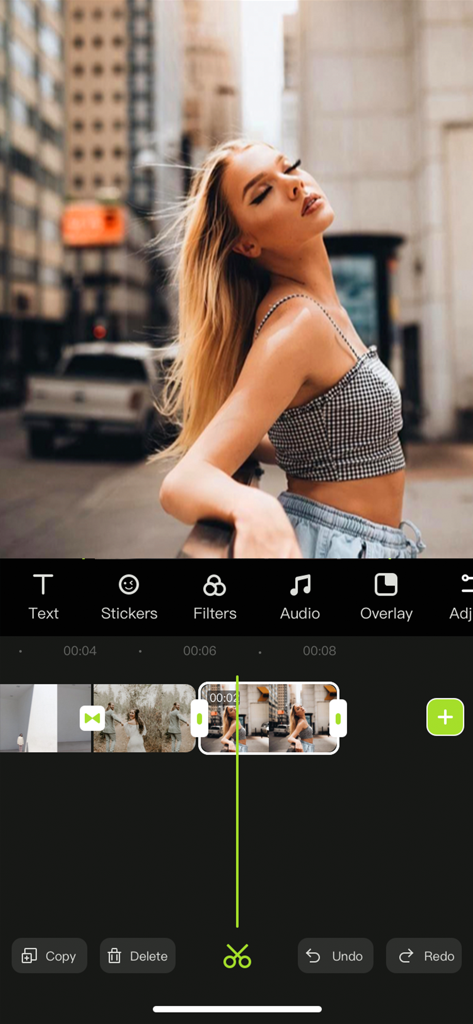
Video Editorアプリのインターフェース。縦長の動画タイムラインと、都会のストリートにいる若い女性のプレビューが表示されています。
Video Editorアプリのインターフェース。縦長の動画タイムラインと、都会のストリートにいる若い女性のプレビューが表示されています。

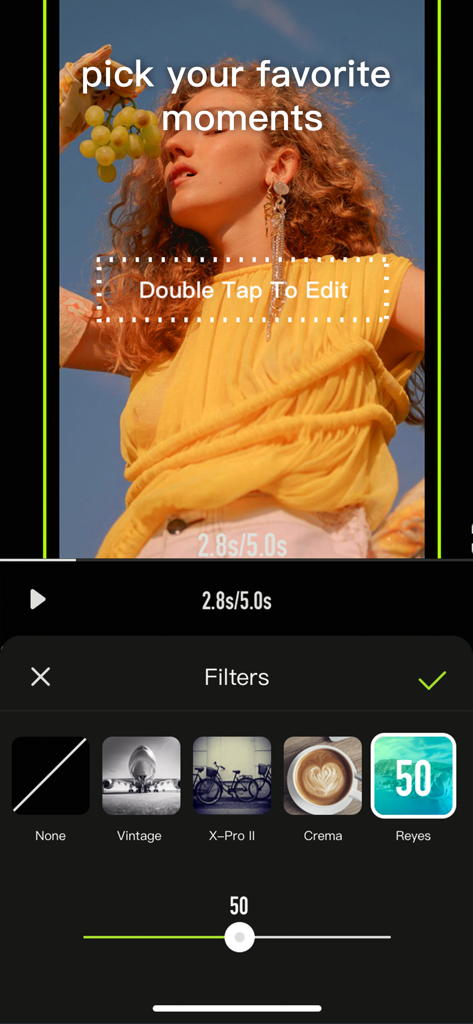
Video Editorアプリのインターフェース。VintageやCremaなどのオプションが表示されたフィルター選択メニューが表示され、ライフスタイル動画クリップに適用されています。
Video Editorアプリのインターフェース。VintageやCremaなどのオプションが表示されたフィルター選択メニューが表示され、ライフスタイル動画クリップに適用されています。

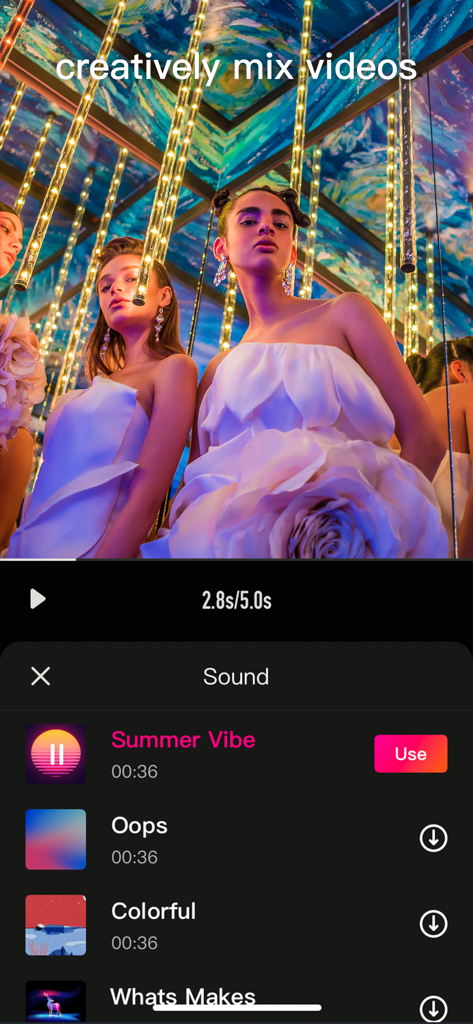
モバイル動画編集アプリのインターフェース。ソーシャルメディア動画用の音楽選択メニューが表示されています。
モバイル動画編集アプリのインターフェース。ソーシャルメディア動画用の音楽選択メニューが表示されています。

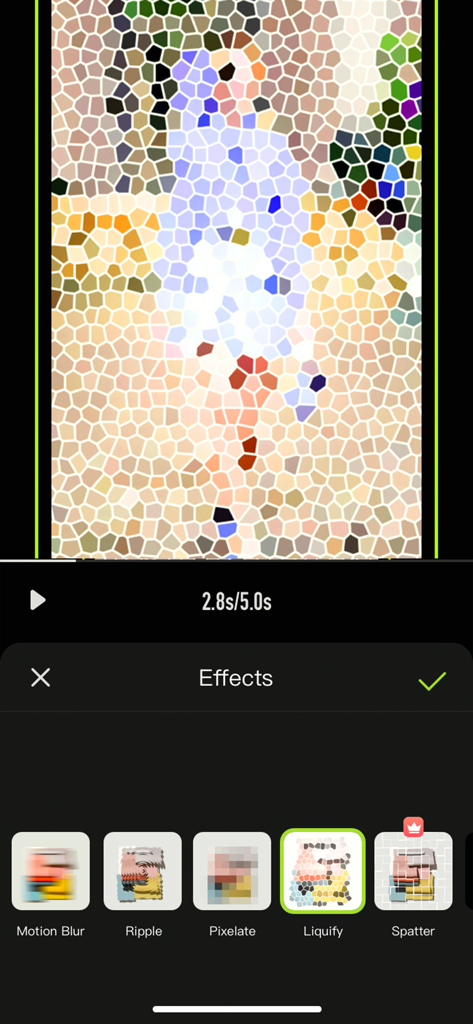
モバイル動画編集アプリのインターフェース。クリエイティブなソーシャルメディアコンテンツ用の、 liquify や pixelate のような特殊効果が表示されています。
モバイル動画編集アプリのインターフェース。クリエイティブなソーシャルメディアコンテンツ用の、 liquify や pixelate のような特殊効果が表示されています。

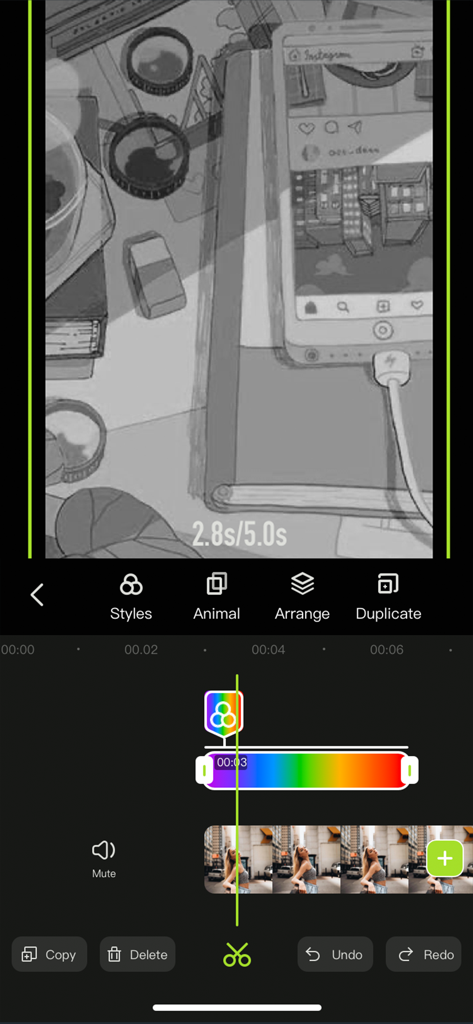
スマートフォン動画編集インターフェース。カラーフィルターやクリエイティブなスタイリングツールを備えたタイムラインが表示されています。

スマートフォン動画編集インターフェース。カラーフィルターやクリエイティブなスタイリングツールを備えたタイムラインが表示されています。

バイラルになるために必要なすべて

このアプリを際立たせるツール、 1M+ 人のユーザーが選択.

🛠️

プロツール、モバイルで簡単

キーフレーム、マスキング、カラーアウトなどの高度な機能を、直感的なタッチコントロールで使いこなそう。iPhoneで数分でデスクトップ品質のルックを手に入れよう。

膨大なエモいライブラリ

500以上のトレンドステッカー、シネマティックフィルター、ユニークなフォントにアクセス。最新のビジュアルトレンドに合わせて、あなたのパーソナルブランドを高めるために必要なすべて。

📱

ソーシャルでの成功のために構築

TikTok、Reels、YouTube Shortsに即座にリサイズ。どんな動画からもトレンドのオーディオを抽出し、プロ仕様のボイスオーバーを追加して、あなた自身のストーリーを語ろう。

レビュー分析

ユーザーレビューの分析.

感情スコア

32%
ネガティブ

概要

This mobile app receives mixed feedback, with many users praising its ease of use and robust video editing capabilities, making it a viable option for beginners and those needing a lightweight editor. However, the user experience is significantly hindered by an aggressive paywall and a contentious subscription model, leading to numerous complaints about unexpected charges after free trials and difficulties canceling. Frequent bugs, glitches, and stability issues are also major concerns, including app crashes, data loss, corrupted files, and problems saving or exporting edited videos. Notably, multiple reviews point to version-specific bugs where features like custom music and GIF integration have disappeared or malfunctioned, even on the paid version, following updates.

主なテーマ

Video Editing Capabilities(6)
Ease of Use(5)
App Performance & Size(2)
Saving & Exporting(2)
Subscription & Pricing Model(1)
Bugs & Stability(1)
Advertisements(1)

アプリについて

について知っておくべきこと Video Editor : Video Maker.

説明

Videoeditor is an easy-to-operate video making App on your iPhone, iPad. Whether you are a professional or an amateur, you can find the fun of video editing in Videoeditor. Videoeditor has powerful editing functions and a massive material library (such as pictures, videos, music, sound effects, stickers, etc.), which greatly reduces the creation threshold while adding creativity to the video. Let’s start creating! Here's what Videoeditor can do for you: Powerful video editing functions - Upload materials from your phone album - Adjust the brightness, contrast, saturation and other parameters of the clips - Add the entry/exit animation of the material. - Pick color and cut out - Add a mask to hide part of the layer - Video splitting and trimming - Adjust layer order - Sound extraction from video - Record your voice and add to video - Multiple sound equalizer solutions - Adjust the speed of the video - Video reverse - Freeze the key-frame of the clip - Intuitive time-line with frame-by-frame precision scaling - Replace material while retaining editing operations - Shortcut operations for video editing (Redo/Undo/Delete/Copy/Mute) Abundant resources to inspire creativity - 500+ featured stickers of different kinds - Choose photos/videos from third-party material libraries for creation - Pleasant background music - Various sounds of nature contained in sound effect library - Various filters to beautify your video - A variety of selected fonts to choose from - Various special effects to increase the fun of the video - Various transition allow natural switching between clips and clips Various adjustment operations for the canvas - A variety of canvas sizes to choose from for better display on social media - Custom canvas background (Solid color / blur) Multiple video saving options - Multiple resolutions to meet different needs - Different frames per second options to adjust the smoothness of the video ***Some features may require in-app purchases. ------------ SUBSCRIPTION PRICING & TERMS VideoEditor is free to download. Pro Subscription gives you unlimited access to all our featured functions and selected materials. Premium Features: - Access to ALL featured filters - Access to ALL resource libraries (including fancy fonts, stickers, sound effects, music) - A variety of cool transitions - Animation effects - Unlock all masks - Audio extraction - Video reverse & freeze - Color cutout - Multiple video saving options - VideoEditor offers two auto-renewing subscription options: $6.99/Month OR $29.99/Year (including 3 days free trial). - These prices are for United States customers. Pricing in other countries may vary, and actual charges may be converted to your local currency depending on the country of residence. - Payment will be charged to your iTunes Account at confirmation of your subscription - Subscription automatically renews unless auto-renew is turned off at least 24-hours before the end of the current period - The account will be charged for renewal within 24-hours prior to the end of the current period, and at the cost of the chosen package - Any unused portion of a free trial period, if offered, will be forfeited when the user purchases a subscription to that publication, where applicable. - Your subscription automatically renews unless you turn off in Account Settings 24+ hours before the end of the billing period. - You can turn off auto-renew at any time from your iTunes account settings, but refunds will not be provided for any unused portion of the term. Read our Term of Use at: https://s3.us-west-2.amazonaws.com/s3.videocut/page/agreement.html Read our Privacy Policy at: https://s3.us-west-2.amazonaws.com/s3.videocut/page/privacy.html

最新バージョン

1.1.7

サイズ

113.4 MB

リリース日

2021年7月28日

次のバイラルヒットを作成する準備はできましたか?

100万人以上のクリエイターがVideoEditorを使ってアイデアをトレンドコンテンツに変えています。今すぐダウンロードして、今日からあなたのデジタル影響力を築き始めましょう。

ダウンロード: App Store

App information, icons, screenshots, and descriptions displayed on this page are sourced from the Apple App Store and are the property of their respective developers. Download estimates and rankings are based on MWM's proprietary models and may not reflect actual figures. This page is provided for informational and analytical purposes only.

Believe this page infringes your intellectual property? File a dispute