Video Editor .
Video Editor .
ダウンロード: App Store

このページはアプリまたはその開発者の公式ページではなく、情報提供および論評を目的として作成された独立した編集出版物です。明示的に別段の記載がない限り、アプリおよびその開発者は、MWM、Apple、Google Play、アプリのパブリッシャー、またはアプリの開発者と提携、承認、後援、認可、またはその他の公式的な関係はなく、このページのいかなる内容も、アプリがMWMのサービスを使用して開発されたことを意味するものではありません。すべての商標、ロゴ、スクリーンショット、その他のコンテンツはそれぞれの所有者の財産です。


ロゴ: Video Editor .
ダウンロード: App Store

Video Editor .

アイデアをHDの傑作に変える何百万人ものクリエイターに参加しましょう。トレンドの音楽から美的フィルターまで、TikTok、Instagram、YouTubeで目立つために必要なすべてがここにあります。

主要数値

ダウンロード

7M+

ユーザー評価

4.7/5

評価数

3K+

開発元

传彬 戴

カテゴリ

Photo & Video

対応言語

7

最新バージョン

2.8.1

サイズ

165.1 MB

リリース日

2017年7月3日
機能

バイラルコンテンツを楽に作成

次世代のクリエイターのために設計された、パワフルで直感的なツールを使用して、クリップをソーシャルメディアの傑作に変えましょう。

1分以内に編集

複雑さをスキップ。プロのクロップ、カット、スプリットツールを使用して、ソーシャルメディアのスピードでストーリーを構築します。

高度なオーディオレイアリング

トレンドの音楽、カスタムボイスオーバー、他のビデオから抽出したオーディオをミックスして、独自のサウンドを作成します。

以下のスクリーンショットと説明は、アプリの公式ストアリスティングから直接取得されたものであり、アプリ開発者の所有物です。

アプリストア

スクリーンショット
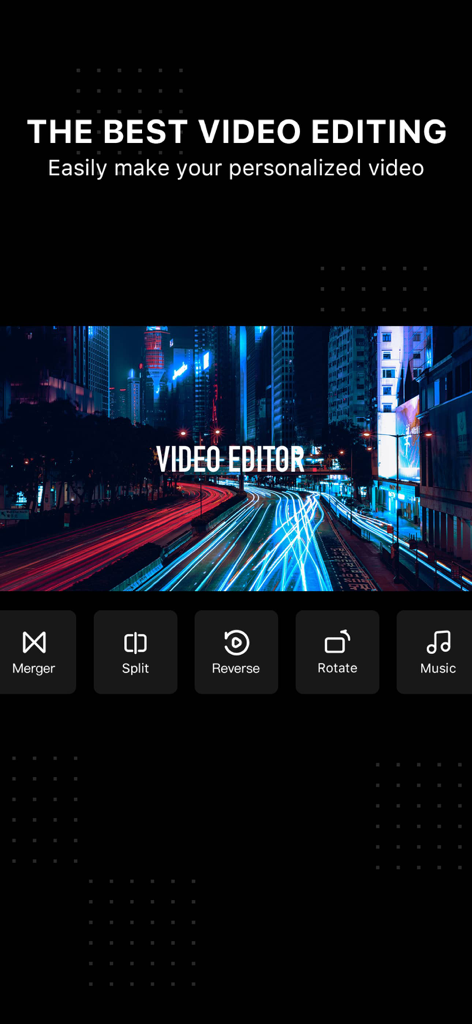
Video Editor . - ビデオエディタアプリの画面には、マージ、スプリット、音楽編集オプションが表示されています
ビデオエディタアプリの画面には、マージ、スプリット、音楽編集オプションが表示されています

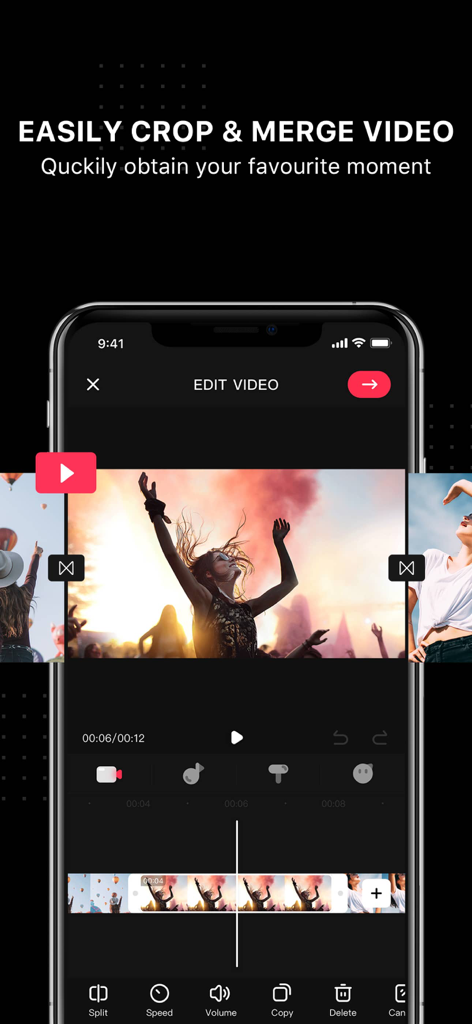
Video Editor . - ビデオエディタアプリのモバイルインターフェイスには、ソーシャルメディア用にビデオクリップをトリミングおよびマージするためのツールが表示されています
ビデオエディタアプリのモバイルインターフェイスには、ソーシャルメディア用にビデオクリップをトリミングおよびマージするためのツールが表示されています

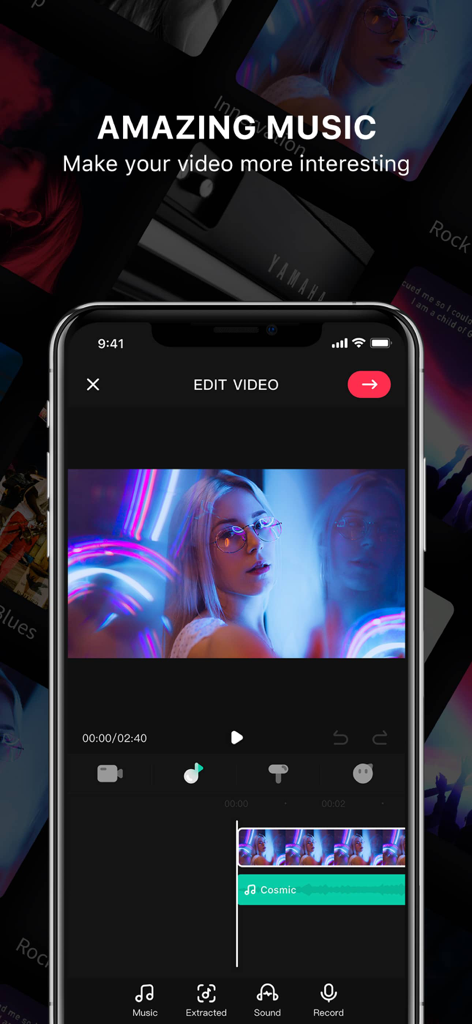
Video Editor . - ビデオに音楽や効果音を追加するためのモバイルアプリインターフェイス

ビデオに音楽や効果音を追加するためのモバイルアプリインターフェイス

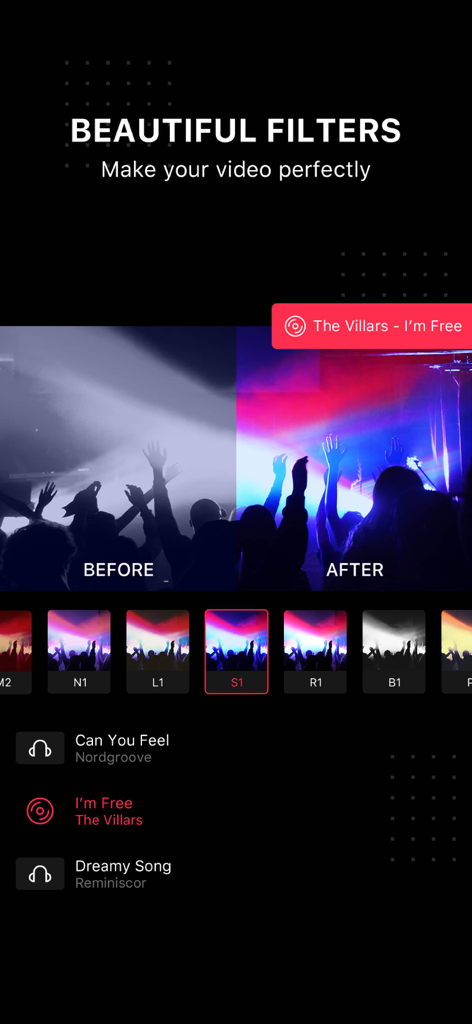
Video Editor . - ビデオエディタアプリのインターフェイス内のコンサートビデオに、鮮やかな美的フィルターを適用した適用前後の比較
ビデオエディタアプリのインターフェイス内のコンサートビデオに、鮮やかな美的フィルターを適用した適用前後の比較

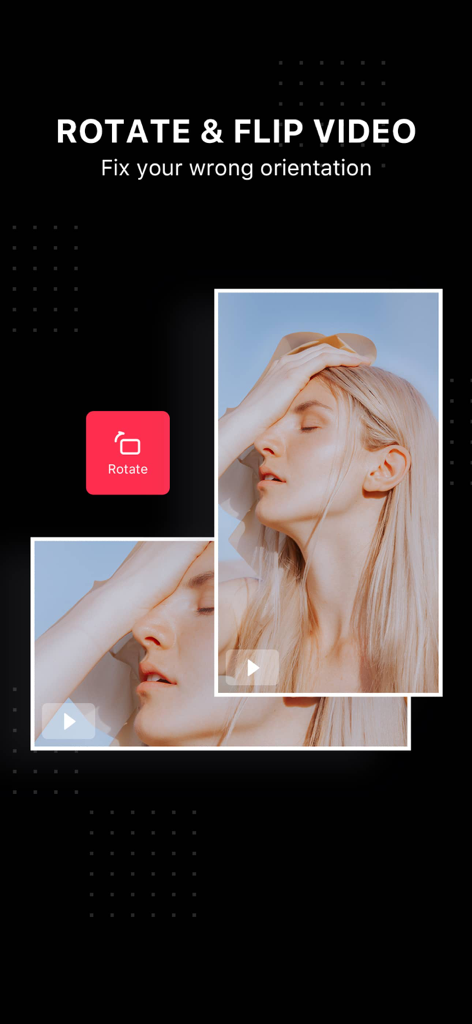
Video Editor . - ビデオエディタアプリで向きを修正するための回転および反転ビデオ機能を示すインターフェイス
ビデオエディタアプリで向きを修正するための回転および反転ビデオ機能を示すインターフェイス

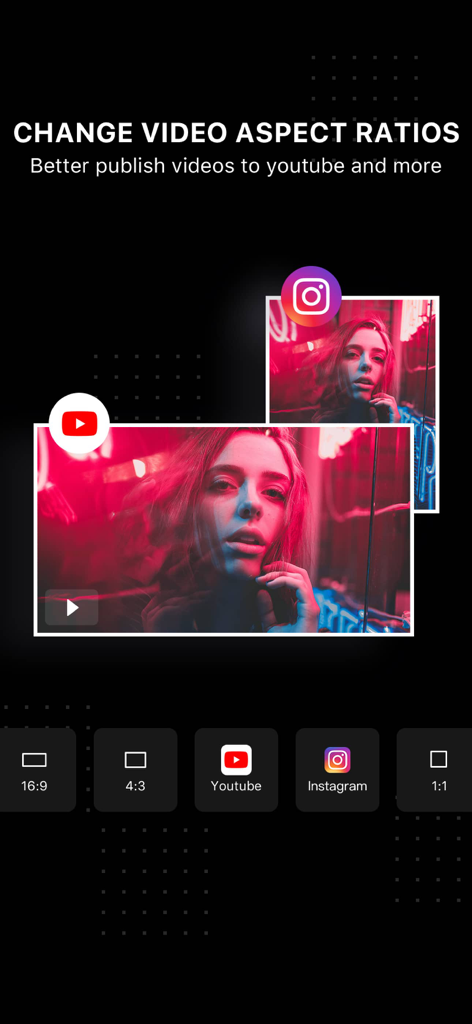
Video Editor . - ビデオエディタアプリでYouTube、Instagram、および一般的な形式のビデオアスペクト比オプションを示すインターフェイス

ビデオエディタアプリでYouTube、Instagram、および一般的な形式のビデオアスペクト比オプションを示すインターフェイス

説明

Video Editor is a hot video editing and creating app. Now has millions of users around the world. Even the new beginners can easily create and edit a great video in 1 minute. Whether you’re looking to make a full film or be the next YouTube hot creator, Video Editor offers you the tools to make your videos shine. WHY YOU'LL LOVE THIS APP - It is full-featured editing functions, winning many video editing software, and become the popular choice for many YouTubers. - Multi-audio synthesis, support for adding multiple music, recording, and sound effects to the same video; - A variety of professional photographers’ favorite filters. - Tons of stickers to really make your videos stand out. - Hundreds of popular songs help you to turn your video into a masterpiece. EASILY CROP YOUR VIDEOS - Easily crop the video clips you want, accurate to 1s. - Includes Clip, Cut and Split, which is very suitable for beginners to use. POWERFUL MUSIC EDITING FUNCTION - Rich music and sound effect material library to make your video more outstanding. - Extract audio from other videos, use your own video, and edit - Hundreds of popular music songs that can be used on YouTube are available. - You can also import your favorite songs from iTunes over video as background music. - You can easily dub videos and make blockbuster movies with your voice. - Edit background music, you can drag to change music playback position and add multiple music at the same time. ADD TEXT & STICKERS - Type your own text with color and various fonts. - Bring your videos to life with cute stickers. ADJUST VIDEO ASPECT RATIOS AND DIRECTIONS - Multiple frame sizes: including YouTube, Instagram video sizes, 4:3, 1:1 and 9:16. - Rotating your videos in 90 degree to adjust the video direction is supported. MERGE VIDEOS AND PHOTOS - Combine multiple clips into one to make your own unique videos. - Create interesting slideshows and videos from your photos. - Choose your favorite transition to style your video and slideshows. ADJUST SPEED - Adjust playback speed for fast or slow motion. CAREFULLY-SELECTED FILTERS - Tons of carefully-selected filters to cater to all your needs no matter you're looking for documentary effects or artistic expression. COPY VIDEOS - One-click copying makes it easy to edit repeating clips. SAVE HD VIDEO - Save videos to your camera roll in high quality output. - Share right to YouTube, Facebook, Instagram, TikTok and other pop app. Don’t wait! Join Video Editor, the top video editing app, to make stunning videos easily. If you have any problems, please feel free to contact us: videoeditorteam@163.com. Video Editor PRO SUBSCRIPTION - Membership Benefits: Unlock all VIP features. - Subscription Period: 1 month (Pro membership continuous monthly product), 12 months (Pro membership continuous annual product). If needed, we also provide one-time payment services other than existing subscription plans. - Subscription Prices: Prices may vary based on iAP application information, e.g., $4.49 per month for continuous monthly product, $27.49 per year for continuous annual product. - Payment: Users confirm purchase and make payments through their iTunes account. - Canceling Renewal: To cancel renewal, please manually disable the auto-renewal feature in iTunes/Apple ID settings management at least 24 hours before the current subscription period ends. - Renewal: Apple iTunes account will be charged within 24 hours before expiration. Upon successful payment, the subscription period will be extended by one subscription period. - Free Trial for Annual Members: Renewing or canceling renewal during the free trial period will not revoke the trial benefits. Users can continue to use the trial until the trial period ends. User Agreement: https://videoeditor.principlebits.com/web/UserAgreement/ Privacy Policy: https://videoeditor.principlebits.com/web/PrivacyPolicy/ EULA: https://www.apple.com/legal/internet-services/itunes/dev/stdeula/

Download

ダウンロード: App Store

このページはアプリまたはその開発者の公式ページではなく、情報提供および論評を目的として作成された独立した編集出版物です。明示的に別段の記載がない限り、アプリおよびその開発者は、MWM、Apple、Google Play、アプリのパブリッシャー、またはアプリの開発者と提携、承認、後援、認可、またはその他の公式的な関係はなく、このページのいかなる内容も、アプリがMWMのサービスを使用して開発されたことを意味するものではありません。すべての商標、ロゴ、スクリーンショット、その他のコンテンツはそれぞれの所有者の財産です。