
このページはアプリまたはその開発者の公式ページではなく、情報提供および論評を目的として作成された独立した編集出版物です。明示的に別段の記載がない限り、アプリおよびその開発者は、MWM、Apple、Google Play、アプリのパブリッシャー、またはアプリの開発者と提携、承認、後援、認可、またはその他の公式的な関係はなく、このページのいかなる内容も、アプリがMWMのサービスを使用して開発されたことを意味するものではありません。すべての商標、ロゴ、スクリーンショット、その他のコンテンツはそれぞれの所有者の財産です。

Video Up! Video Editor & Maker
AIが思考を映像化し、凡庸なクリップを即座に昇華させる。これは、視覚表現の障壁を打ち破る直接的な力である。
ダウンロード
12.5M+ユーザー評価
評価数
212.7K開発元
カテゴリ
Photo & Video対応言語
30最新バージョン
2.5.1サイズ
271.0 MBリリース日
2022年4月29日テックアナリストによる「Video Up!」アプリの機能分析
ソーシャルメディアユーザーとカジュアルクリエイター向け主要機能の評価
AI動画生成(テキストから画像へ)
本アプリは、入力されたテキストからAIが画像を生成し、それを動画に挿入する機能を提供します。これにより、ユーザーは独自のビジュアルコンテンツを素早く作成し、動画のイントロやテーマに合わせた要素、抽象的なオーバーレイなどを効果的に追加することが可能です。
簡単な共有と高解像度保存
作成された動画は、TikTok、Instagram、YouTube、WhatsAppなど、主要なソーシャルメディアプラットフォームへ瞬時にエクスポートすることが可能です。また、最終的な動画を高品質・高解像度でデバイスのギャラリーに保存できるため、ユーザーは制作物を最高の状態で共有し、幅広いオーディエンスに届けることができます。
豊富なテンプレートによる高速制作
本ツールは、多様なテンプレート(イントロ、アウトロ、トランジション含む)を提供し、ユーザーは迅速に動画制作を開始できます。これにより、手動での編集作業の手間を省き、フォント、色、レイアウトを簡単にカスタマイズして、短時間で魅力的なコンテンツを作成することが可能です。
包括的な動画編集ツール
このアプリは、トリミング、クロップ、カット、テキストオーバーレイ、タイトルスライド追加、クリップ結合など、動画編集に不可欠な多様なツールを備えています。特に、コンテンツのナレーションを自動でキャプションとして生成する機能は、ソーシャルメディアでの視聴体験を向上させる上で非常に役立ちます。
豊富な音楽とサウンドライブラリ
ユーザーは5,000曲以上の内蔵楽曲ライブラリから音楽を追加できるほか、自身のトラックをインポートしたり、クリップから音声を抽出したりすることが可能です。また、ボイスオーバーや効果音、バックグラウンドミュージックを調整する機能も備わっており、動画に感情やプロフェッショナルな雰囲気を加えることができます。
高度な視覚効果とフィルター
本アプリは、映画のようなエフェクト、オーバーレイ、多彩なフィルターを提供し、動画の視覚的な魅力を高めます。ユーザーはクロマキー機能を使用して背景を創造的に変更したり、シェイプマスクやモーションレイヤーでカスタムビジュアルを構築したりすることが可能で、視覚的に魅力的なコンテンツを制作できます。
よくある質問
について知っておくべきこと Video Up! Video Editor & Maker
Does Video Up! use AI to generate images for videos?
Yes, Video Up! incorporates an AI video editor to insert AI-generated images and illustrations. Users describe their desired visuals, and the app instantly creates them.
Can Video Up! automatically generate captions for my videos?
Yes, Video Up! instantly generates captions to narrate video content. This feature assists users in adding text overlays efficiently to their video projects.
What kind of music library does Video Up! offer?
Video Up! includes a library of over 5,000 built-in songs. Users can also import custom tracks, extract audio from clips, and add voiceovers or sound effects.
How does Video Up! handle background removal in videos?
Video Up! provides a chroma key feature for creatively changing video backgrounds. This tool enables users to build custom visuals and enhance their scenes.
Does Video Up! provide templates for video creation?
Yes, Video Up! offers beautiful templates, including intros, outros, and transitions, for instant use. Users can personalize fonts, colors, and layout quickly.
Which social media platforms can I export videos to from Video Up!?
Video Up! supports direct export to TikTok, Instagram, YouTube, and WhatsApp. Users can save their final videos in high resolution to their device gallery.
Can I adjust the playback speed of videos in Video Up!?
Yes, Video Up! allows users to speed up or slow down video playback. This feature provides flexibility for dynamic adjustments within their video editing projects.
Is Video Up! suitable for creating different types of video content?
Yes, Video Up! is an all-in-one editor capable of creating high-quality videos, reels, slideshows, and movies. It serves as a comprehensive tool for various content needs.
以下のスクリーンショットと説明は、アプリの公式ストアリスティングから直接取得されたものであり、アプリ開発者の所有物です。
アプリストア
スクリーンショット
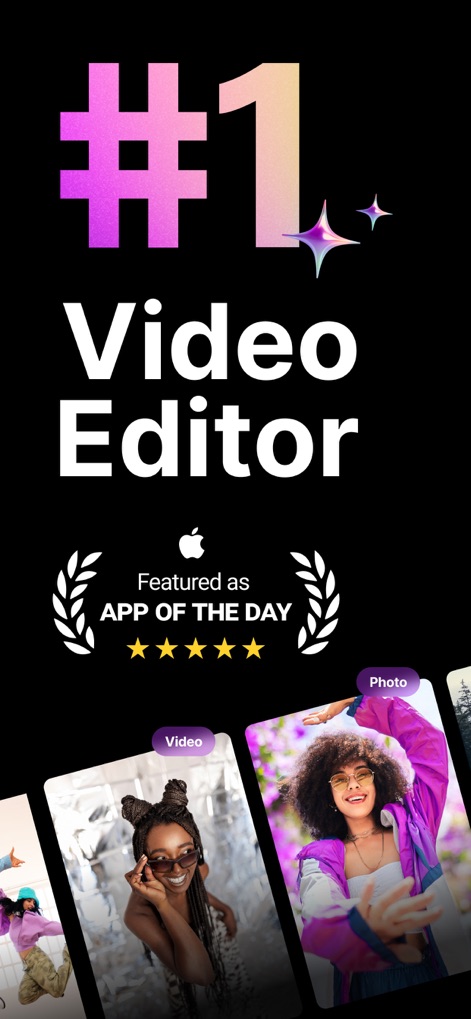
業界をリード
本アプリは「APP OF THE DAY」として特集され、ユーザーは既存の動画や写真から編集を始めることができます。

AIで画像生成
AIテキストから画像生成機能により、ユーザーはテキスト入力でユニークなビジュアルを作成し、それを動画に組み込むことができます。

自由な編集
動画の結合、トリミング、サイズ変更といった基本的な編集機能に加え、ユーザーは多様なアスペクト比で映像を調整できます。

豊富なテンプレート
ユーザーは「ファッション」や「ハイキングVlog」などの多様なテンプレートを活用し、動画編集を素早く魅力的に開始できます。

自動キャプション
本アプリは話された言葉を自動でキャプションとして生成し、ユーザーはそれをさらに編集したり、テキストオーバーレイとして利用したりすることができます。

テキスト追加
ユーザーは動画に任意のテキストオーバーレイを追加し、「フォント」や「色」などの詳細設定でデザインを自由にカスタマイズできます。

音楽と音声
5,000曲以上の豊富な内蔵音楽ライブラリから選んだり、自分の音源をインポートしたりして、動画に「BGM」や「ナレーション」を追加できます。

エフェクト追加
ユーザーは「シネマティックなフィルター」や「エフェクト」を動画に適用し、ビフォーアフターの比較表示で効果を確認しながら魅力的な映像を作り出せます。

背景を削除
クロマキー機能やマスクツールを活用することで、ユーザーは動画の背景を簡単に「削除」し、被写体を際立たせたり、新しい背景に置き換えたりできます。

速度調整
ユーザーは動画の再生速度を自由に調整できるだけでなく、「モンタージュ」や「バレット」といったプリセットのカーブ効果を適用して、映像にダイナミックな動きを加えられます。
説明
Download
類似アプリ
似た機能とユーザー体験を持つアプリ

Edits: Video Editor
Instagram, Inc.

VLLO- Video Editor, Vlog Edits
vimosoft

YouCut - AI Video Editor
SHANTANU PTE. LTD.

必剪-B站官方出品
Shanghai Bilibili Animation Co.,Ltd

剪影 - 视频剪辑 & 卡点影集制作
Shanghai Jian Ji Software Technology Co., Ltd

Videoshop - Video Editor
Jajijujejo Inc.

VDIT - Video Maker & Editor
ImgBase, Inc.

Video Editor with Music・VidLab
Onelight Apps CY Ltd

Video Maker-movie maker&Editor
Changsha Fugui Bamboo Network Technology Co., Ltd.
このページはアプリまたはその開発者の公式ページではなく、情報提供および論評を目的として作成された独立した編集出版物です。明示的に別段の記載がない限り、アプリおよびその開発者は、MWM、Apple、Google Play、アプリのパブリッシャー、またはアプリの開発者と提携、承認、後援、認可、またはその他の公式的な関係はなく、このページのいかなる内容も、アプリがMWMのサービスを使用して開発されたことを意味するものではありません。すべての商標、ロゴ、スクリーンショット、その他のコンテンツはそれぞれの所有者の財産です。