Vocalize - Record & Speak
ダウンロード: App Store

このページはアプリまたはその開発者の公式ページではなく、情報提供および論評を目的として作成された独立した編集出版物です。明示的に別段の記載がない限り、アプリおよびその開発者は、MWM、Apple、Google Play、アプリのパブリッシャー、またはアプリの開発者と提携、承認、後援、認可、またはその他の公式的な関係はなく、このページのいかなる内容も、アプリがMWMのサービスを使用して開発されたことを意味するものではありません。すべての商標、ロゴ、スクリーンショット、その他のコンテンツはそれぞれの所有者の財産です。

ロゴ: Vocalize - Record & Speak
ダウンロード: App Store

Vocalize - Record & Speak

クリアな録音をキャプチャし、その場で編集し、音声を瞬時にテキストに変換します。プロフェッショナルや学生が外出先でワークフローをマスターするための必須ツールキットです。

主要数値

ダウンロード

15K+

ユーザー評価

1.4/5

評価数

0

開発元

PROCE INTERIOR COMPANY LIMITED

カテゴリ

Productivity

対応言語

1

最新バージョン

1.0.3

サイズ

14.8 MB

リリース日

2025年4月1日
機能

音声ワークフローを強化

Vocalizeは、移動中に録音、編集、文字起こしが必要な忙しいプロフェッショナルや学生向けに設計されたオールインワン音声ツールキットです。

インスタントAI文字起こし

会議、インタビュー、講義の数時間を正確なテキストに自動変換し、退屈な手動ノート作成から解放します。

プロレベルのモバイル編集

数回のタップで不要な無音部分をトリミングしたり、複数のクリップを1つのシームレスなファイルに結合したりできます。デスクトップソフトウェアは不要です。

以下のスクリーンショットと説明は、アプリの公式ストアリスティングから直接取得されたものであり、アプリ開発者の所有物です。

アプリストア

スクリーンショット
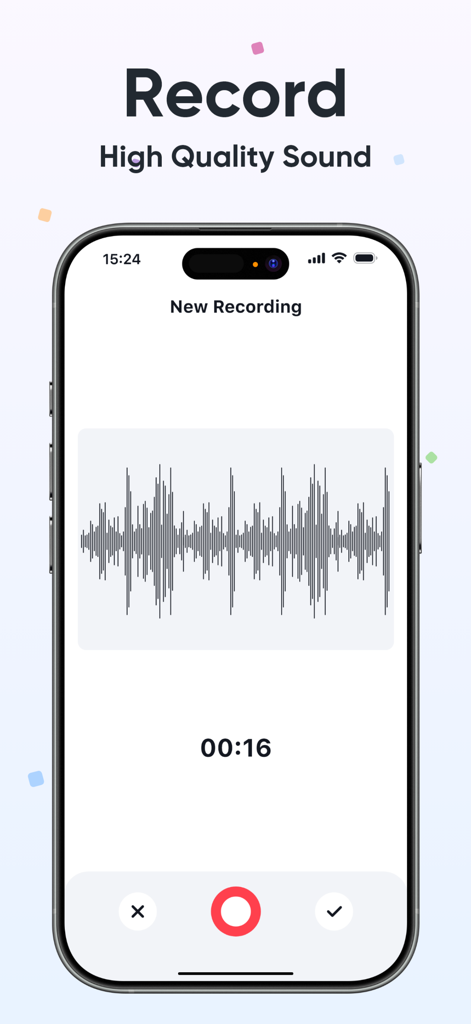
Vocalize - Record & Speak - スマートフォンの画面に、音声波形とタイマーが表示され、ライブ音声録音中のVocalizeアプリのインターフェイスが表示されています。
スマートフォンの画面に、音声波形とタイマーが表示され、ライブ音声録音中のVocalizeアプリのインターフェイスが表示されています。

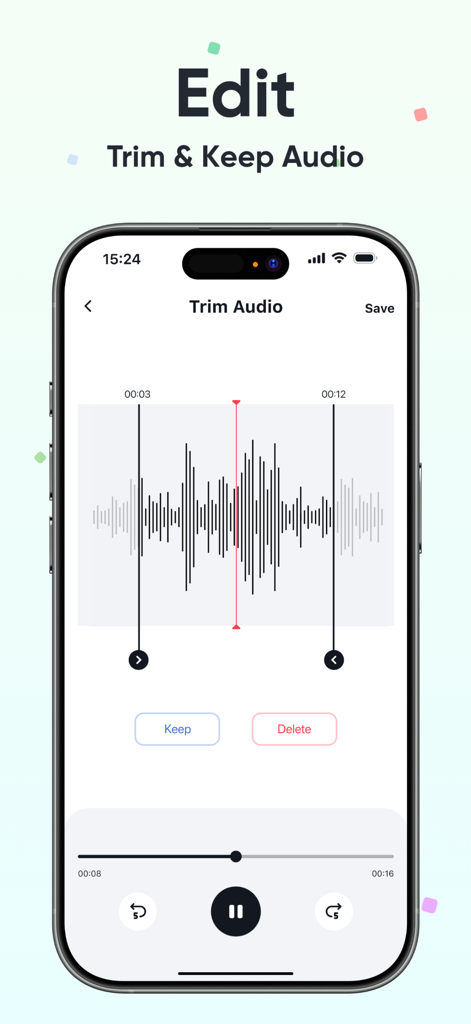
Vocalize - Record & Speak - 音声波形表示付きの音声トリミングツールを表示しているVocalizeアプリのインターフェイス。
音声波形表示付きの音声トリミングツールを表示しているVocalizeアプリのインターフェイス。

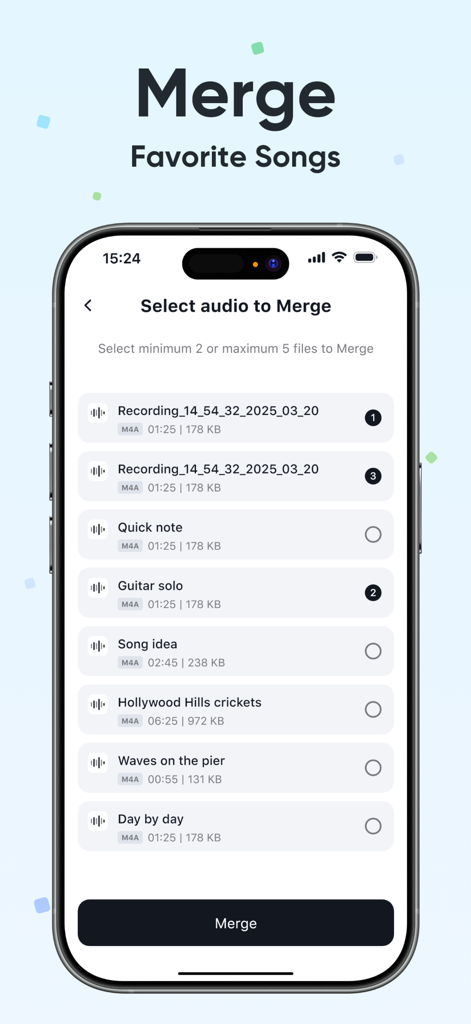
Vocalize - Record & Speak - 複数の音声録音を結合する機能を表示しているVocalizeアプリのインターフェイス。
複数の音声録音を結合する機能を表示しているVocalizeアプリのインターフェイス。

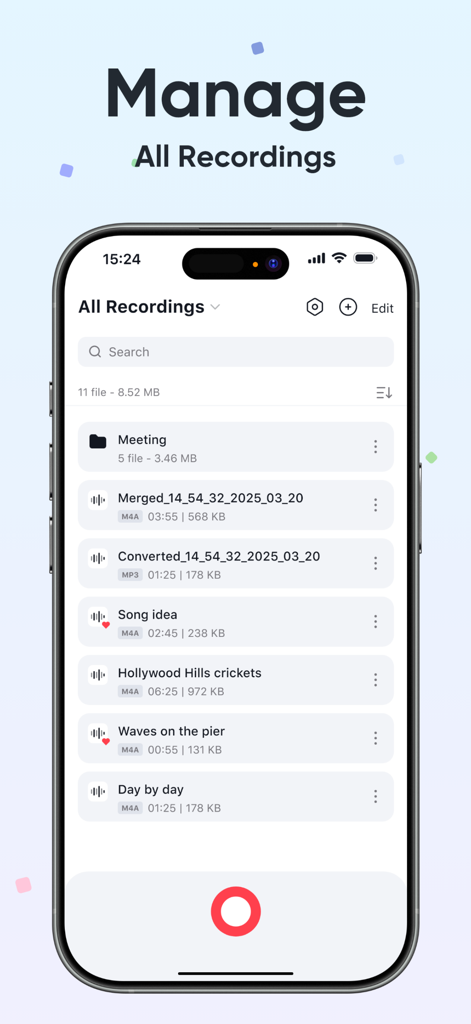
Vocalize - Record & Speak - 整理された音声録音とフォルダのリストを表示するVocalizeアプリのインターフェイス。
整理された音声録音とフォルダのリストを表示するVocalizeアプリのインターフェイス。

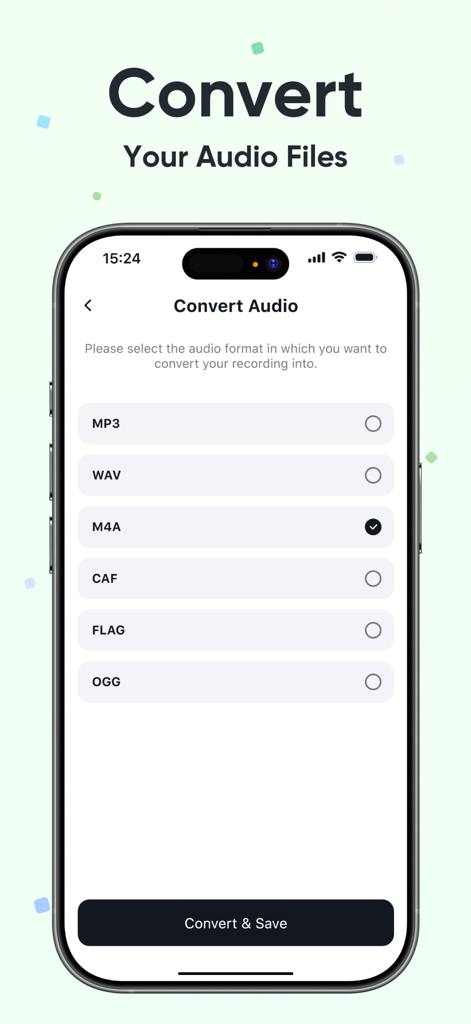
Vocalize - Record & Speak - MP3やWAVなどのファイル形式のリストが表示されたVocalizeアプリの音声コンバーター機能を示すスマートフォンの画面。
MP3やWAVなどのファイル形式のリストが表示されたVocalizeアプリの音声コンバーター機能を示すスマートフォンの画面。

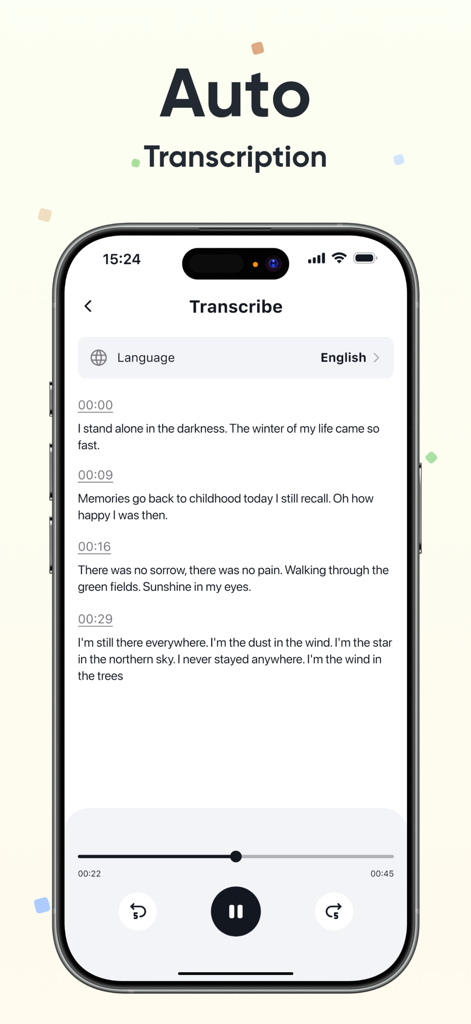
Vocalize - Record & Speak - タイムスタンプと再生コントロール付きの自動音声テキスト文字起こしを表示するVocalizeアプリのインターフェイス。

タイムスタンプと再生コントロール付きの自動音声テキスト文字起こしを表示するVocalizeアプリのインターフェイス。

説明

Vocalize - Record & Speak Our App is a powerful and easy-to-use tool designed to meet all your audio recording and editing needs. Key Features: - Trim Recordings: Easily cut unwanted parts from your recordings to keep only the content you need. - Record Audio: Capture high-quality audio directly from your device with just one tap. - Convert Audio Format: Convert your recordings between popular formats such as MP3, WAV, AAC, and more for compatibility across different platforms and devices. - Merge Audio Files: Combine multiple audio recordings into a single file for better organization and sharing. - File Management & Import: Organize your recordings into folders, rename, delete, and import audio files directly from your device storage. - Transcription: Automatically transcribe your recordings into text using advanced speech-to-text technology. • Subscription: Renewing and Cancellation Subscription with a free trial period will automatically renew to a paid subscription unless auto-renewal is turn off. Payment will be charged to your iTunes Account at confirmation of purchase. Subscription automatically renews unless auto-renew is turned off at least 24-hours before the end of the current period. Account will be charged for renewal within 24-hour prior to the end of the current period. The cost of the renewal will match the initial subscription price. Your auto-renew subscription can be managed or turned off by going to your Account Settings after purchase. No cancellation of the current subscription is allowed during your active subscription period. Any unused portion of a free trial period, if offered, will be forfeited when purchasing a subscription during the free trial period. If your subscription expires – you will need to purchase a new subscription to access all premium features. Terms of Use: https://sites.google.com/view/vocalize-recordspeak/home Privacy Policy: https://sites.google.com/view/vocalize-record-speak/home

Download

ダウンロード: App Store

このページはアプリまたはその開発者の公式ページではなく、情報提供および論評を目的として作成された独立した編集出版物です。明示的に別段の記載がない限り、アプリおよびその開発者は、MWM、Apple、Google Play、アプリのパブリッシャー、またはアプリの開発者と提携、承認、後援、認可、またはその他の公式的な関係はなく、このページのいかなる内容も、アプリがMWMのサービスを使用して開発されたことを意味するものではありません。すべての商標、ロゴ、スクリーンショット、その他のコンテンツはそれぞれの所有者の財産です。







