
このページはアプリまたはその開発者の公式ページではなく、情報提供および論評を目的として作成された独立した編集出版物です。明示的に別段の記載がない限り、アプリおよびその開発者は、MWM、Apple、Google Play、アプリのパブリッシャー、またはアプリの開発者と提携、承認、後援、認可、またはその他の公式的な関係はなく、このページのいかなる内容も、アプリがMWMのサービスを使用して開発されたことを意味するものではありません。すべての商標、ロゴ、スクリーンショット、その他のコンテンツはそれぞれの所有者の財産です。


ダウンロード
2.5M+ユーザー評価
評価数
16.7K開発元
カテゴリ
Utilities対応言語
10最新バージョン
13.2サイズ
57.0 MBリリース日
2022年8月19日モバイルデバイスにおけるファイル管理と効率化の核心を解き明かす
ZArchiver: テックアナリストによる機能詳細分析
多様な形式のファイル圧縮・解凍
アプリケーションは、ZIP、RAR、7zなどの主要なアーカイブ形式のファイルを効率的に圧縮および解凍します。ユーザーは、様々な種類のデジタルファイルを容易に管理し、ストレージを最適化できます。
写真・動画のサイズ削減
本アプリは、写真や動画ファイルなどのメディアコンテンツを効果的に圧縮し、ファイルサイズを削減します。これにより、モバイルデバイスのストレージを節約し、大容量ファイルの共有を容易にします。
ドキュメントおよびフォルダの一括圧縮・管理
複数のドキュメントやフォルダを一度に圧縮し、整理することが可能です。オフィスファイル、学習資料、クリエイティブアセットなど、様々なファイルを効率的に管理し、送信準備を整えることができます。
ワンクリックでの簡単操作
ファイルの圧縮および解凍操作は、シンプルなインターフェースを通じてワンクリックで実行できます。これにより、技術的な知識が少ないユーザーでも、迅速かつ手間なくファイルの処理が可能です。
共有に特化したファイル圧縮
PDF、XLS、TXTなどのファイルを圧縮し、サイズを小さくすることで、メール添付やメッセージングアプリでの共有がよりスムーズになります。ユーザーは、大容量ファイルでも容易に他者とやり取りできます。
圧縮ファイルの内部コンテンツ閲覧
アプリケーションは、圧縮されたアーカイブファイルを開くことなく、その内部に含まれるファイルやフォルダのリストを表示します。これにより、ユーザーは解凍前に内容を確認し、必要なファイルだけを抽出することができます。
よくある質問
について知っておくべきこと ZArchiver
What is ZArchiver used for?
ZArchiver is a file compressor and zip file opener. It extracts and compresses various file types, including documents, photos, and videos, reducing their size and managing archives.
Which file types can ZArchiver compress and extract?
ZArchiver compresses and extracts doc, docx, ppt, pptx, xls, xlsx, pdf, txt, 7z, Rar, photos, and videos. It also reads Rar files.
Does ZArchiver offer a subscription for its features?
Yes, ZArchiver offers auto-renewing subscriptions for ad-free access. Options include weekly ($2.99), 1-month ($4.99), and 1-year ($29.49) durations.
How can I remove ads in the ZArchiver app?
Users can remove ads in the ZArchiver app by purchasing an auto-renewing subscription. This provides access to all app features without advertisements.
Can I share files using the ZArchiver app?
Yes, ZArchiver allows users to share files and folders after compressing them. The app also supports Wi-Fi transfer, as shown on the "Send File" screen.
Does ZArchiver allow file management operations like deleting or renaming?
Yes, ZArchiver provides file management options. Users can rename, move, copy, send, archive, and delete files directly within the application interface.
How do I compress files using the ZArchiver application?
Users open the app, select desired photos, videos, or documents, and then compress them using the zip tool within ZArchiver.
Where can I find the Privacy Policy for ZArchiver?
The Privacy Policy for ZArchiver is available at the provided link: https://zipunzipextractor.blogspot.com/2022/08/privacy-policy.html.
以下のスクリーンショットと説明は、アプリの公式ストアリスティングから直接取得されたものであり、アプリ開発者の所有物です。
アプリストア
スクリーンショット
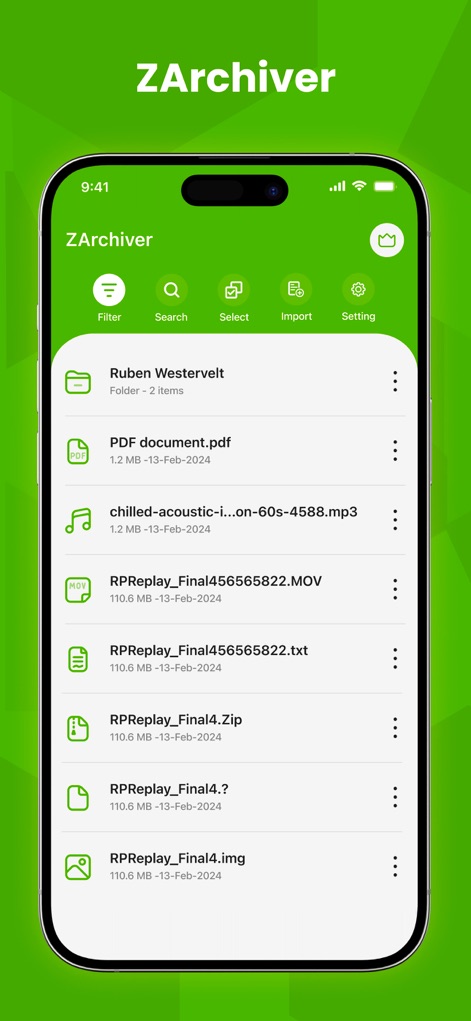
本アプリのメイン画面では、PDFやMP3など多種多様なファイル形式が直感的に表示され、ユーザーは上部のフィルターや検索機能で目的のファイルを効率よく探すことができます。
ファイル一覧管理
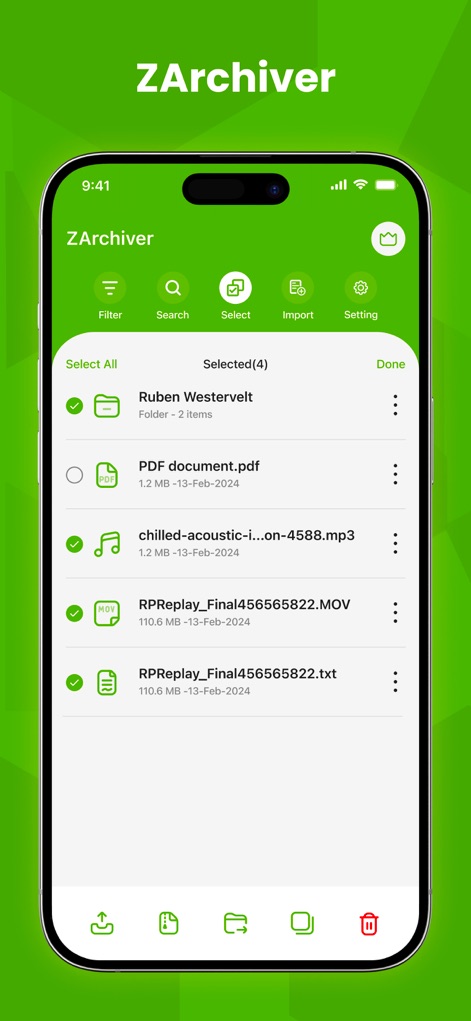
ユーザーは複数のファイルを一括選択し、画面下部のメニューからダウンロードや削除など、選択したアイテムに対する一連の操作をスムーズに実行できます。
複数選択で効率化
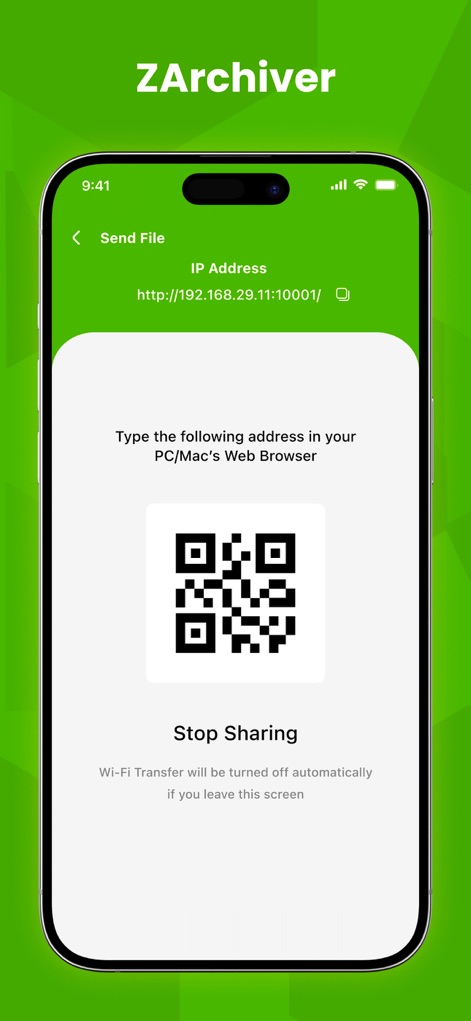
この画面では、IPアドレスとQRコードを通じて、ユーザーはPC/Macのウェブブラウザからデバイス内のファイルに簡単にアクセスし、手間なく共有を開始できます。
PCへ簡単転送
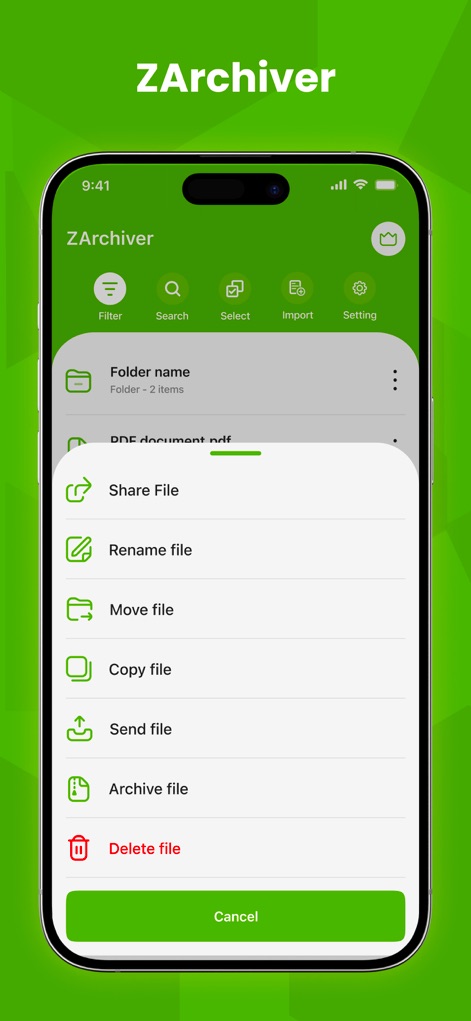
ファイルのコンテキストメニューからは、共有、名前変更、移動、コピー、アーカイブ作成、削除など、多様なファイル操作オプションに素早くアクセスできます。
強力なファイル管理
説明
Download
類似アプリ
似た機能とユーザー体験を持つアプリ

Unzip – ZIP RAR 7Z Extractor
Little Sweet Technology Co., Ltd.

Unzip - zip,rar,7z file opener
书勇 贾

Zip & RAR File Extractor
PENGHUI ZHAO

iZip – Zip Unzip Unrar
ComcSoft Corporation

Zip, RAR, 7z File Extractor
FANGZHOU INTERACTIVE TECHNOLOGY CO., LIMITED

ZArchiver: UnZip, UnRar, 7Z
TIMON SOFTWARE SOLUTIONS COMPANY LIMITED

iRAR - zip,rar,7z file opener
书敏 贾

Zip & RAR & 7z File Extractor
琳 胡

MT管理器
瑞 胡
このページはアプリまたはその開発者の公式ページではなく、情報提供および論評を目的として作成された独立した編集出版物です。明示的に別段の記載がない限り、アプリおよびその開発者は、MWM、Apple、Google Play、アプリのパブリッシャー、またはアプリの開発者と提携、承認、後援、認可、またはその他の公式的な関係はなく、このページのいかなる内容も、アプリがMWMのサービスを使用して開発されたことを意味するものではありません。すべての商標、ロゴ、スクリーンショット、その他のコンテンツはそれぞれの所有者の財産です。