3D Model Viewer & Converter
다운로드: App Store

이 페이지는 앱이나 개발자의 공식 페이지가 아니며, 정보 제공 및 논평을 목적으로 작성된 독립 편집 간행물입니다. 명시적으로 달리 언급되지 않는 한, 해당 앱이나 개발자는 MWM, Apple, Google Play, 앱 퍼블리셔 또는 앱 개발자와 제휴, 보증, 후원, 승인 또는 공식적으로 연결되어 있지 않으며, 이 페이지의 어떤 내용도 해당 앱이 MWM의 서비스를 사용하여 개발되었음을 의미하지 않습니다. 모든 상표, 로고, 스크린샷 및 기타 콘텐츠는 해당 소유자의 자산입니다.


로고: 3D Model Viewer & Converter
다운로드: App Store

3D Model Viewer & Converter

Mac, iPad, iPhone에서 15개 이상의 3D 형식을 원활하게 보고, 편집하고, 일괄 변환하세요. 고속 성능, 고급 시각화 도구, 완전한 개인 정보 보호를 요구하는 디자이너를 위해 제작되었습니다. 광고나 추적이 없습니다.

주요 수치

다운로드

200

사용자 평점

1.0/5

총 평가 수

0

개발사

维 艾

카테고리

Productivity

지원 언어

6

최신 버전

1.0.8

크기

16.1 MB

출시일

2025년 7월 31일
기능

전문가 수준의 3D 워크플로우, 간편하게

모든 Apple 기기에서 3D 애셋을 관리, 변환 및 검사하는 엔지니어, 디자이너, 메이커를 위한 최고의 오프라인 유틸리티입니다.

원활한 다중 형식 변환

STL, FBX, USDZ를 포함한 15개 이상의 형식을 기기에서 직접 일괄 변환하여 소프트웨어 간의 격차를 해소하세요.

정밀 검사 도구

XY, XZ, YZ 평면에서 분해된 보기와 단면 슬라이싱을 사용하여 어디서든 복잡한 어셈블리를 분석하세요.

다음 스크린샷과 설명은 앱의 공식 스토어 목록에서 직접 가져온 것이며 앱 개발자의 자산입니다.

앱 스토어

스크린샷
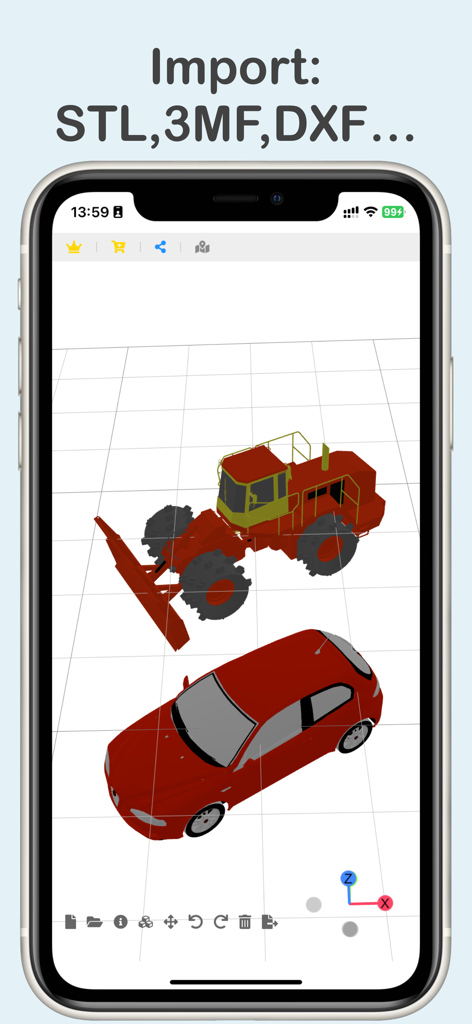
3D Model Viewer & Converter - 3D 공간에 자동차와 건설 차량이 있는 3D 모델 뷰어 앱을 표시하는 휴대폰
3D 공간에 자동차와 건설 차량이 있는 3D 모델 뷰어 앱을 표시하는 휴대폰

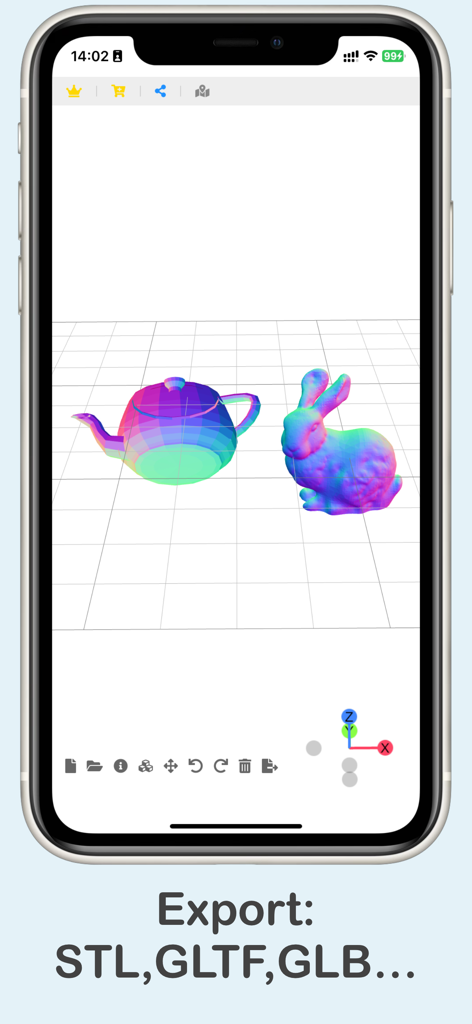
3D Model Viewer & Converter - 내보내기 형식 옵션과 함께 3D 티팟 및 토끼 모델을 보여주는 3D 모델 뷰어 앱 인터페이스
내보내기 형식 옵션과 함께 3D 티팟 및 토끼 모델을 보여주는 3D 모델 뷰어 앱 인터페이스

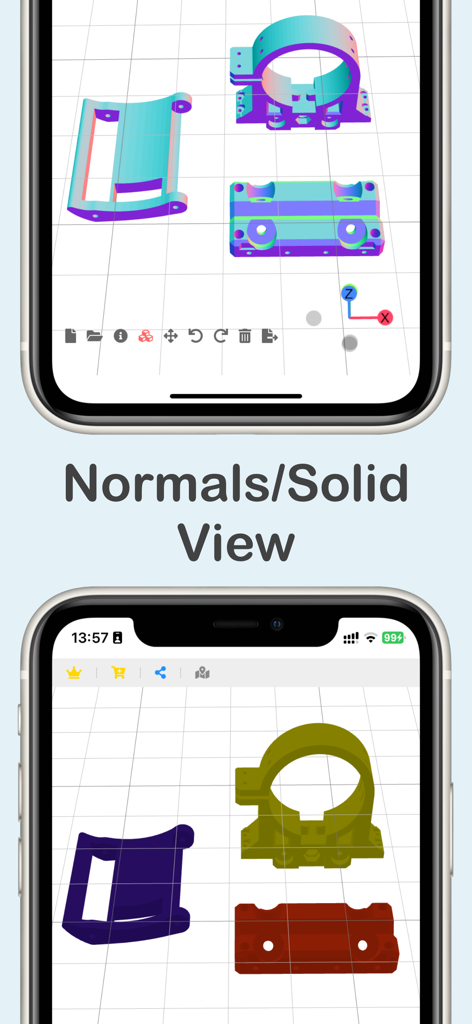
3D Model Viewer & Converter - iPhone에서 노멀 및 솔리드 보기 모드로 기술 구성 요소를 표시하는 3D 모델 뷰어 앱 스크린샷.
iPhone에서 노멀 및 솔리드 보기 모드로 기술 구성 요소를 표시하는 3D 모델 뷰어 앱 스크린샷.

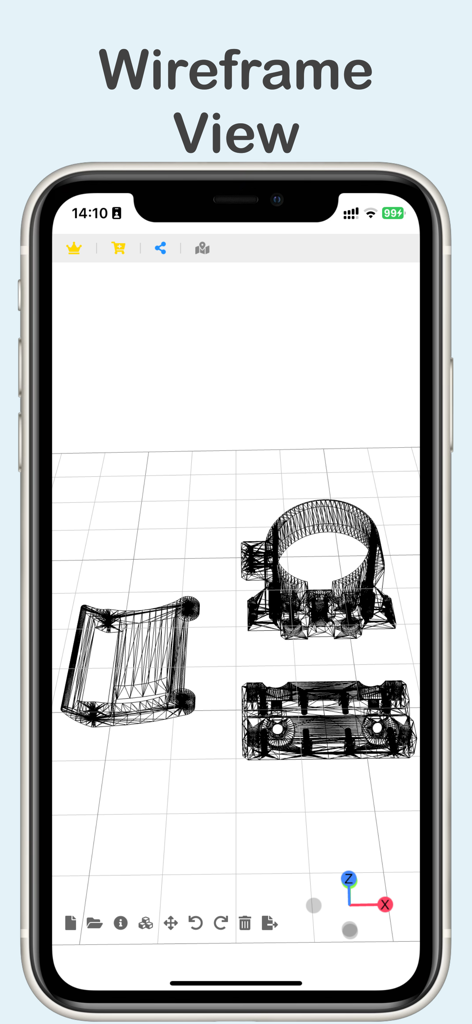
3D Model Viewer & Converter - 3D 모델 뷰어 및 변환기 앱을 사용하여 iPhone 화면에 와이어프레임 모드로 표시된 3D 모델.

3D 모델 뷰어 및 변환기 앱을 사용하여 iPhone 화면에 와이어프레임 모드로 표시된 3D 모델.

설명

3D Model Viewer & Converter is a lightweight, user-friendly tool. It lets you open, view, and convert a wide range of 3D formats—anytime, anywhere, without needing an internet connection. Fully compatible with macOS, iPad, and iPhone. Key Features • Import popular 3D formats: 3MF, STL, FBX, OBJ, GLB, USDZ, TDS, AMF, PLY, PDC, XYZ, VOX, VTK, VTP, and DXF • Export to STL, OBJ, GLB, USDZ, and GLTF • Capture model screenshots for export or sharing • Basic editing tools: move, rotate, scale, delete, and undo changes to model objects • Cross-section: Supports XY, XZ, and YZ planes, offering automatic scan slicing and manual control of slice positions • Exploded view: Explode model components to inspect the parts clearly in expanded space. • Batch Export Support: Selecting multiple files — even in different model formats — and converting them all to a single target format in one go • Export the model’s projected views — including top, front, and right views — in SVG format • No ads. No tracking. No data collection. Just a clean, efficient tool built for professionals. Pricing & Access • Free: Import and view models • Subscription: Unlock editing, format conversion, export, and sharing. One subscription covers all versions—macOS, iPhone, and iPad. • Purchase Individually: Unlock only the features you need — one-time payment, no subscription. • Payment is charged to your App Store account. • Auto-renews unless turned off 24 hours before the current period ends. • Manage subscriptions in App Store settings. Privacy & Purchase Terms • Privacy Policy: https://h53d.github.io/3dc/policy.txt • Terms of Use (EULA): https://www.apple.com/legal/internet-services/itunes/dev/stdeula/ Have questions or need support? Reach out to danjian42@gmail.com.

Download

다운로드: App Store

이 페이지는 앱이나 개발자의 공식 페이지가 아니며, 정보 제공 및 논평을 목적으로 작성된 독립 편집 간행물입니다. 명시적으로 달리 언급되지 않는 한, 해당 앱이나 개발자는 MWM, Apple, Google Play, 앱 퍼블리셔 또는 앱 개발자와 제휴, 보증, 후원, 승인 또는 공식적으로 연결되어 있지 않으며, 이 페이지의 어떤 내용도 해당 앱이 MWM의 서비스를 사용하여 개발되었음을 의미하지 않습니다. 모든 상표, 로고, 스크린샷 및 기타 콘텐츠는 해당 소유자의 자산입니다.








