ABB-free@home® Next
ABB-free@home® Next
다운로드: App Store

이 페이지는 앱이나 개발자의 공식 페이지가 아니며, 정보 제공 및 논평을 목적으로 작성된 독립 편집 간행물입니다. 명시적으로 달리 언급되지 않는 한, 해당 앱이나 개발자는 MWM, Apple, Google Play, 앱 퍼블리셔 또는 앱 개발자와 제휴, 보증, 후원, 승인 또는 공식적으로 연결되어 있지 않으며, 이 페이지의 어떤 내용도 해당 앱이 MWM의 서비스를 사용하여 개발되었음을 의미하지 않습니다. 모든 상표, 로고, 스크린샷 및 기타 콘텐츠는 해당 소유자의 자산입니다.

로고: ABB-free@home® Next
다운로드: App Store

ABB-free@home® Next

하나의 직관적인 대시보드로 집의 모든 시스템을 완벽하게 제어하세요. 전문적인 자동화부터 안전한 원격 액세스까지, 현대적이고 고급스러운 라이프스타일을 위해 설계된 완벽한 제어를 경험하세요.

주요 수치

다운로드

6K+

사용자 평점

4.5/5

총 평가 수

1K+

개발사

Busch-Jaeger Elektro GmbH

카테고리

Productivity

지원 언어

17

최신 버전

3.5.3

크기

225.7 MB

출시일

2020년 5월 20일
기능

완벽하게 동기화된 당신의 집

조명, 기후, 보안을 전문적인 정밀도로 관리하는 중앙 집중식 대시보드로 스마트 리빙의 정점을 경험하세요.

즉각적인 집 상태 확인

켜져 있는 조명, 열려 있는 셔터, 잠겨 있는 창문을 정확히 보여주는 상태 타일로 집 전체를 한눈에 모니터링하세요.

모바일 출입 제어

통합된 Welcome 도어 인터콤을 통해 어디에 있든 모바일 장치에서 방문자를 직접 확인하고, 대화하고, 출입을 허용할 수 있습니다.

다음 스크린샷과 설명은 앱의 공식 스토어 목록에서 직접 가져온 것이며 앱 개발자의 자산입니다.

앱 스토어

스크린샷
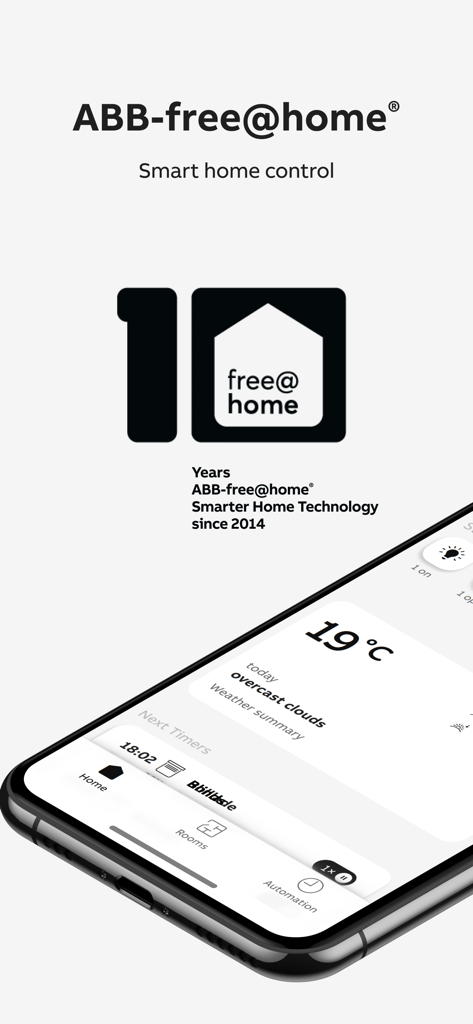
ABB-free@home® Next - ABB-free-home Next 스마트 홈 제어 앱 대시보드를 보여주는 스마트폰
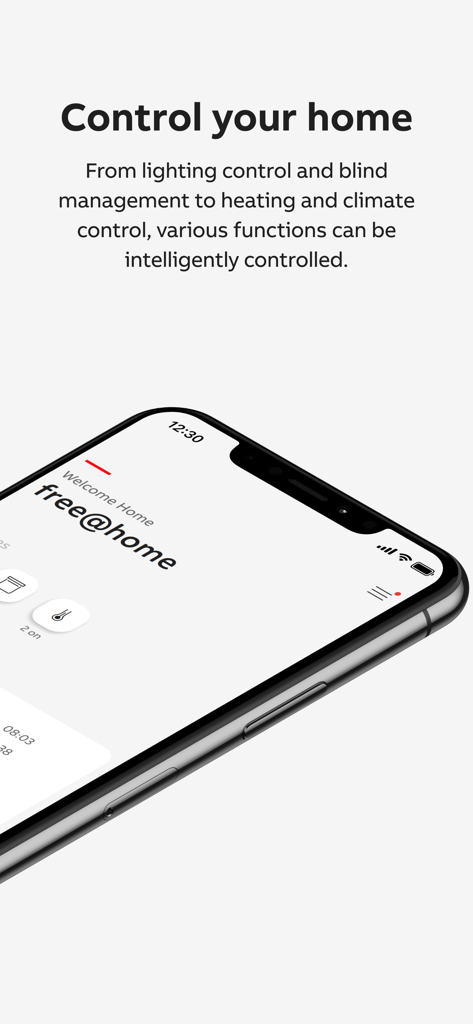
ABB-free-home Next 스마트 홈 제어 앱 대시보드를 보여주는 스마트폰

ABB-free@home® Next - 조명, 블라인드, 기후를 중앙 집중식으로 제어하는 ABB-freeathome Next 앱 대시보드를 표시하는 스마트폰
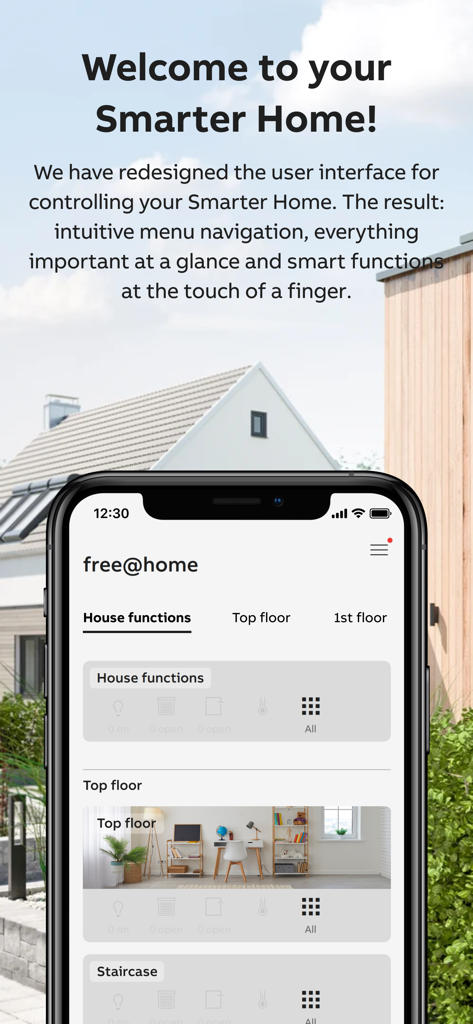
조명, 블라인드, 기후를 중앙 집중식으로 제어하는 ABB-freeathome Next 앱 대시보드를 표시하는 스마트폰

ABB-free@home® Next - ABB-free@home Next 앱 대시보드가 iPhone에 표시되며, 집 기능 및 방에 대한 통합 스마트 홈 제어를 보여줍니다.
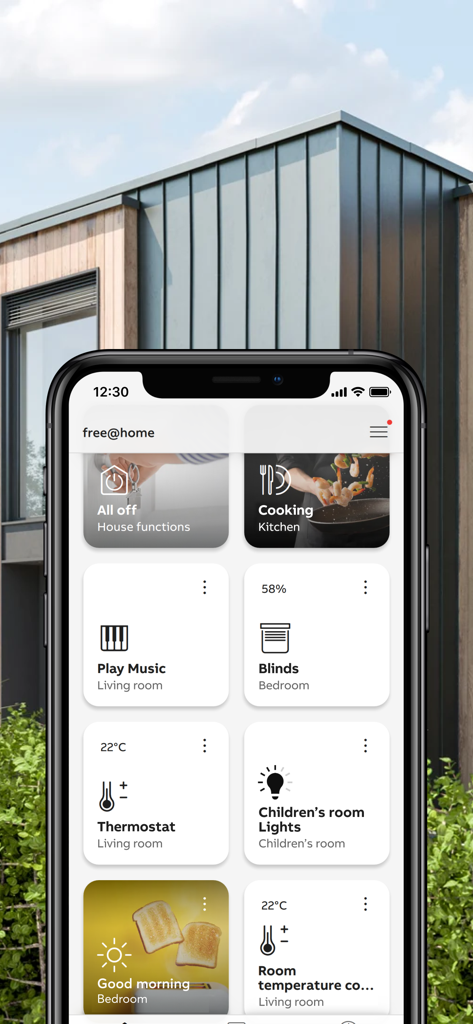
ABB-free@home Next 앱 대시보드가 iPhone에 표시되며, 집 기능 및 방에 대한 통합 스마트 홈 제어를 보여줍니다.

ABB-free@home® Next - iPhone에서 조명 및 기후에 대한 스마트 홈 제어를 보여주는 ABB-at-home Next 앱 대시보드
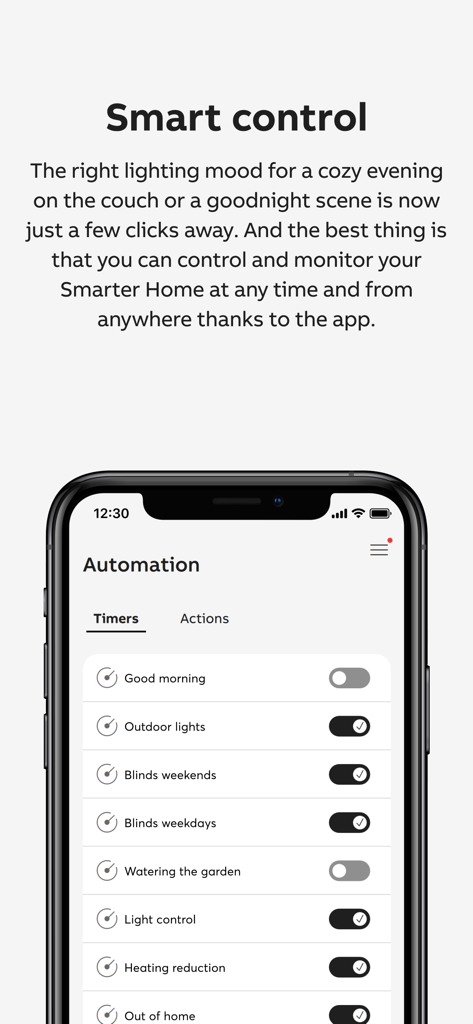
iPhone에서 조명 및 기후에 대한 스마트 홈 제어를 보여주는 ABB-at-home Next 앱 대시보드

ABB-free@home® Next - ABB free home Next 앱의 조명 및 블라인드에 대한 스마트 홈 자동화 타이머 설정
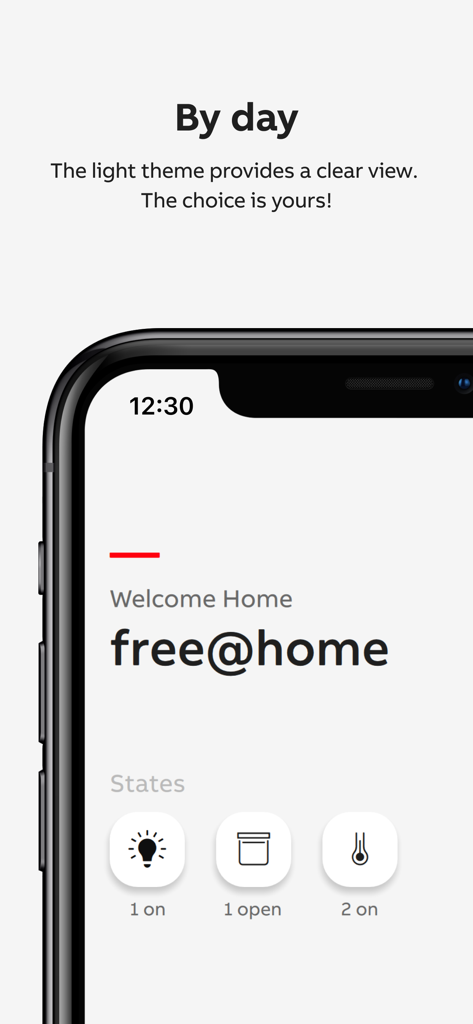
ABB free home Next 앱의 조명 및 블라인드에 대한 스마트 홈 자동화 타이머 설정

ABB-free@home® Next - ABB-free@home Next 앱의 조명 모드 대시보드가 조명 및 셔터에 대한 홈 자동화 상태 아이콘을 표시합니다.
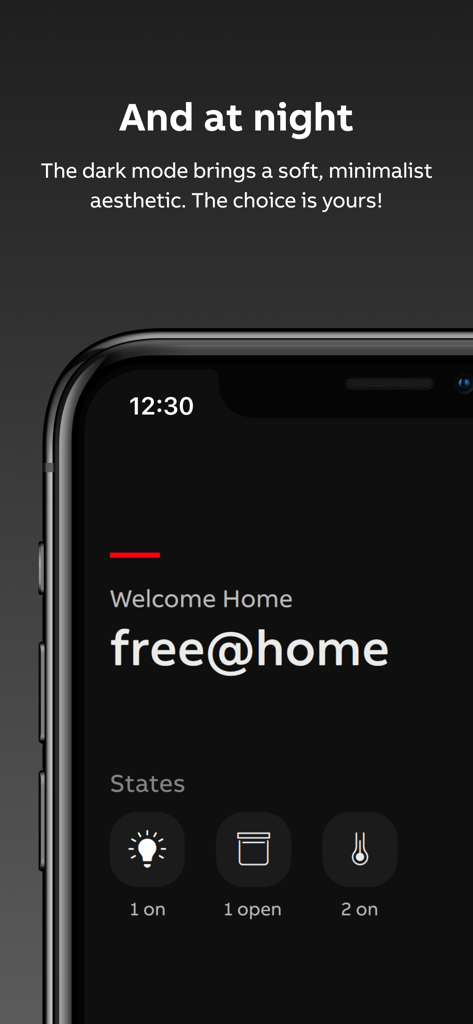
ABB-free@home Next 앱의 조명 모드 대시보드가 조명 및 셔터에 대한 홈 자동화 상태 아이콘을 표시합니다.

ABB-free@home® Next - ABB-free home Next 앱의 다크 모드 대시보드가 조명 및 셔터에 대한 스마트 홈 상태 아이콘을 표시합니다.
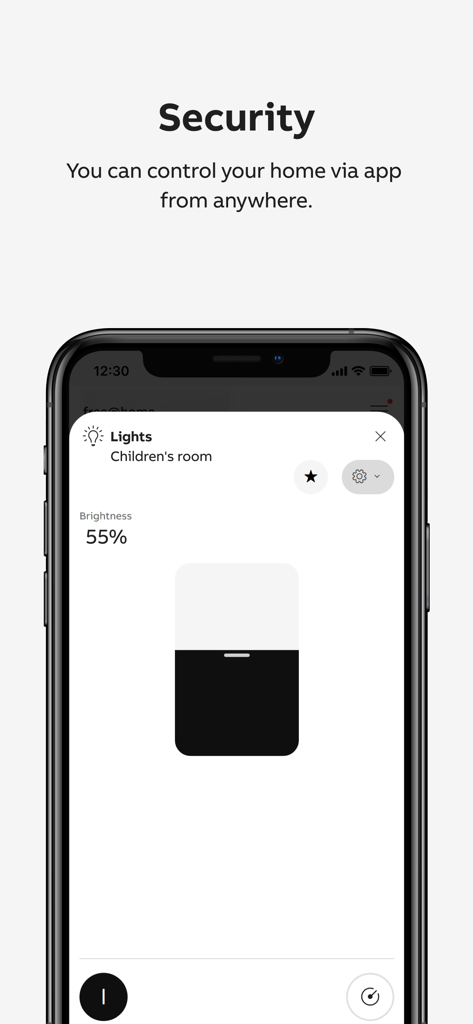
ABB-free home Next 앱의 다크 모드 대시보드가 조명 및 셔터에 대한 스마트 홈 상태 아이콘을 표시합니다.

ABB-free@home® Next - ABB-free home Next 앱이 어린이 방에 대한 원격 보안 및 조광 제어를 보여줍니다.
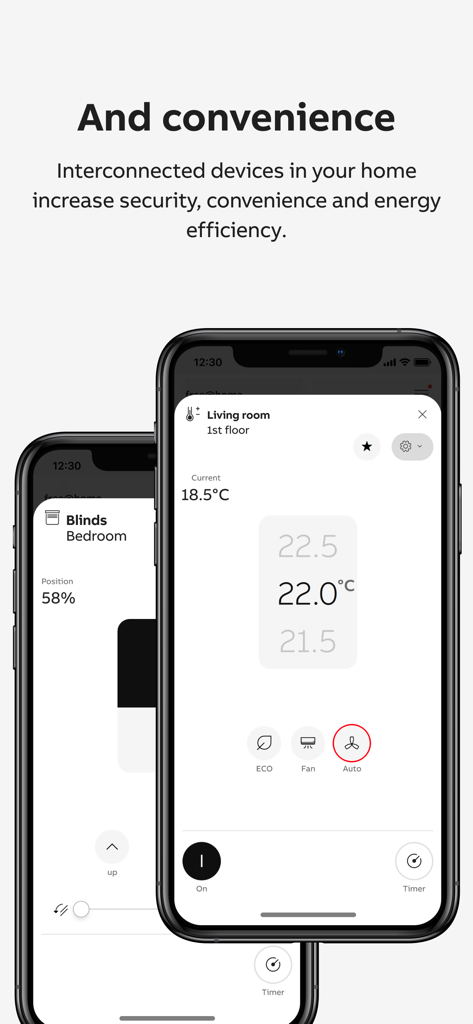
ABB-free home Next 앱이 어린이 방에 대한 원격 보안 및 조광 제어를 보여줍니다.

ABB-free@home® Next - ABB-free home Next 앱 인터페이스가 스마트폰에서 거실 온도 및 침실 블라인드 제어를 보여줍니다.
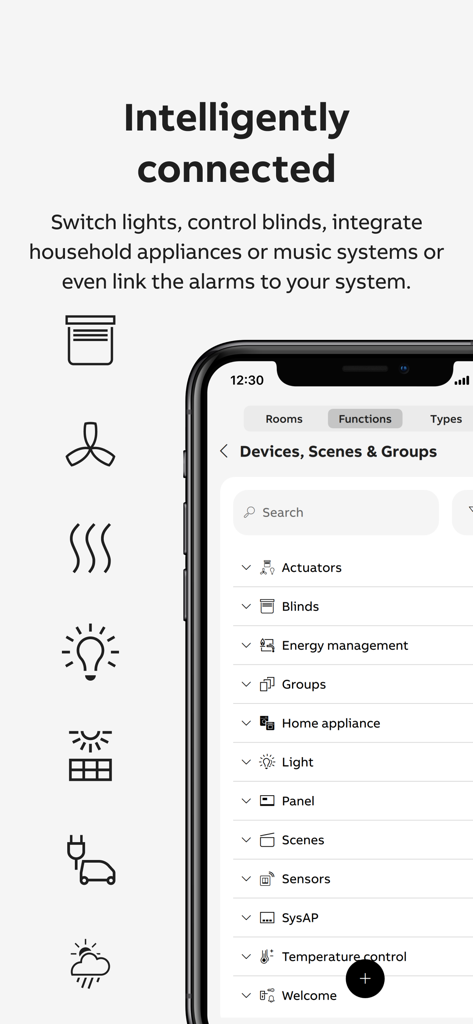
ABB-free home Next 앱 인터페이스가 스마트폰에서 거실 온도 및 침실 블라인드 제어를 보여줍니다.

ABB-free@home® Next - ABB free home Next 앱 인터페이스가 연결된 스마트 홈 장치 및 카테고리 목록을 보여줍니다.

ABB free home Next 앱 인터페이스가 연결된 스마트 홈 장치 및 카테고리 목록을 보여줍니다.

설명

The ABB-free@home® Next app is the app for controlling and commissioning - the free@home system - the Busch-Watchdog - the Flex Tronic WL devices as well as the mobile remote station for accepting door calls from the Welcome door intercom system. The functions and the appearance of the app of the app scale with the functions of the connected devices. The full range of functions is available when a System Access Point is connected: The app then offers 3 areas between which you can switch back and forth via the bottom control bar: **Dashboard** Here you get a quick overview of what's going on at home: - The ‘Status’ tiles show you how many lights are on, how many shutters are open and whether windows are open. A short tab on a tile allows you to switch off the light directly, for example. - The ‘Weather’ window shows you the weather data from your free@home weather station. - The ‘Next switching times’ window shows the two functions that will be switched next using the automated time programme. The event can be suspended once using the slider. A tab on the switching times overview displays all switching events for the next 24 hours. - The ‘Favourites’ are a collection of individually selected functions. The selection is made by setting the ‘star’ symbol. The function can be executed directly by clicking on the small blue symbol at the top right of the favourites tile. By tabbing on the main area of the tile, the function is called up in fullscreen view, which offers even more setting options. The order of the function areas can be changed using the ‘Edit’ button at the bottom of the home page. **ROOMS** Here you can access all the devices in your free@home installation. **AUTOMATION** Timer Existing time programmes can be activated/deactivated (and new time programmes can be created in the future). Actions Actions are logical links in if-then style, which allow the creation of complex automation scenarios. myBuildings Portal By registering free of charge with the free@home system and the app on the myBuildings portal, the free@home system can also be operated remotely. CONFIGURATION The configuration area of the app can be opened via the menu icon at the top right of the app. Here you can configure new devices, install add-ons or create scenes and groups. Access to this area can be restricted by assigning authorisations.

Download

다운로드: App Store

이 페이지는 앱이나 개발자의 공식 페이지가 아니며, 정보 제공 및 논평을 목적으로 작성된 독립 편집 간행물입니다. 명시적으로 달리 언급되지 않는 한, 해당 앱이나 개발자는 MWM, Apple, Google Play, 앱 퍼블리셔 또는 앱 개발자와 제휴, 보증, 후원, 승인 또는 공식적으로 연결되어 있지 않으며, 이 페이지의 어떤 내용도 해당 앱이 MWM의 서비스를 사용하여 개발되었음을 의미하지 않습니다. 모든 상표, 로고, 스크린샷 및 기타 콘텐츠는 해당 소유자의 자산입니다.








