Add Music to Video Editor
다운로드: App Store

이 페이지는 앱이나 개발자의 공식 페이지가 아니며, 정보 제공 및 논평을 목적으로 작성된 독립 편집 간행물입니다. 명시적으로 달리 언급되지 않는 한, 해당 앱이나 개발자는 MWM, Apple, Google Play, 앱 퍼블리셔 또는 앱 개발자와 제휴, 보증, 후원, 승인 또는 공식적으로 연결되어 있지 않으며, 이 페이지의 어떤 내용도 해당 앱이 MWM의 서비스를 사용하여 개발되었음을 의미하지 않습니다. 모든 상표, 로고, 스크린샷 및 기타 콘텐츠는 해당 소유자의 자산입니다.


로고: Add Music to Video Editor
다운로드: App Store

Add Music to Video Editor

크리에이터를 위한 올인원 오디오 스튜디오. 여러 트랙을 레이어링하고, 전문적인 음성 녹음을 하고, 사운드트랙을 정밀하게 편집하여 TikTok 및 Reels를 군중 속에서 돋보이게 만드세요.

주요 수치

다운로드

7M+

사용자 평점

4.6/5

총 평가 수

97K+

개발사

Add Music to Video Maker & Editor LLC

카테고리

Photo & Video

지원 언어

1

최신 버전

9.0

크기

103.6 MB

출시일

2014년 12월 12일
기능

전문 오디오로 콘텐츠 레벨 올리기

몇 분 만에 사운드트랙을 레이어링하고, 음성 녹음을 하고, 동영상의 분위기를 마스터할 수 있는 크리에이터를 위한 궁극의 툴킷.

음성 및 음악 레이어링

전문적인 음성 녹음을 하고 무제한 배경 트랙과 혼합하여 시네마틱 오디오 경험을 선사하세요.

프레임 단위 오디오 동기화

오디오 트랙을 정밀하게 편집하고 배치하여 모든 전환 및 비트를 전문가 수준의 타이밍으로 맞추세요.

다음 스크린샷과 설명은 앱의 공식 스토어 목록에서 직접 가져온 것이며 앱 개발자의 자산입니다.

앱 스토어

스크린샷
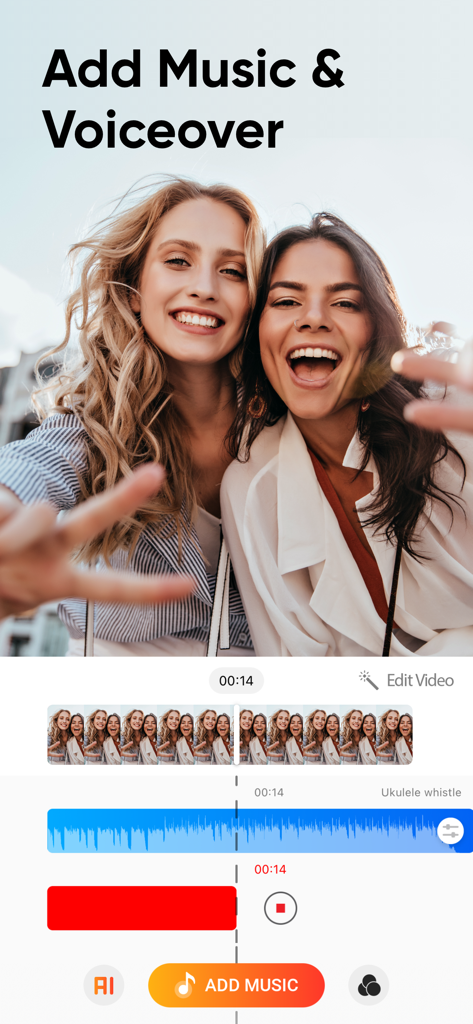
Add Music to Video Editor - 소셜 미디어 동영상을 위한 음악 및 음성 녹음의 다중 트랙 오디오 레이어링을 보여주는 Add Music to Video Editor 앱 인터페이스.
소셜 미디어 동영상을 위한 음악 및 음성 녹음의 다중 트랙 오디오 레이어링을 보여주는 Add Music to Video Editor 앱 인터페이스.

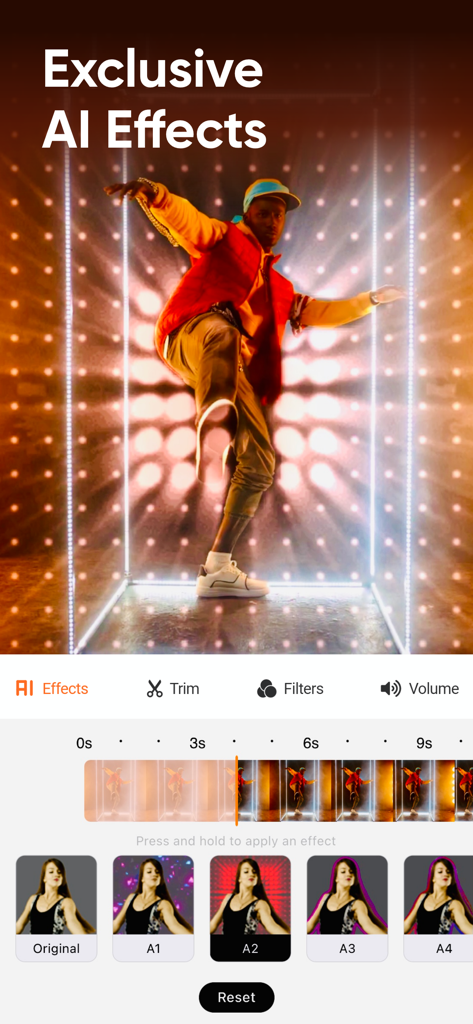
Add Music to Video Editor - 독점 AI 효과와 동영상 편집 타임라인을 보여주는 모바일 동영상 편집기 인터페이스.
독점 AI 효과와 동영상 편집 타임라인을 보여주는 모바일 동영상 편집기 인터페이스.

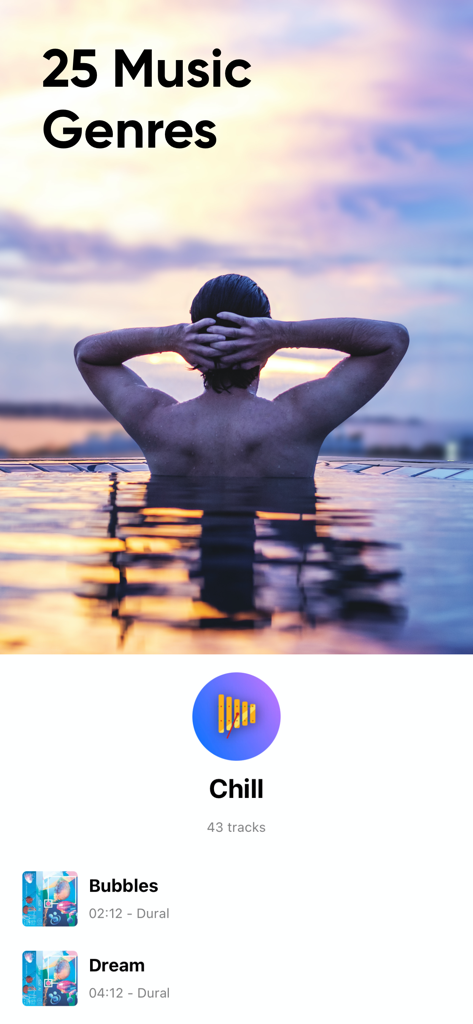
Add Music to Video Editor - 25가지 음악 장르와 잔잔한 배경 트랙 모음을 표시하는 Add Music to Video Editor 앱 인터페이스.
25가지 음악 장르와 잔잔한 배경 트랙 모음을 표시하는 Add Music to Video Editor 앱 인터페이스.

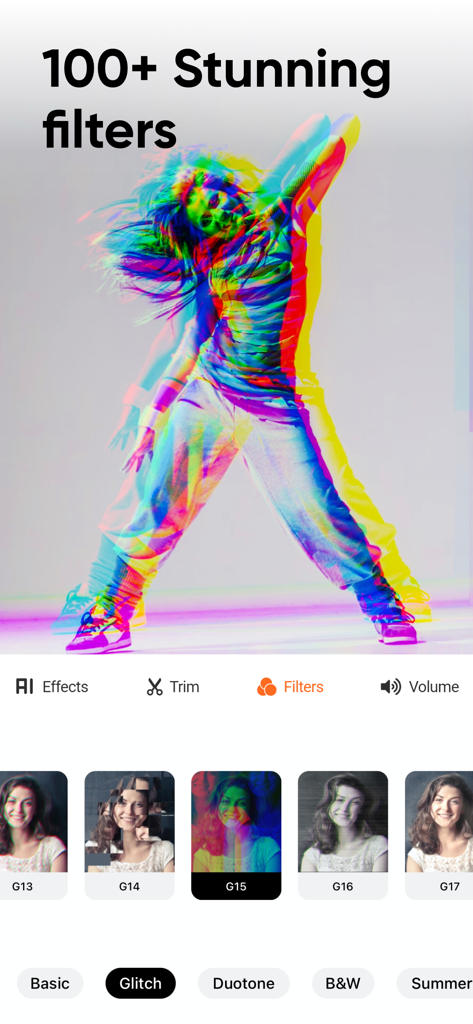
Add Music to Video Editor - 소셜 미디어 크리에이터를 위한 100가지 이상의 멋진 동영상 필터 및 글리치 효과를 보여주는 모바일 앱 인터페이스

소셜 미디어 크리에이터를 위한 100가지 이상의 멋진 동영상 필터 및 글리치 효과를 보여주는 모바일 앱 인터페이스

Add Music to Video Editor - 해변에서 공놀이를 하는 아이들, '모두와 공유' 텍스트 오버레이

해변에서 공놀이를 하는 아이들, '모두와 공유' 텍스트 오버레이

설명

Add background music and sound effects to your short-form videos to make the videos more engaging! Edit videos sound just like a pro. A must-have app for the content creator. FEATURES 1. Voice-overs: Record your voice over the video. 2. Multiple Music Tracks: Add unlimited background audio tracks, music & voice to your video. 3. Trim Audio: Cut out any unwanted moments from the audio. 4. Trim Video: Cut out any unwanted moments from the videos. 5. Positioning Tracks: Position your music tracks for perfect editing! 6. Share Videos: Share your content on Tiktok, Vine, Snapchat, Instagram & Facebook.
 DISCLAIMER: You might be required to sign up for an auto-renewable In-App Purchase to access all features and functionalities of the app.
 SUBSCRIPTION INFO:
 Subscribe to take advantage of the features described above. • Subscription Length: Weekly, Monthly, and Yearly. • Your payment will be charged to your iTunes Account as soon as you confirm your purchase. • You can manage your subscriptions and turn off auto-renewal from your Account Settings after the purchase. • Your subscription will renew automatically unless you turn off auto-renew at least 24 hours before the end of the current period. • The cost of renewal will be charged to your account 24 hours before the end of the current period. • When canceling a subscription, your subscription will stay active until the end of the period. Auto-renewal will be disabled, but the current subscription will not be refunded. • Any unused portion of a free trial period, if offered, will be forfeited when purchasing a subscription.
 Terms of service: http://www.addmusictovideo.com/terms.html Privacy policy: http://www.addmusictovideo.com/privacy.html
 CONTACT US We believe your feedback, ideas, or complaints will help us to make the app better. Do not hesitate to contact us about anything. Mail: info.addmusic@gmail.com Website: http://www.addmusictovideo.com/support.html

Download

다운로드: App Store

이 페이지는 앱이나 개발자의 공식 페이지가 아니며, 정보 제공 및 논평을 목적으로 작성된 독립 편집 간행물입니다. 명시적으로 달리 언급되지 않는 한, 해당 앱이나 개발자는 MWM, Apple, Google Play, 앱 퍼블리셔 또는 앱 개발자와 제휴, 보증, 후원, 승인 또는 공식적으로 연결되어 있지 않으며, 이 페이지의 어떤 내용도 해당 앱이 MWM의 서비스를 사용하여 개발되었음을 의미하지 않습니다. 모든 상표, 로고, 스크린샷 및 기타 콘텐츠는 해당 소유자의 자산입니다.