
이 페이지는 앱이나 개발자의 공식 페이지가 아니며, 정보 제공 및 논평을 목적으로 작성된 독립 편집 간행물입니다. 명시적으로 달리 언급되지 않는 한, 해당 앱이나 개발자는 MWM, Apple, Google Play, 앱 퍼블리셔 또는 앱 개발자와 제휴, 보증, 후원, 승인 또는 공식적으로 연결되어 있지 않으며, 이 페이지의 어떤 내용도 해당 앱이 MWM의 서비스를 사용하여 개발되었음을 의미하지 않습니다. 모든 상표, 로고, 스크린샷 및 기타 콘텐츠는 해당 소유자의 자산입니다.


Video Music Add Background
크리에이터와 추억 제작자를 위한 최고의 창의적 도구입니다. 사용자 지정 사운드트랙을 추가하고, 전문적인 음성 해설을 녹음하고, 영화 같은 효과를 적용하여 TikTok, Reels 등에서 동영상을 돋보이게 만드세요.
다운로드
6K+사용자 평점
총 평가 수
0개발사
카테고리
Photo & Video지원 언어
11최신 버전
2.0.1크기
69.8 MB출시일
2021년 8월 7일사운드로 스토리를 향상시키세요
크리에이터와 현대 스토리텔러를 위한 최고의 툴킷으로, 모든 클립에 전문적인 오디오, 영화 같은 효과, 개인적인 스타일을 몇 초 만에 추가할 수 있습니다.
전문 음성 해설 및 오디오
자신의 음악을 레이어하거나 고품질 음성 해설을 녹음하여 튜토리얼 및 브이로그에 완벽한 스토리를 원하는 방식으로 전달하세요.
영화 같은 모션 컨트롤
단 한 번의 탭으로 슬로우 모션, 빨리 감기, 리버스 효과로 동영상의 타이밍을 마스터하여 바이럴 준비가 된 콘텐츠를 만드세요.
자주 묻는 질문
에 대해 알아야 할 모든 것 Video Music Add Background
Video Music Add Background 앱에서 비디오에 배경 음악을 추가하려면 어떻게 해야 하나요?
사용자는 자신의 라이브러리에서 직접 음악을 선택하거나 Video Music Add Background 앱의 기본 음악 목록에서 선택하여 배경 음악을 추가할 수 있습니다. 이 앱은 다양한 오디오 파일을 지원합니다.
Video Music Add Background 앱을 사용하여 동영상에 음성 해설을 녹음할 수 있나요?
네, Video Music Add Background 앱을 사용하면 사용자가 직접 오디오를 녹음하여 모든 동영상에 음성 해설을 추가하고 콘텐츠를 향상시킬 수 있습니다.
Video Music Add Background 앱은 슬로우 모션 및 패스트 모션 비디오 편집을 지원하나요?
네, Video Music Add Background 앱은 속도를 조절하는 비디오 편집 옵션을 제공하여 사용자가 슬로우 모션 및 패스트 모션 효과를 쉽게 만들 수 있습니다.
Video Music Add Sound Clips 앱의 월간 구독 비용은 얼마인가요?
Video Music Add Sound Clips 앱의 월간 자동 갱신 구독 비용은 미국 고객의 경우 $5.99입니다. 다른 국가에서는 가격이 다를 수 있습니다.
사용자는 Video Music Add Background 앱에서 동영상에 텍스트와 스티커를 추가할 수 있나요?
네, Video Music Add Background 앱을 사용하면 사용자가 색상 및 글꼴 사용자 정의와 함께 동영상에 텍스트를 추가할 수 있습니다. 또한 다양한 스티커를 추가하는 것도 지원합니다.
Video Music Add Background 앱은 편집을 위한 비디오 효과를 제공하나요?
네, Video Music Add Background 앱은 동영상을 향상시키는 다양한 효과를 제공하여 사용자가 만든 콘텐츠를 더욱 매력적이고 시각적으로 돋보이게 만들 수 있도록 돕습니다.
Video Music Add Background 앱으로 비디오 재생을 되돌릴 수 있나요?
네, Video Music Add Background 앱에는 비디오 되감기 효과 기능이 포함되어 있습니다. 이를 통해 사용자는 동영상을 뒤쪽 방향으로 재생할 수 있습니다.
다음 스크린샷과 설명은 앱의 공식 스토어 목록에서 직접 가져온 것이며 앱 개발자의 자산입니다.
앱 스토어
스크린샷
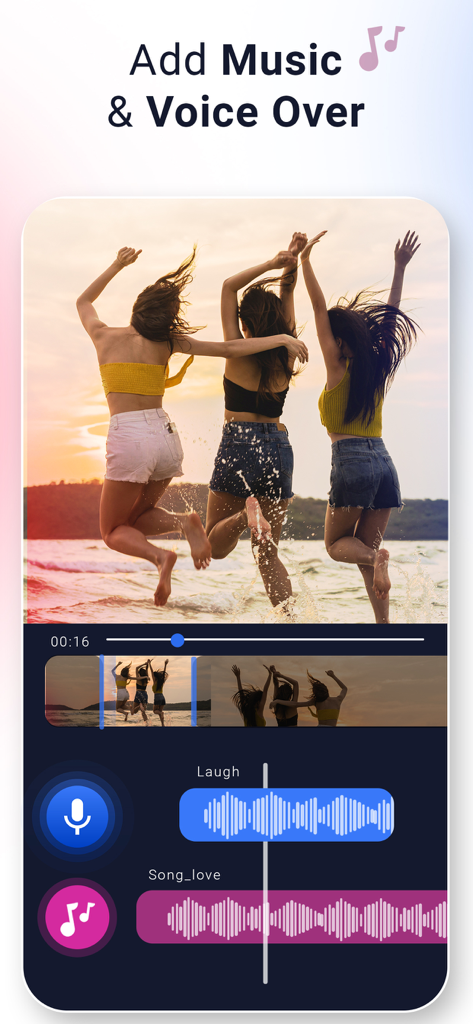
음악 및 음성 해설을 위한 레이어 오디오 트랙이 있는 해변의 친구들 동영상을 보여주는 Video Music Add Background 앱 인터페이스
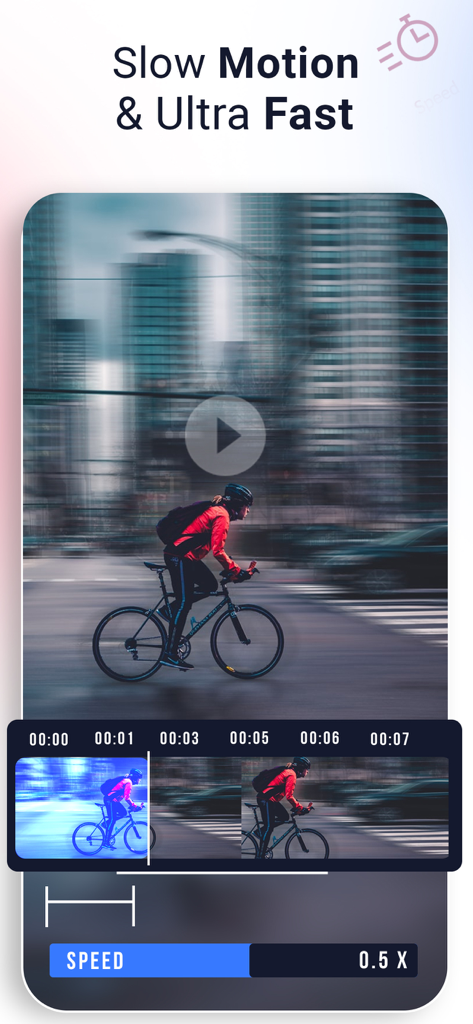
슬라이더를 사용하여 슬로우 모션 및 초고속 효과를 위한 비디오 속도 편집을 보여주는 앱 인터페이스
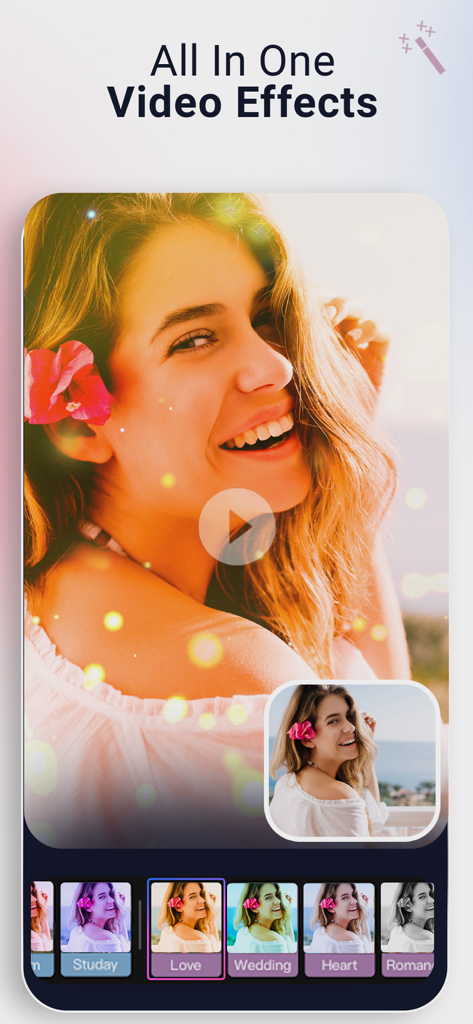
비디오 편집을 위한 모든 효과 및 필터를 보여주는 모바일 앱 인터페이스
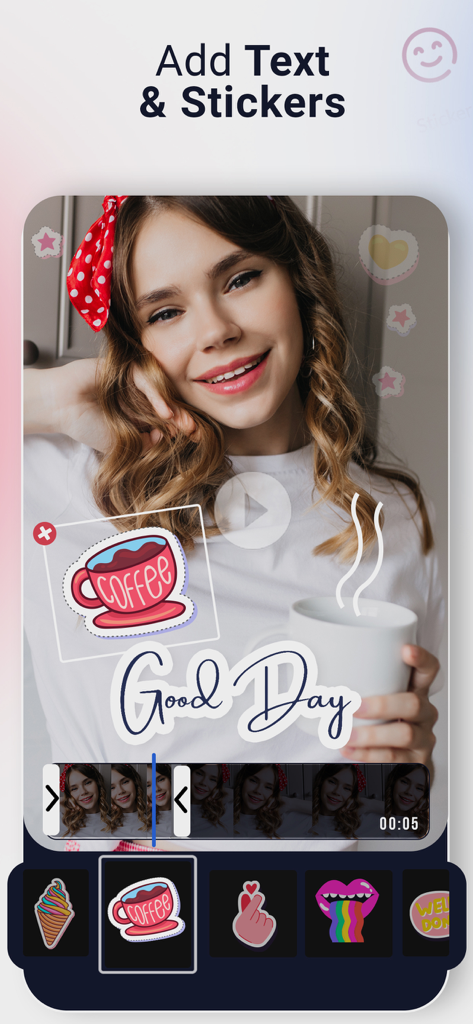
커피 스티커와 Good Day 텍스트 오버레이가 있는 비디오 미리 보기를 보여주는 모바일 앱 인터페이스.
설명
Download
비슷한 앱
유사한 기능과 사용자 경험을 가진 앱

Dolby On: Record Audio & Video
Dolby Laboratories, Inc.

Add Music to Video, Maker
Honk Honk Punch Pty Ltd

Clips - Video Editor
Video Bakery Ltd.

Add Music to Video Editor
Add Music to Video Maker & Editor LLC

Add Music into Video Editor
Saturday Technologies Incorporated

Add Background Music To Video
Mosaic S.r.l.

Add Music to Video Voice Over
Brain Craft Ltd

Add Music to Video
Md Jasim Uddin

Video Maker with Music Editor
Mosaic S.r.l.
이 페이지는 앱이나 개발자의 공식 페이지가 아니며, 정보 제공 및 논평을 목적으로 작성된 독립 편집 간행물입니다. 명시적으로 달리 언급되지 않는 한, 해당 앱이나 개발자는 MWM, Apple, Google Play, 앱 퍼블리셔 또는 앱 개발자와 제휴, 보증, 후원, 승인 또는 공식적으로 연결되어 있지 않으며, 이 페이지의 어떤 내용도 해당 앱이 MWM의 서비스를 사용하여 개발되었음을 의미하지 않습니다. 모든 상표, 로고, 스크린샷 및 기타 콘텐츠는 해당 소유자의 자산입니다.